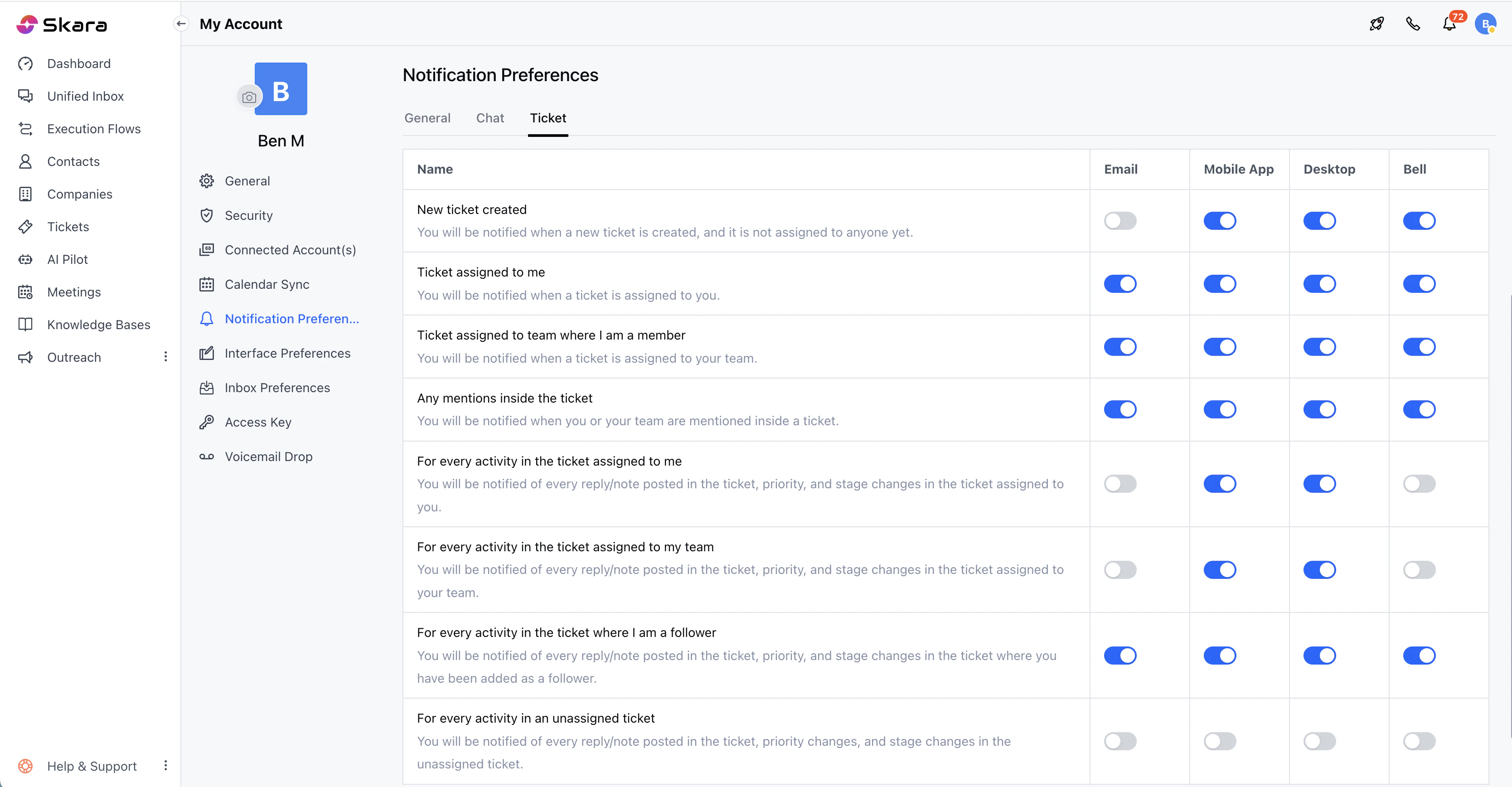
- Navigate to the Profile Icon on the top corner
- Click on Go To My Account
- Head over to the Notification Preferences
- Click on the Tickets Section
- You can set the following preferences:
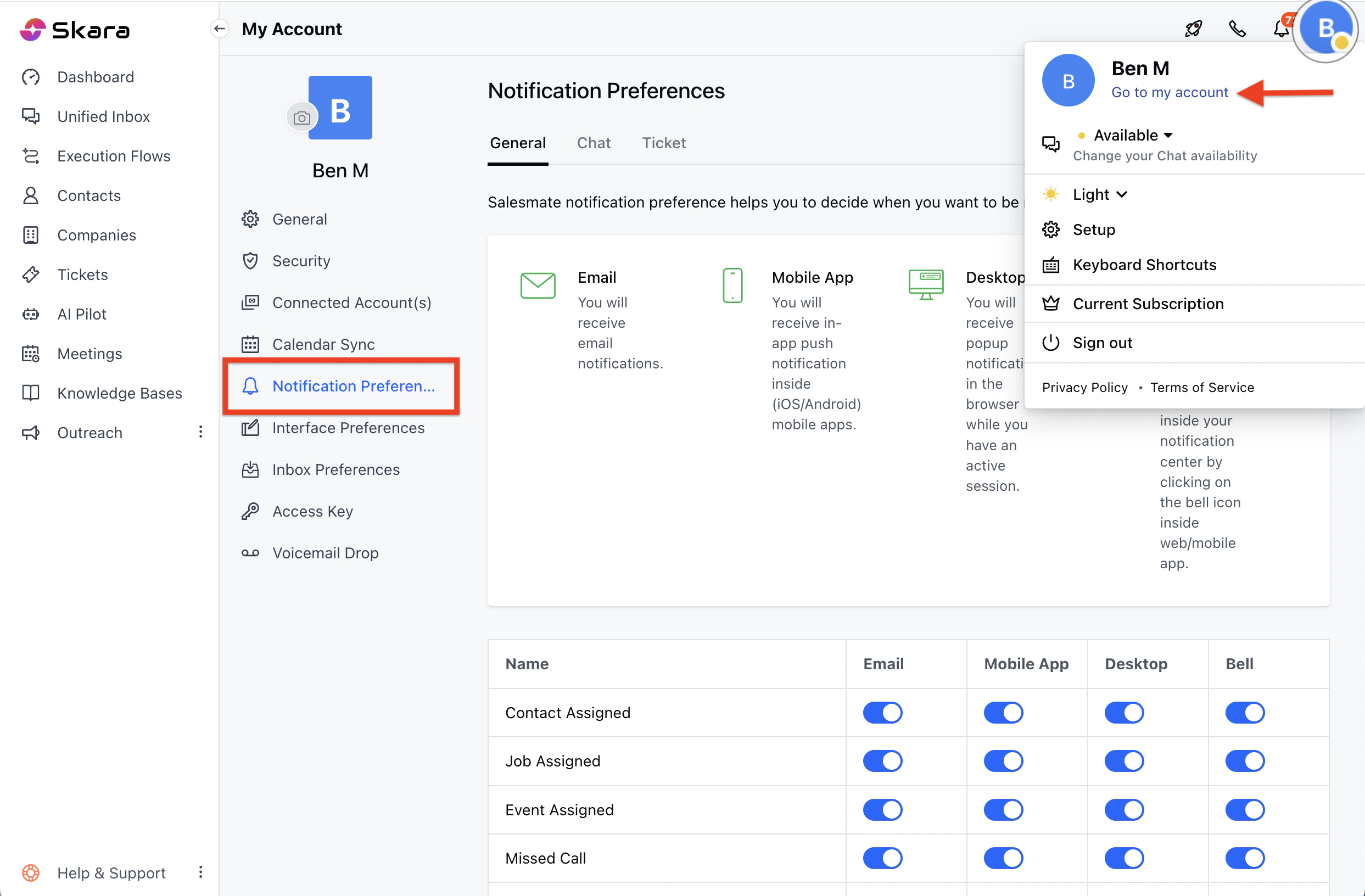
- New ticket created*:* You will be notified when a new ticket is created, and it is not assigned to anyone yet.
- Ticket assigned to me: You will be notified when a ticket is assigned to you.
- Ticket assigned to the team where I am a member - You will be notified when a ticket is assigned to your team.
- Any mentions inside the ticket: You will be notified when you are mentioned inside a ticket.
- For every activity in the ticket assigned to me: You will be notified for every reply/note posted in the ticket assigned to you.
- For every activity in the ticket assigned to my team: You will be notified for every reply/note posted in the ticket assigned to your team.
- For every activity in the ticket where I am a follower*:* You will be notified for every reply/note posted in the ticket where you have been added as a follower.
- Once done, hit Save