

Note: The Delete function is available to users who have rights honored through Profile Permissions.
- *Different ways to delete a contact.
- **
- List View (Individually or Bulk)
- Mass Delete Contacts)
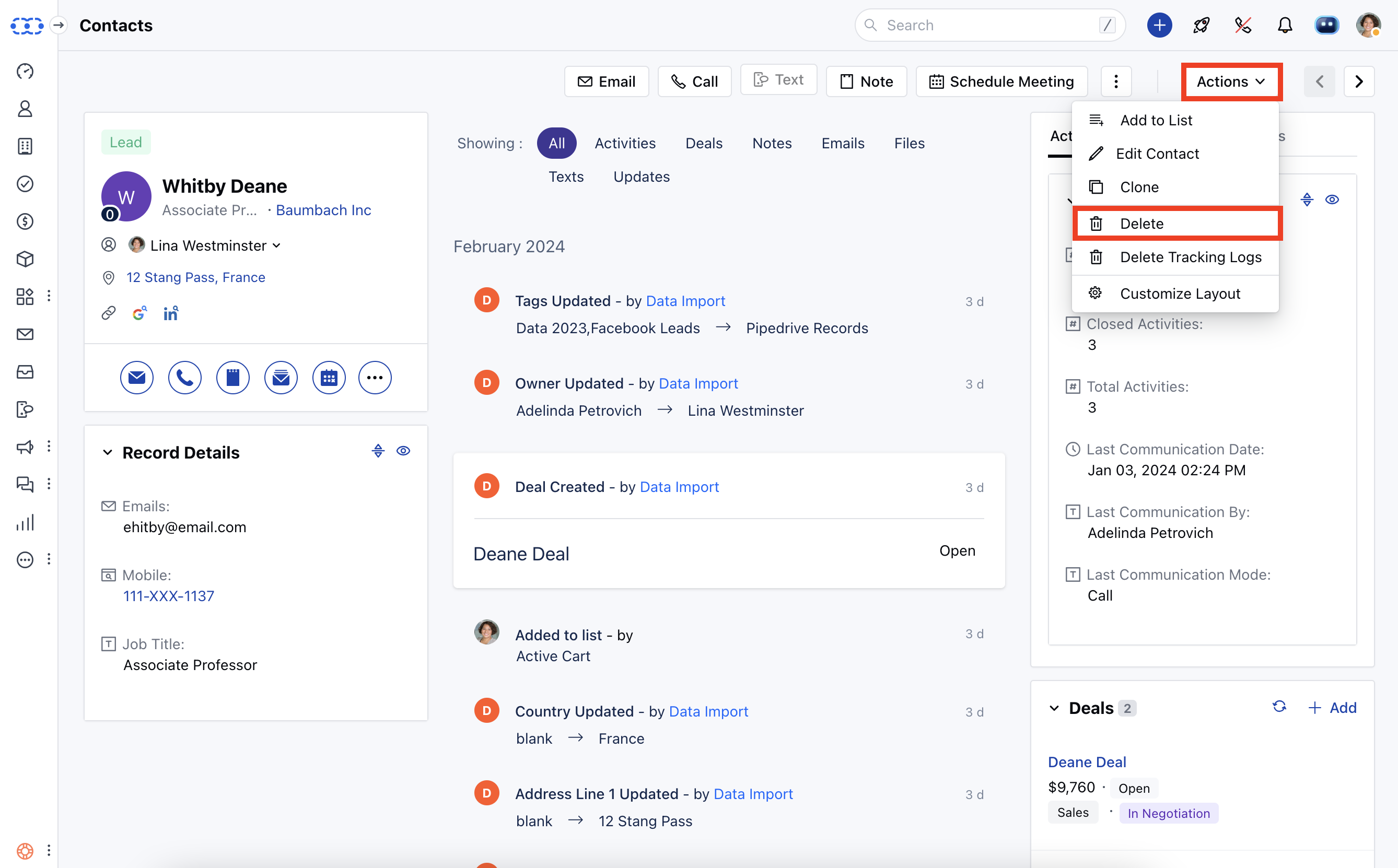
- Contacts Detailed Page
- Preview Page
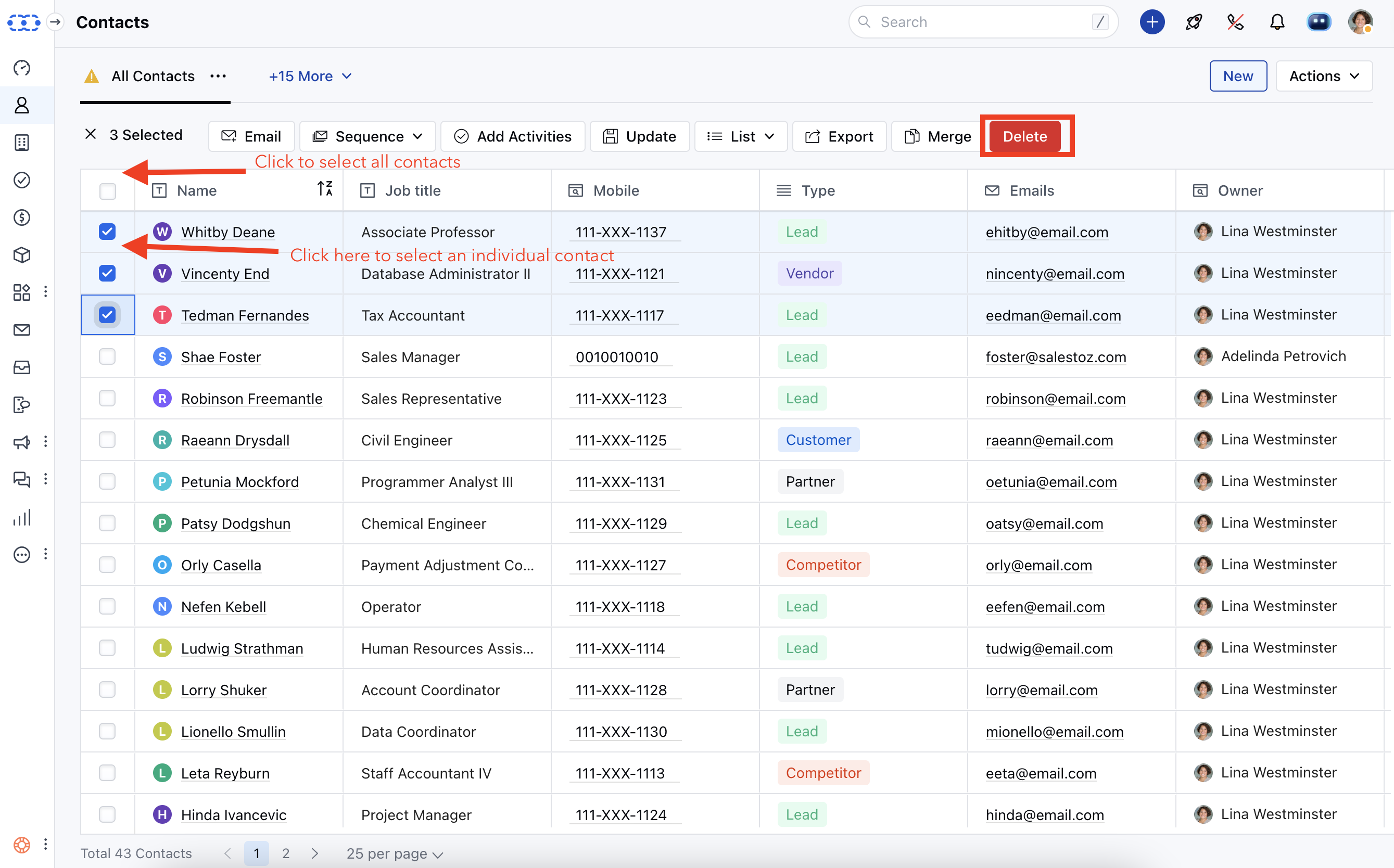
List View (Individually or Bulk).
- You can delete contacts using this action individually or in bulk (up to 250 contacts at once).
Mass Delete Contacts.
You can delete contacts in bulk with this action (up to 1000 contacts at once). Choose a criterion and remove contacts in accordance with it.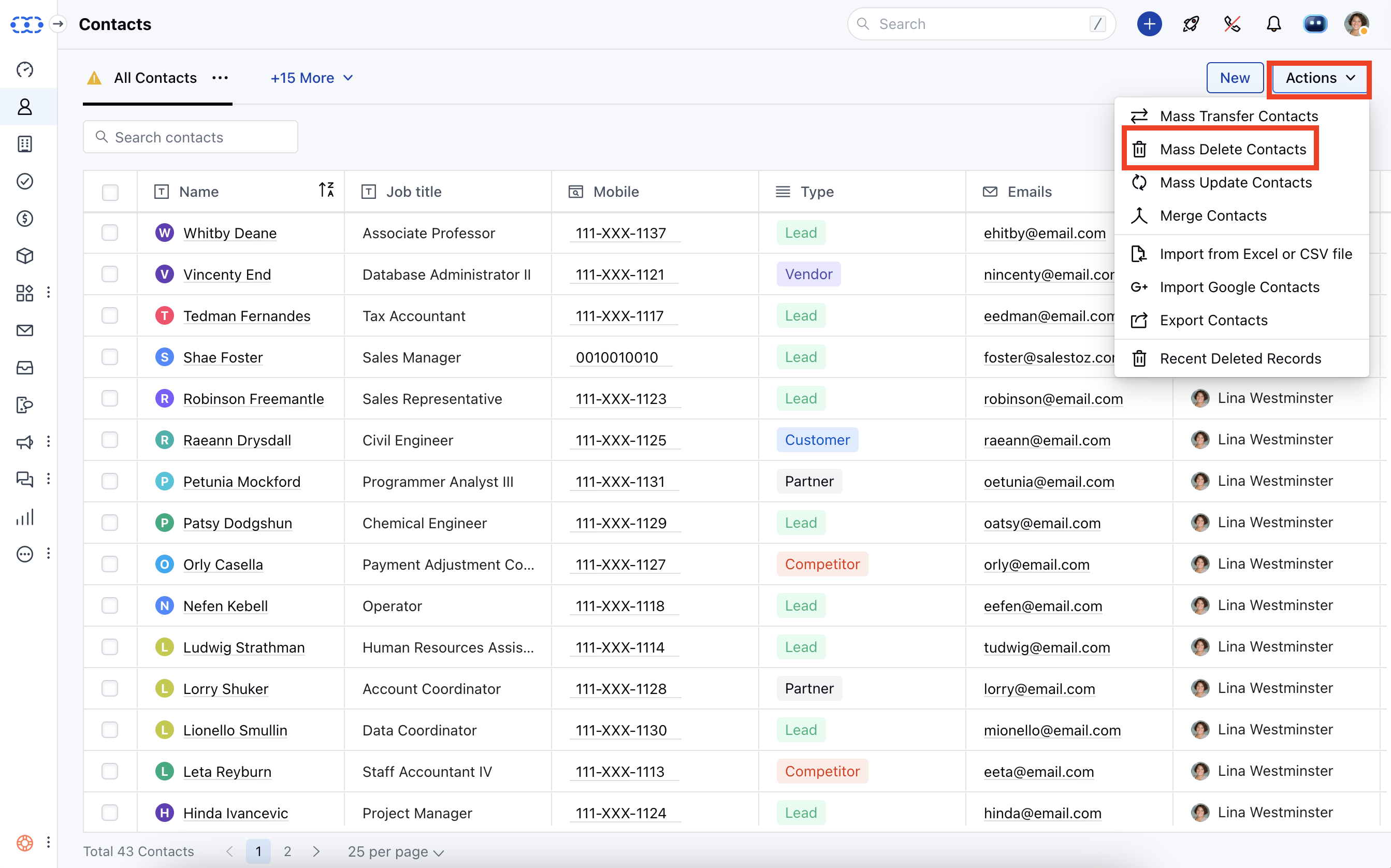
Contacts Detailed Page.
Preview Page
By clicking the ellipsis (3 Dots Menu) and selecting the delete option when you open the contacts from the associated record, such as (DEAL/COMPANY/ACTIVITY), you can delete it: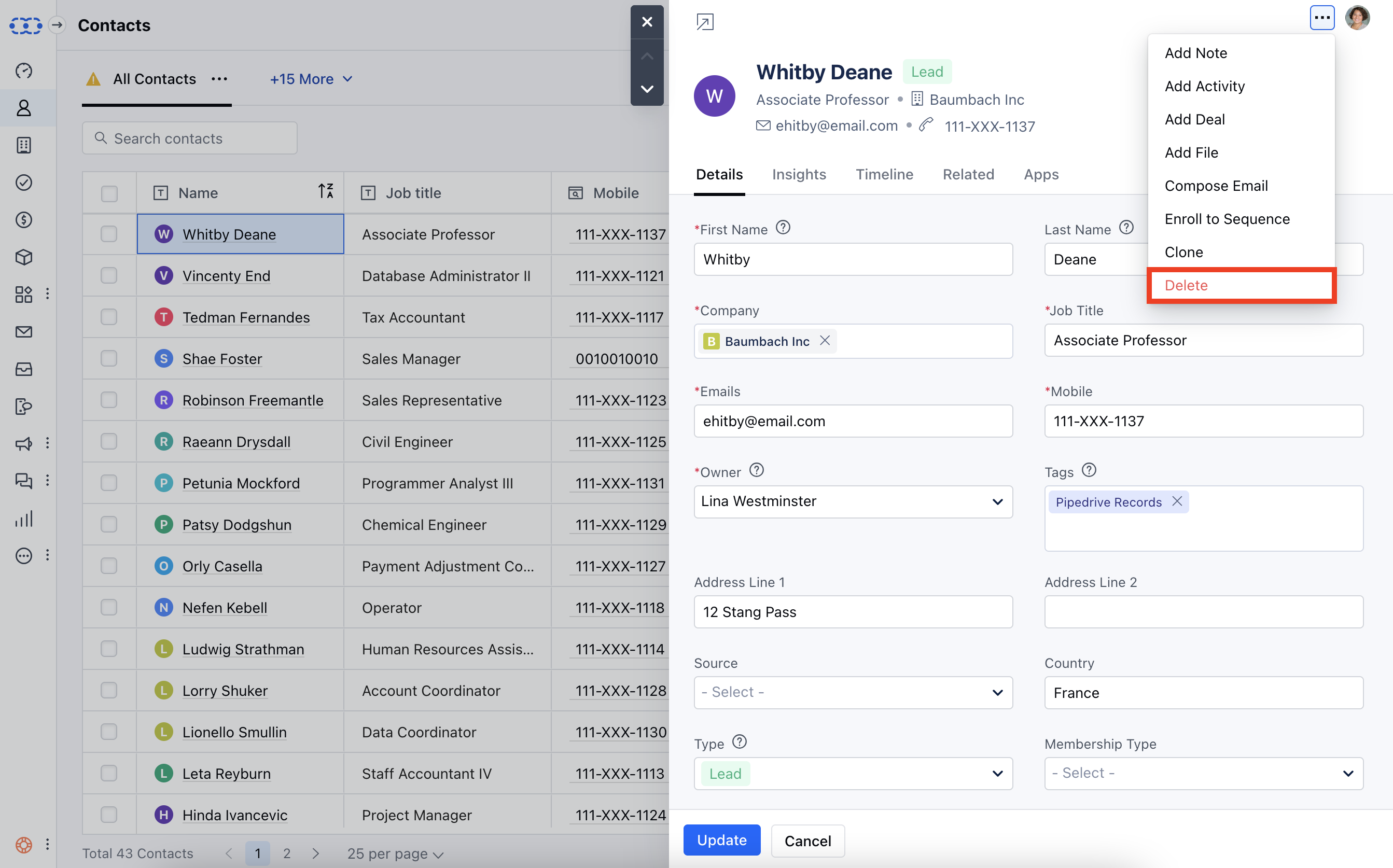
**Note:**When we delete a contact, it gets moved to the deleted records under the Setup >> Deleted Records.
The data stays there for 30 days, you can recover the deleted records during this time. Post that it is deleted permanently.
The contact would be unenrolled from the Sequence and the Automation when deleted.