

Pre-requisite: Make sure that you have connected your Google account under Connected Accounts.
- Navigate to the Profile icon on the top right corner
- Click on Setup .
- Click on the Manage Data on the sidebar.
- Select Import Google Contacts .
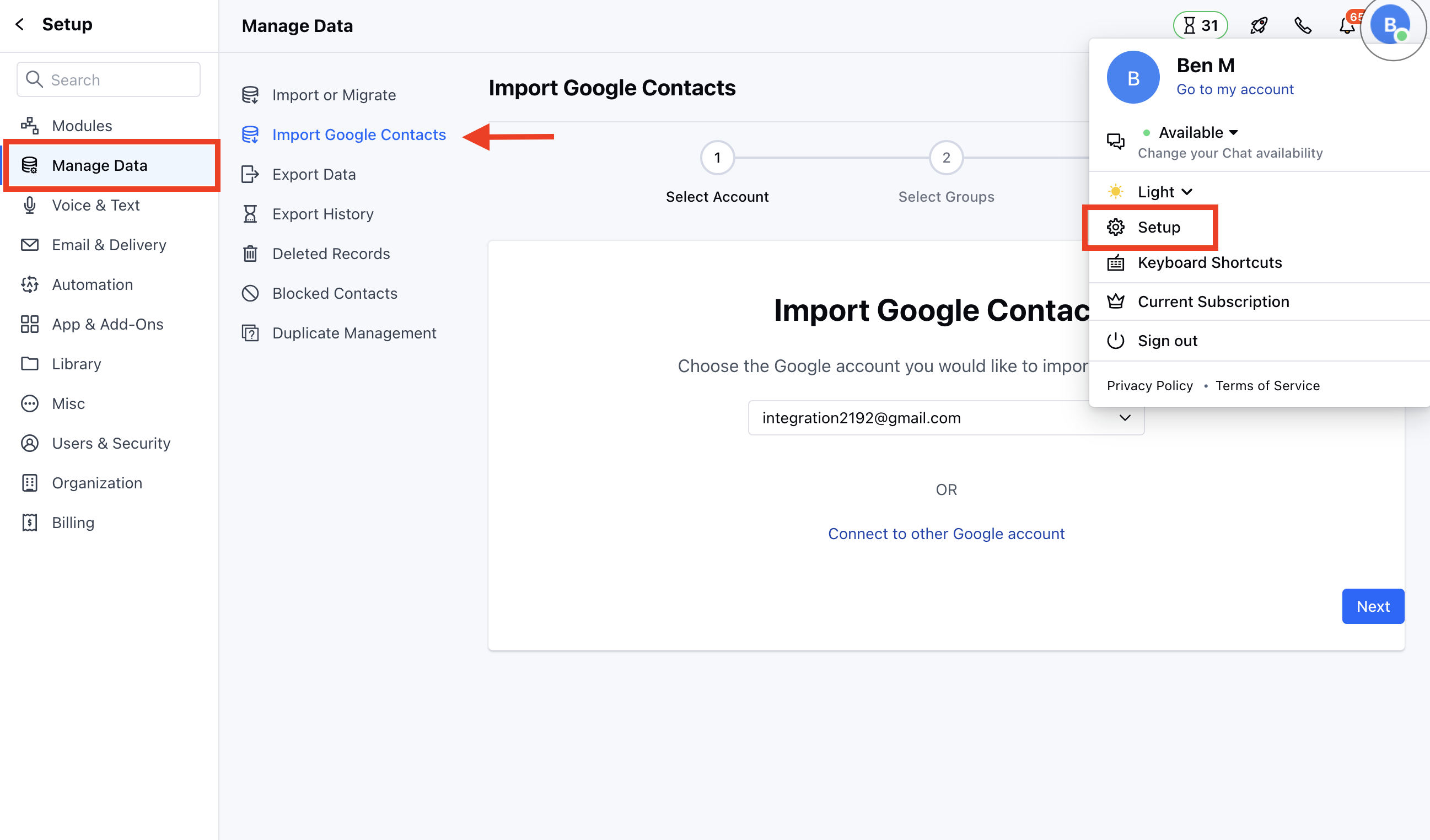
- Now, select the account from which you wish to import under the dropdown.
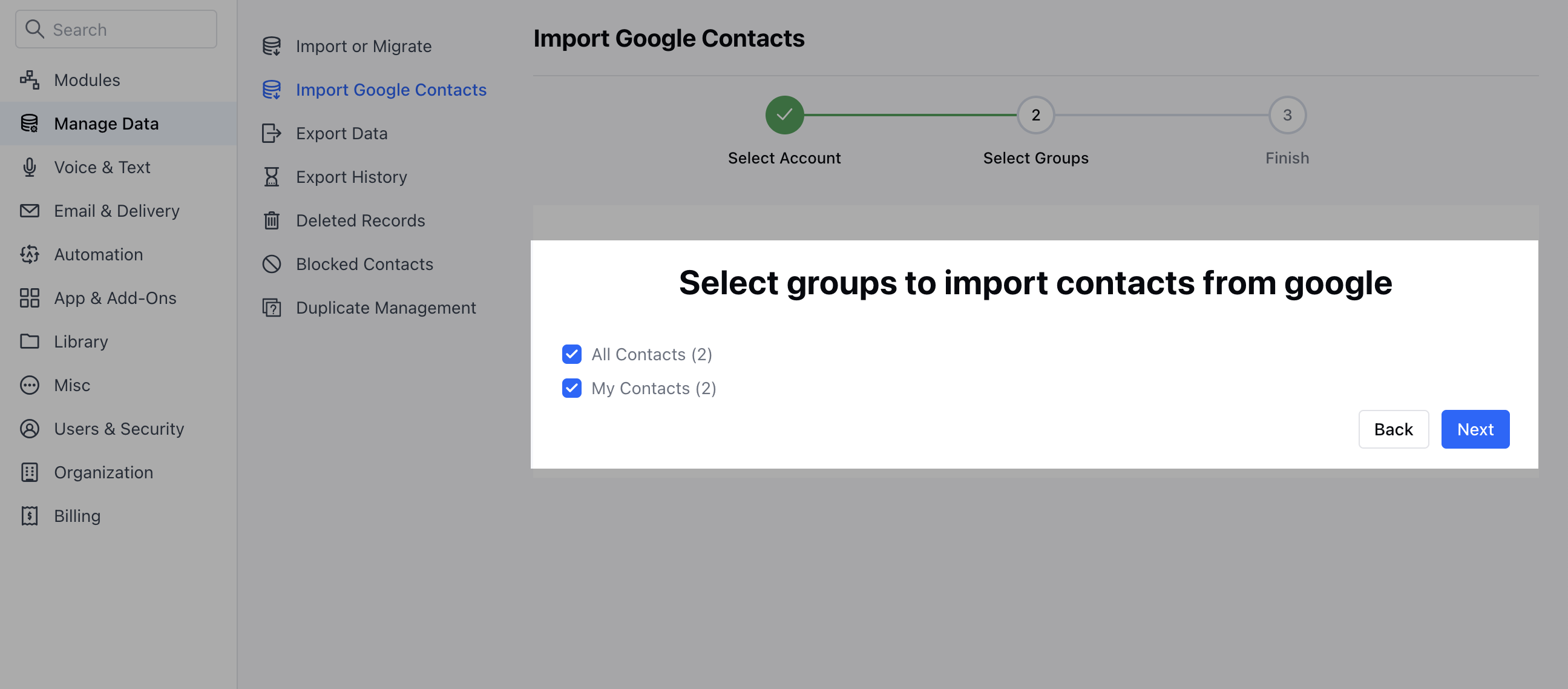
- Next, choose the groups from which you wish to import the contacts.
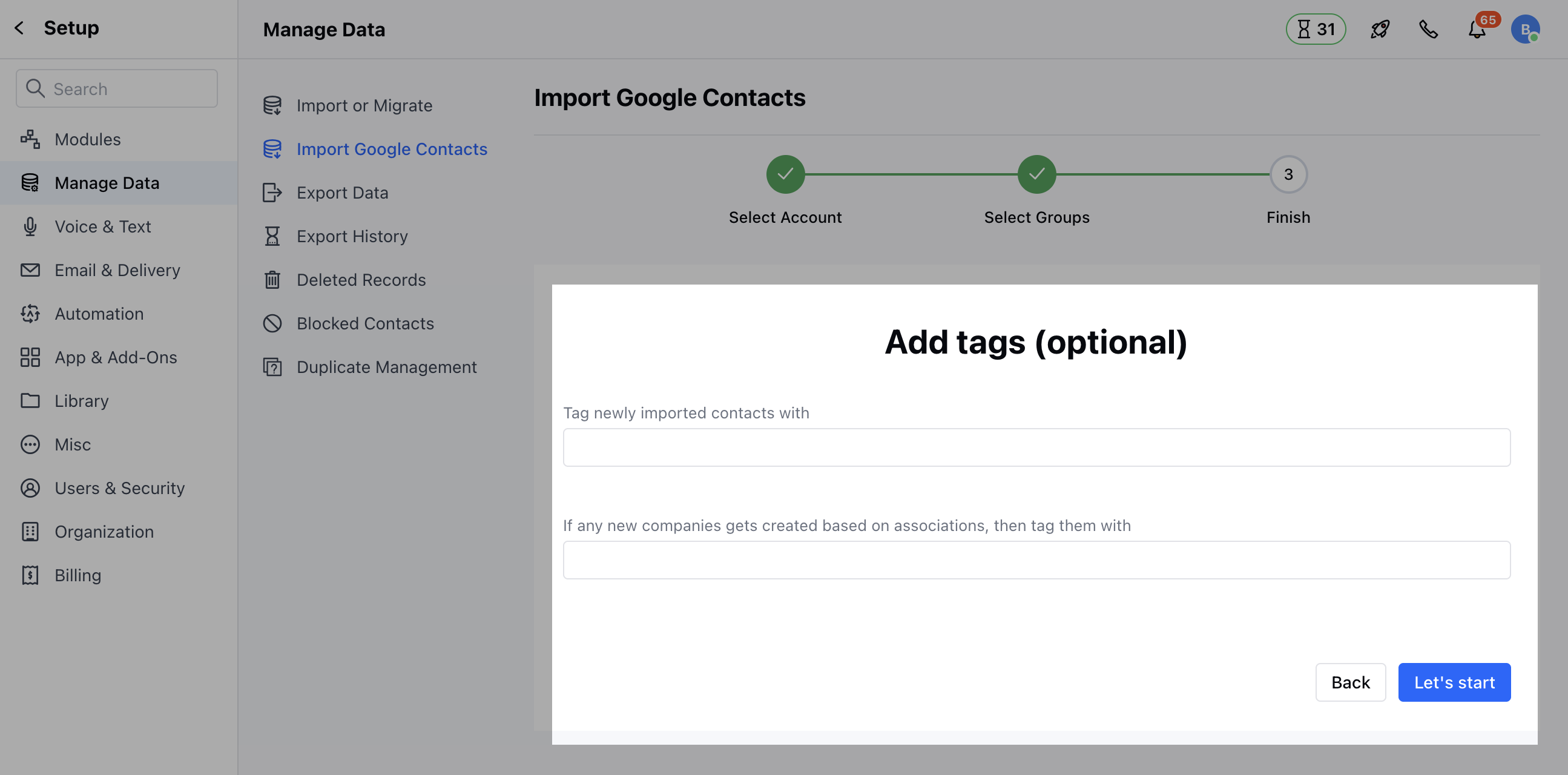
- Further, in the last step, you could also add tags to your records to filter them out. If any new companies get created based on associations, then tag them.
- Click on Let’s Start to start importing your Google Contacts.
Note: It may take a while for your Google contacts to be imported depending on the number of contacts in your Google account.
- You can map your fields while importing the Google Contacts which lets you import data to custom fields too.