

- Go to the Contact Listing Page
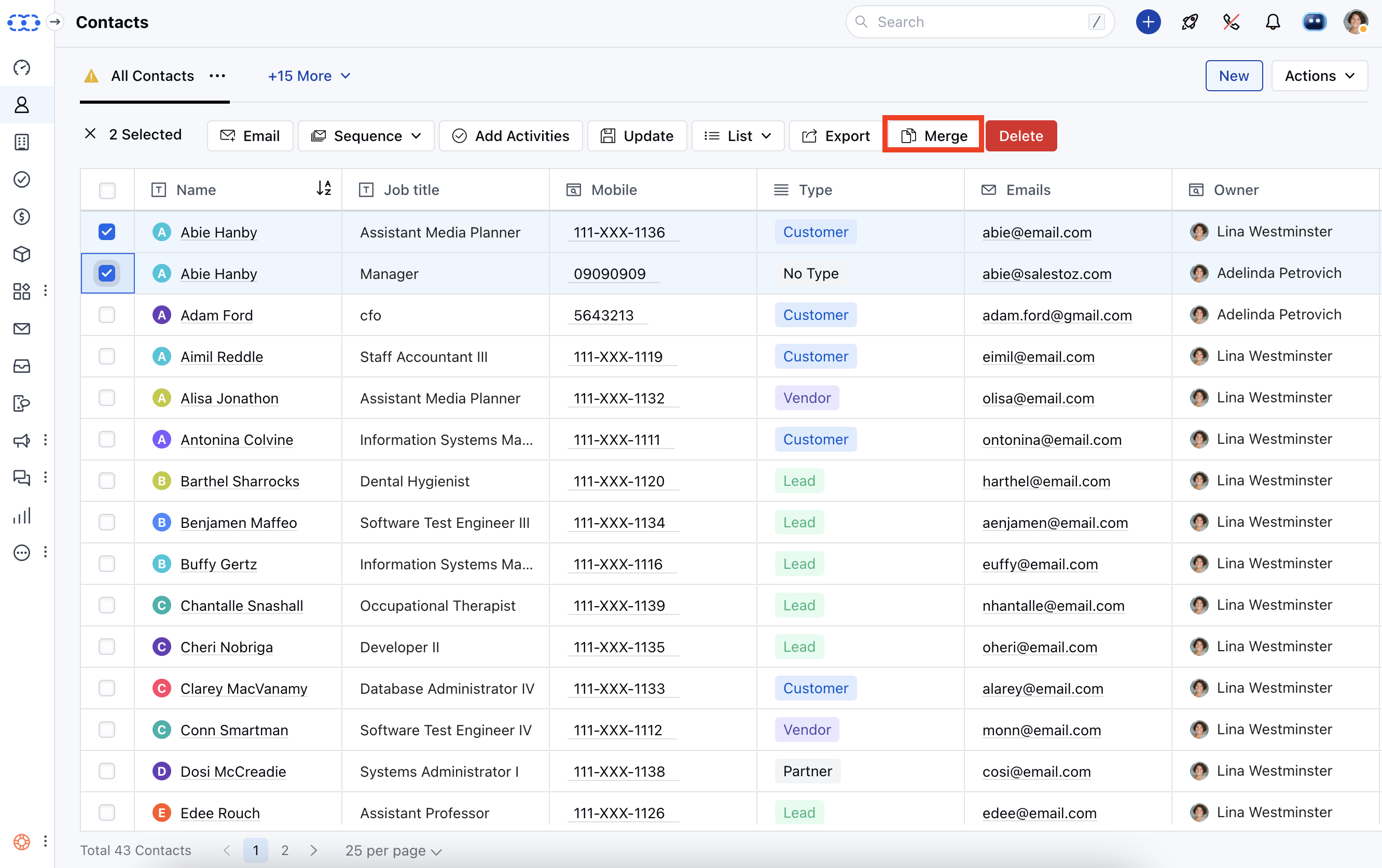
- Select the records you want to merge **(Max 3).*Click Merge
- Select the fields you want to keep in your master record.
- Click, “I understand, Merge Now” to combine the records.
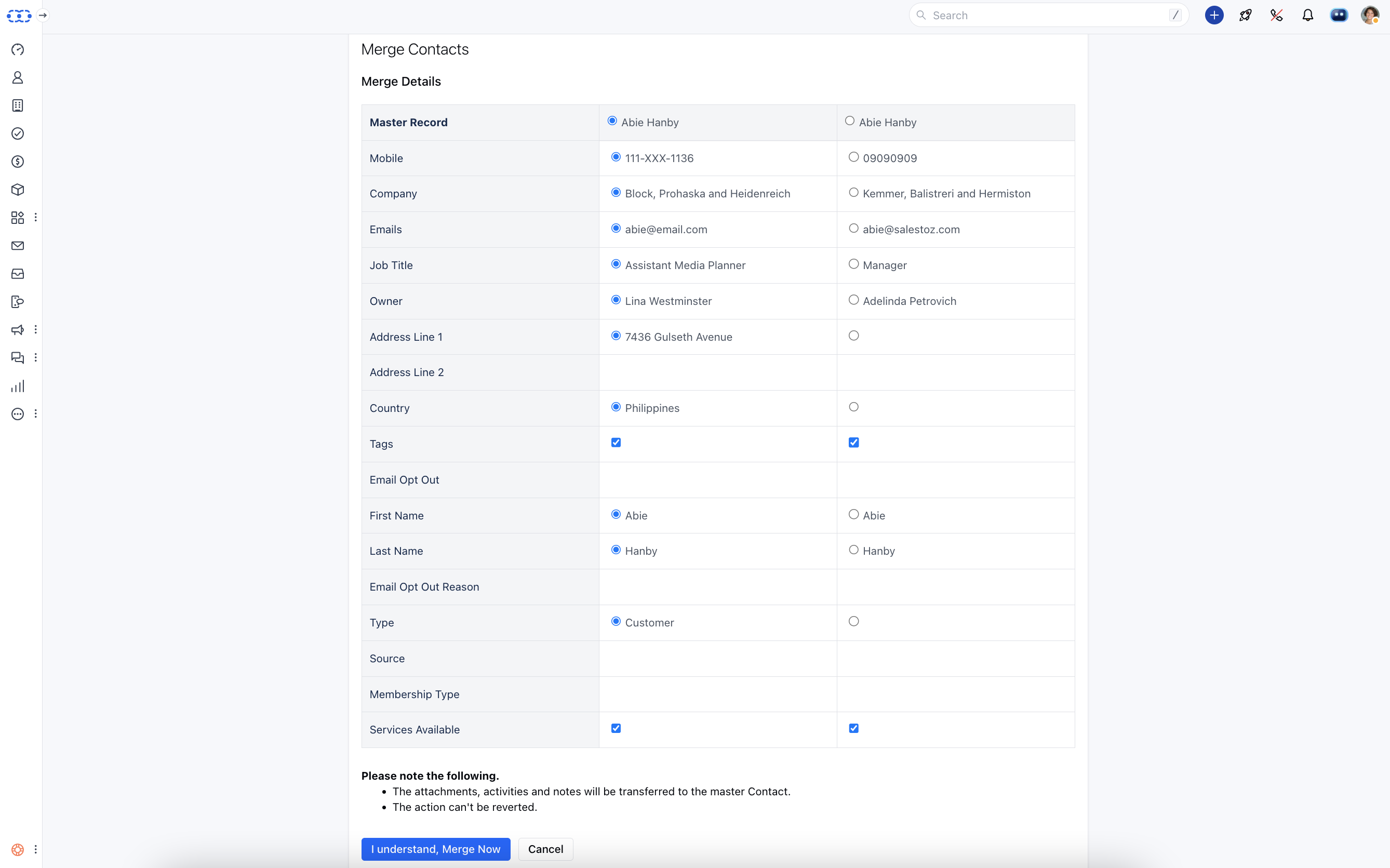
- Please note the following.** The attachments, activities, and notes will be transferred to the master Contact.
- The action can’t be reverted.