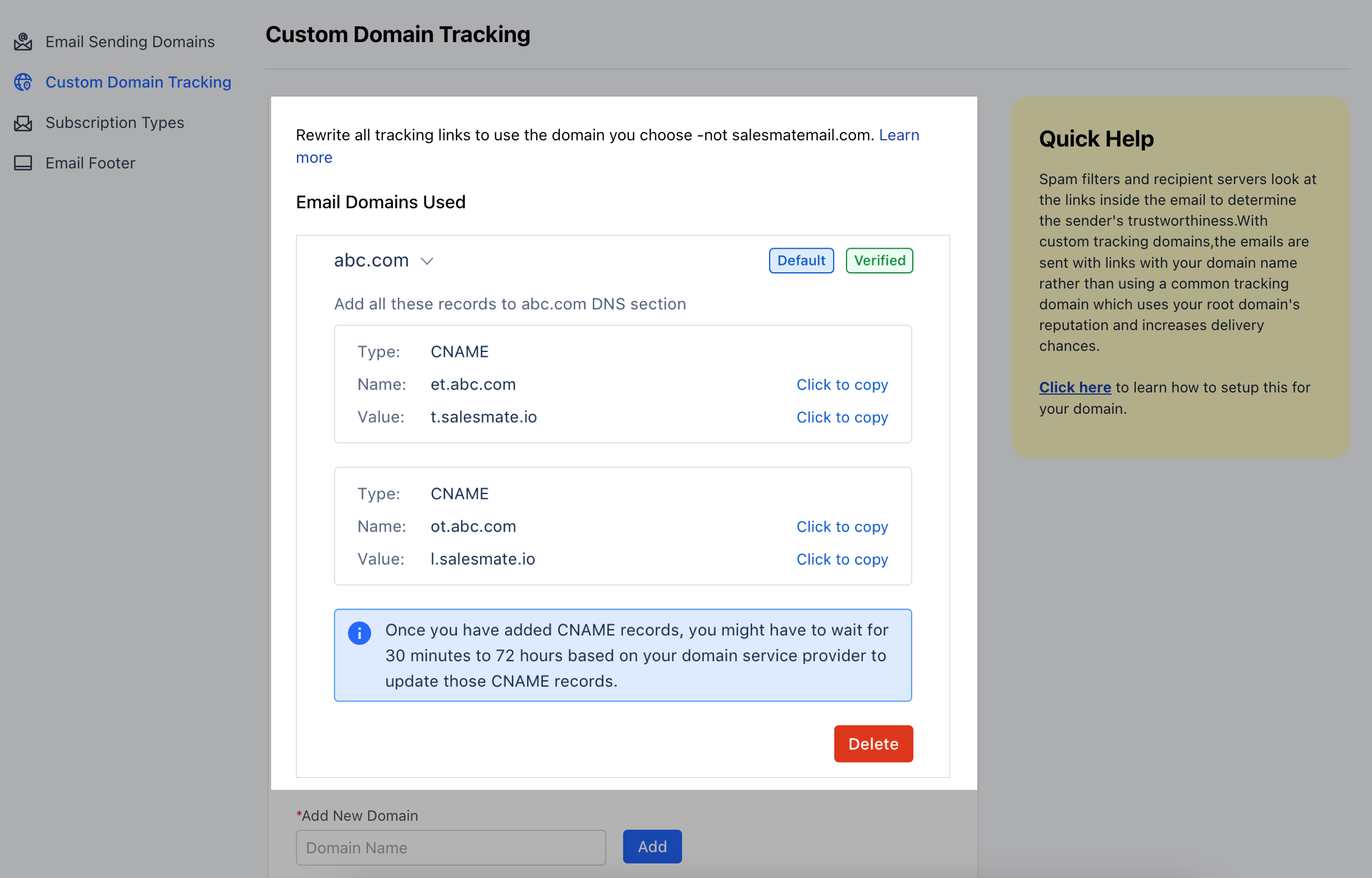
Importance of Custom Domain Tracking
Using your custom domain boosts your email deliverability and gives your email recipients the security and belief that the links in your messages are secure and belong to your domainIt will build your email-sending reputation, therefore helping you create/ build your brand imageTopics covered:
How to setup Custom Custom Tracking Domain
To set up the custom tracking domain: Click on the Profile Icon at the top right cornerSelect on Setup Head over to the Email & Delivery categoryClick on the** Custom Domain **Tracking ** option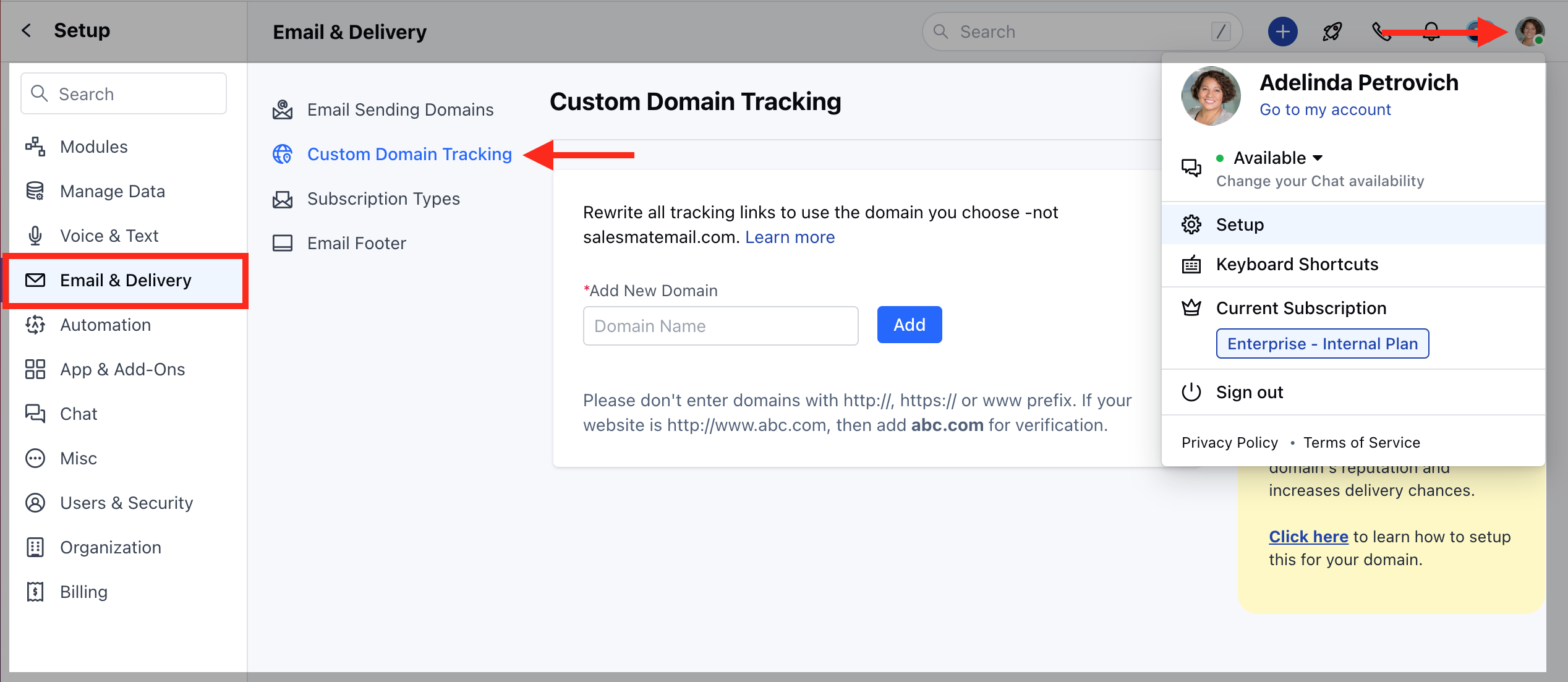
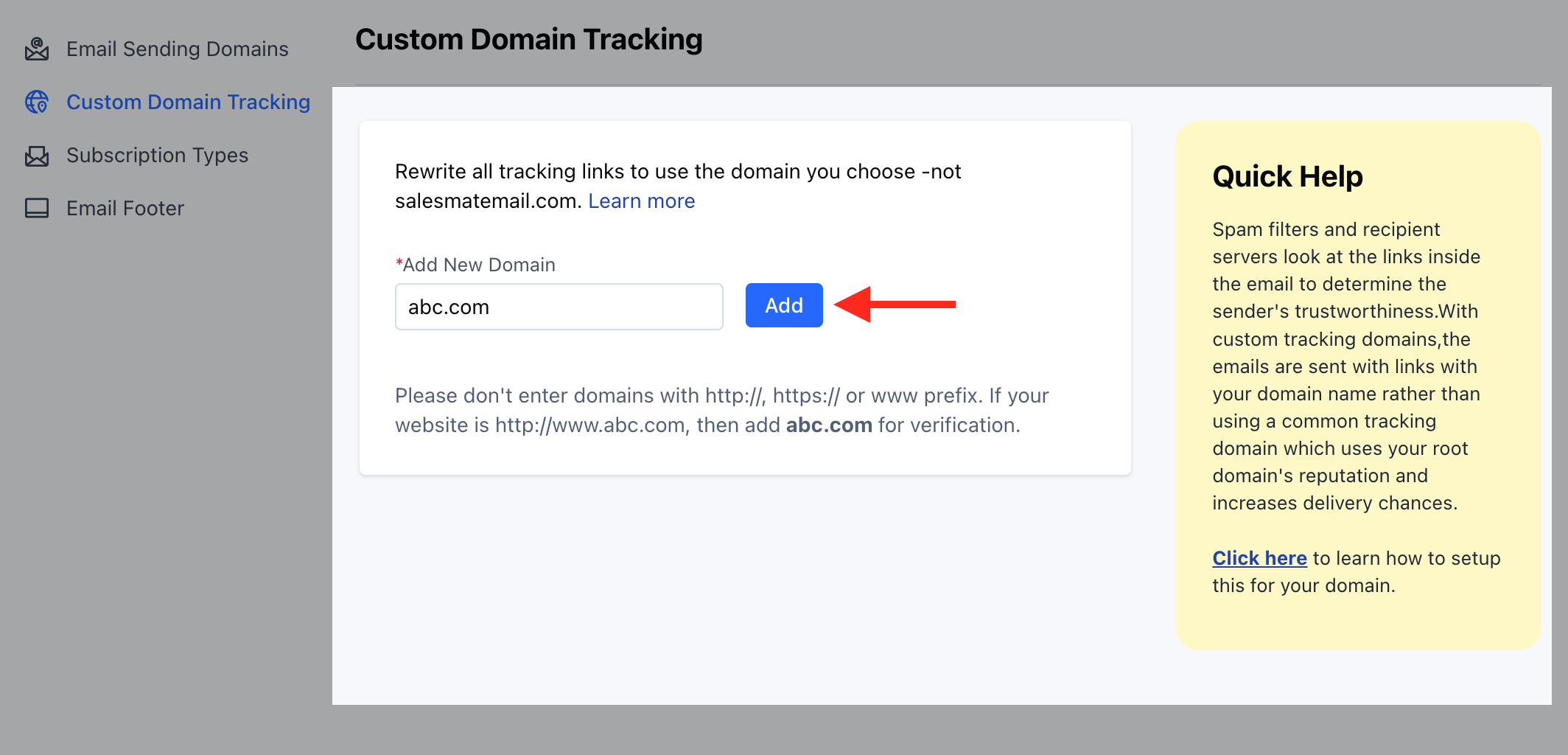
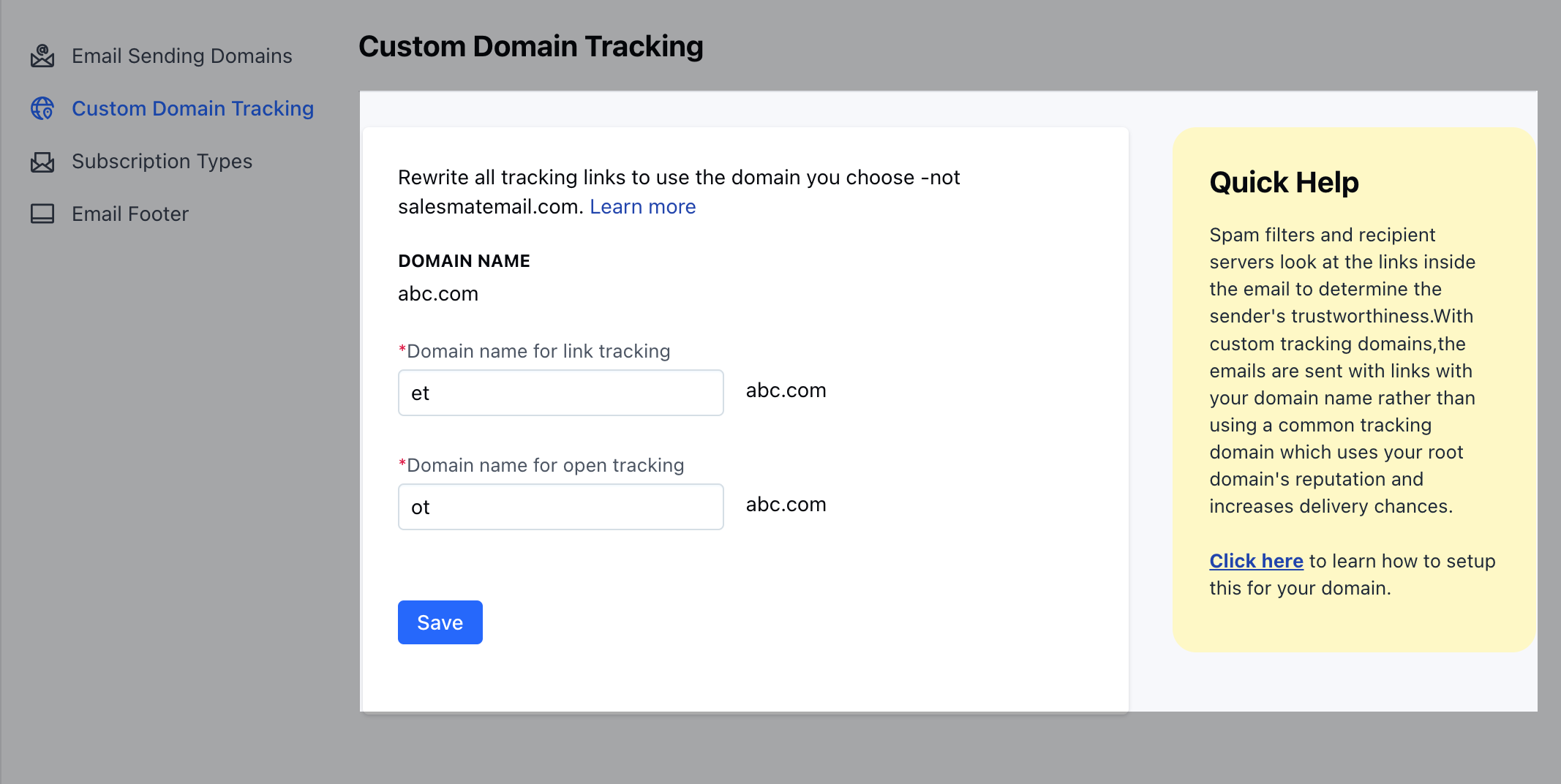
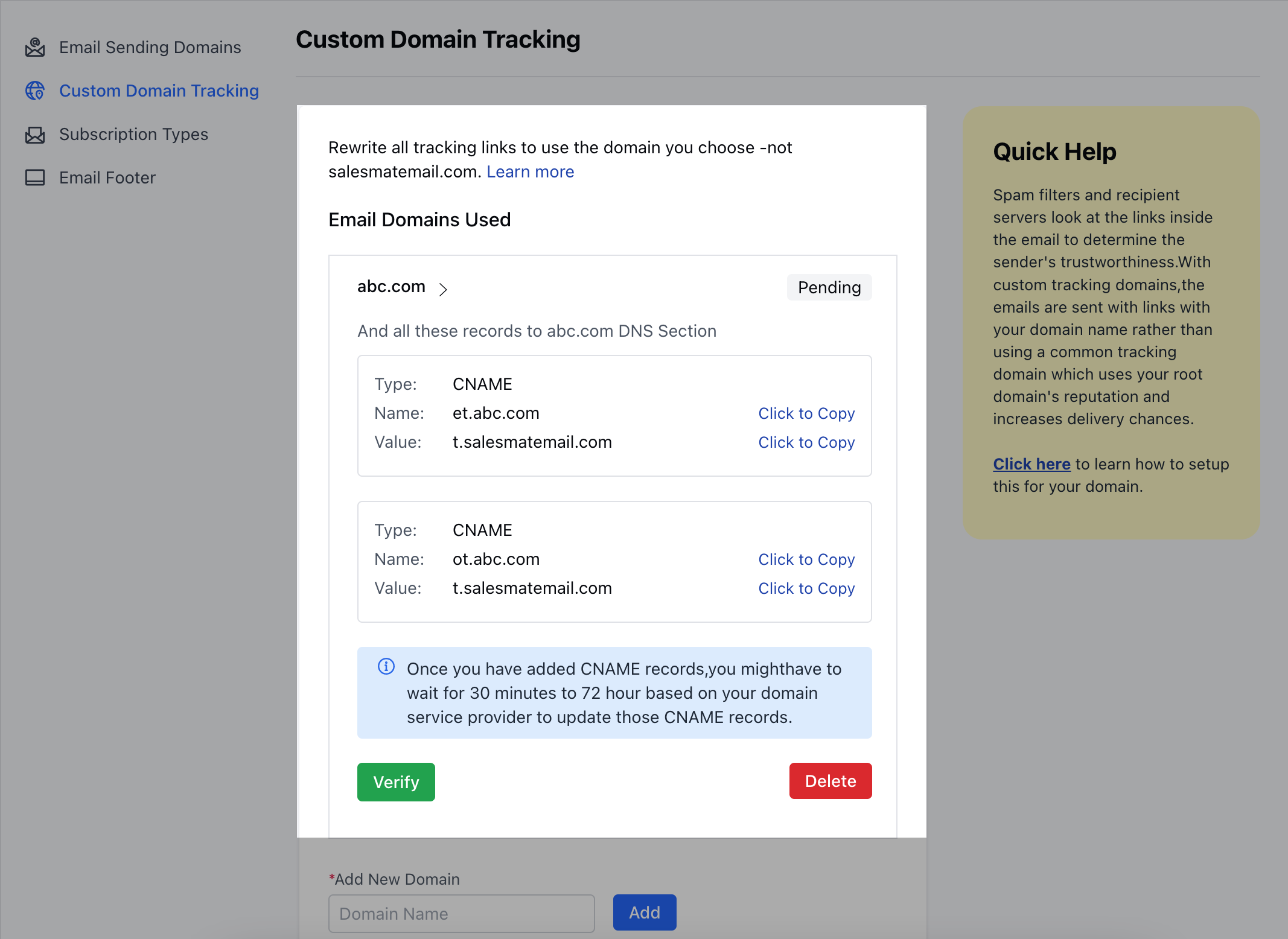
How to add CNAME entries to your DNS server
Log in to your GoDaddy DNS Manager. Go to the My Account menu and click Domains.Under Domains, click the Manage DNS button for the domain you want to verify.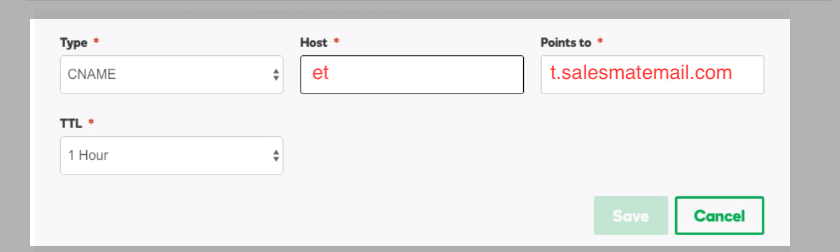
Once you have added CNAME records, you might have to wait for 30 minutes to 72 hours based on your domain service provider to update those CNAME recordsOnce CNAME records are updated, you can come back to the page and hit the verify button