How To Add Custom Greetings In the Email Template?
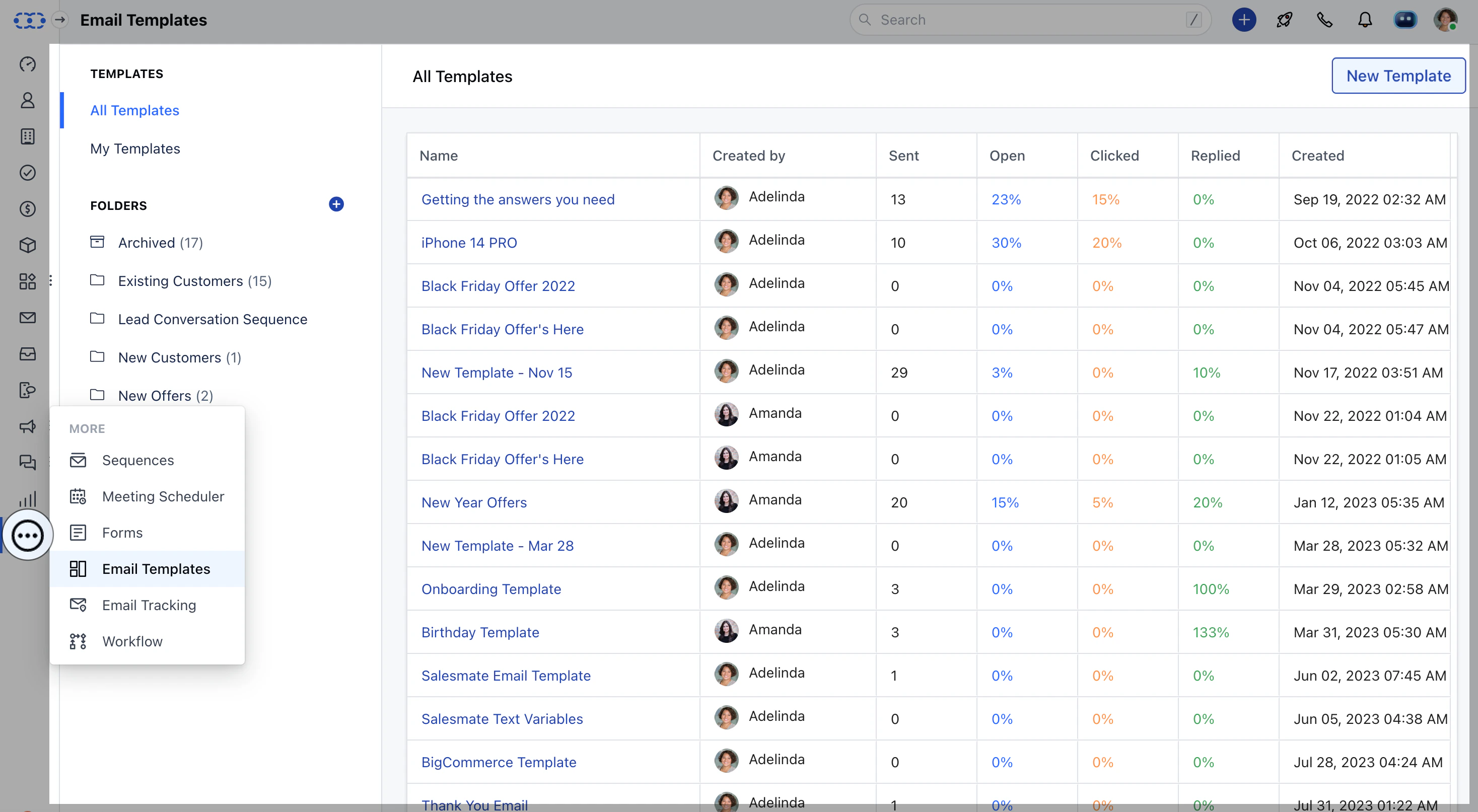
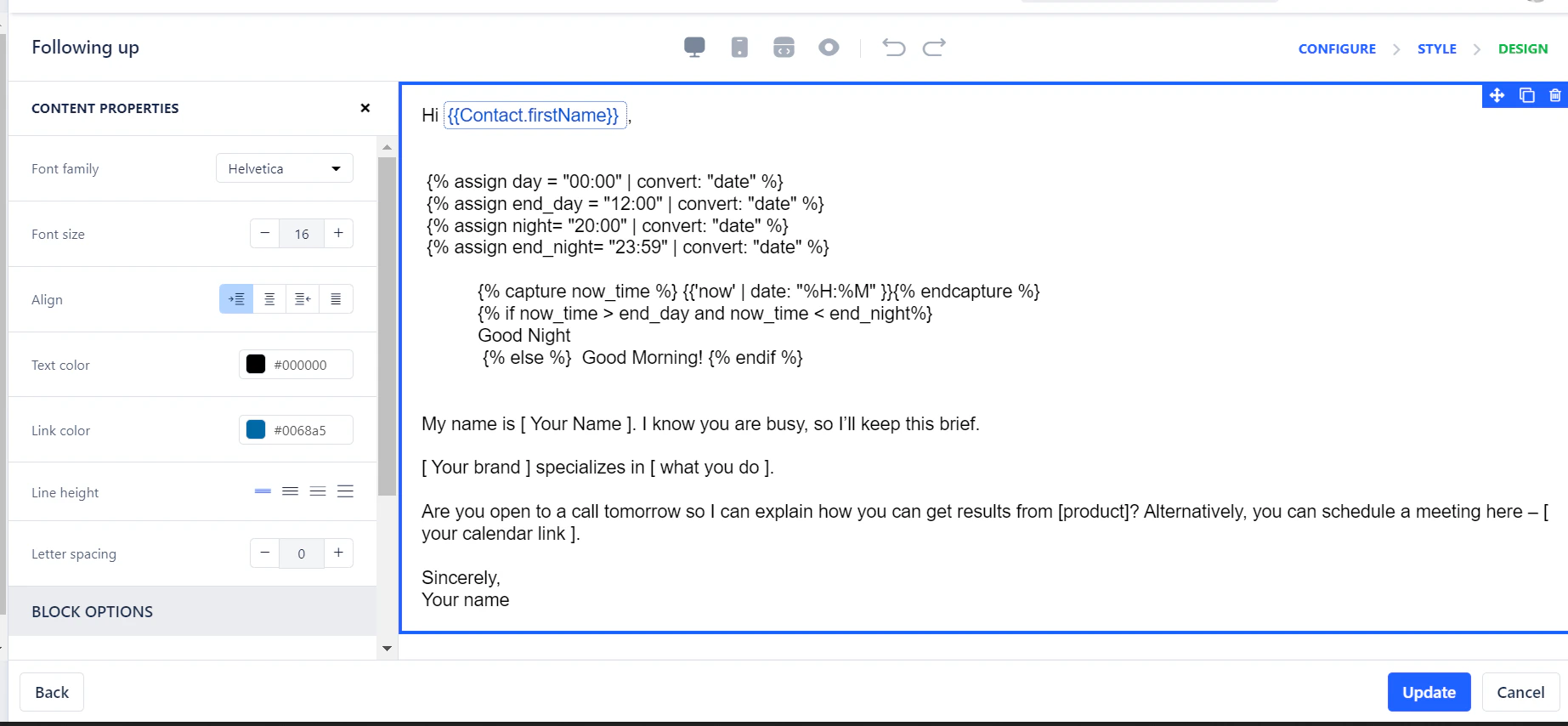
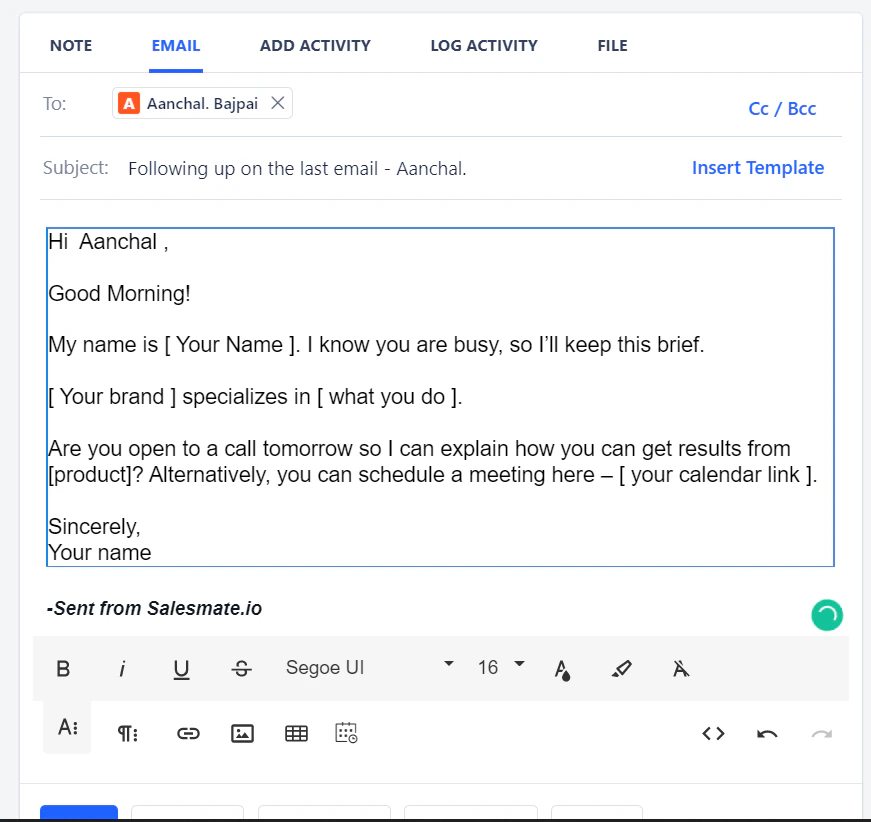
You can add custom greetings like Good Morning or Good Night in your Emails automatically via Email Template. To create an email template:Navigate to More Icons on left menu barClick on Email Templates Click on + New Email Template to create a template.Select Simple Text type of Email Template. Paste the following Code in the starting of the template.
Create/Select the folder where you would like to store this email template.Mention the Subject Line of the Email. You can also insert dynamic attributes to send personalized emails and Hit** Next.** Hit on Update and update the email template.