

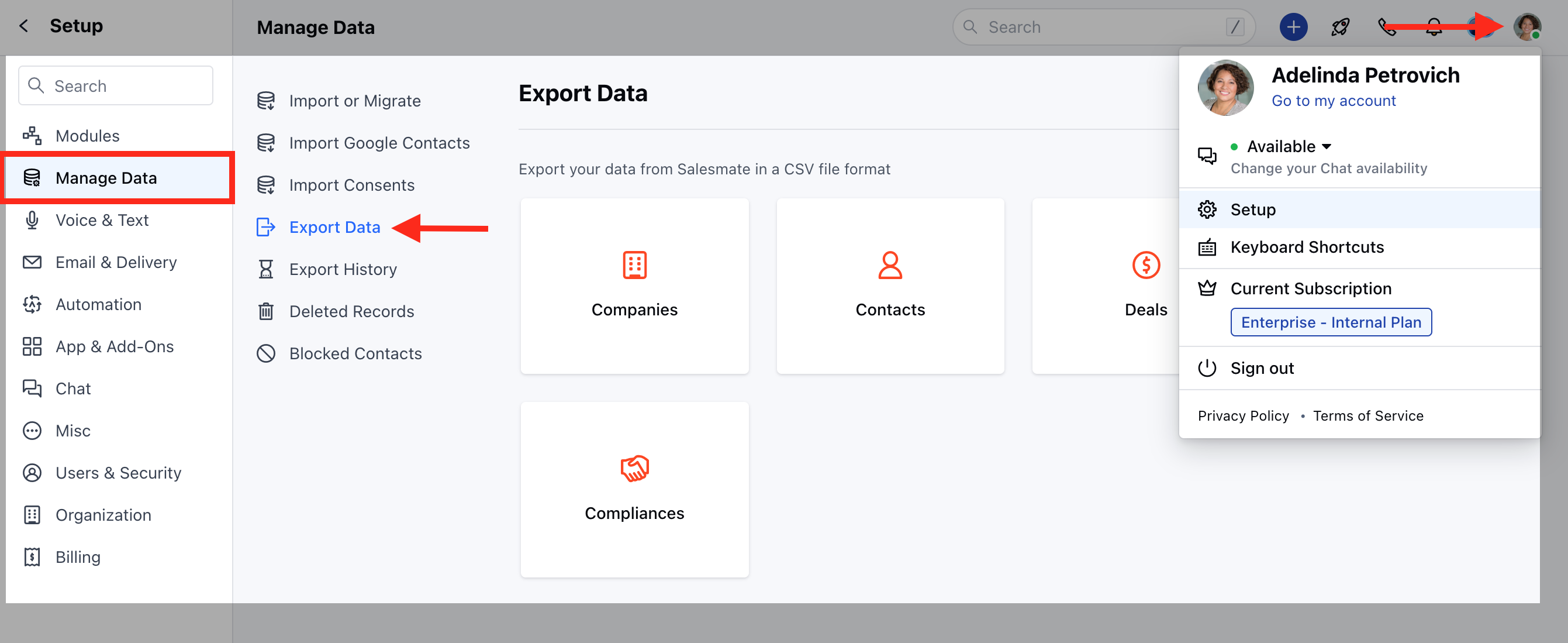
- Navigate tothe Profile Icon on the top right corner
- Click on the Set-Up
- Head over to the Manage Data category
- Click on Export Data
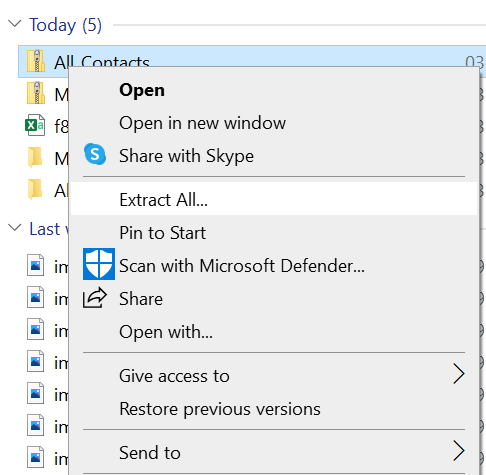
- Download the exported Zip Folder >> Go to the download folder, Right Click and click on Extract All.
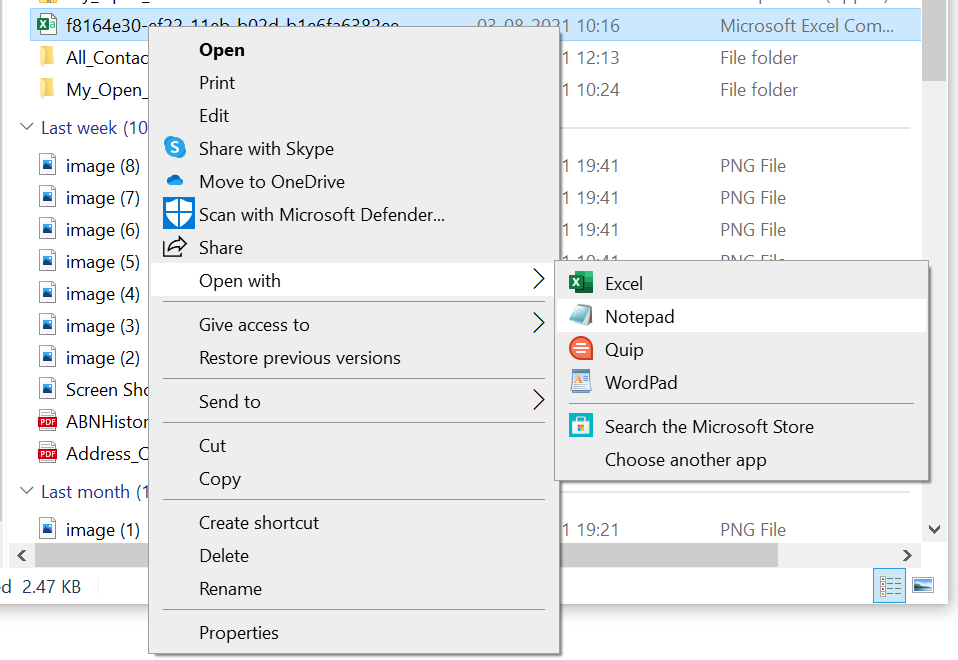
- Now right-click on the excel file, click on Open With, and select Notepad.
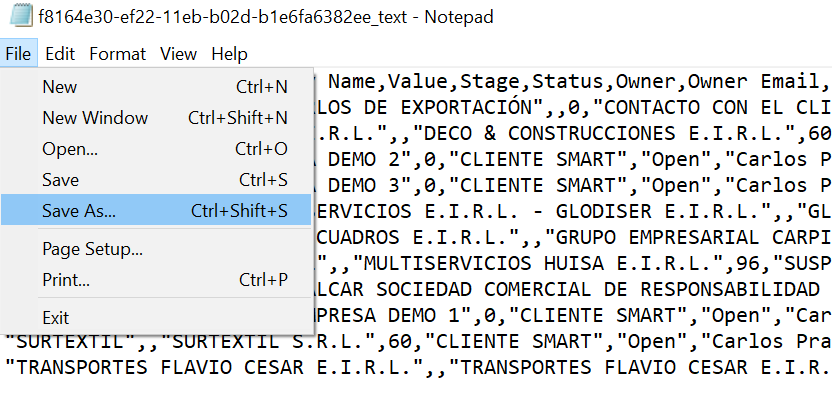
- In Notepad, click on File on the top left >>Save As.
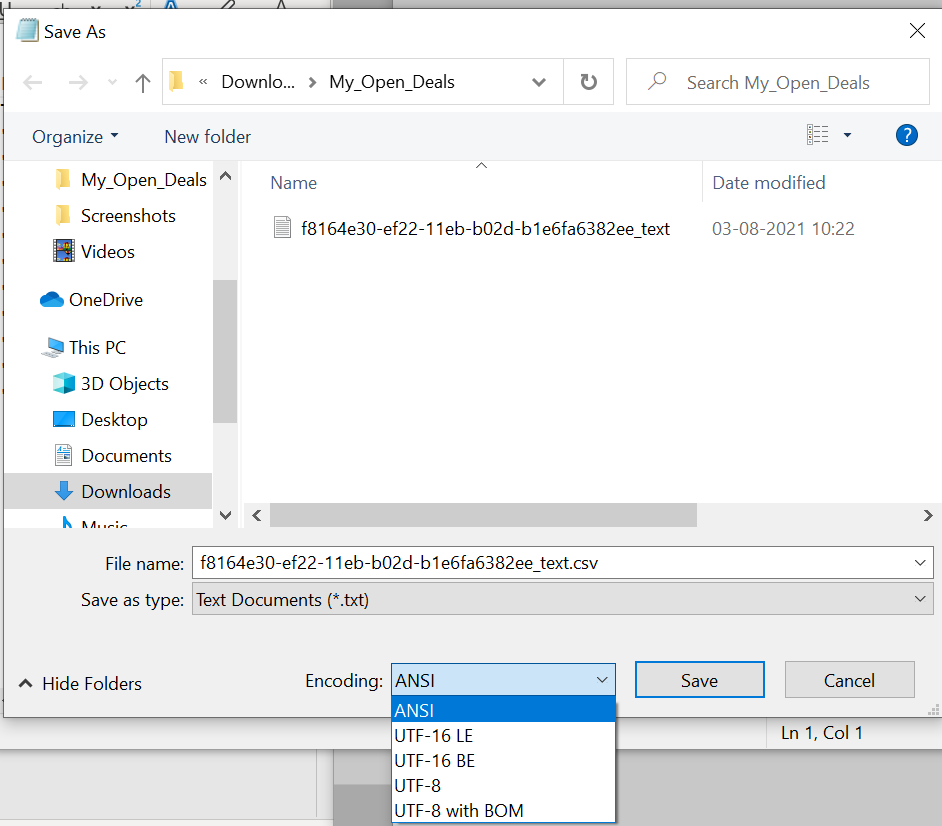
- In the File name, add a .csv extension and select UTF-8 in encoding.
- Save the file, Now go to the same file in the folder and open it with Excel.