

-
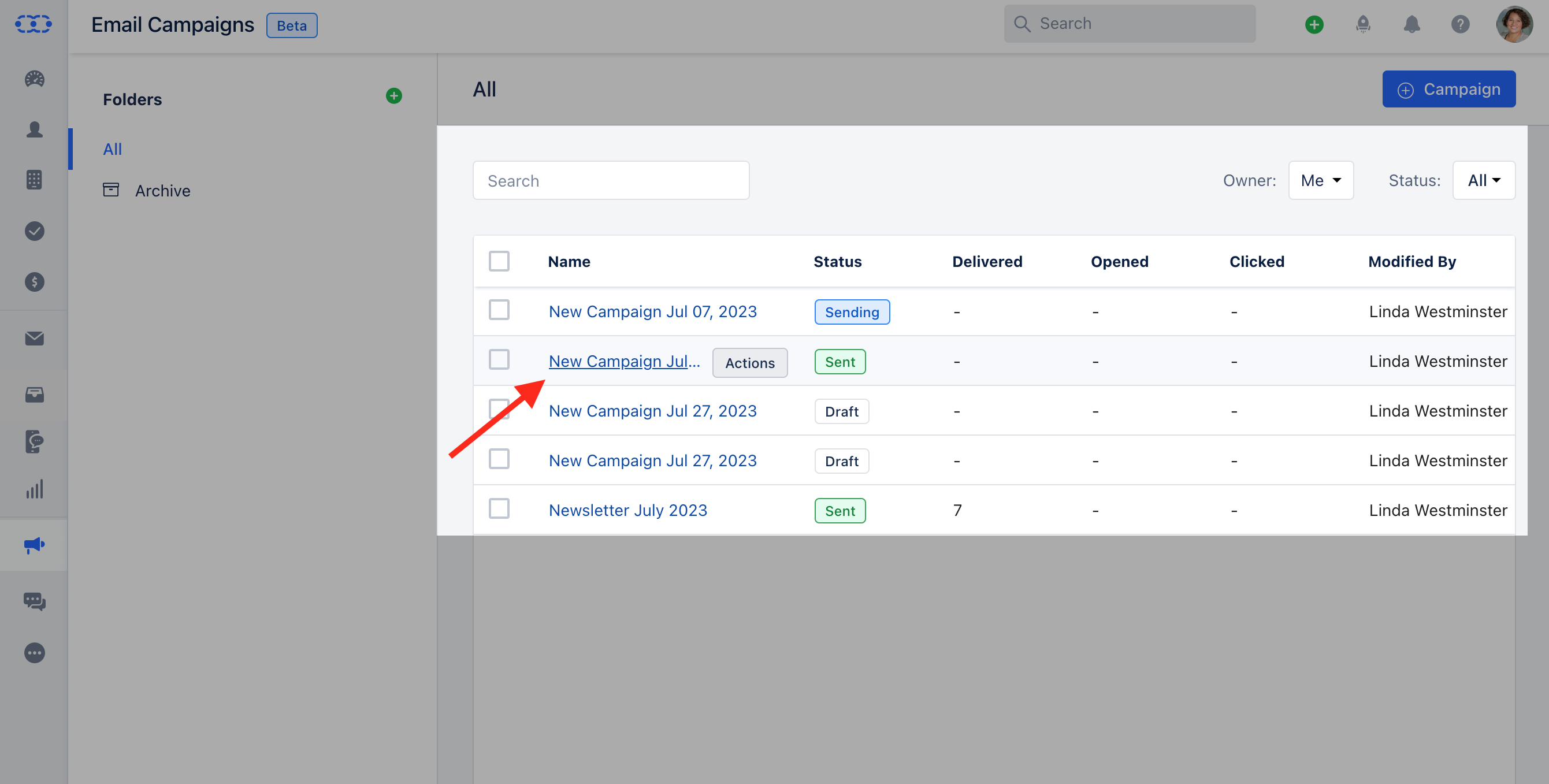
To View Email opened over time : Navigate to** Outreach Icon on the left Menu bar.Click on** Email Campaigns.***

- Click on the* Campaign that you would like to get insights into Email Opened Over Time **.
- **Difference between Reports in Campaigns and Journey Emails.
-
**Reports in Juourney Emails are advanced and will appear as Heatmaps. The areas that are highlighted in Heatmaps are based on the counts.Reports in Campaigns:

-
- Reports in Journey Email:***
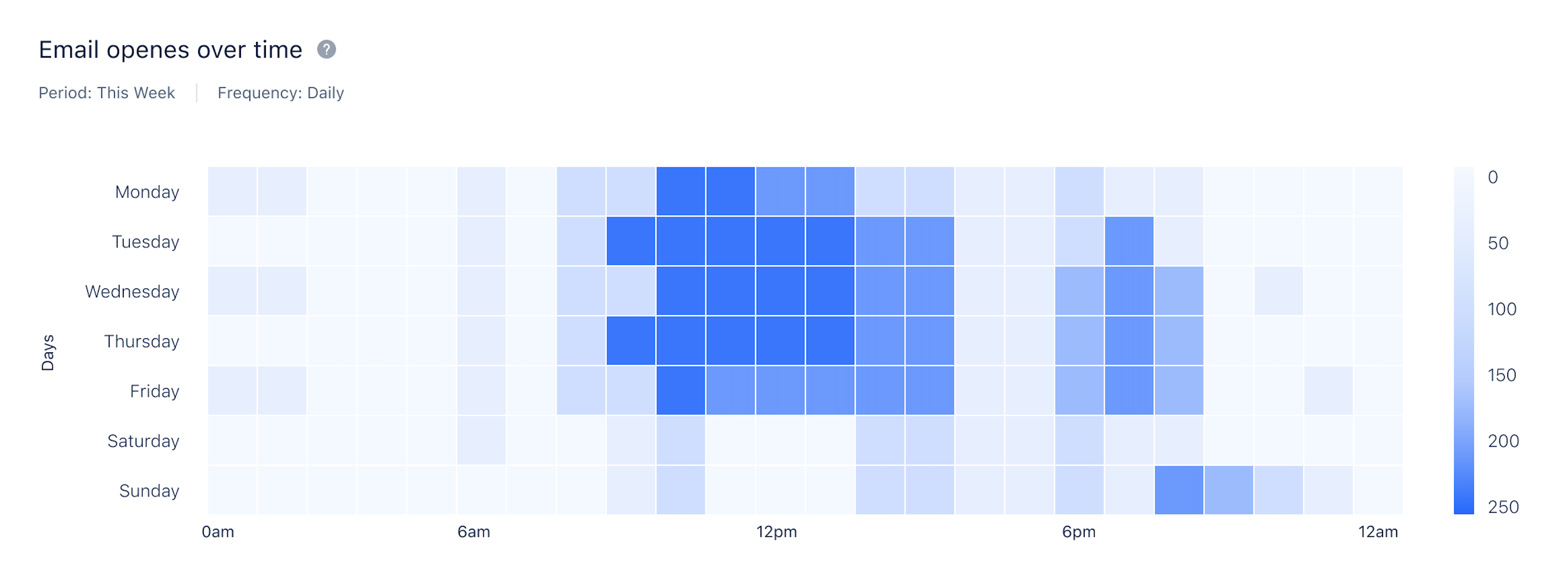
- Reports in Journey Email:***