Adding Roles
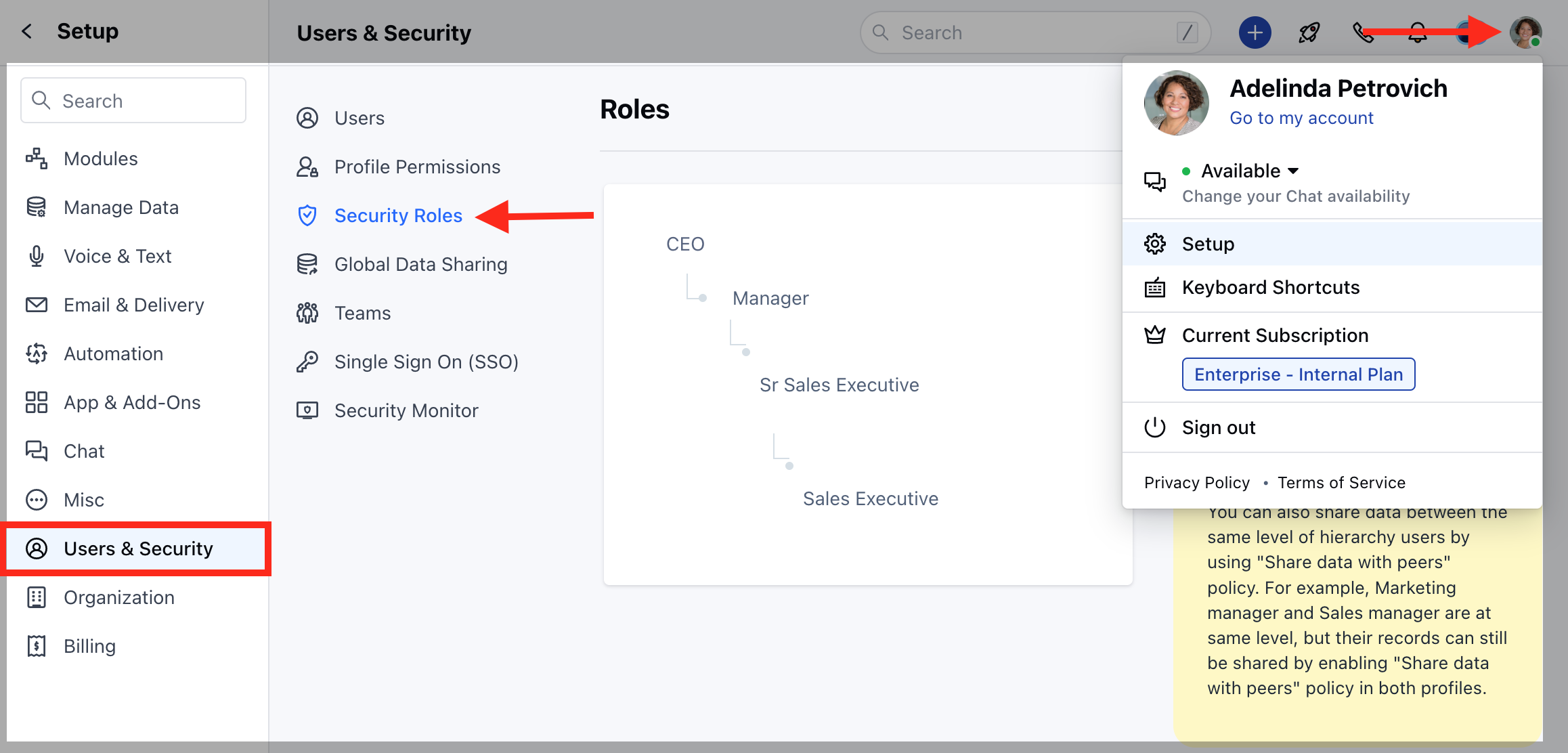
To add a new Role:- Navigate to your Profile Icon on the top right corner.
- Go to Set Up.
- Head over to Users & Security
- Click on the Security Roles
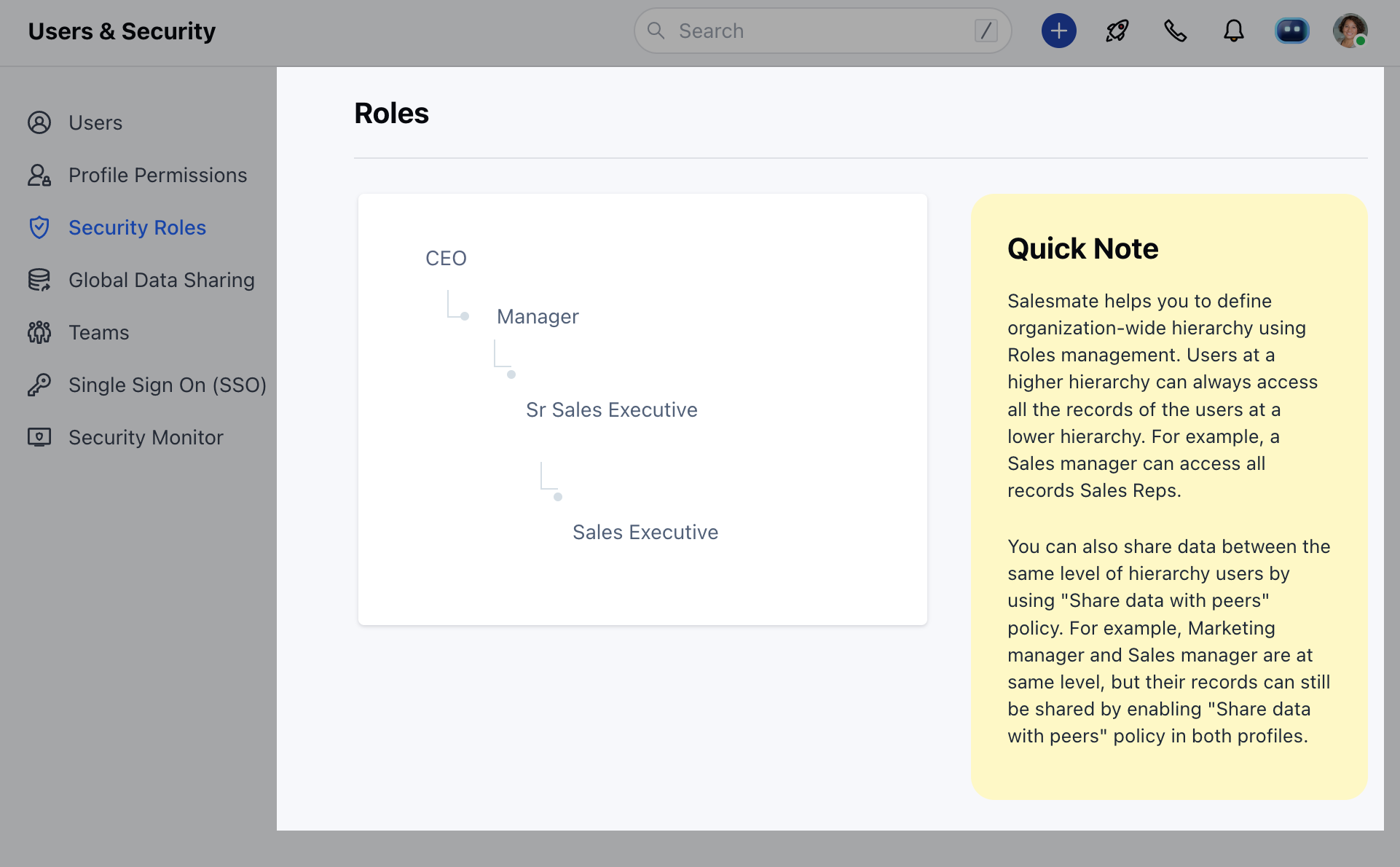
- Here, you will be presented with the List of Roles.
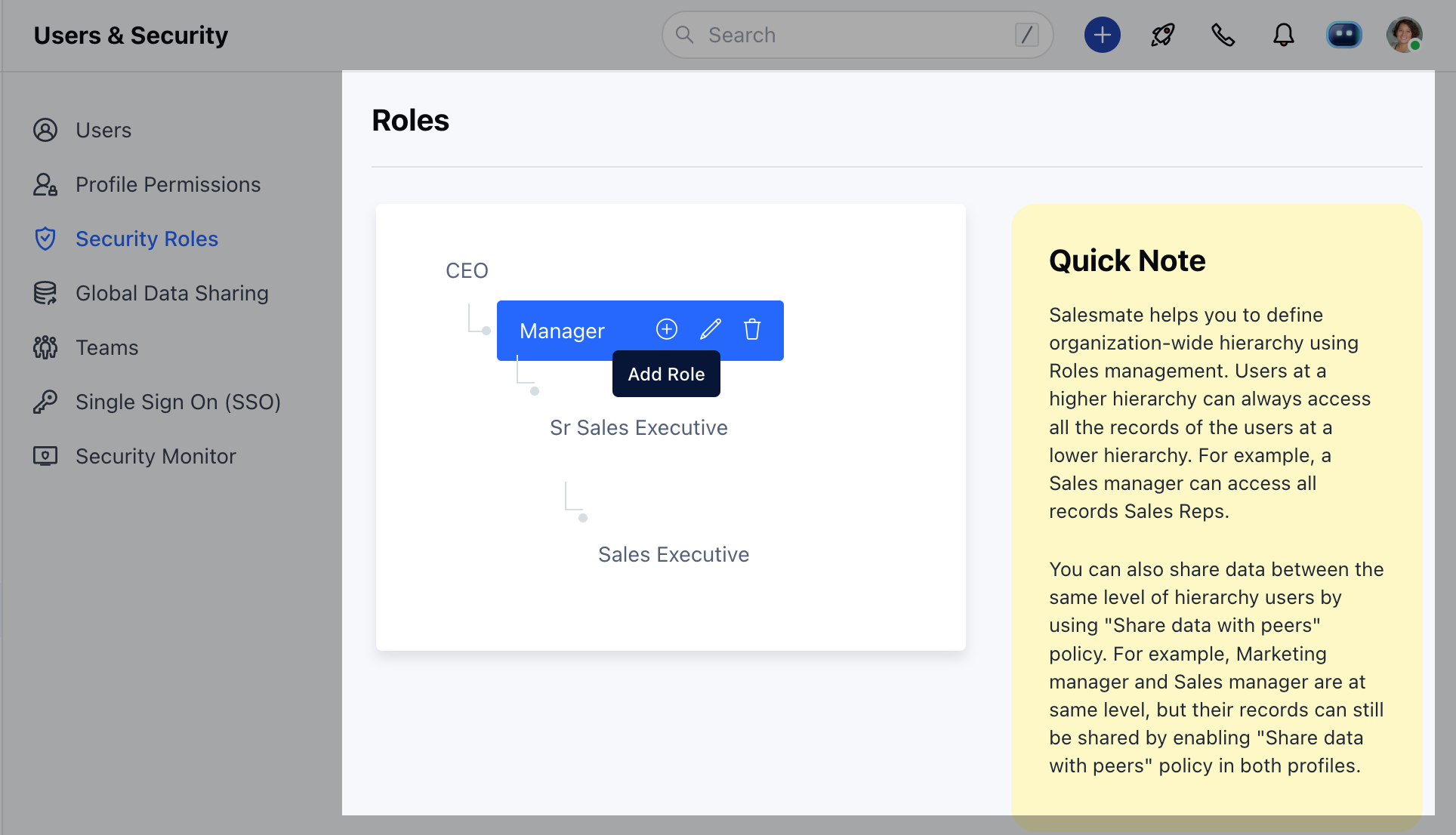
- Hover over a **Role **(under which you want to add a Role)
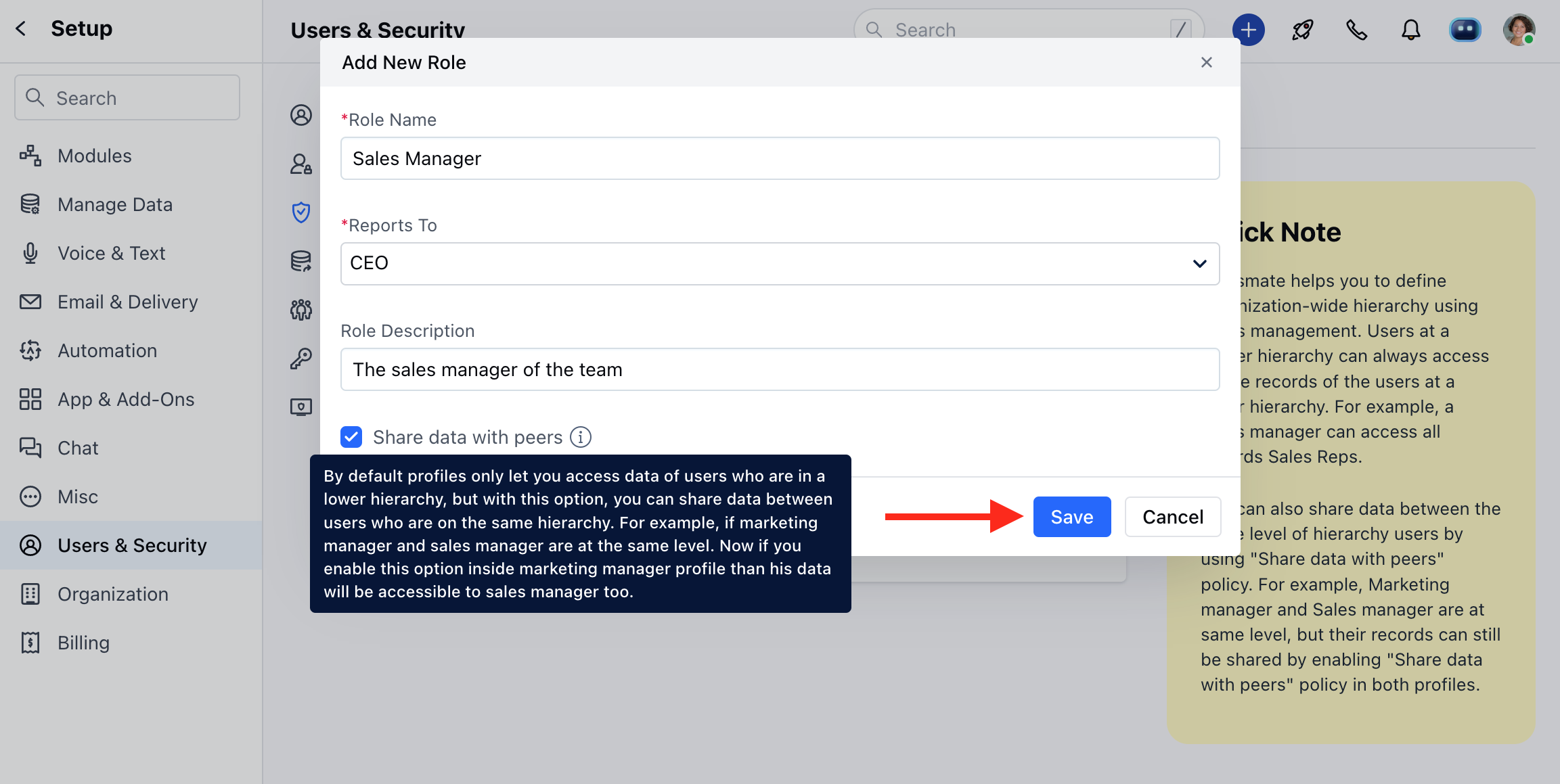
- Click on (+) Add Role
- Enter the Role Name
- Choose the Reporting role
- Describe the Role
- Set the Data sharing with peers (Selection of this option allows data to be shared with users on the same Role)
Assigning Roles
Since the Roles of users evolve within the organization. It may require that you may need to update the Roles and Profile Permissions of users. Here are steps to update Roles and Profile Permissions :- Navigate to your Profile Icon on the top right corner.
- Go to Set Up.
- Head over to Users & Security.
- Click onUsers
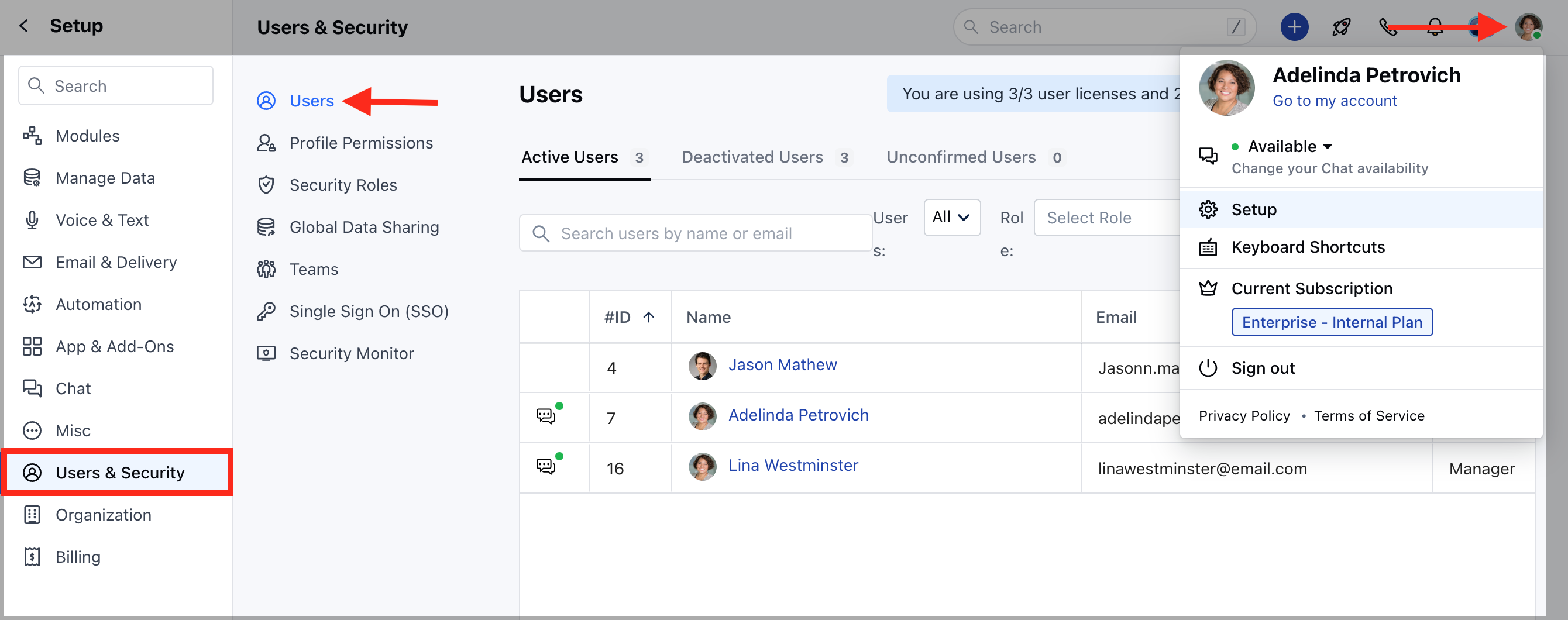
- Here you get the list of all Users.
- Hover over to the User Name, Actions button will appear next to the name.
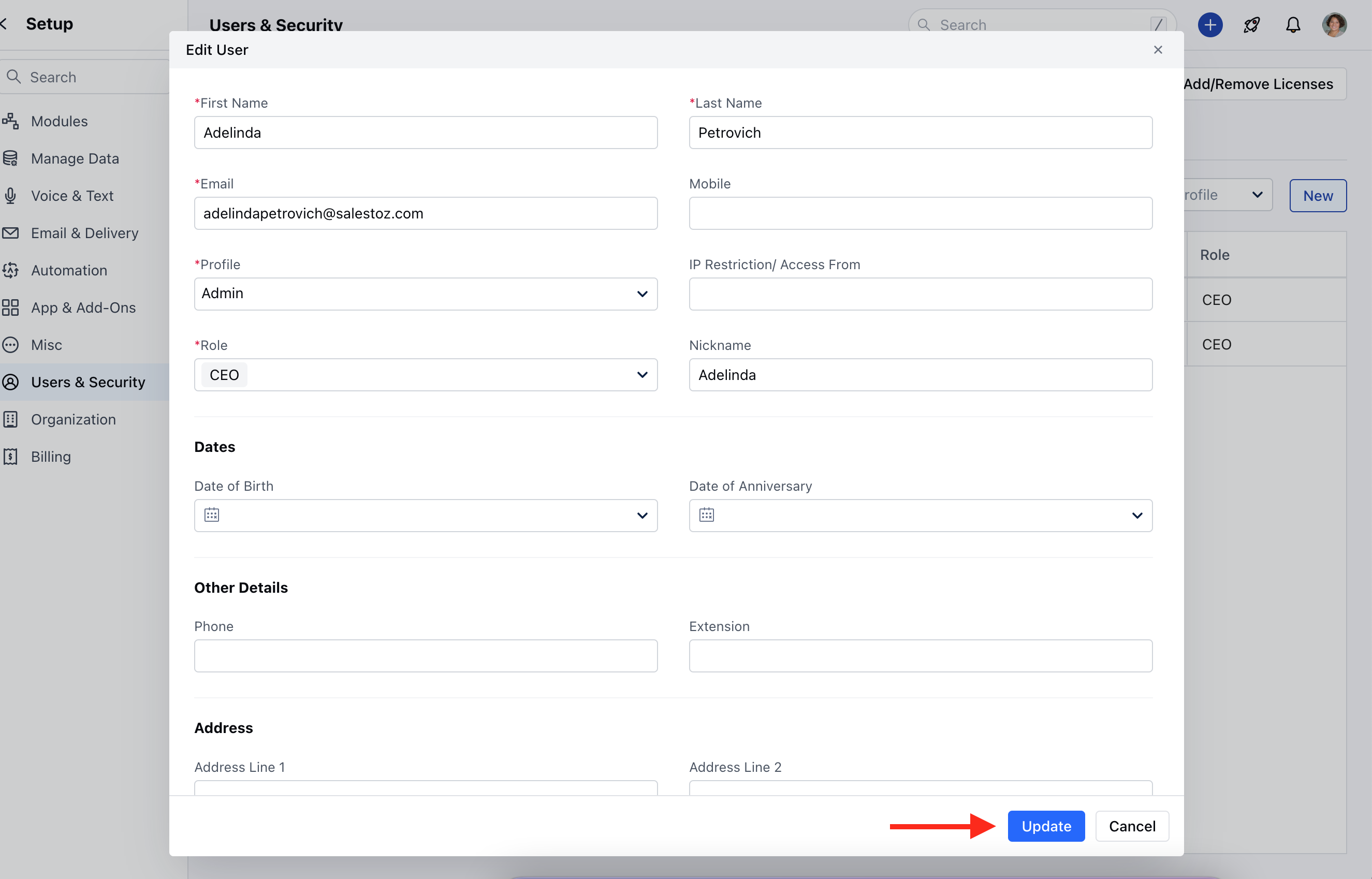
- Click on the Actions Button and select Edit
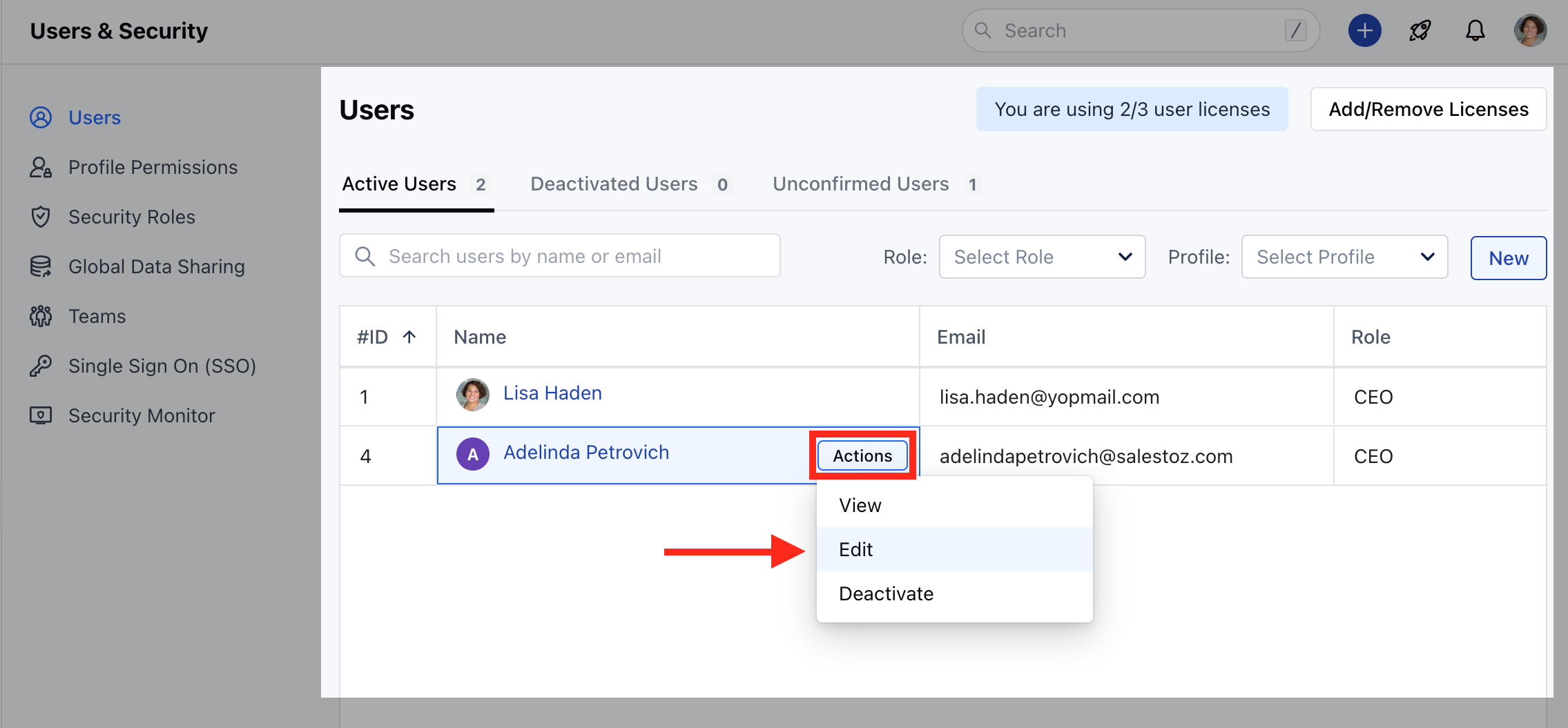
- Go to Roles Field to update the information
- Hit Update to save the changes.