

Topics covered:
- Business Type
- Template Type
- Use Case
- Key Features of the Flow
- Steps Used in Creating the Flow
- Breakup of Items Used in the Flow
- Benefits
Business Type: Ideal for businesses of all types looking to streamline meeting processes and enhance communication with participants for example **SaaS.
- **### - Template Type: Perfect for teams managing internal or external meetings, providing automated confirmations and timely reminders.
- Use Case: This template simplifies the process of meeting confirmations and ensures participants are informed and prepared, enhancing communication and attendance rates.
Key Features of the Flow:- Automated Meeting Confirmation: Sends a confirmation email once a meeting is scheduled.Automatically provides meeting details and access instructions.
- Timely Reminders: Sends multiple reminders leading up to the meeting.Ensures participants are informed and prepared for the meeting.
- Customizable Notifications: Customizable confirmation emails for branding and personalization.Reminders tailored to suit business needs and meeting types.
- Steps Used in Creating the Flow: You can click here to learn how to create a new Smart Flow or access the Flow Templates.
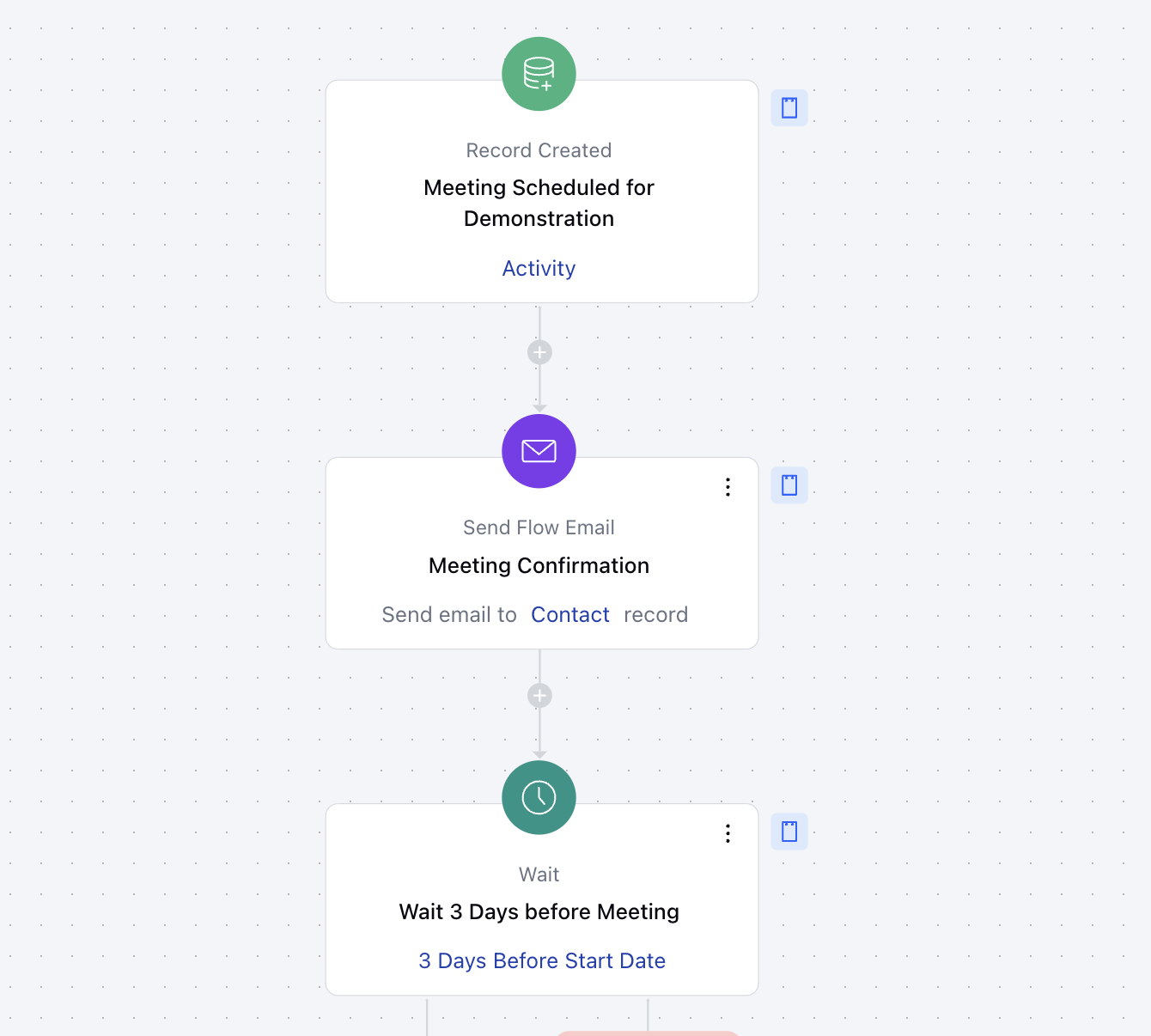
- **Trigger: Record CreatedDescription: The flow starts when a Meeting (Activity) is scheduled from the Meeting Scheduler containing a specific Title and Type ** Practical Usecase:**Whenever a meeting (Activity) is scheduled by the contact using your meeting scheduler and configured conditions are met then this flow will be triggered.
-
- Send Email Confirmation and Reminder: Send Flow Email***Description **: The flow will now perform various Send Email action to send out Meeting Confirmation email and Reminder Emails before the due date
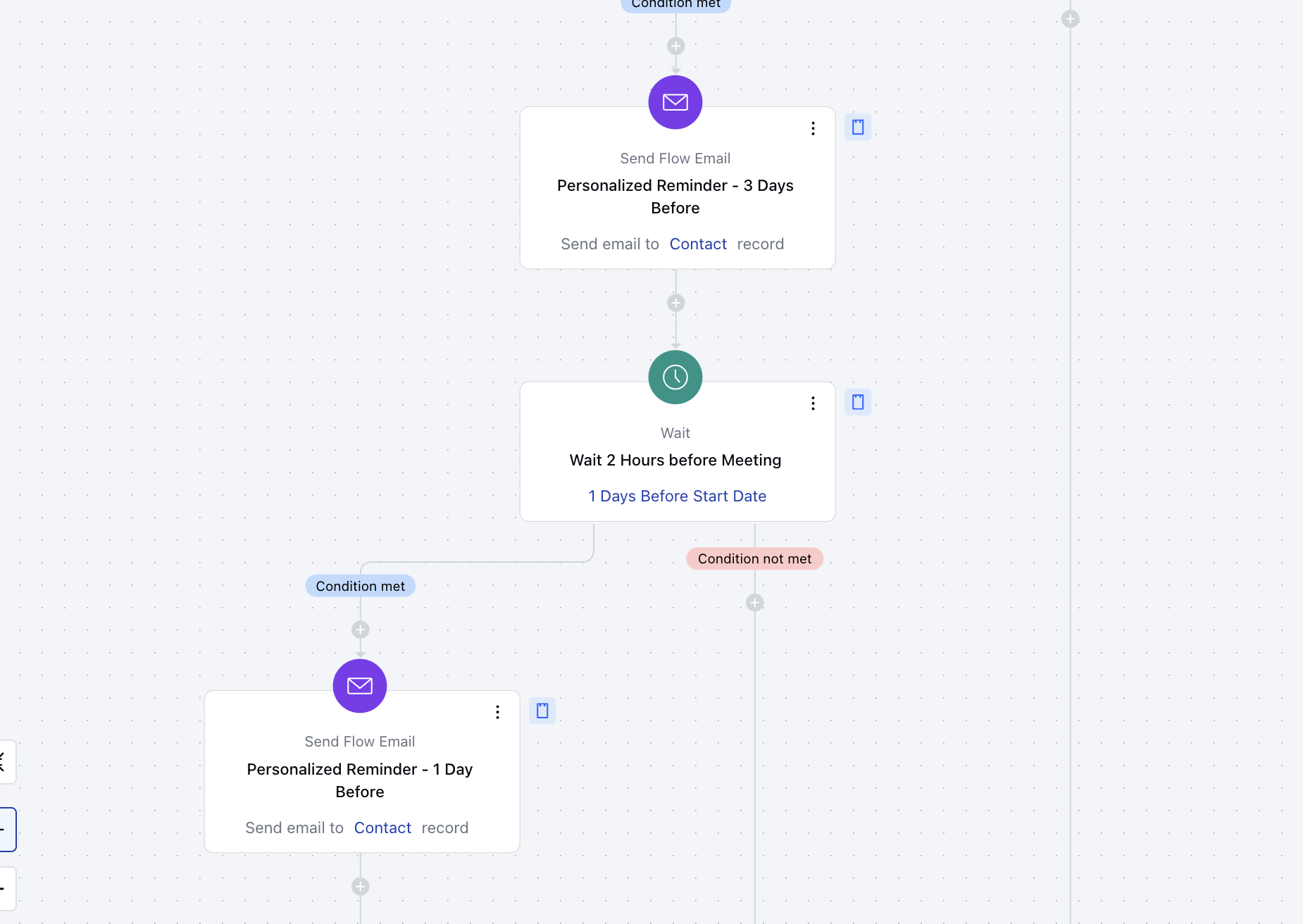
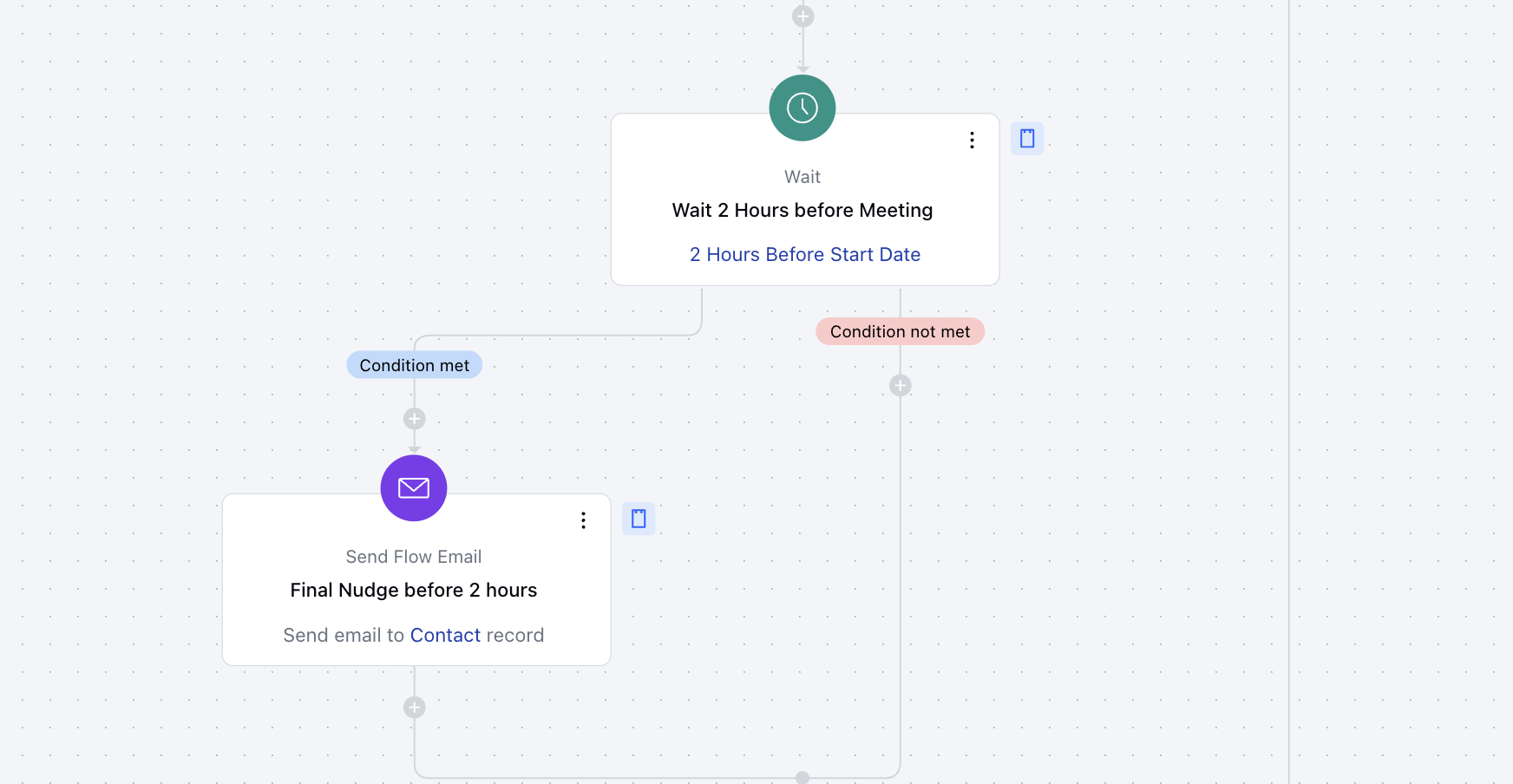
- *Configure Wait to add delay between the Reminders: Wait**- Description: The flow will add a delay between the Send Flow Email actions to send reminders at 3 days, 2 days,s and 2 Hours.
- Practical Usecase: This action is useful when you wish to add an interval between 2 actions being performed. For instance, you are sending a confirmation email and after 2 days you want to send a reminder email then this action is useful
**Breakup of Items Used in the Flow:**Trigger:**Meeting Created:**Initiates the flow when a new meeting is created in the system.
- **Actions:Send Confirmation Email: Automatically sends a meeting confirmation email with event details.
- Reminder Sequence (Wait & Send Emails):- Wait: Pauses the flow until specific time conditions are met before the meeting.
- Send Flow Email: Sends timely reminders: 3 Days and 1 Day Before the Meeting1 Hour Before the Meeting
- End: The flow concludes after all reminders and confirmations are sent, ensuring participants are informed and prepared for the meeting.
Benefits:- Improved Attendance: Consistent reminders ensure participants remember and attend.
- Enhanced Communication: Automated yet personalized messages reduce manual follow-ups.
- Operational Efficiency: Reduces manual tasks for meeting confirmations and reminders.