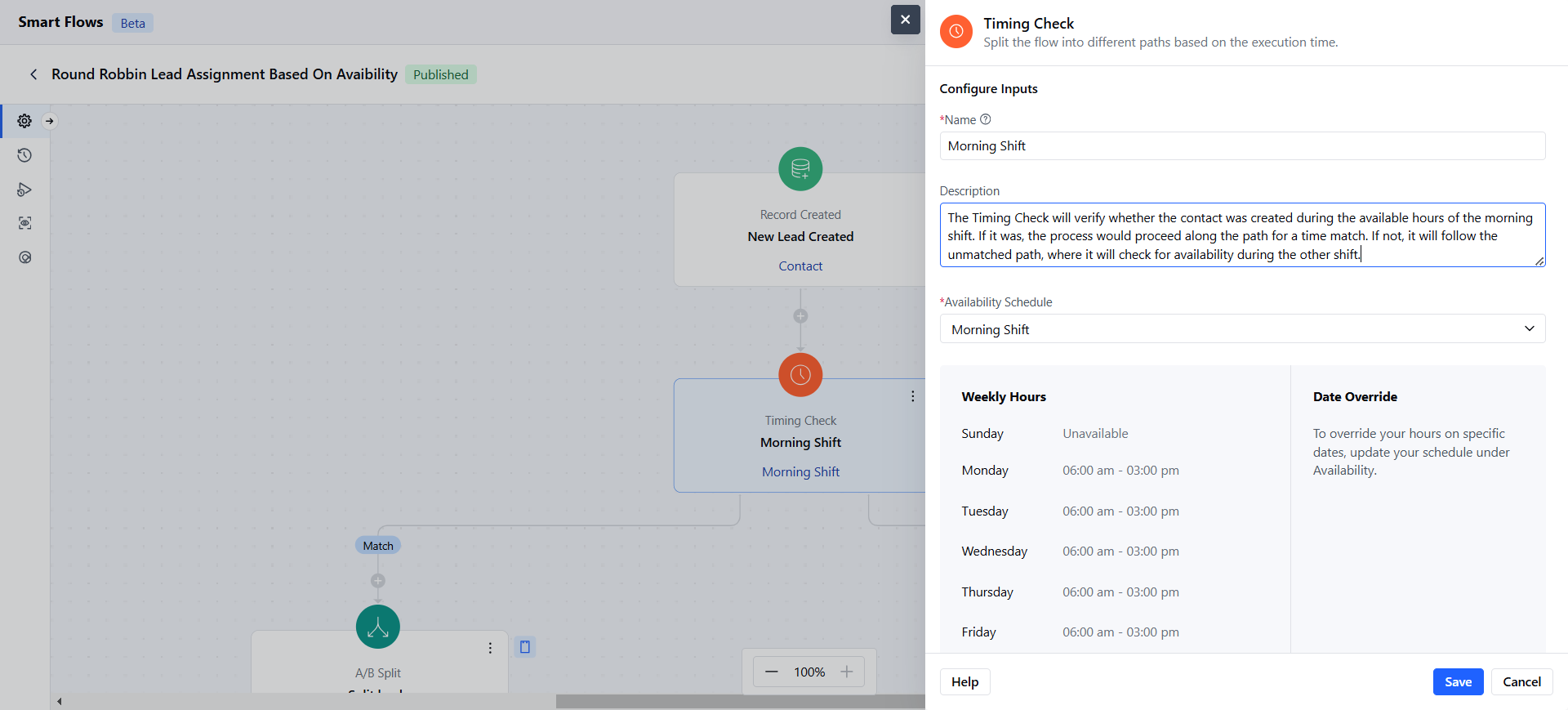
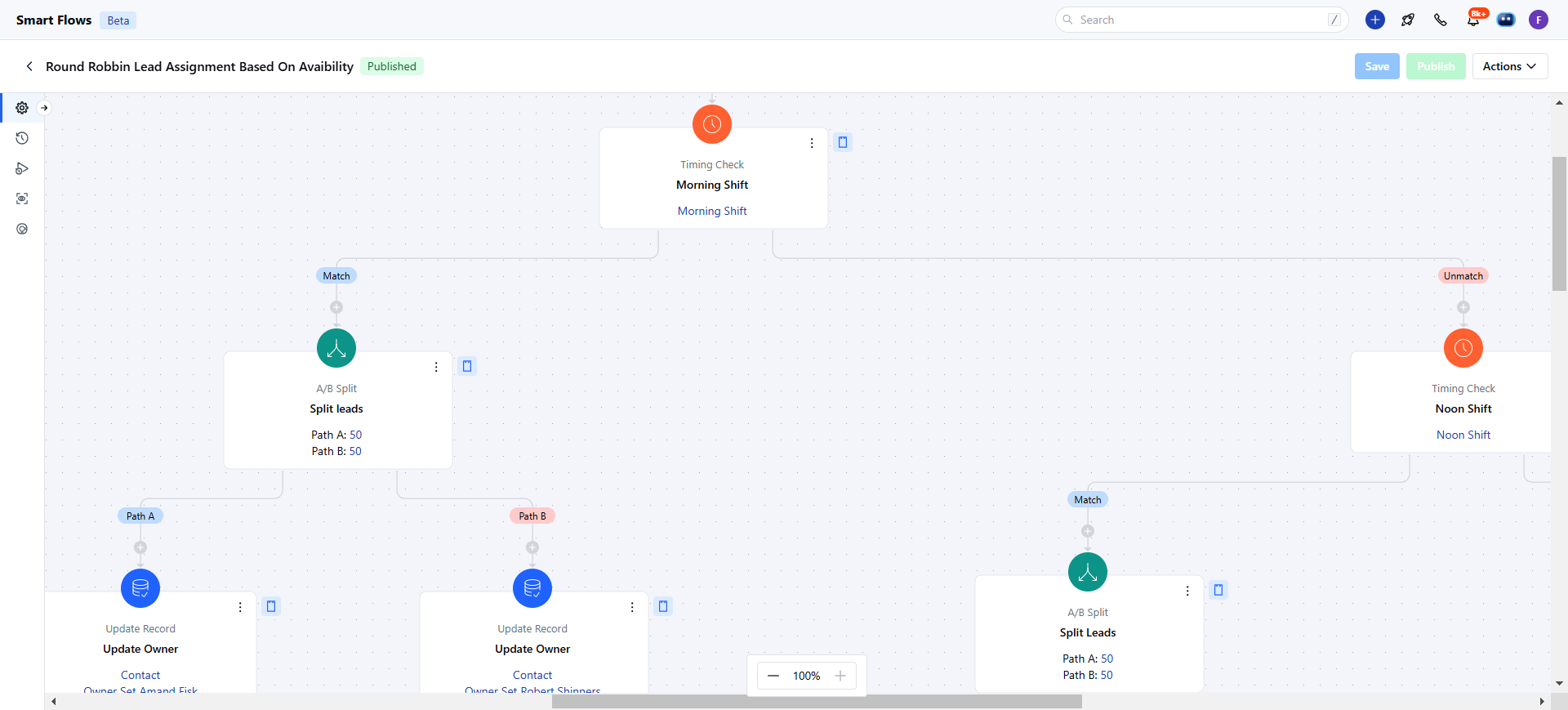
Topics covered:
How to Configure Timing Check Condition
When setting up a Smart Flow, choose the Timing Check condition.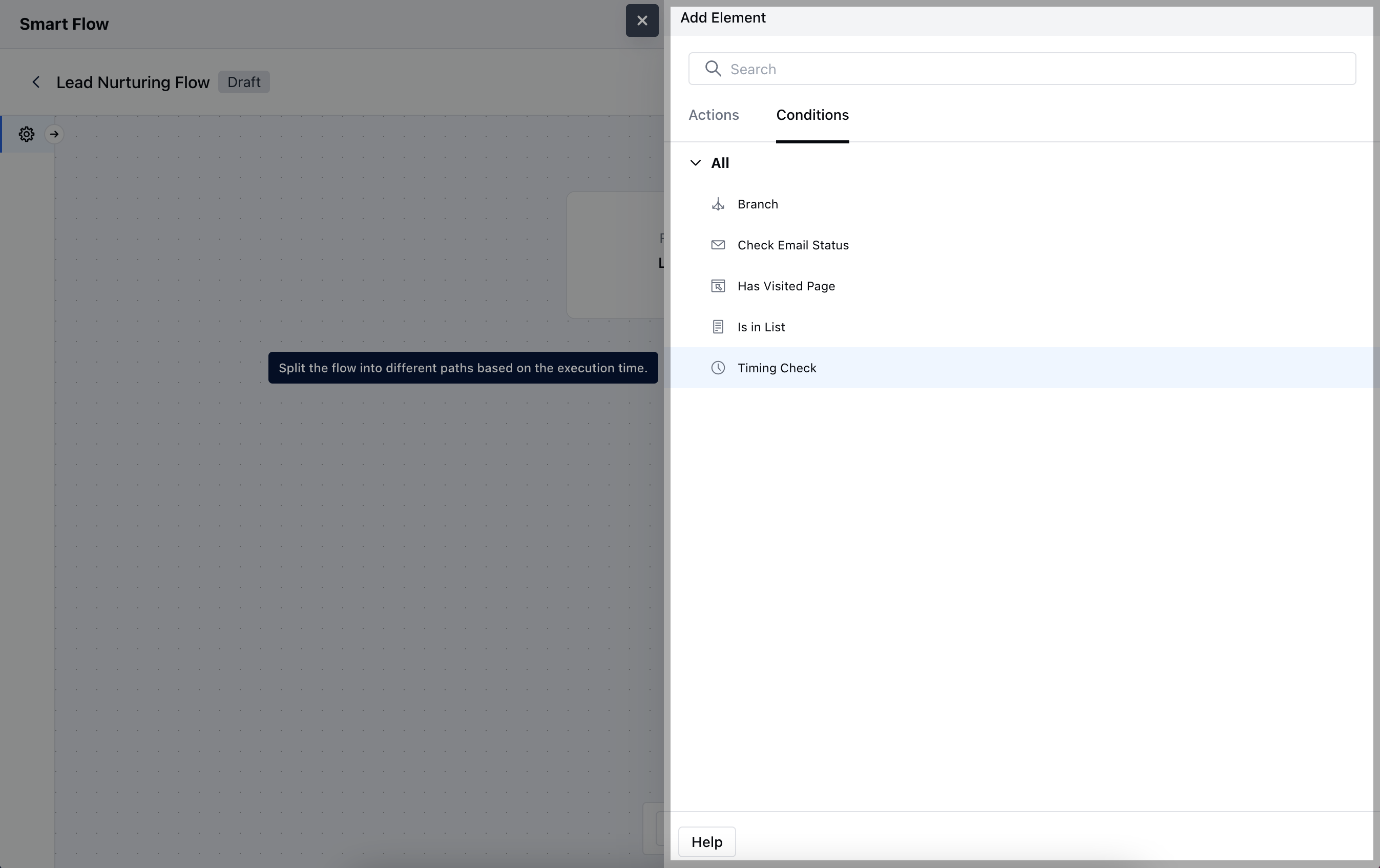
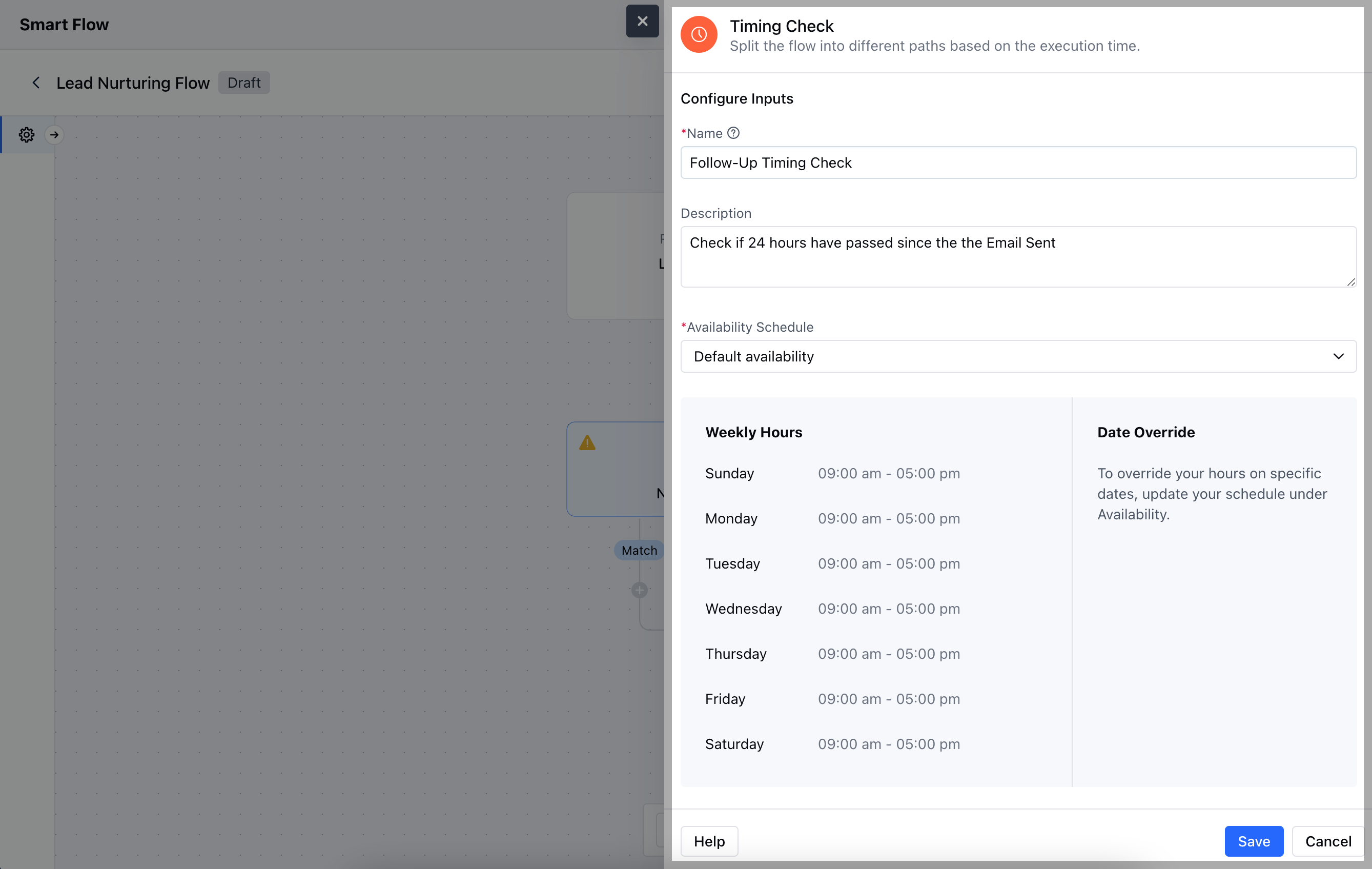
- Name: Assign a clear and descriptive title for the condition that indicates its purpose within the flow.
- Description: Provide a brief explanation of what this condition does and why it’s important in the context of the flow.
- Availability Schedule: Define the specific time frames during which the condition will be evaluated.Once the configuration is completed, hit Save.
Practical Example
- The Timing Check condition can be used to verify if a contact was created during the morning shift (9 AM - 5 PM). If it was, it will assign the contact to the team working during that shift. If not, it checks for availability during the evening shift and routes the contact accordingly.