- WhatsApp by Twilio or WhatsApp by Vonage ) needs to be installed to use WhatsApp Condition in Smart Flow.
Topics to be covered:
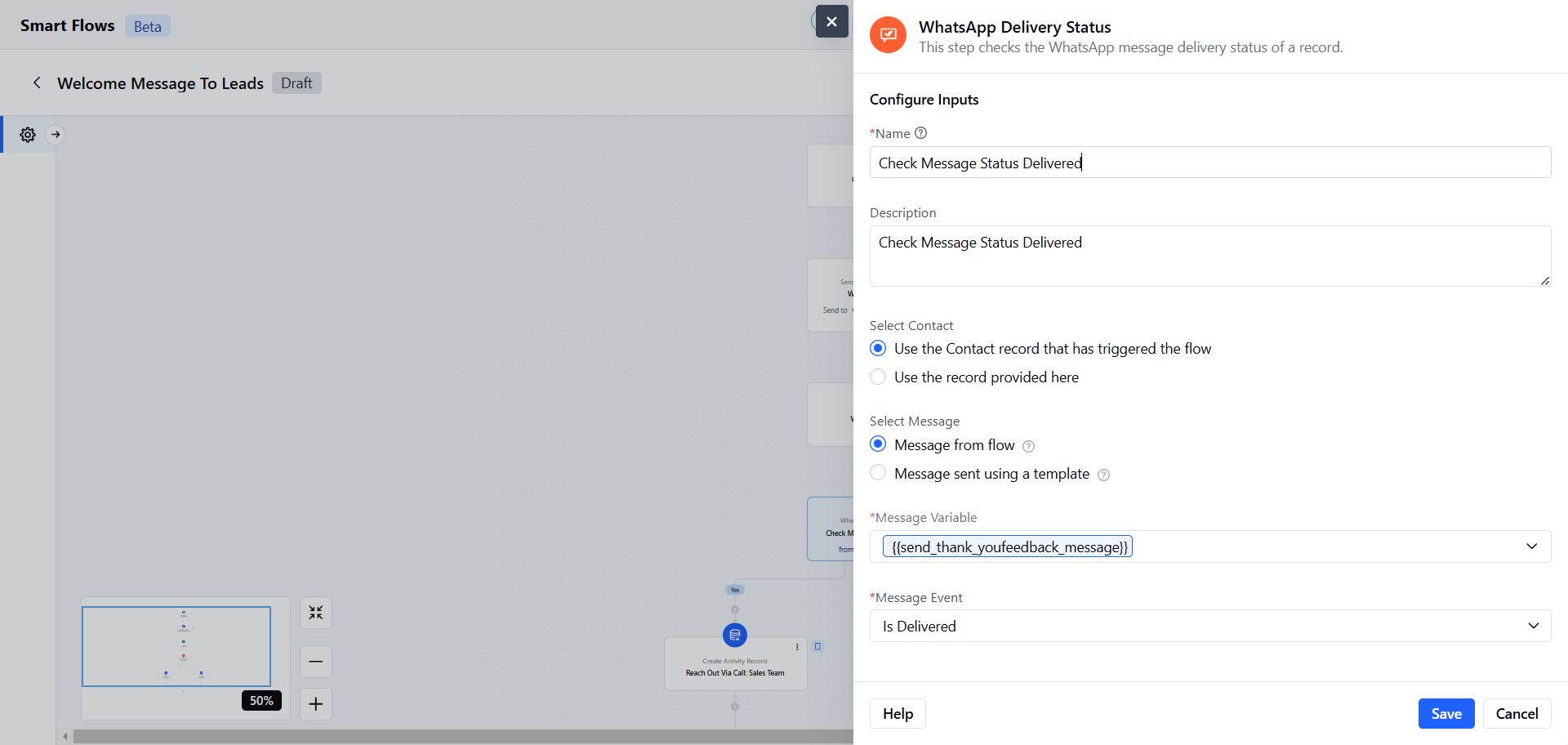
How to Configure Check WhatsApp Delivery Status Condition
When setting up a Smart Flow, choose the WhatsApp Delivery Status Condition.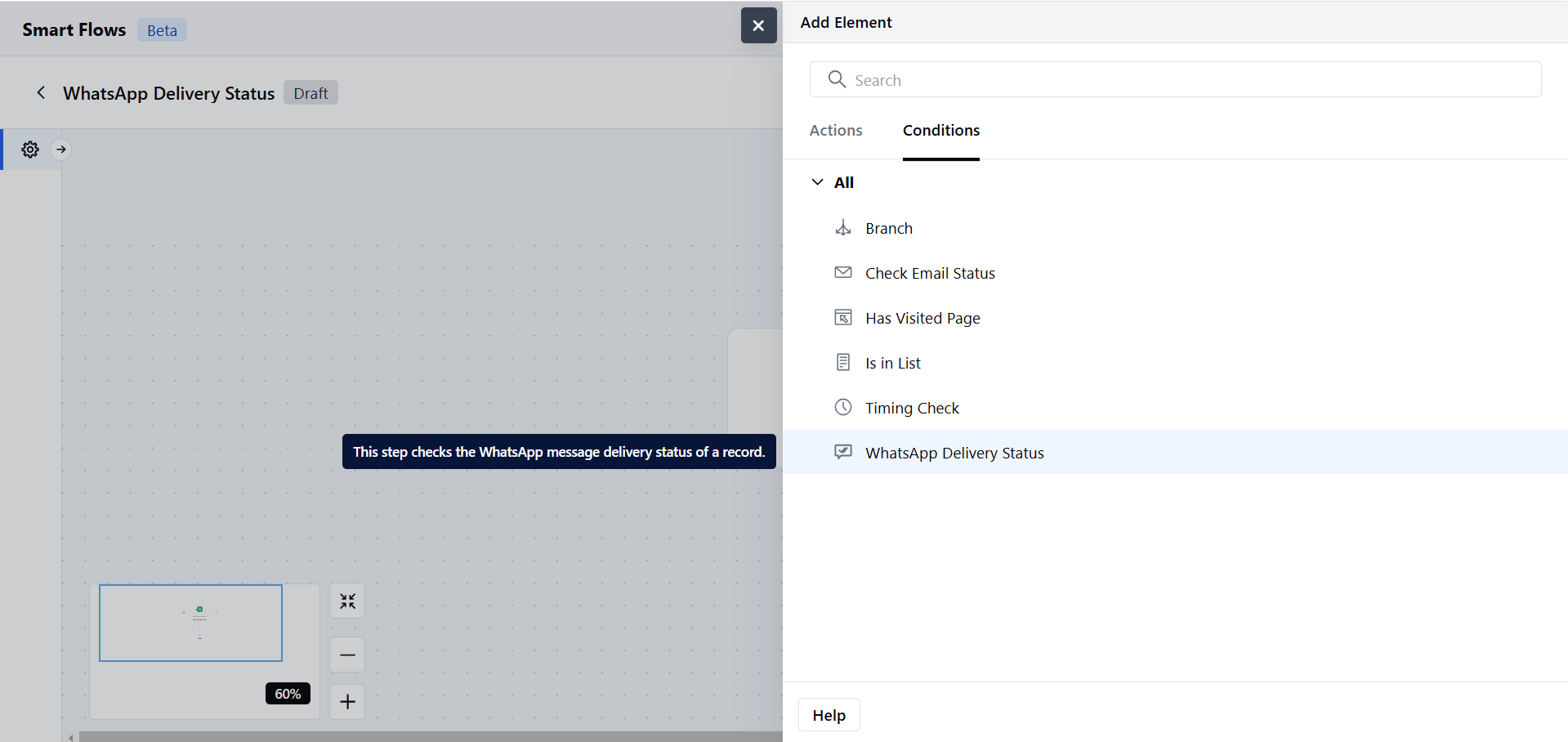
- Description: Provide a brief explanation of the condition’s purpose.
- **Select Contact:**Choose the contact for whom the WhatsApp Message status will be checked.
- Use the contact that triggered the flow: Available only when the trigger type is set to contact.
- Use a contact provided here: Search and select a contact type variable manually.
- Select Message: Choose one of the following options,
- Message from Flow: Select a message directly used within the current flow.
- Message Sent Using a Template: Choose a message that was sent using a pre-designed WhatsApp template.
- Provider: Select the WhatsApp provider (e.g., Vonage or Twilio).
- From Number: Select from configured numbers.
- Message Template: Choose an approved template for the selected provider and number.
- Note: If there is only one provider, the provider field will not appear.
- Select Message Variable: Choose the Send WhatsApp Message output variable.
- Message Event: Specify the message interaction to track:
- Is Delivered: Checks if the message was successfully delivered.
- Is Read: Checks if the message was read.
- Is Replied: Checks if a reply was received.Once the configuration is completed, hit Save.
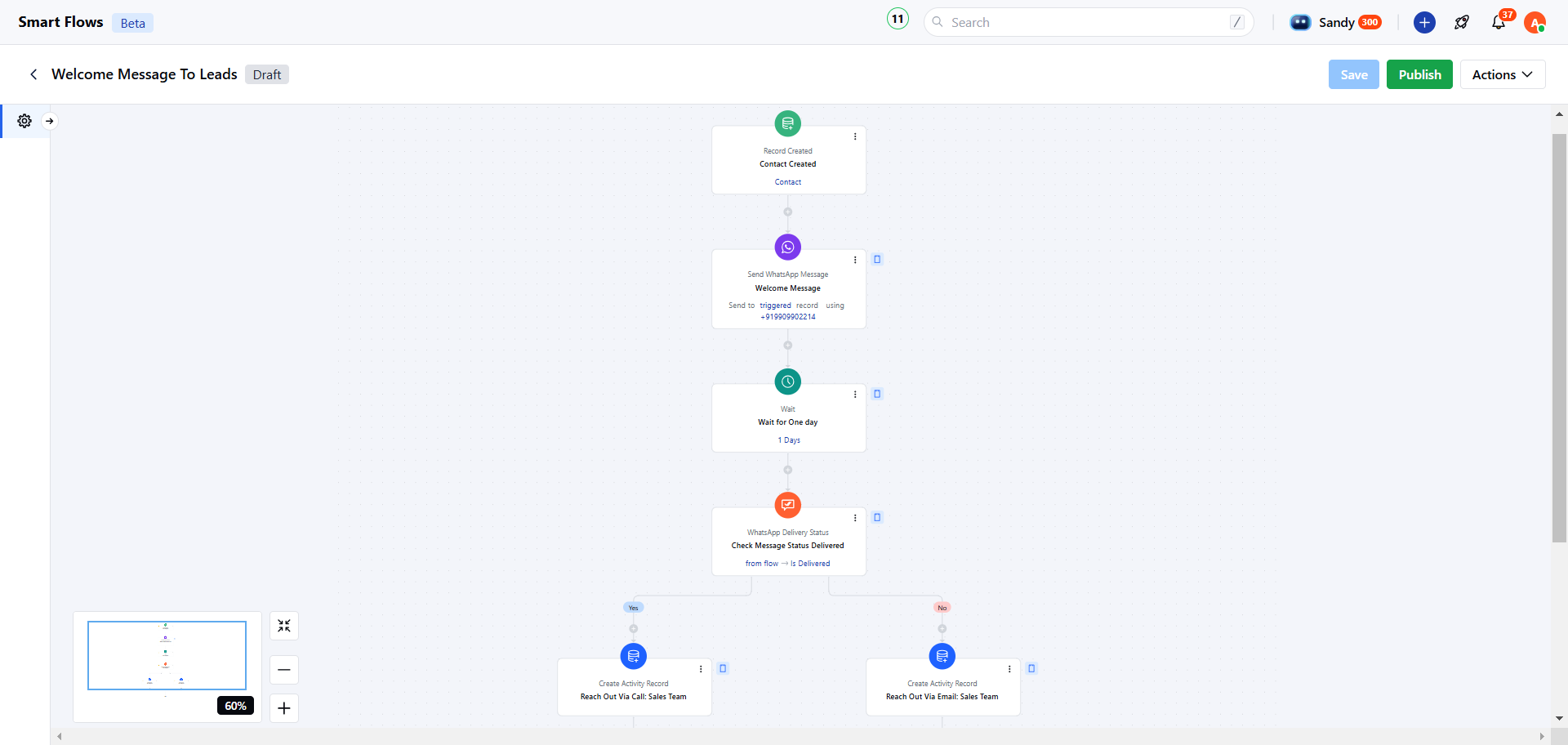
Practical Example:
Upon receiving new leads, automatically send them a WhatsApp welcome message about an ongoing sale. After a set delay, check if the message was delivered. If not, create a task for the sales team to follow up.