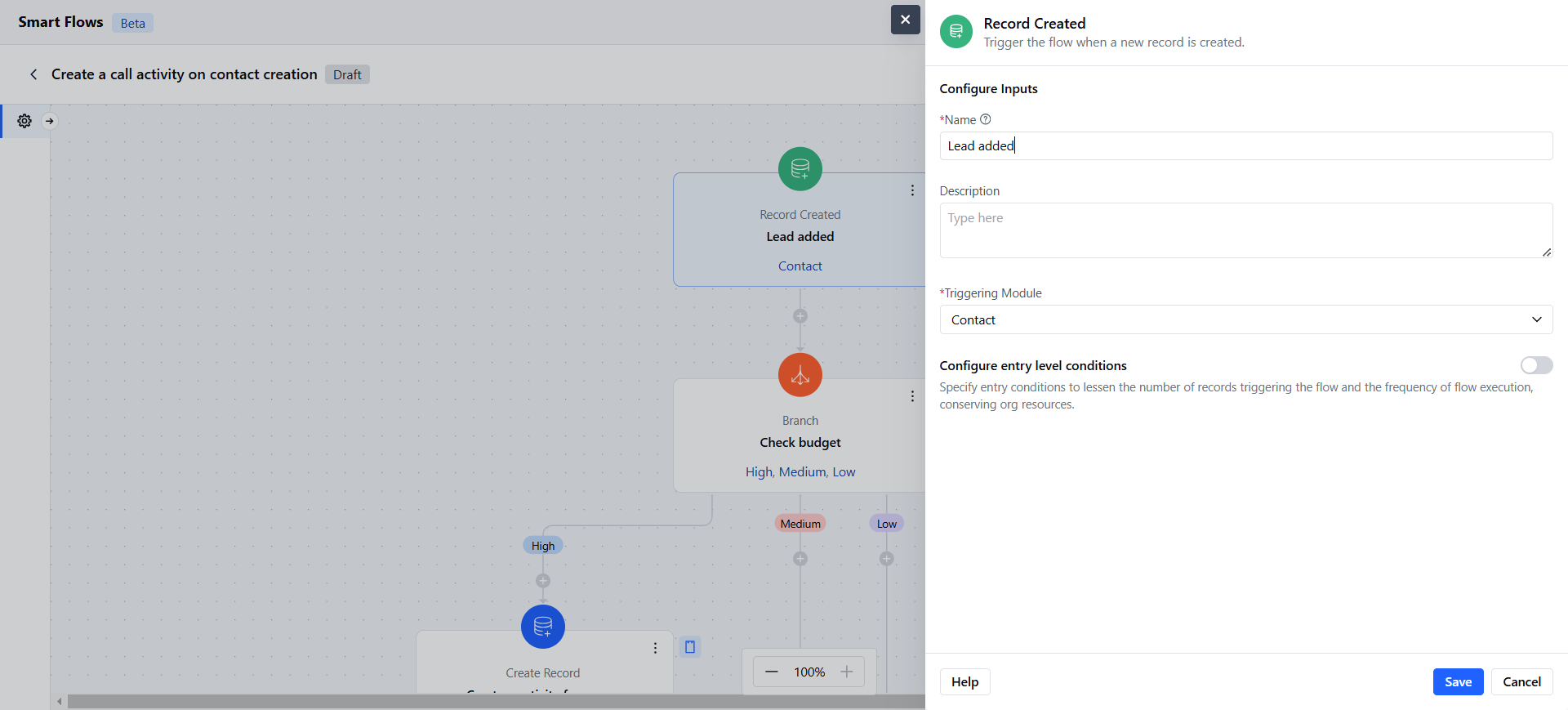
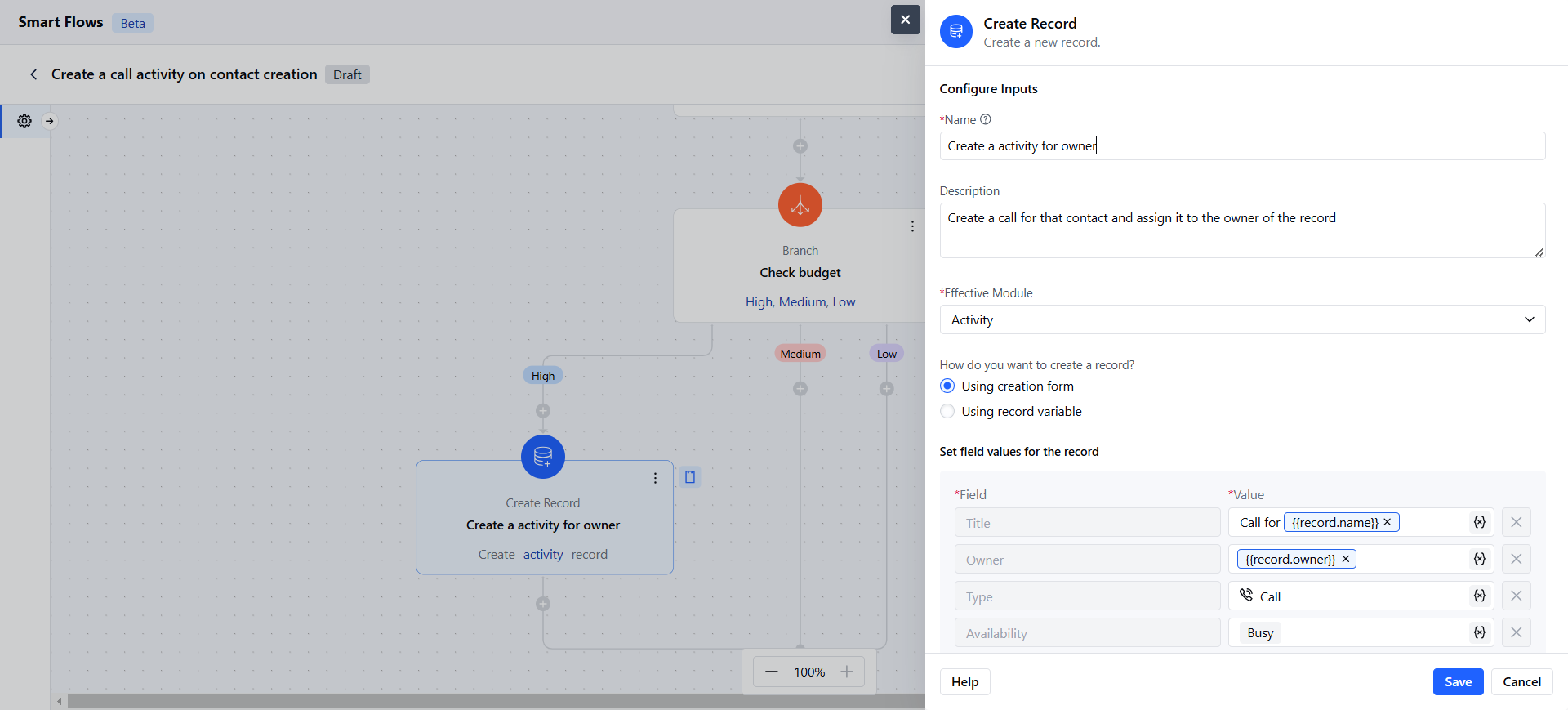
- The Create Record Action in Salesmate Smart Flows allows you to automatically generate new records based on the defined criteria within your flow Topics covered:
- How to Configure Create Record Action
- Practical Example
How to Configure Create Record Action
While setting up a Smart Flow, select Create Record Action.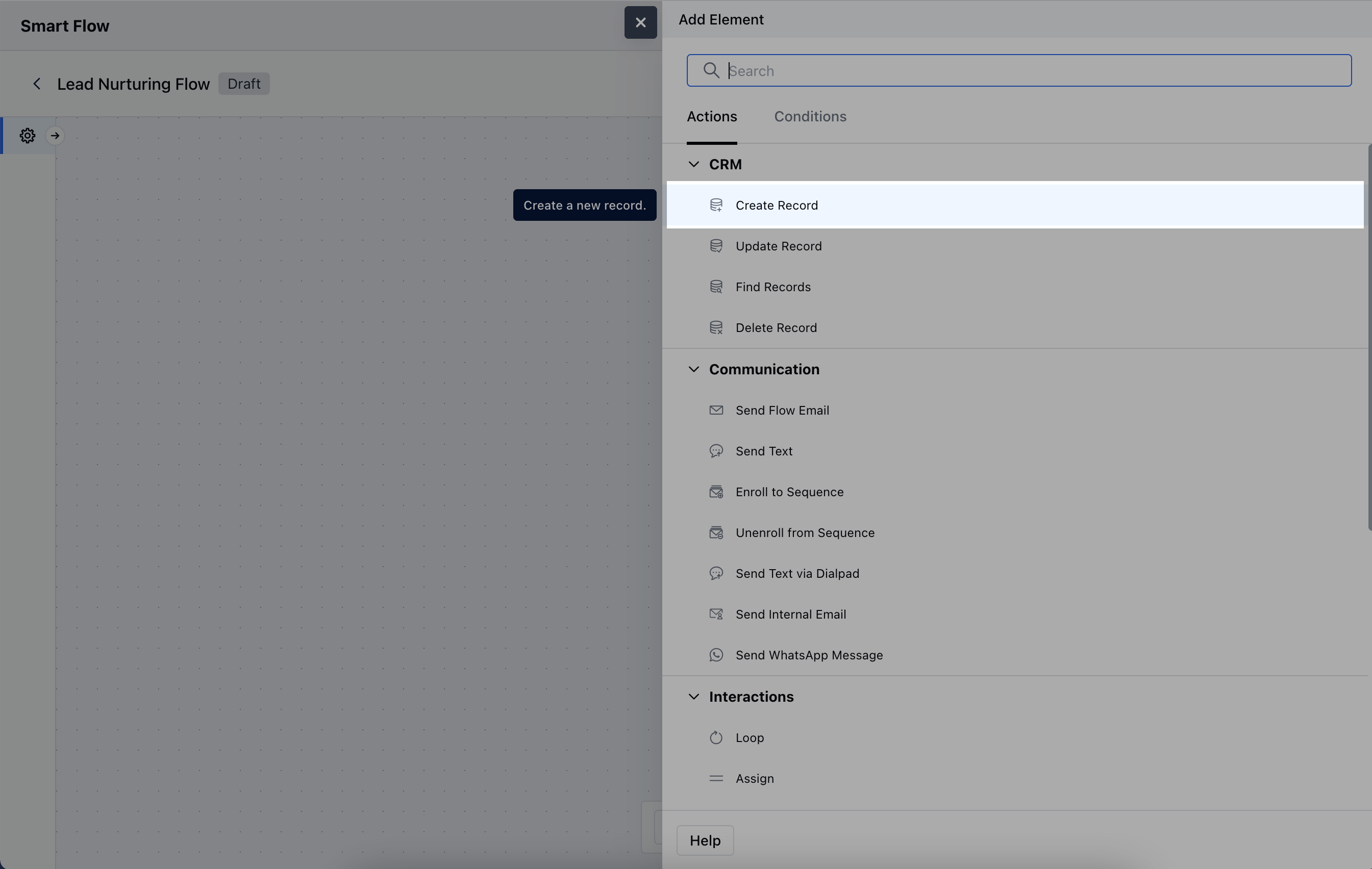
- Name: Assign a clear and descriptive name to the action to easily identify its purpose in the flow.
- Description: Provide a brief explanation of what this action does and the type of record being created.
- Effective Module: Select the module where the new record will be created, such as Contacts, Deals, or Tasks.
- **How do you want to create a record?**Choose one of the following methods:- Using creation form: Manually fill out the form to define specific details for the record.
- Using record variable: Automatically populate the new record with data from an existing variable within the flow.
- Association Logic: Determine whether the newly created records should be linked to other modules.Once the configuration is completed, hit Save.
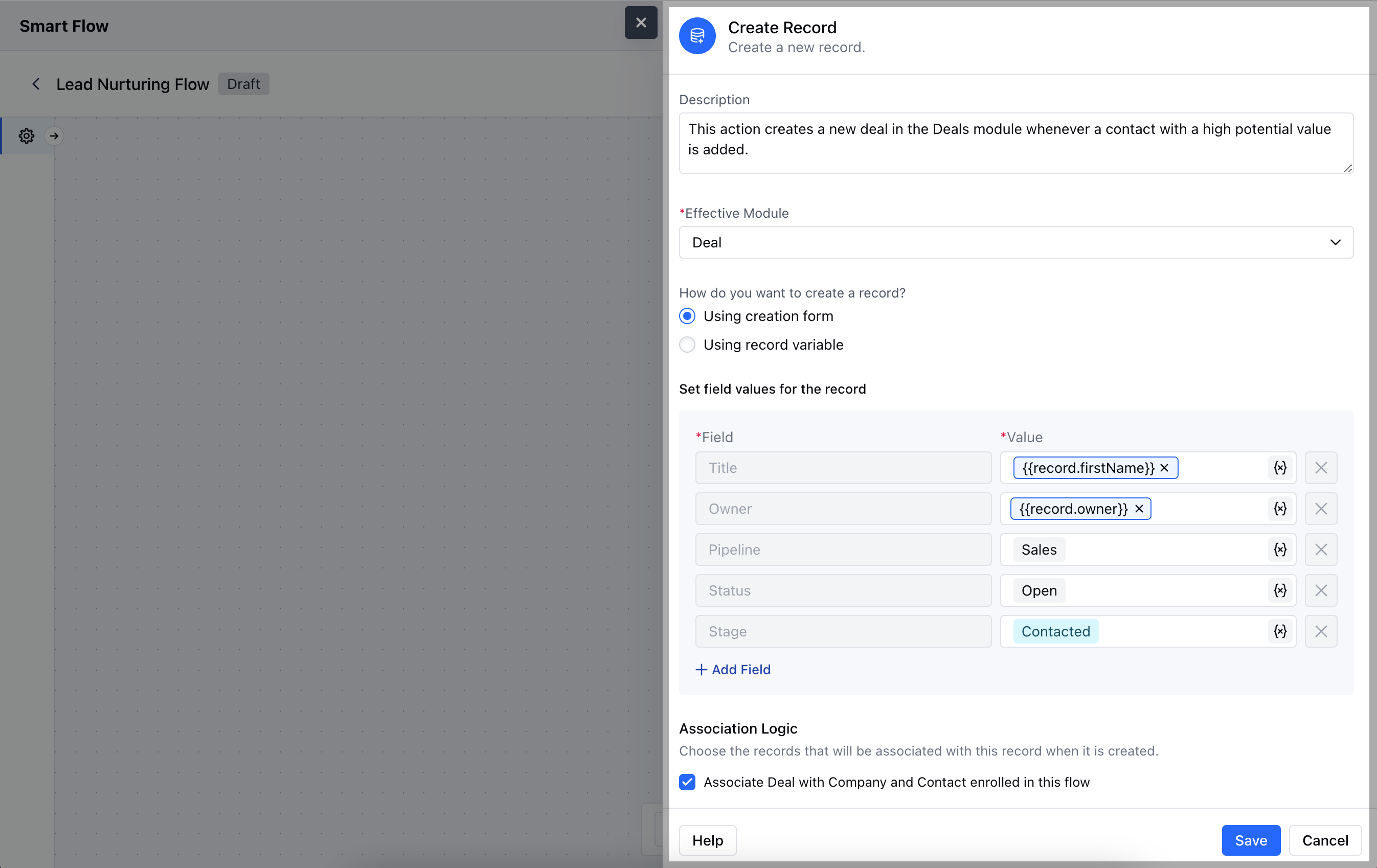
Practical Example
Whenever a new lead is added to the CRM, Smartflow automatically creates a follow-up activity and assigns it to a specific teammate.