How to Create a Ticket via Email
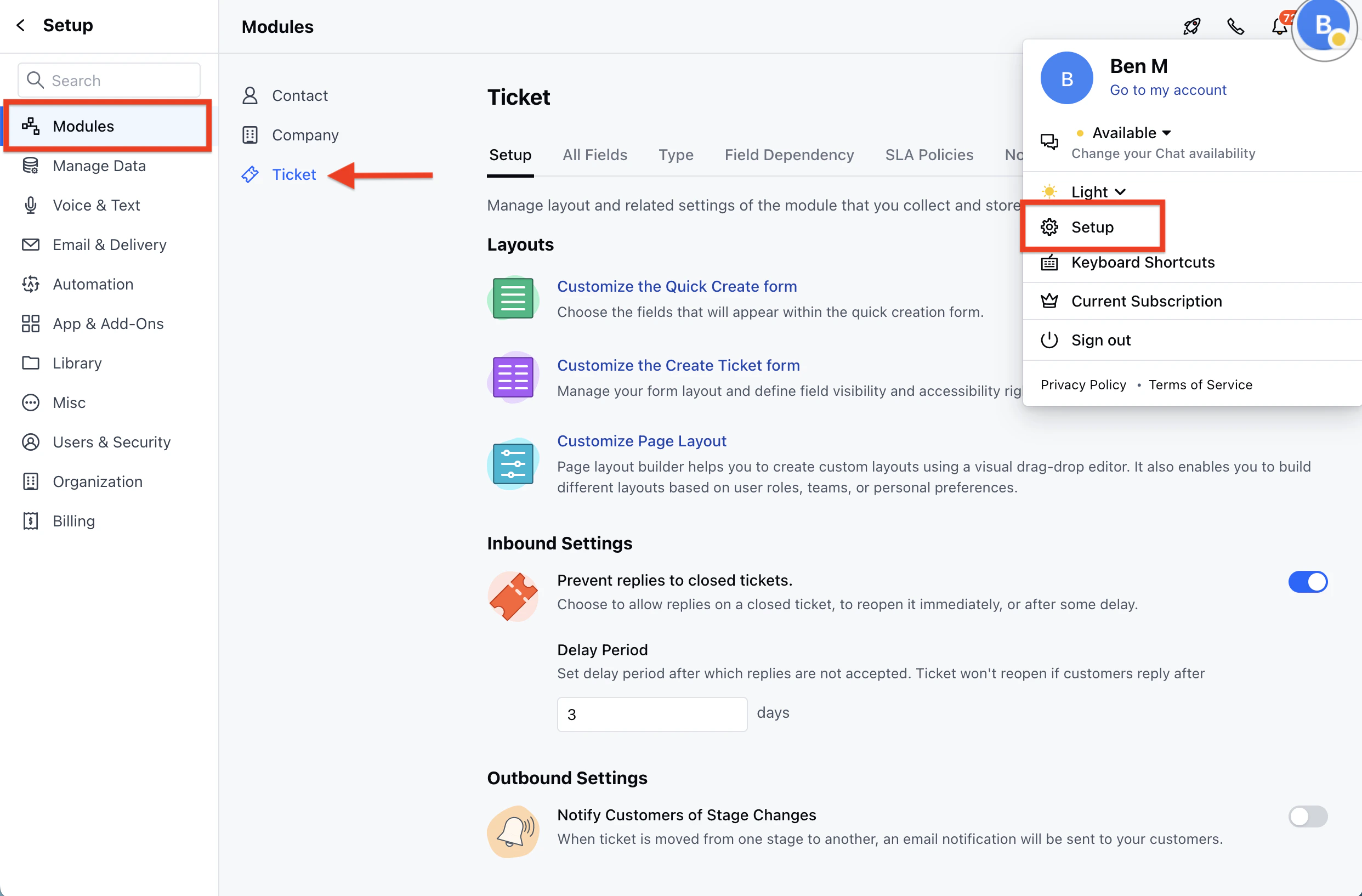
Similar to email forwarding in Chats, you can set up email forwarding in your email client too for creating tickets via email. To create a Ticket via Email,- Navigate to the Profile Icon from the top right corner
- Click on the Set Up
- Head over to the Modules Category
- Click on the Tickets
- Head to the Support Email at the bottom Copy the email address, and set it up as a forwarding rule in your email client.
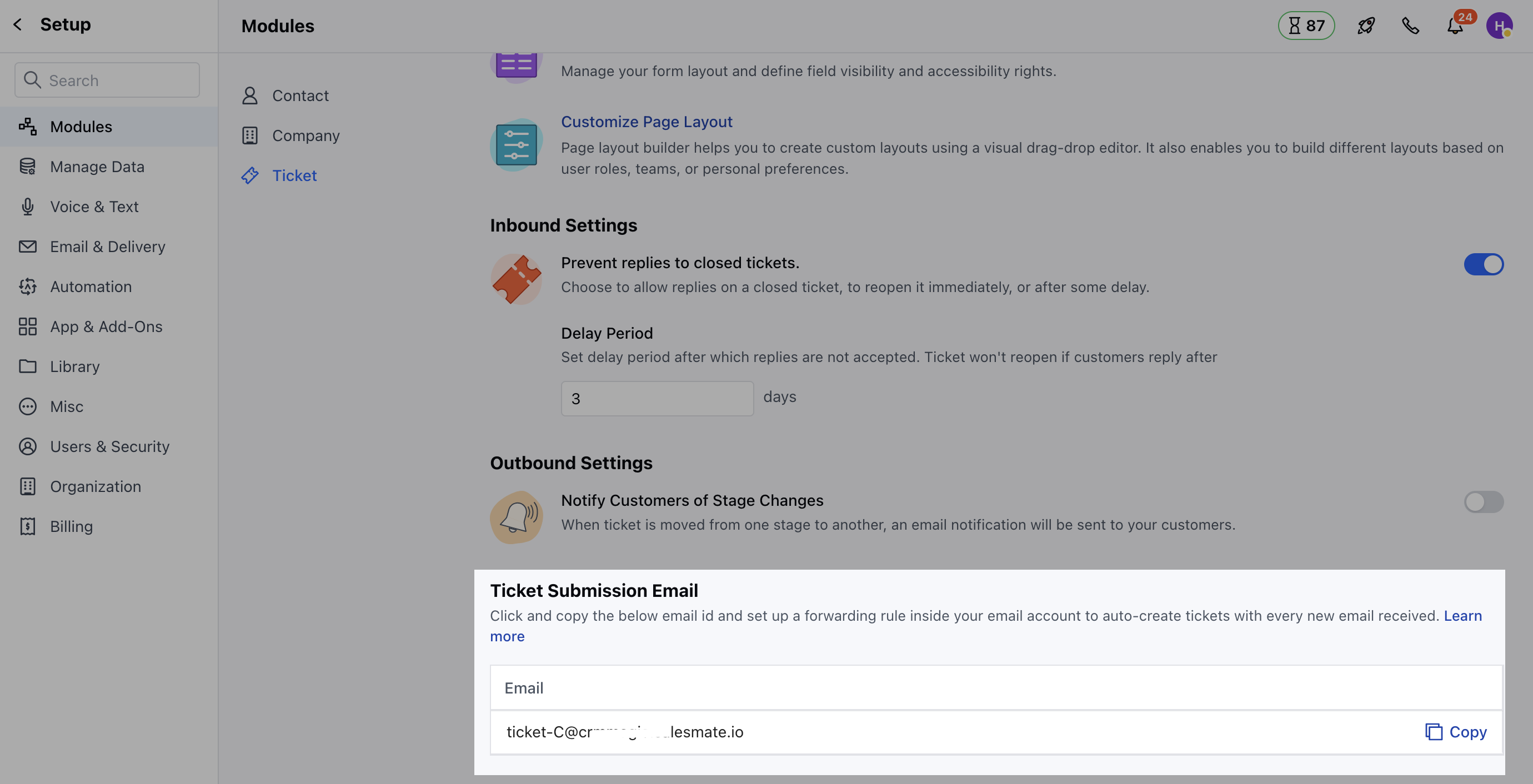
- You can also set the reply-to name for this email address, by editing it and providing the name.
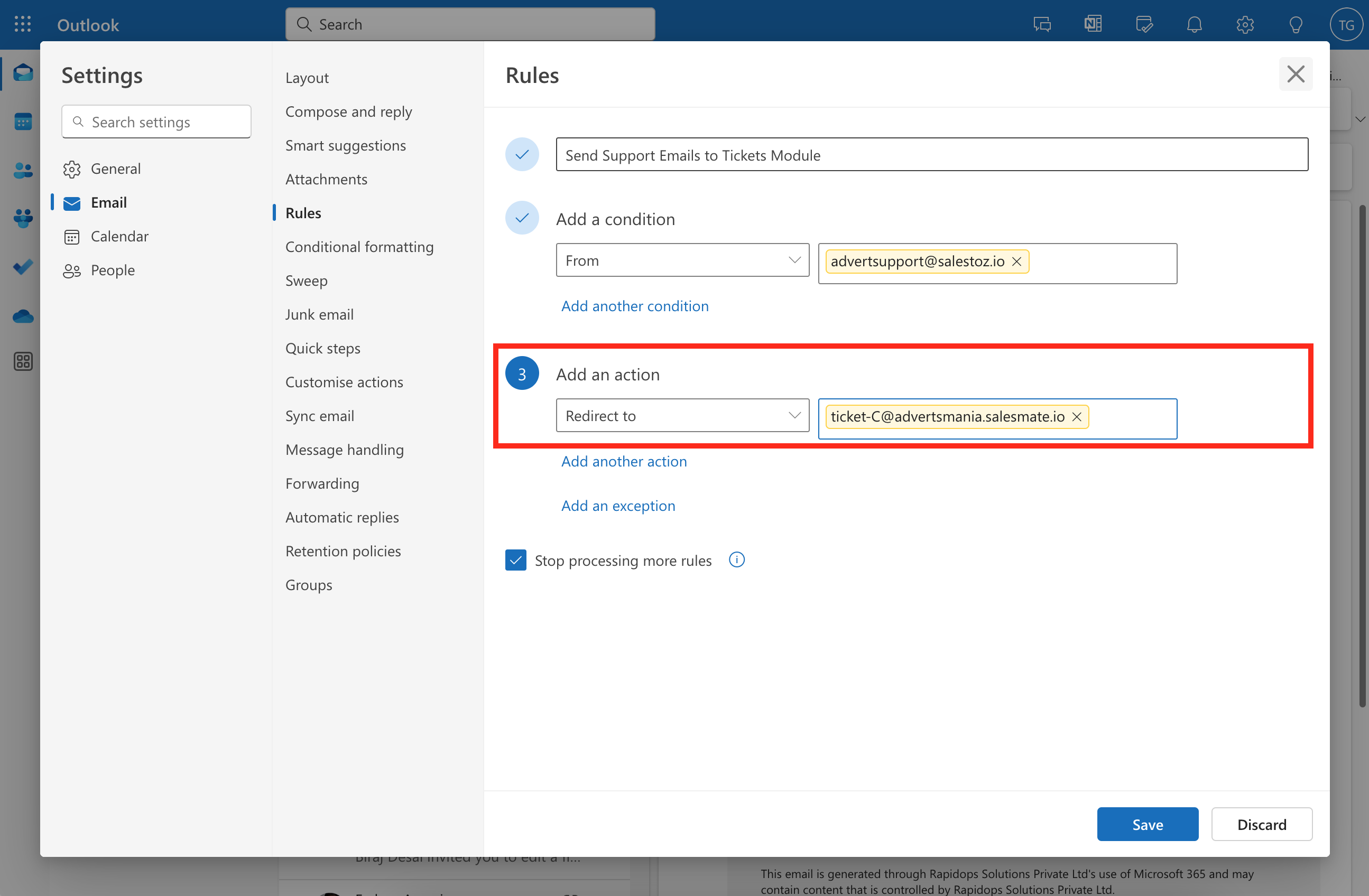
- When any emails are sent to this email address, their tickets are created in the Salesmate. * By default, this ticket will be added to the “Customer Tickets” pipeline. While setting forwarding Rules from your Outlook Account, you need to select the Redirect To option.