SLA Priority/Order
Prioritizing SLAs allows organizations to differentiate service levels based on the urgency or criticality of specific issues. This ensures that different types of requests receive appropriate attention and resources.How to Set SLA Priority
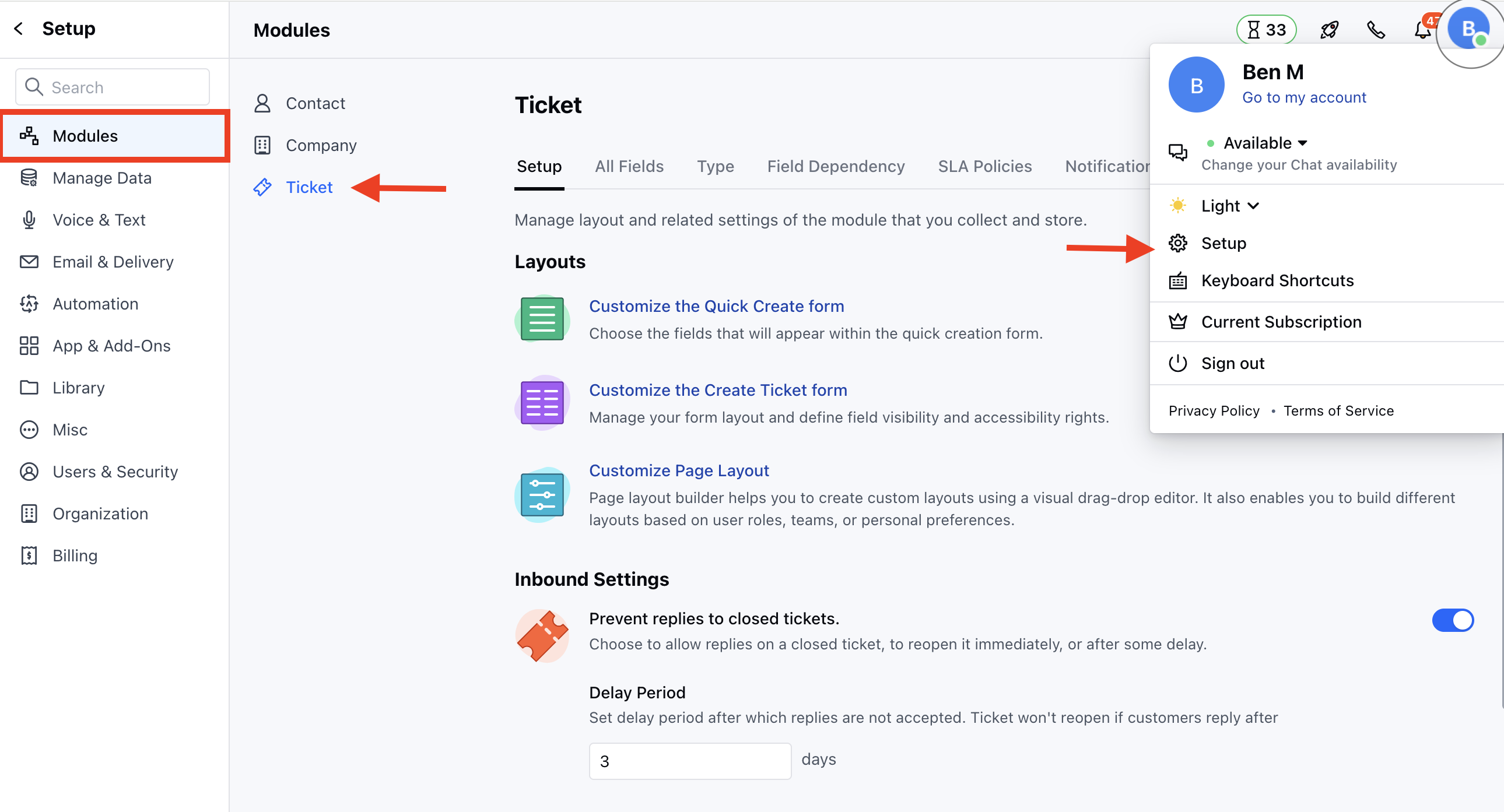
To set the SLA Priority,- Navigate to the Profile Icon on the top right corner
- Click on Set Up
- Head over to the Modules category
- Click on Tickets
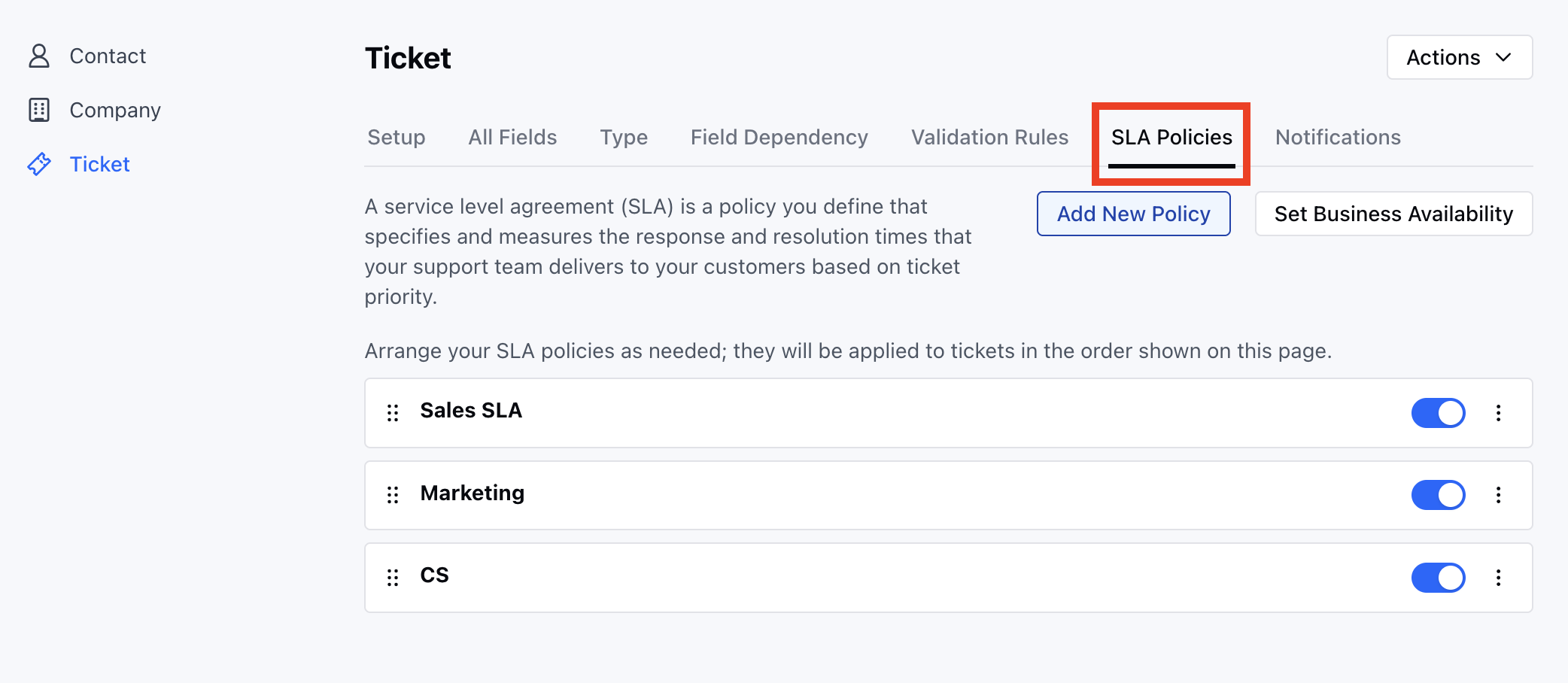
- Head to the SLA Policies section * Drag and drop the Policies to set the Priority/order
SLA Status
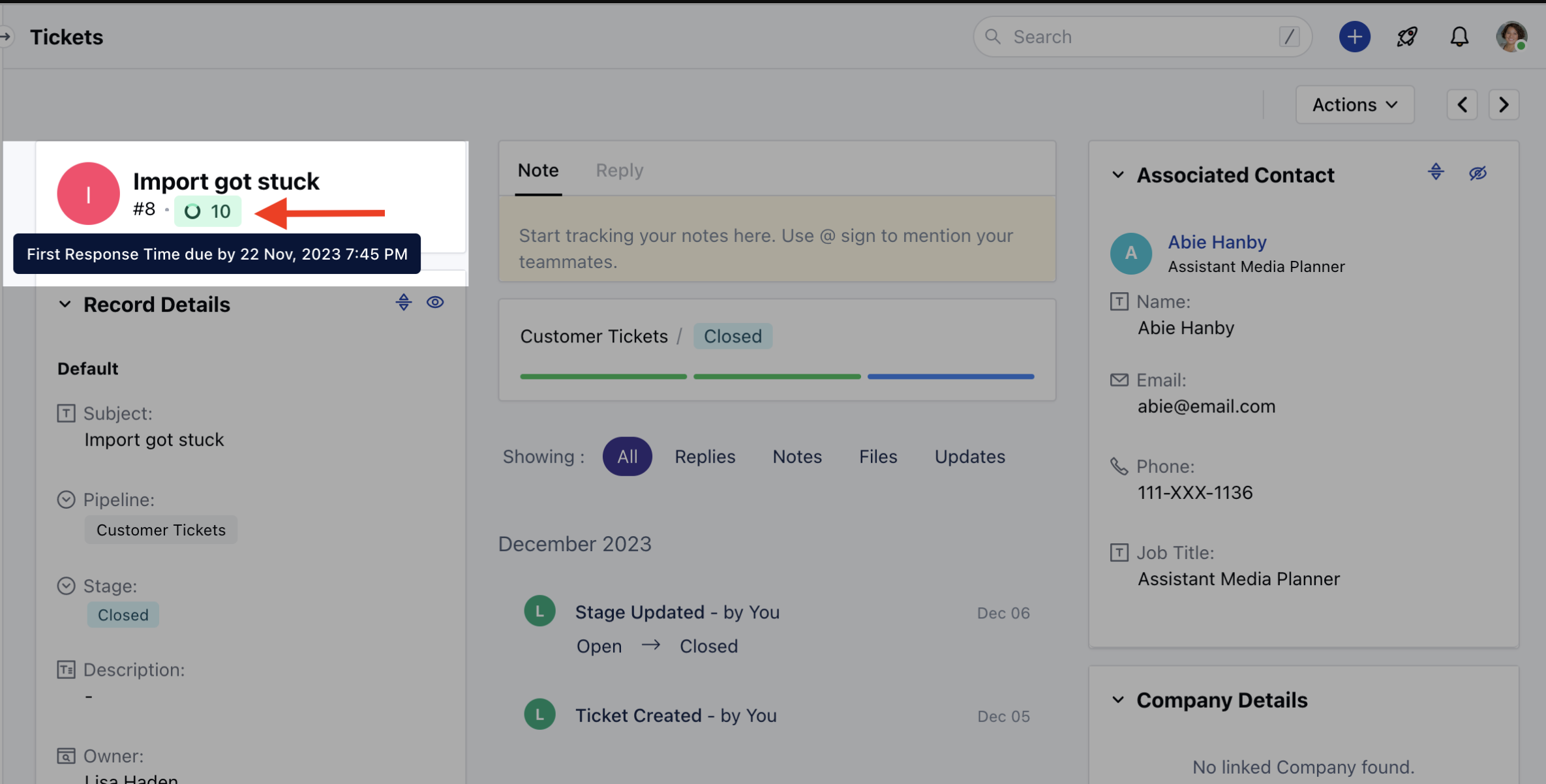
SLA status is shown as colored badges based on the remaining time to complete it.- SLA Status would be identified based on the following colors,
- Green: Time is greater than 15 minutes.
- Orange: Time is lower than 15 minutes but greater than 0.
- Red: Time is 0 minutes or less (SLA has breached.)
- You can view the SLA Status on the Tickets Detail View