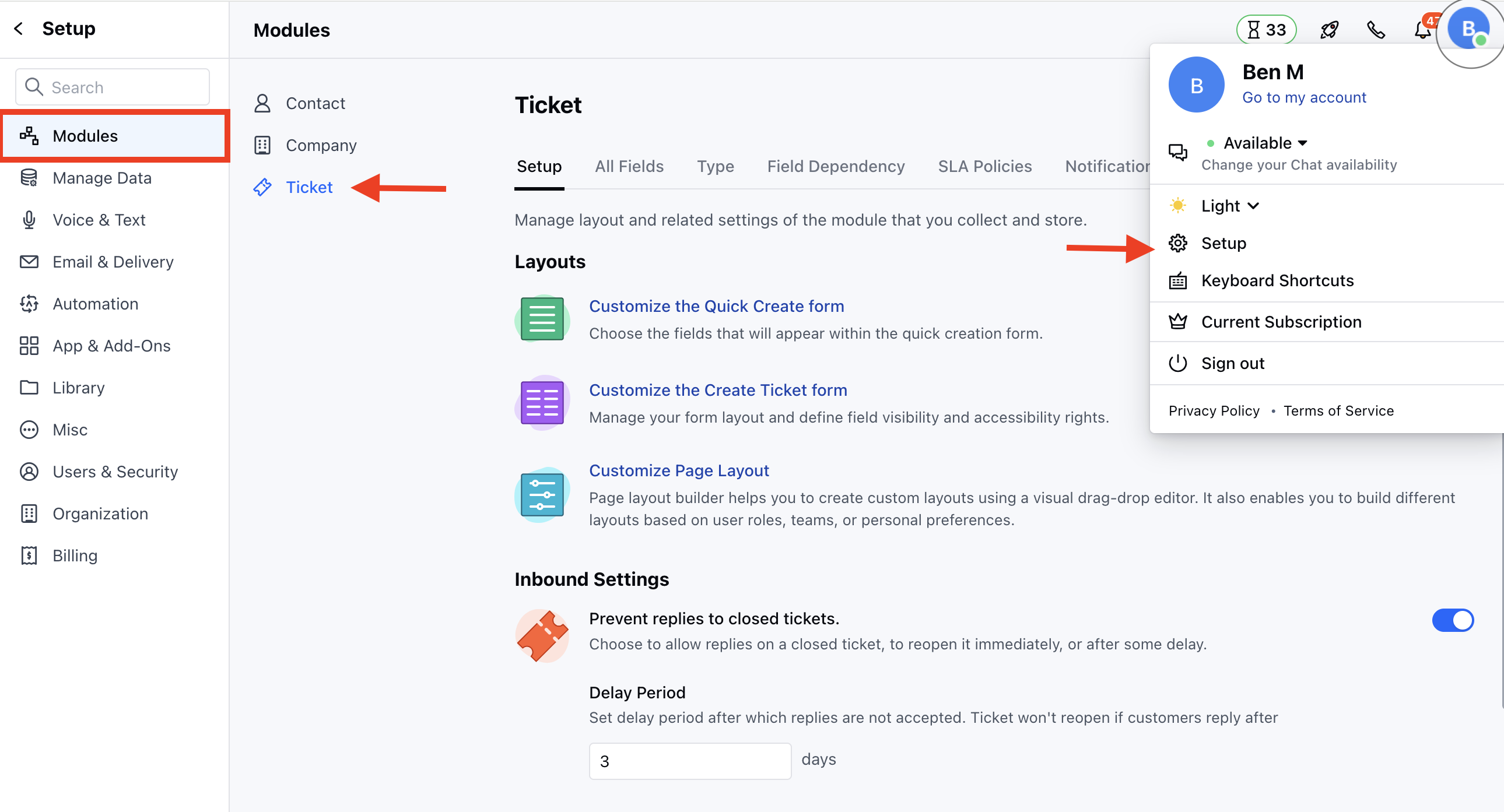
- Navigate to the Profile Icon on the top right corner
- Click on Set Up
- Head over to the Modules category
- Click on Tickets
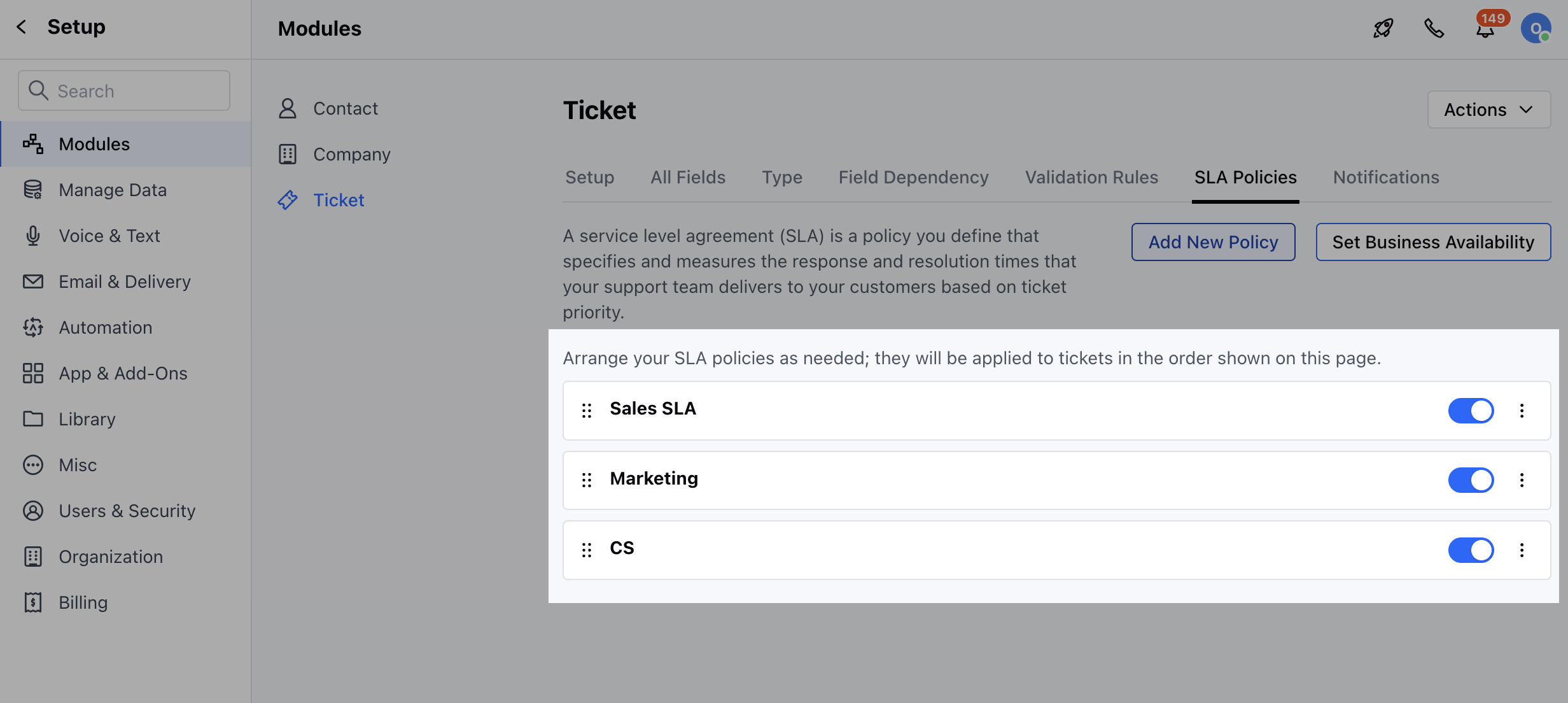
- Head to the SLA Policies section
- Here, you will find the list of all available SLA Policies
- Here you can enable/disable the Policies when there is a change in your business process
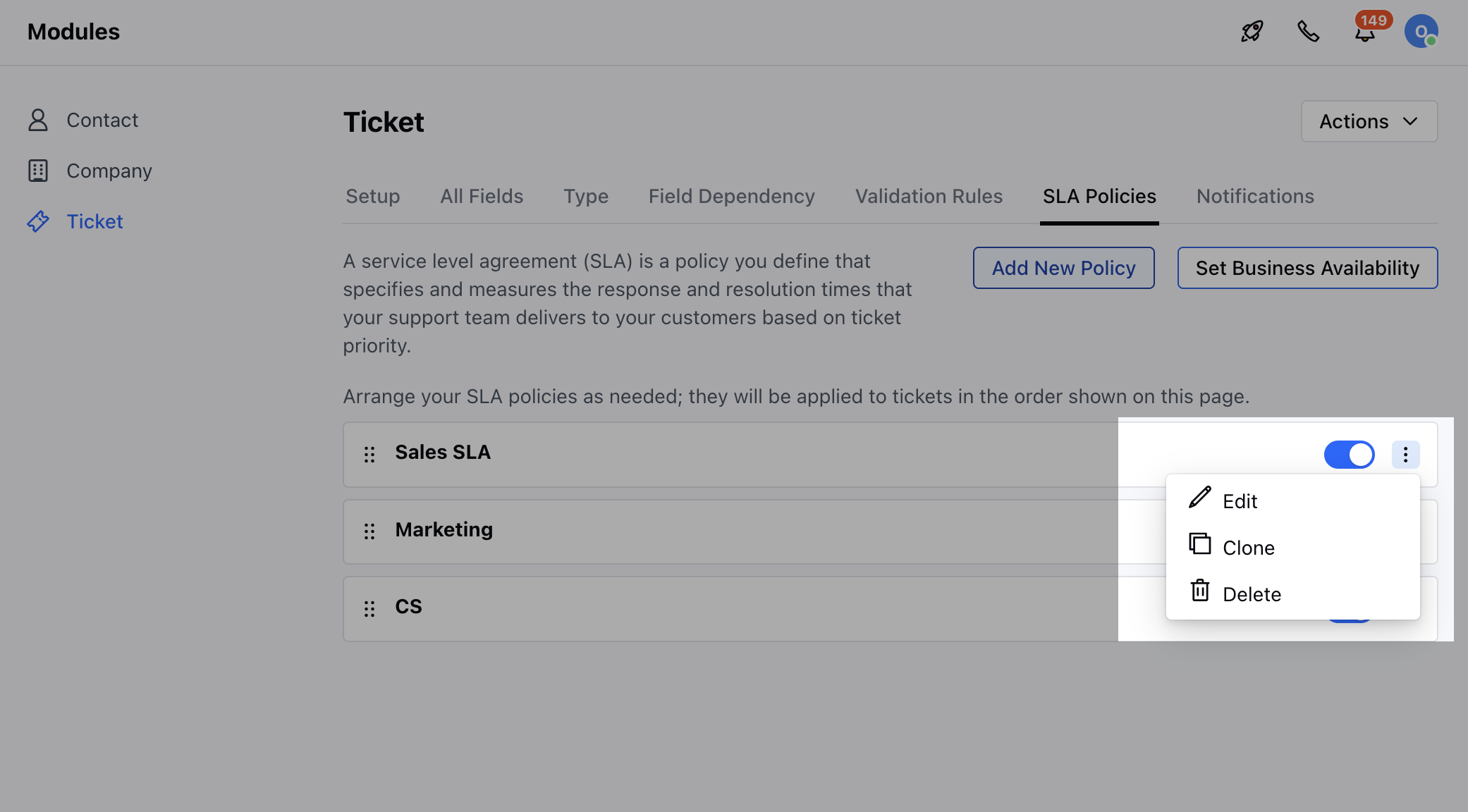
- You can click on the three dots to,
- Edit
- Clone
- Delete