

Note: Before you begin, make sure you have the necessary permission to export articles from the knowledge base.
Topics covered:
- How to Export Articles
- Export Customization Options
- What’s Included in the Export File?
- Notifications & Logs
How to Export Articles
- From the Knowledge Base ,Navigate to the Profile Icon on the top right corner
- Click on the Setup
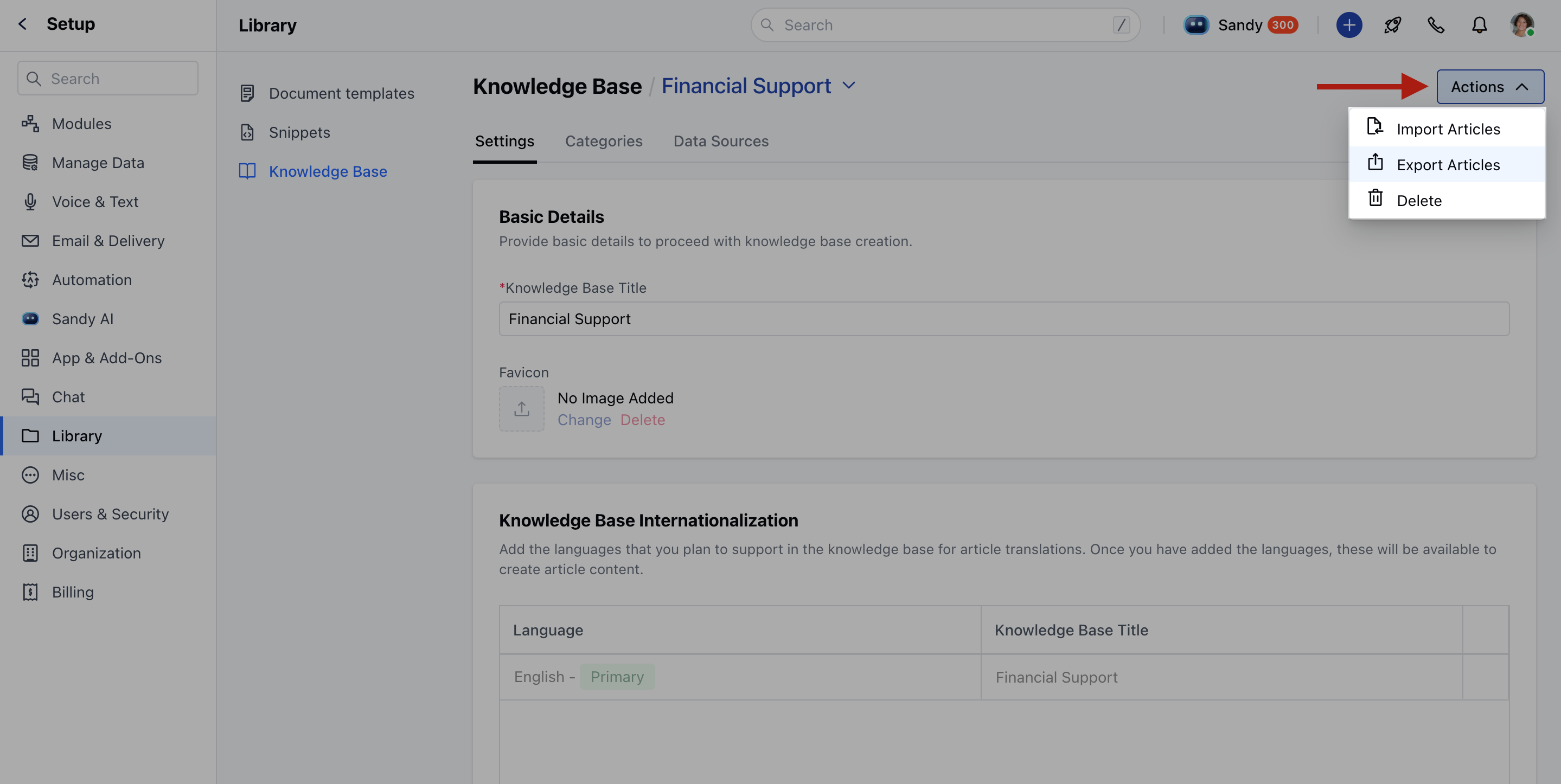
- Head over to the Library Select Knowledge Base
- Click the Actions button and select Export Articles.
- From Setup, Navigate to the Profile Icon at the top right corner
- Click on Setup
- Head over to the Manage Data, Click on Export Data
- Click on Articles.
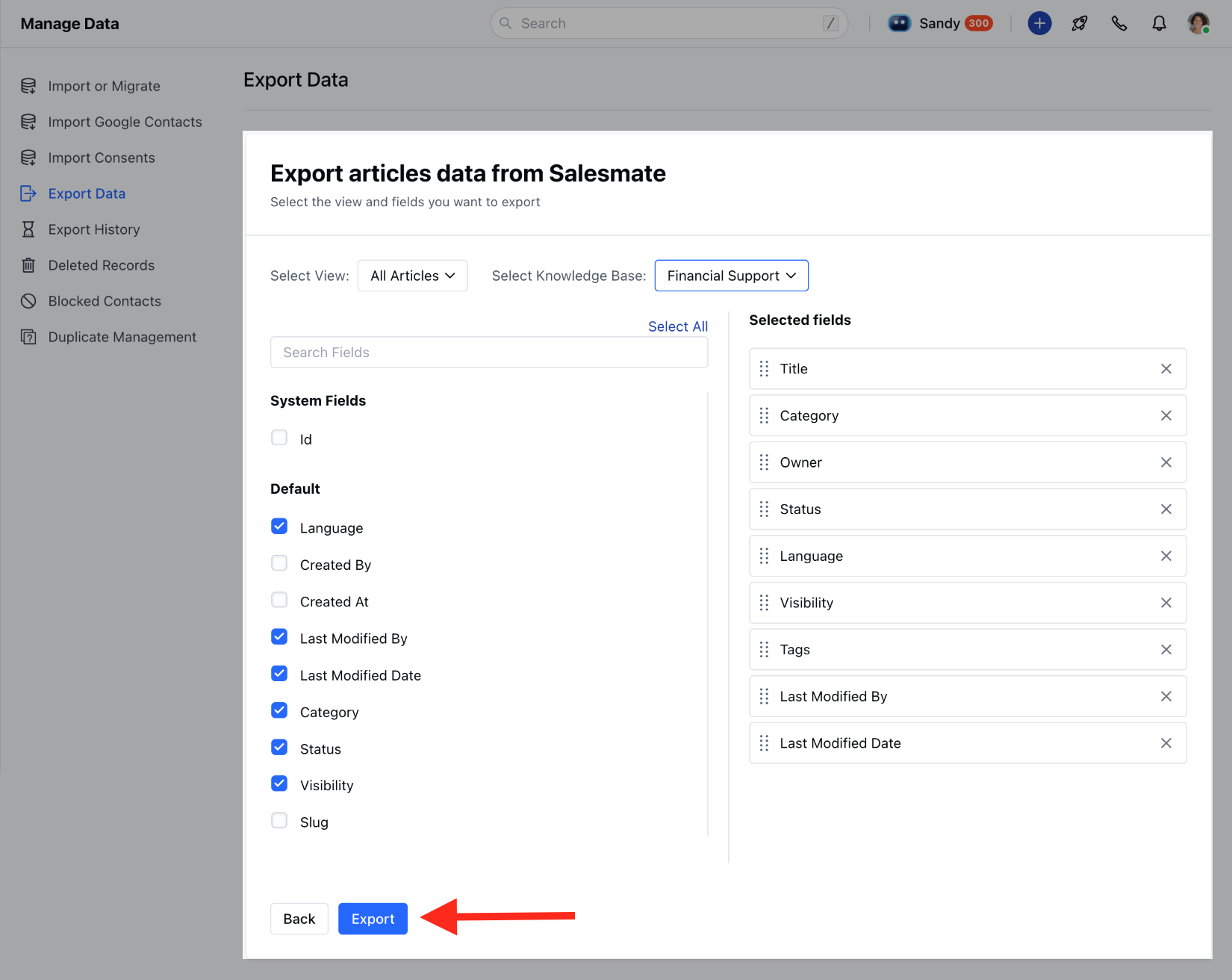
- Choose the View and Knowledge Base that you want to export.
- Click the Export button.
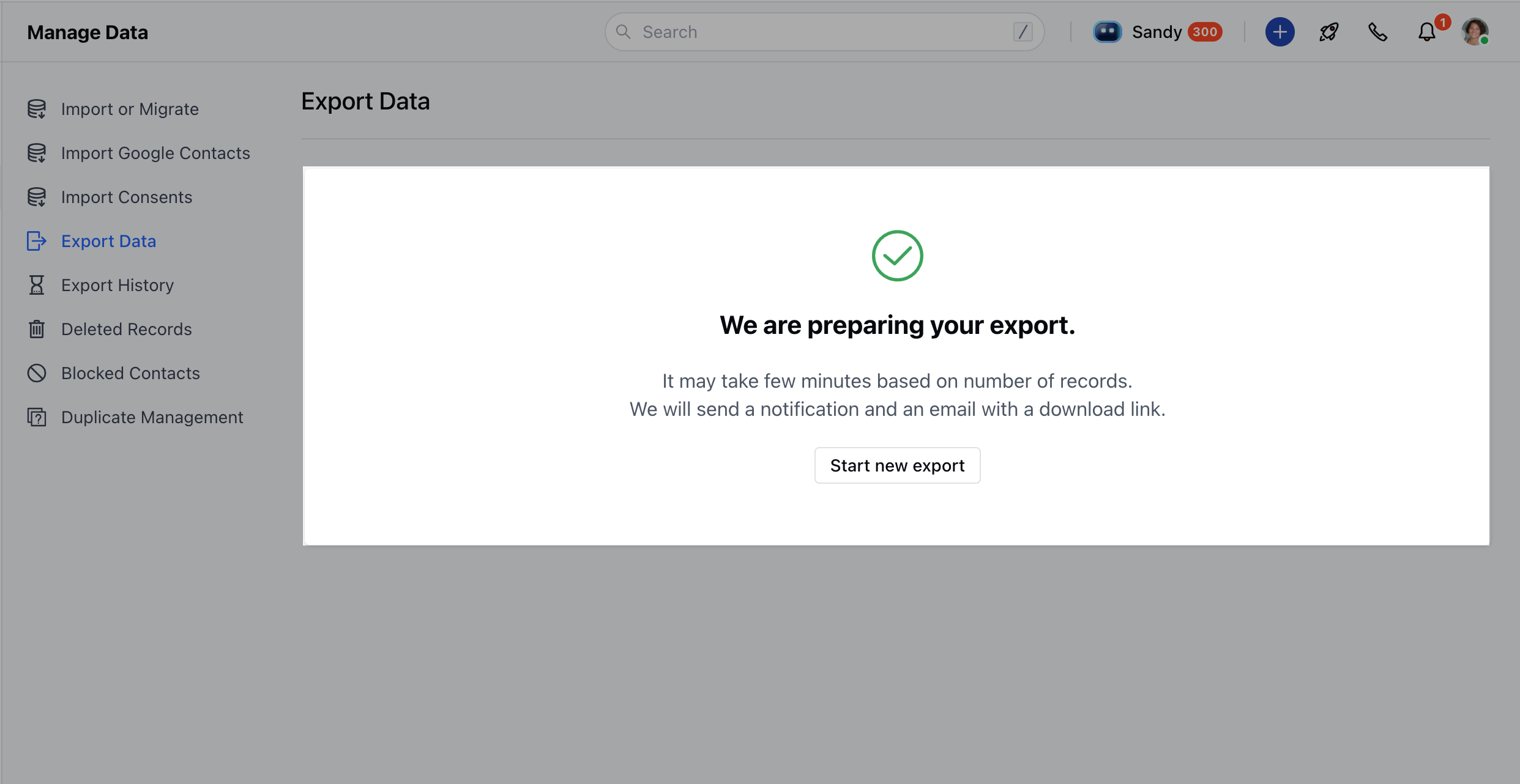
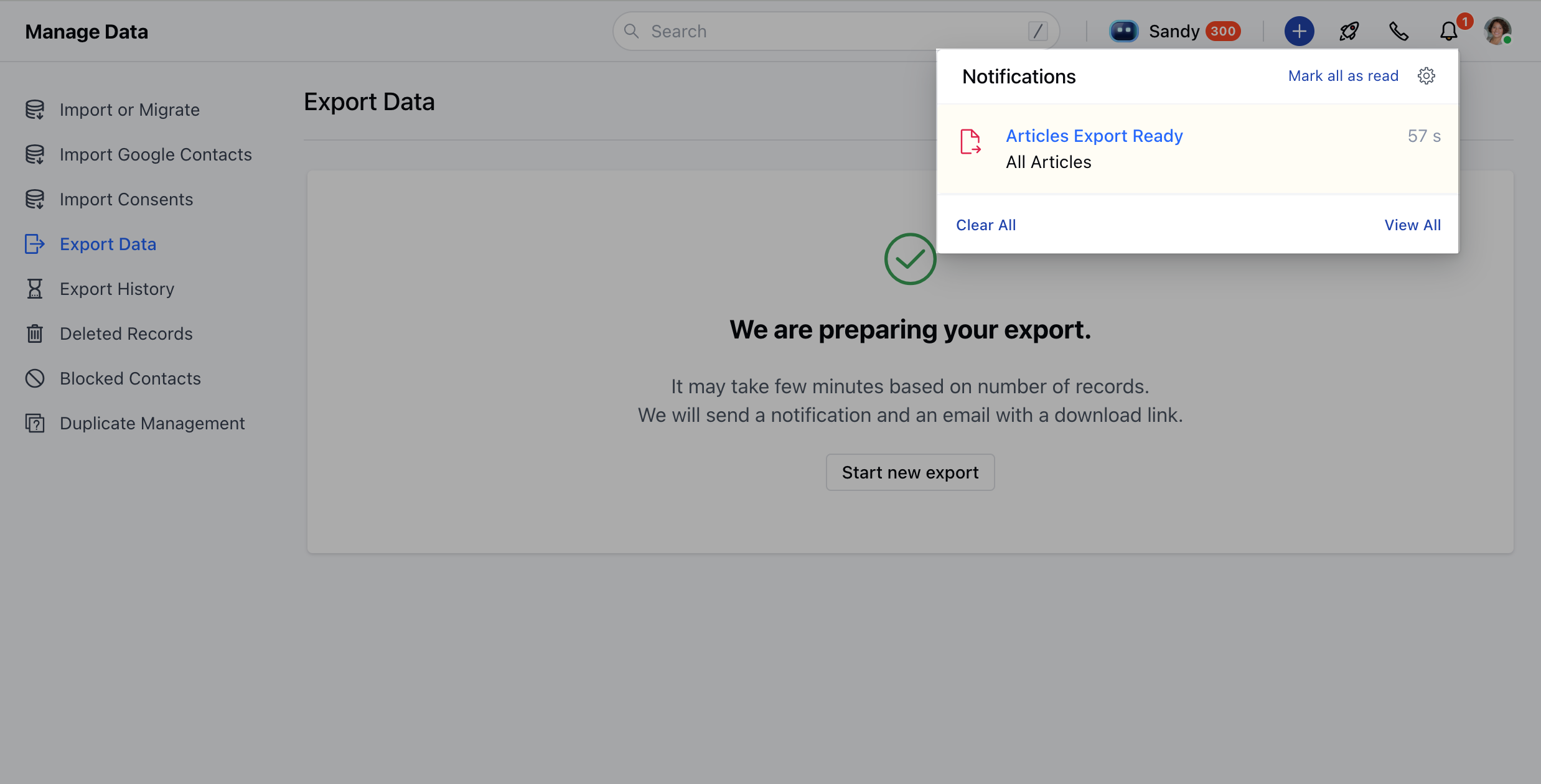
- Once the export is ready, you’ll receive a bell notification to download your file.
Export Customization Options
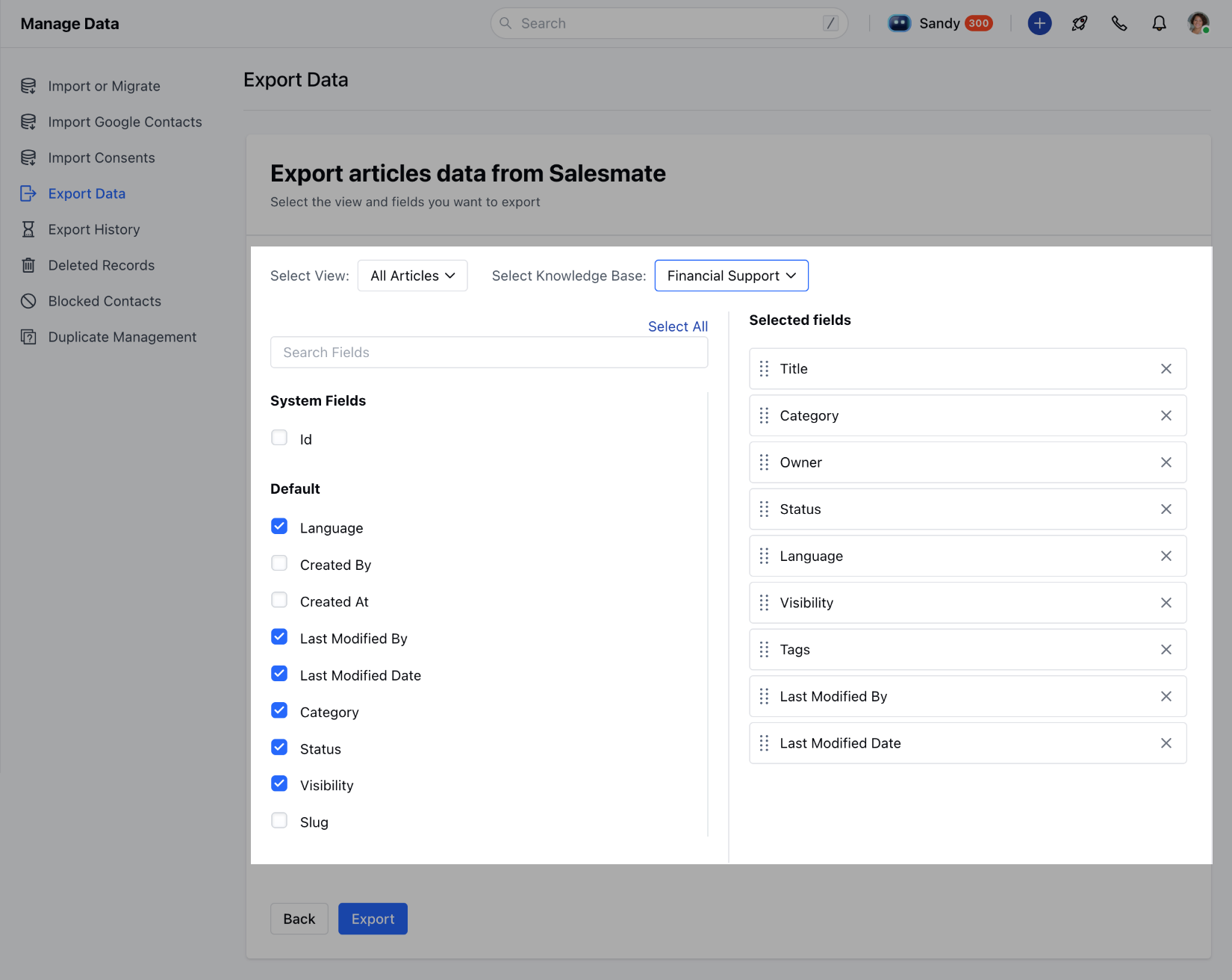
When exporting from the article listing or setup, you can customize what you want to include:- Choose which fields to export.
- Use “Select All” to include all available fields or search and select them individually.
- Rearrange selected fields in the order you’d like them to appear in the CSV.
- At least one field must be selected to proceed.
What’s Included in the Export File?
The exported CSV file may include the following columns, based on your selection:- Slug: A URL-friendly version of the article title, used to generate the article’s web address.
- Title: The headline or main title of the article.
- Category: The classification or section the article belongs to (e.g., Support, Product, FAQ).
- Article Body: The full content or text of the article.
- Tags: Keywords or labels associated with the article for easier searching and filtering.
- Language: The language in which the article is written (e.g., English, Spanish).
- SEO Title: A custom title used specifically for search engine optimization, different from the article title if needed.
- Meta Description: A short summary used by search engines to describe the article in search results.
Notifications & Logs
- Once the export is ready, you’ll receive a notification with a link to download the file.
- If any issues occur, the notification will include details of the errors.
- All export actions are logged, including who exported the file, which articles were included, and when it happened.