

- Once Deleted, contacts will be unable to schedule further meetings with deleted meeting scheduler.
- Meetings previously scheduled will not be affected after this action has been performed.
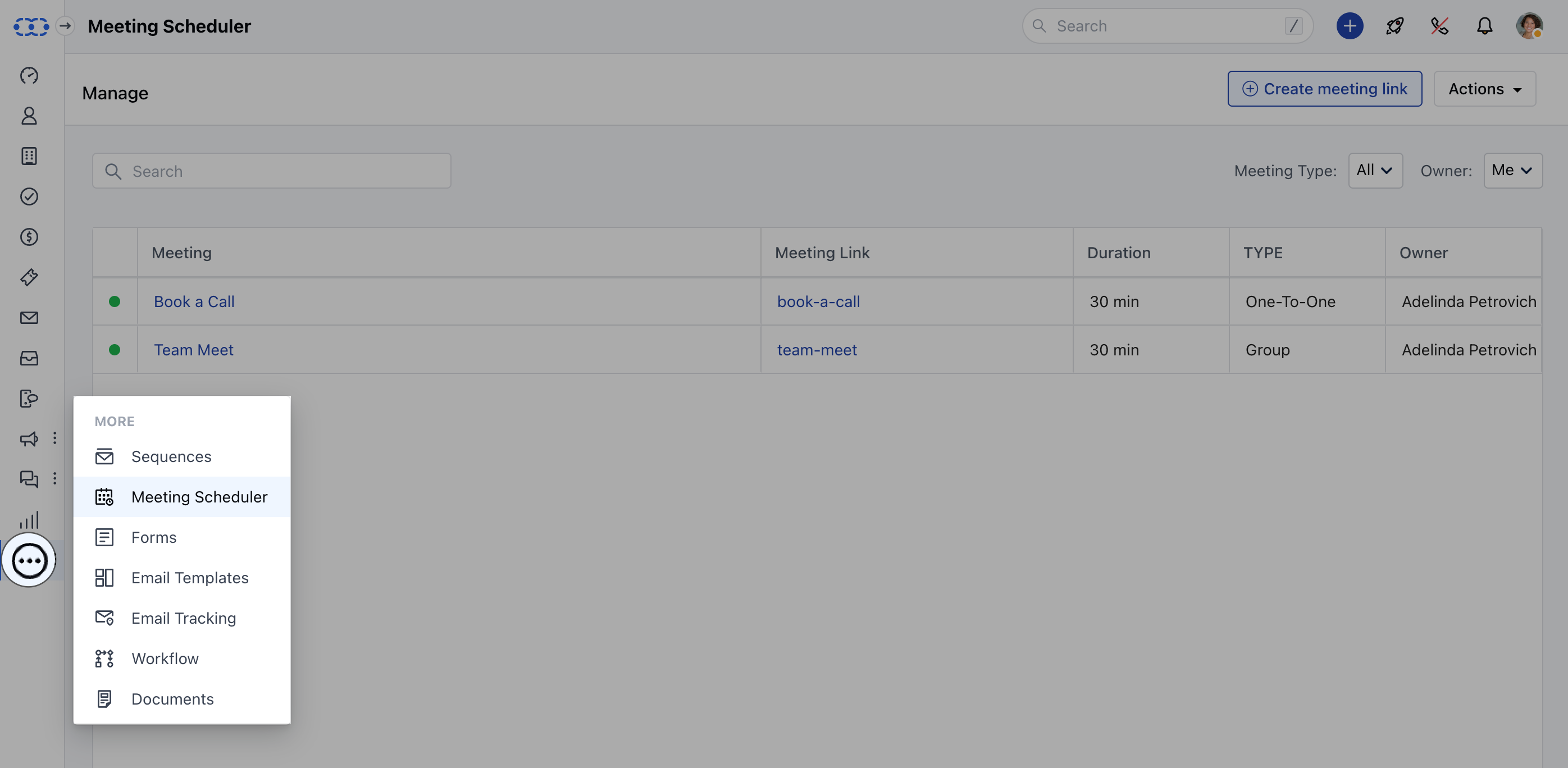
- Navigate to the More option from left sidebar menu
- Click on Meeting Scheduler
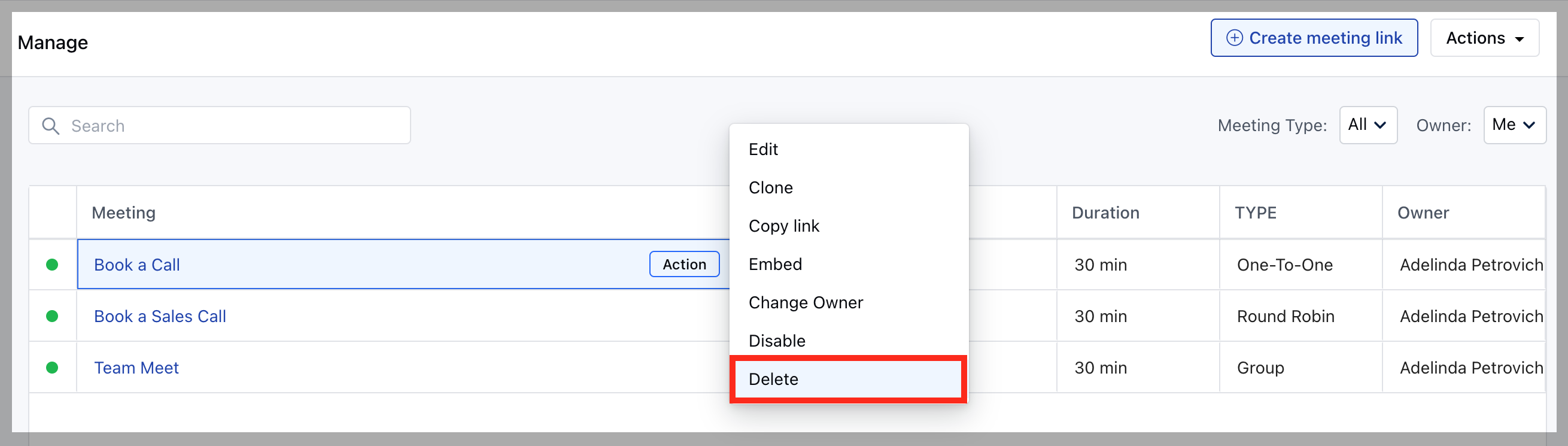
- Hover over the Meeting Name which you wish to Delete
- Click on the Action button
- Hit the Delete option
- Confirm the Delete Pop up message
Note: This Action is irreversible and the Meeting Scheduler cannot be restored once deleted.