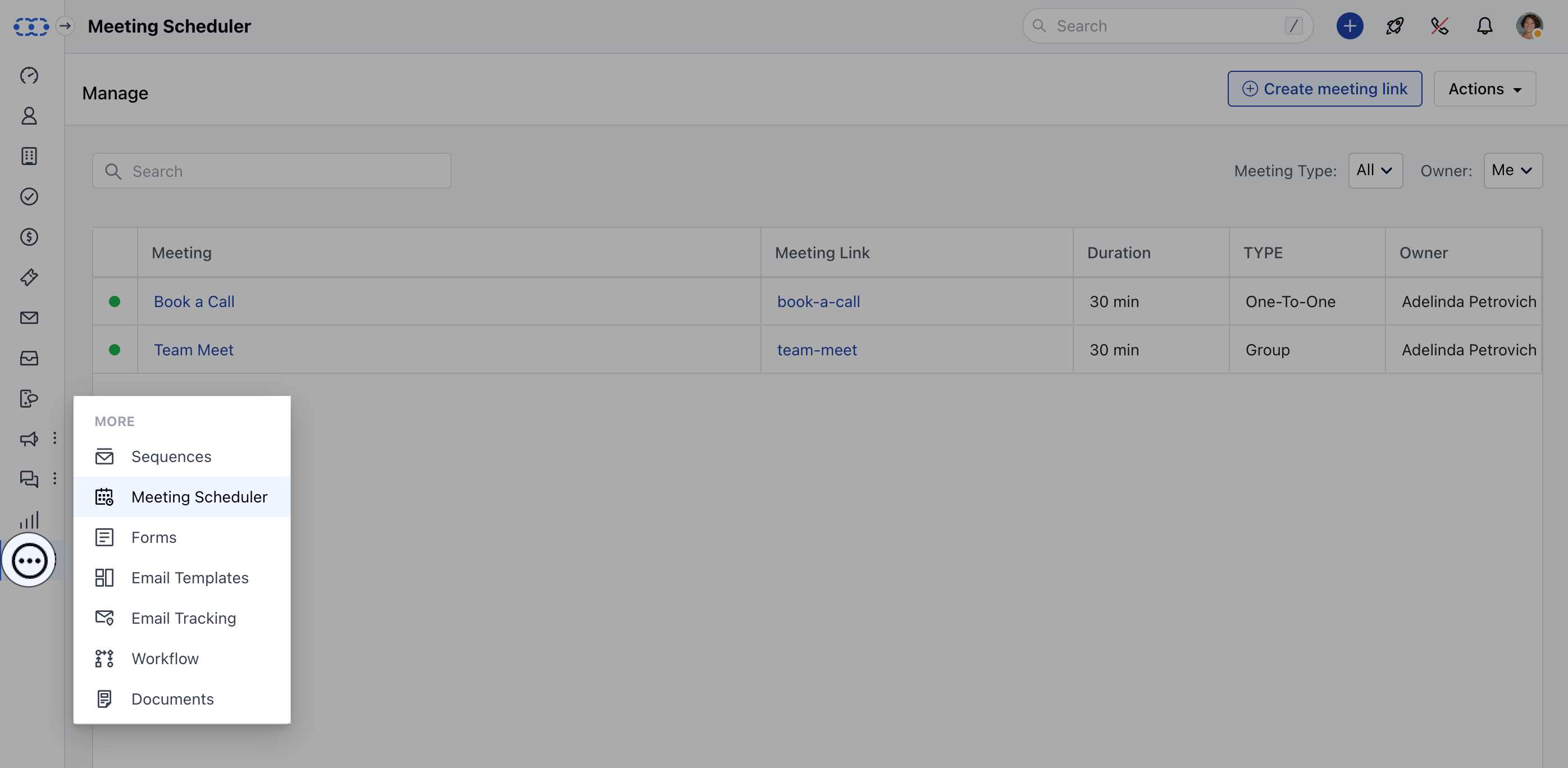
- Navigate to the More option from left sidebar menu
- Click on Meeting Scheduler
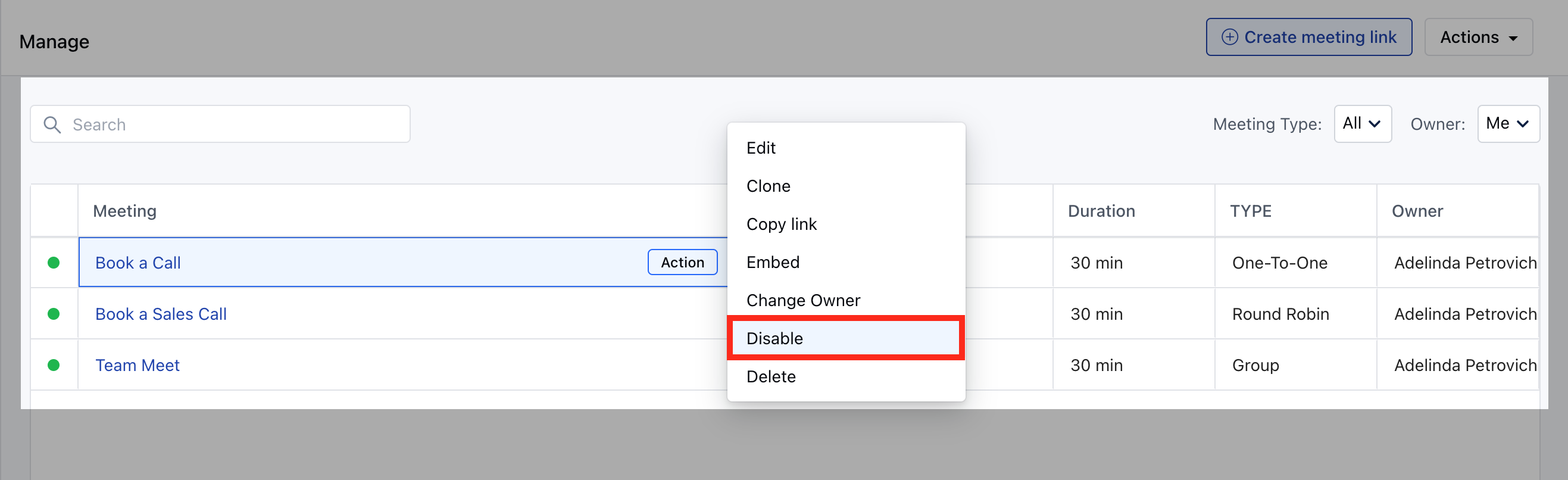
- Hover over the Meeting Name which you wish to Enable/ Diable
- Click on the Action button.
- Hit Disable , to mark the meeting inactive for future bookings OR hit
- Enable, to activate back the Meeting Scheduler for upcoming bookings.
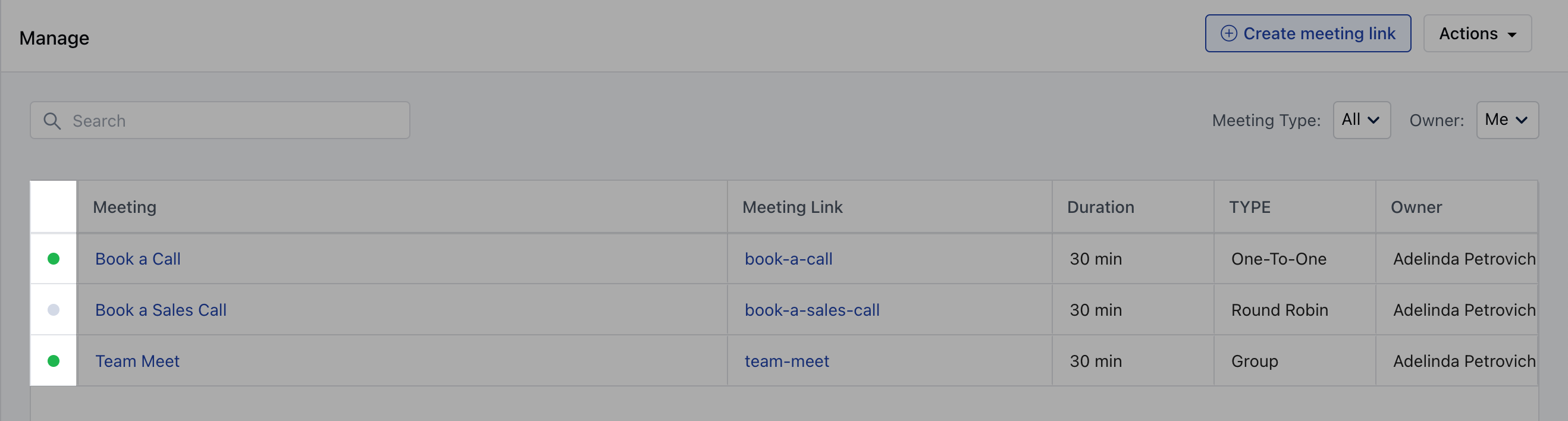
- **Color identifications to identify Meeting Scheduler Status *Disabled: Grey **Enabled **: Green