

To Deactivate a Team :
- Navigate to the Profile icon on the top right corner
- Click on Setup
- Head over to Users and Security Click on Teams
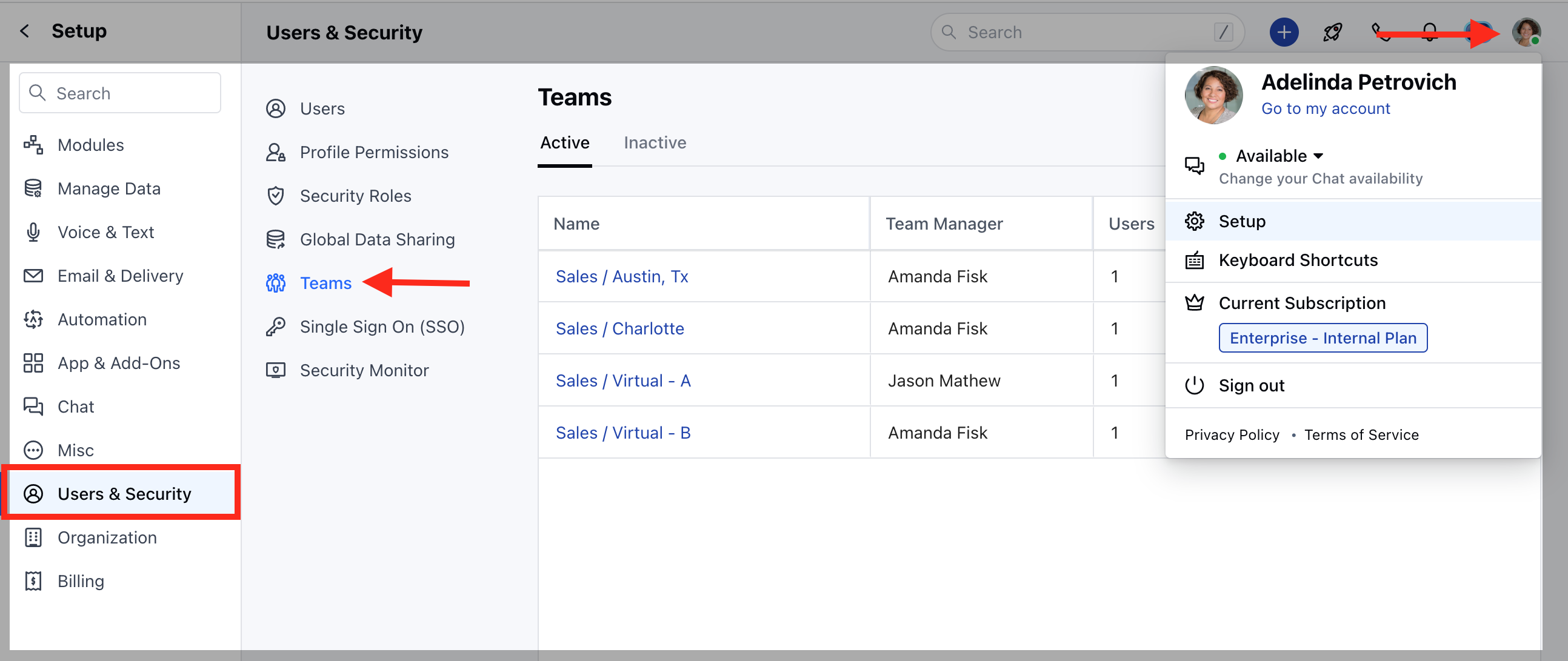
- You will find a list of already created teams(if created in prior).
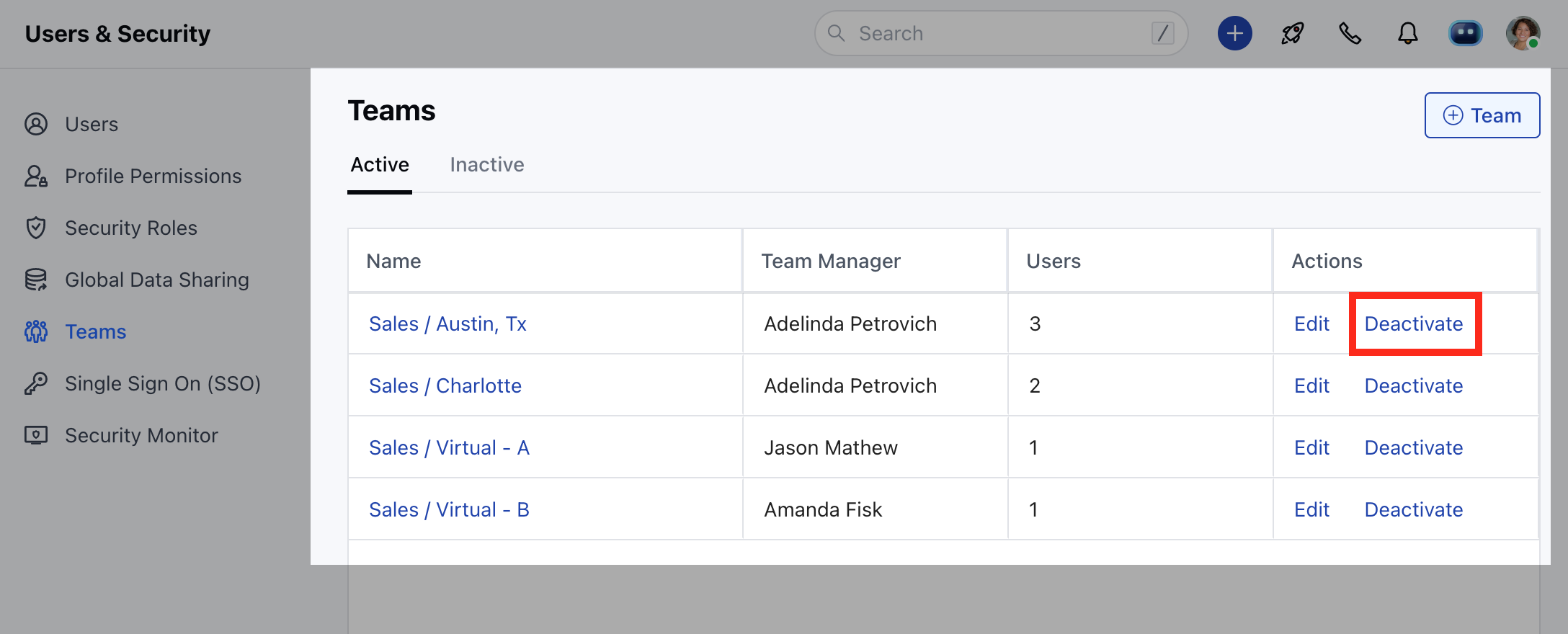
- Click on Deactivate to deactivate a team.
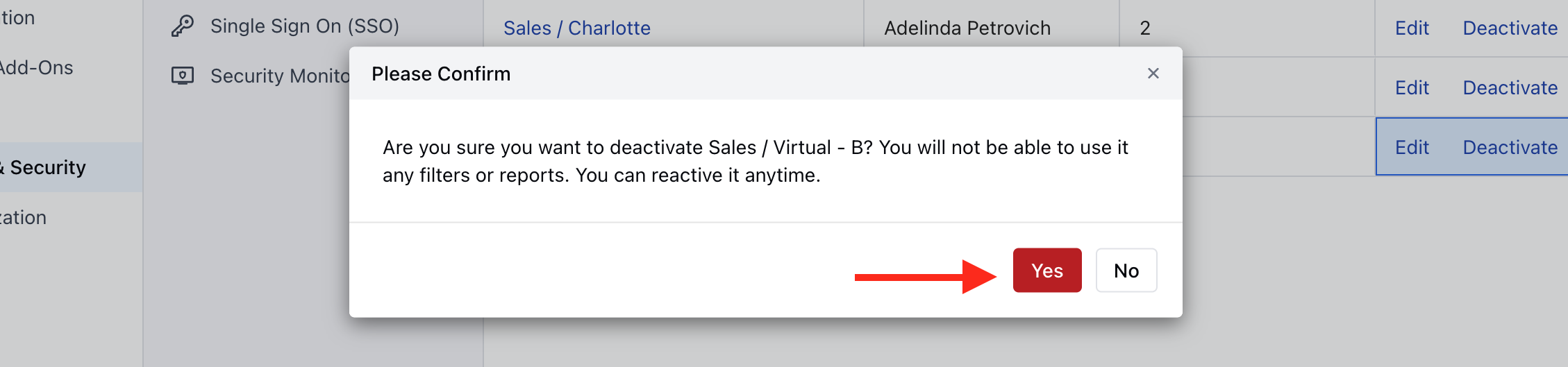
- Confirm Yes to “Deactivate”.
- Once deactivated the team will appear in the list of “Inactive” teams.
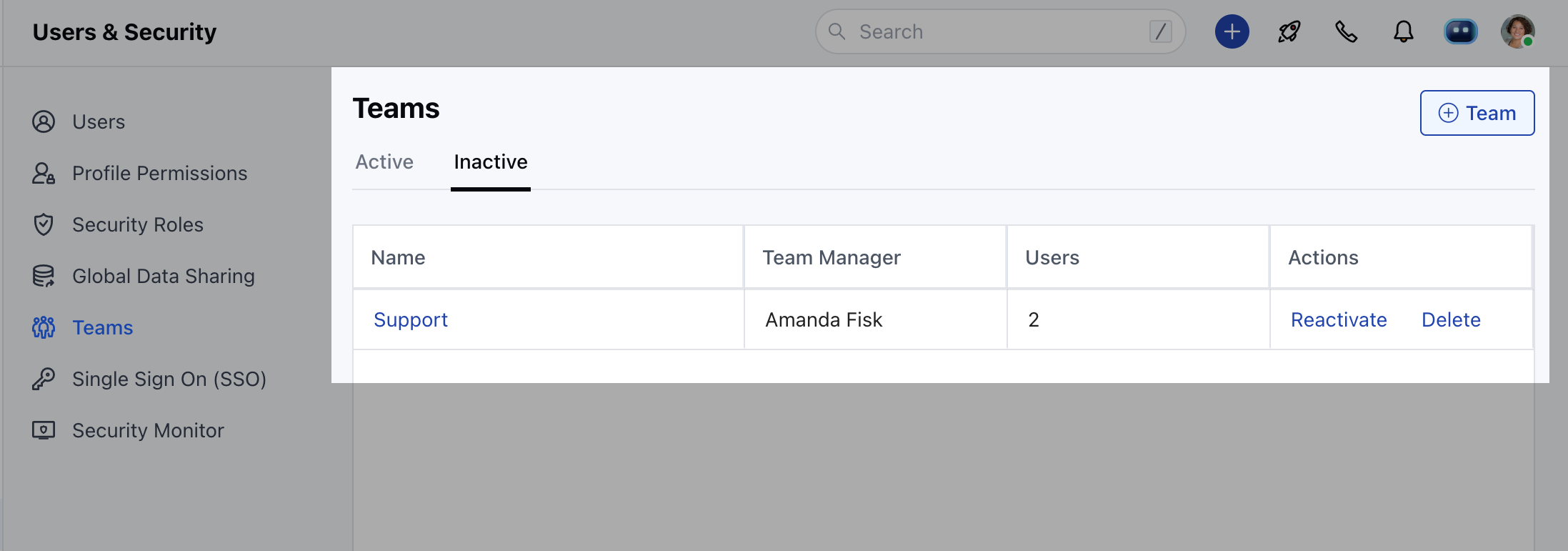
- Deactivated teams can be “reactivated” again if required.
- They will not appear for Team mentions.