Note : Only users with an “Admin” role can perform this action.
To Edit a Team :
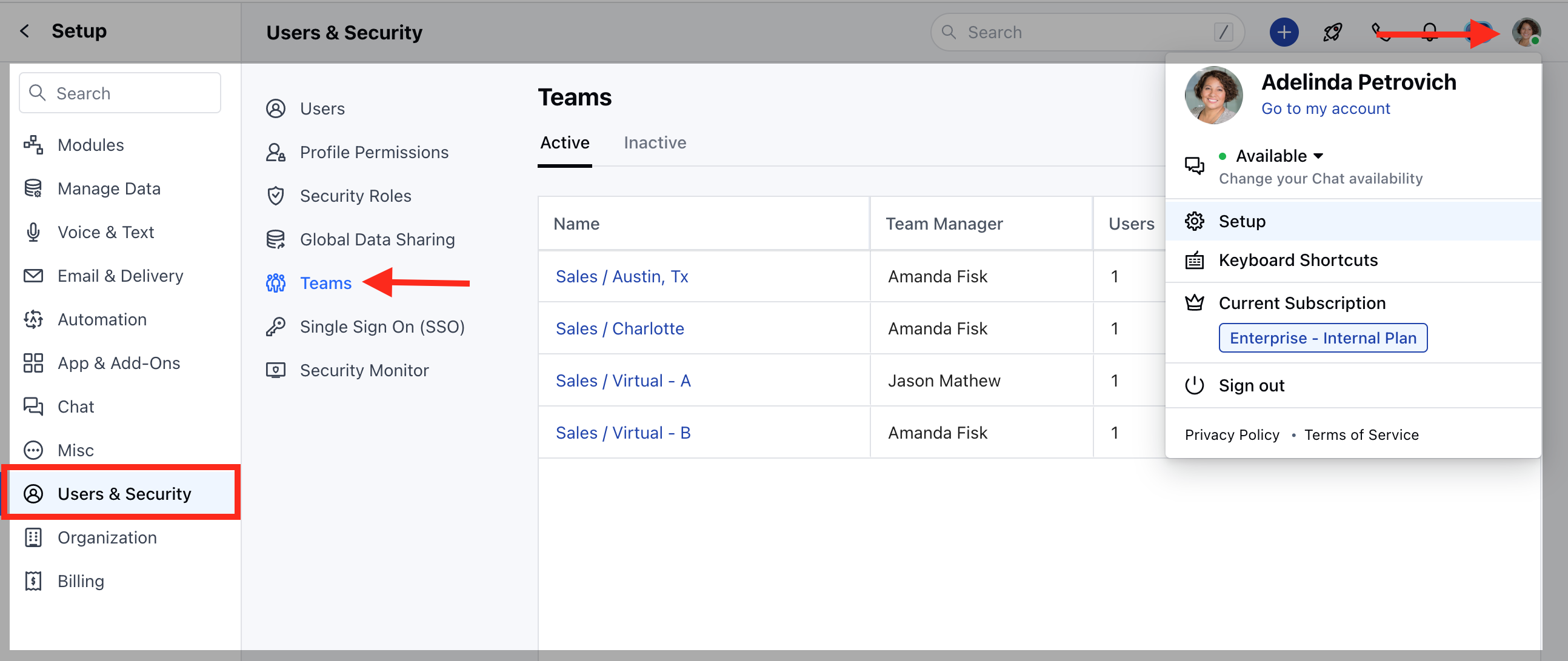
- Navigate to the Profile icon on the top right corner
- Click on Setup
- Head over to Users and Security
- Click on Teams
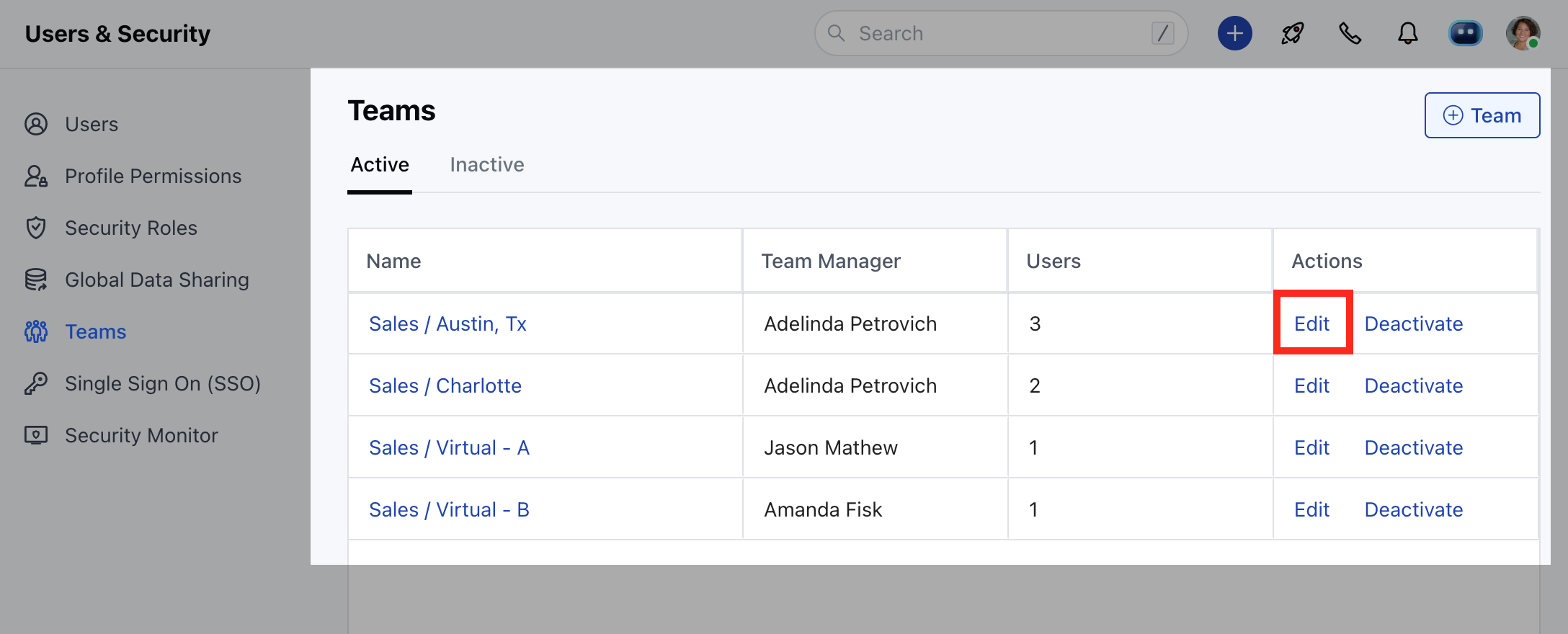
- You will find a list of already-created teams
- Click on Edit to change/update the field values.
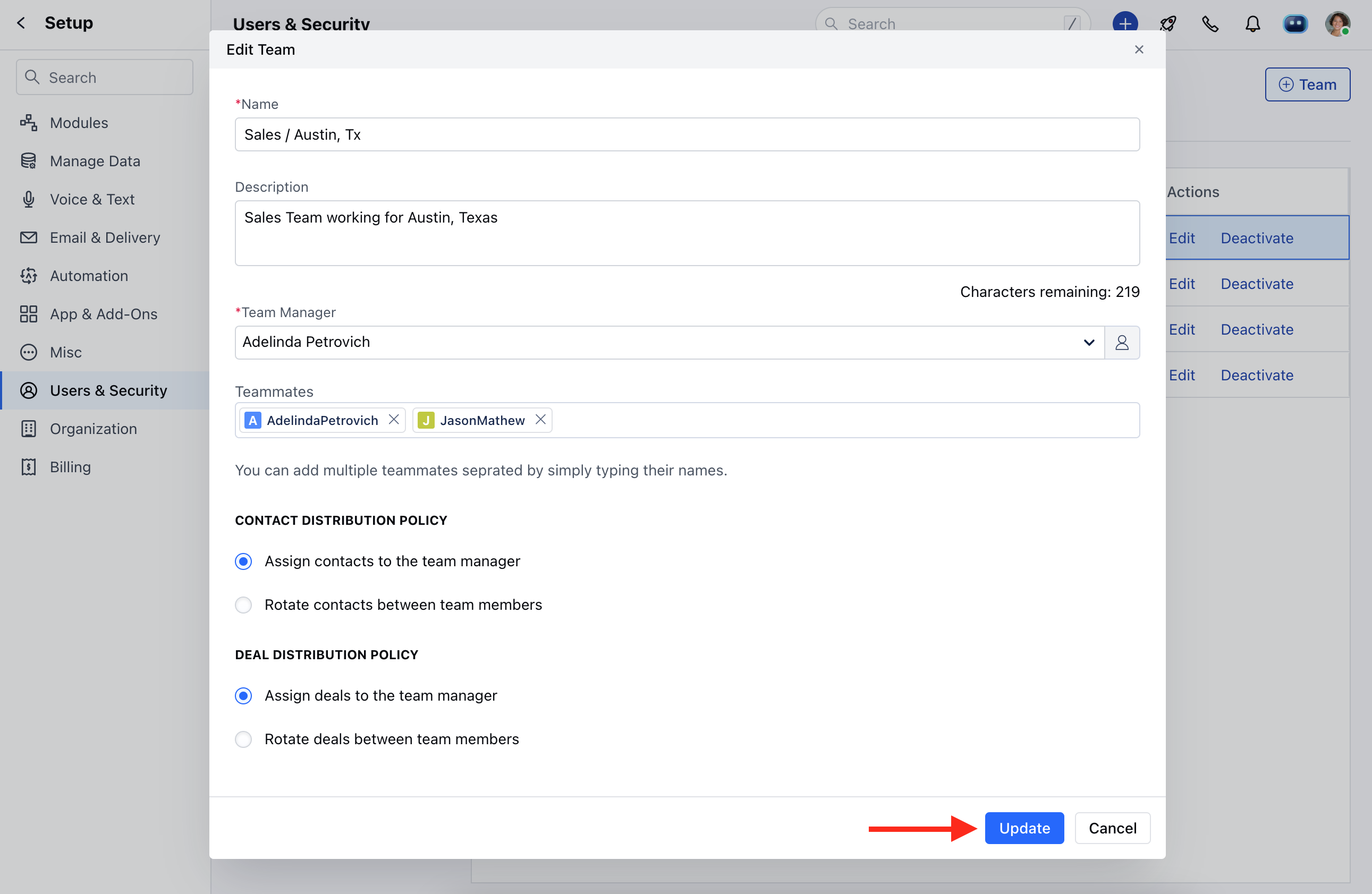
- You can update the fields as shown below.
- Click on Update to save the changes.