

- Steps to Manage Global Variables
- View Global Variables List
- Create a Global Variable
- Edit a Global Variable
- Delete a Global Variable
- Use Global Variables in Flows
Steps to Manage Global Variables
In the left sidebar, go to **Smart Flows.- **Switch to the Variables tab.
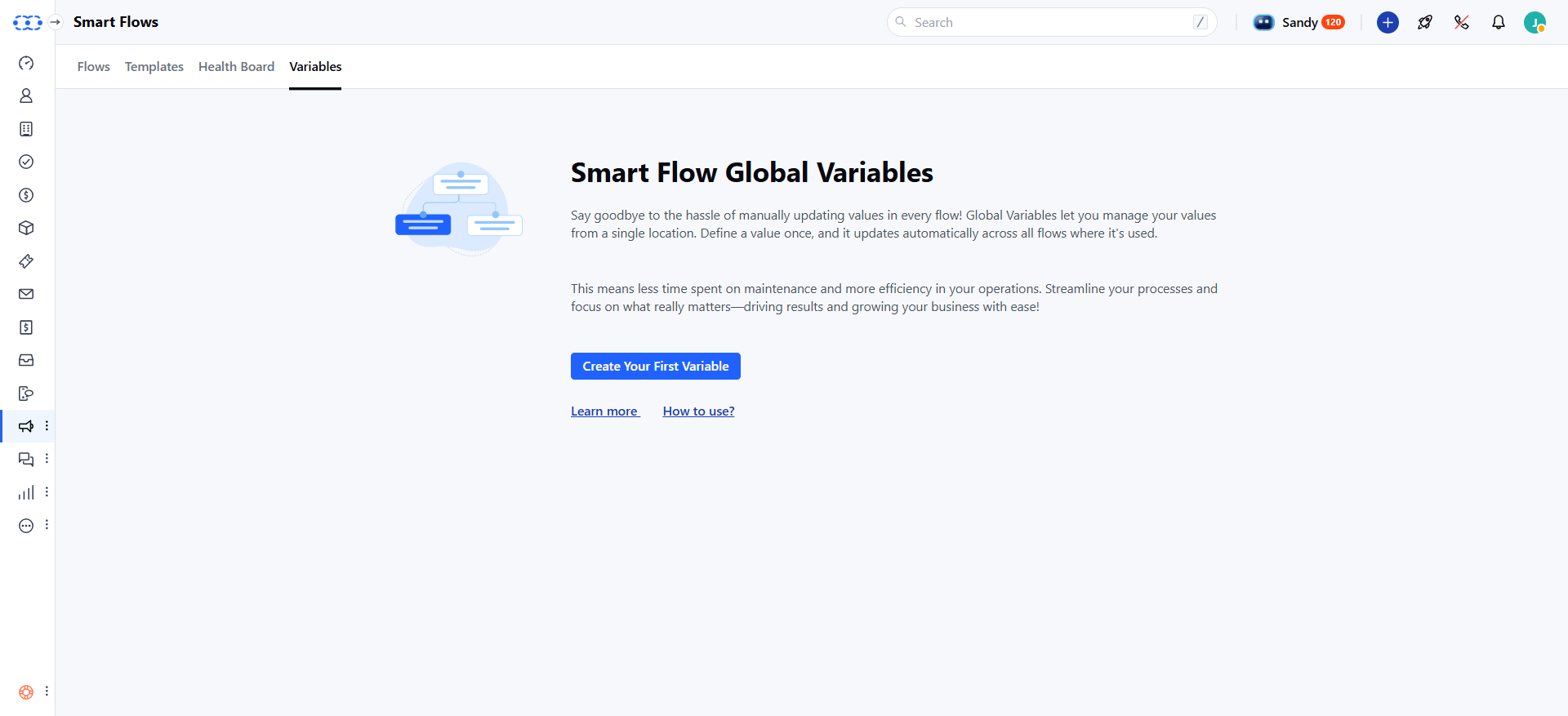
View Global Variables List
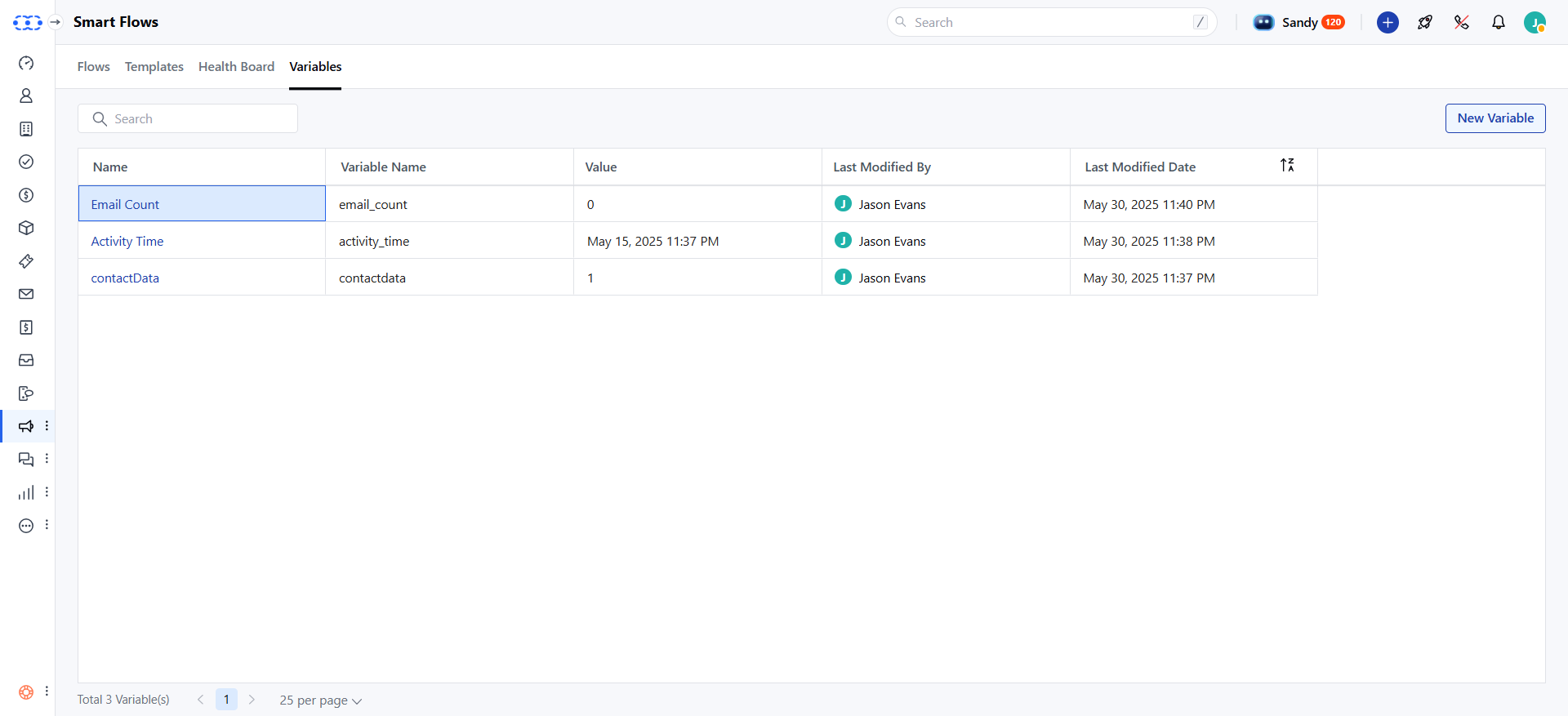
Each variable in the list displays the following details:Name: Display name of the variable.- Variable Name: Unique internal name used in flows.
- Value: The stored value.
- Last Modified Date: When the variable was last updated.
- Last Modified By: Who last updated it.
Create a Global Variable
Here’s how to create a new Global Variable: Click the New button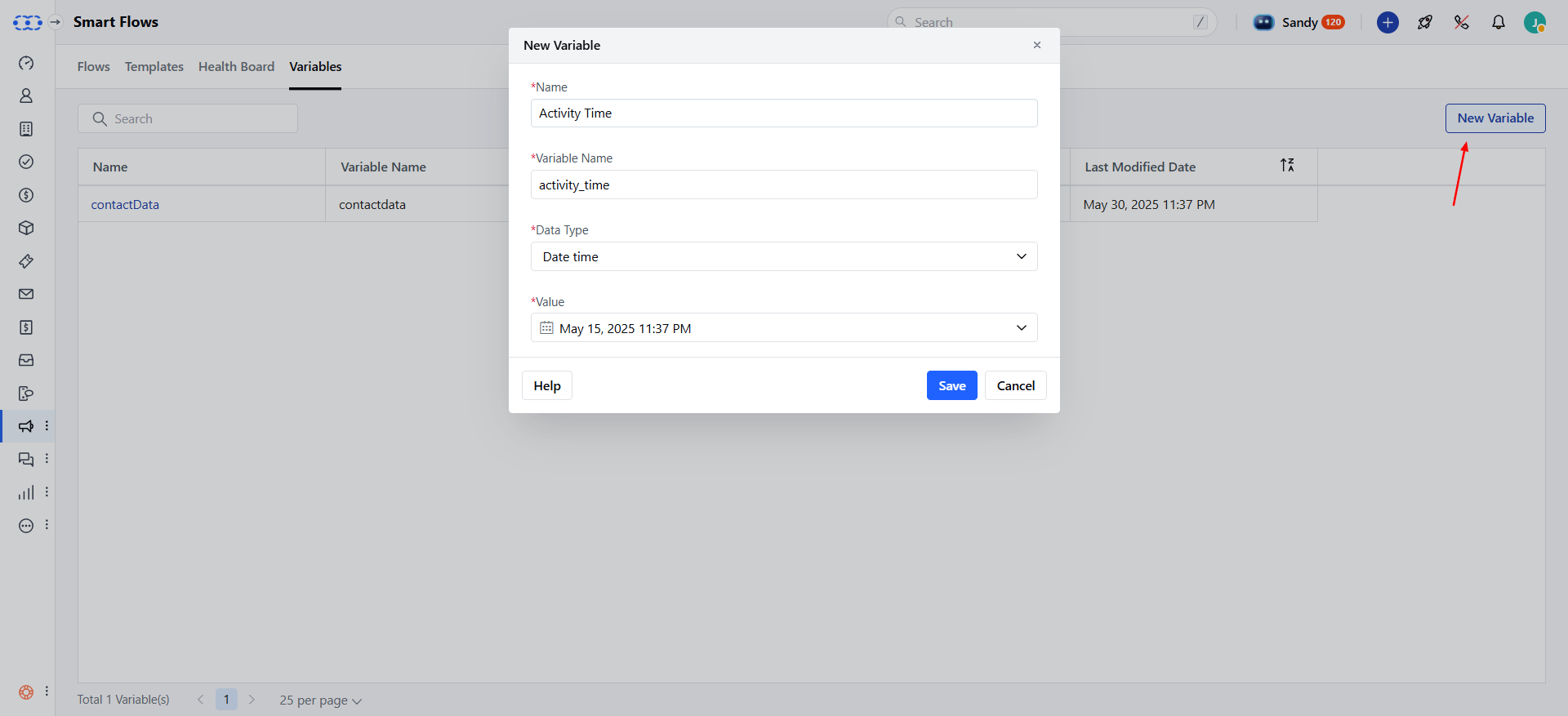
- Variable Name: It is auto-generated from the display name, and is unique.
- Data Type: You have the option to choose from Text , Number, Date, Date Time, Boolean, Select, or Multi-select.
- Value: Enter the value for the variable (max 1000 characters).
- Mark Sensitive: Enable to hide sensitive values (e.g., passwords). You’ll need to enter your login password to view or edit the value.Once done, you can click Save to create the variable.
Edit a Global Variable
Here’s how to edit an existing Global Variable: Hover over the variable name and select Edit, to edit the variable.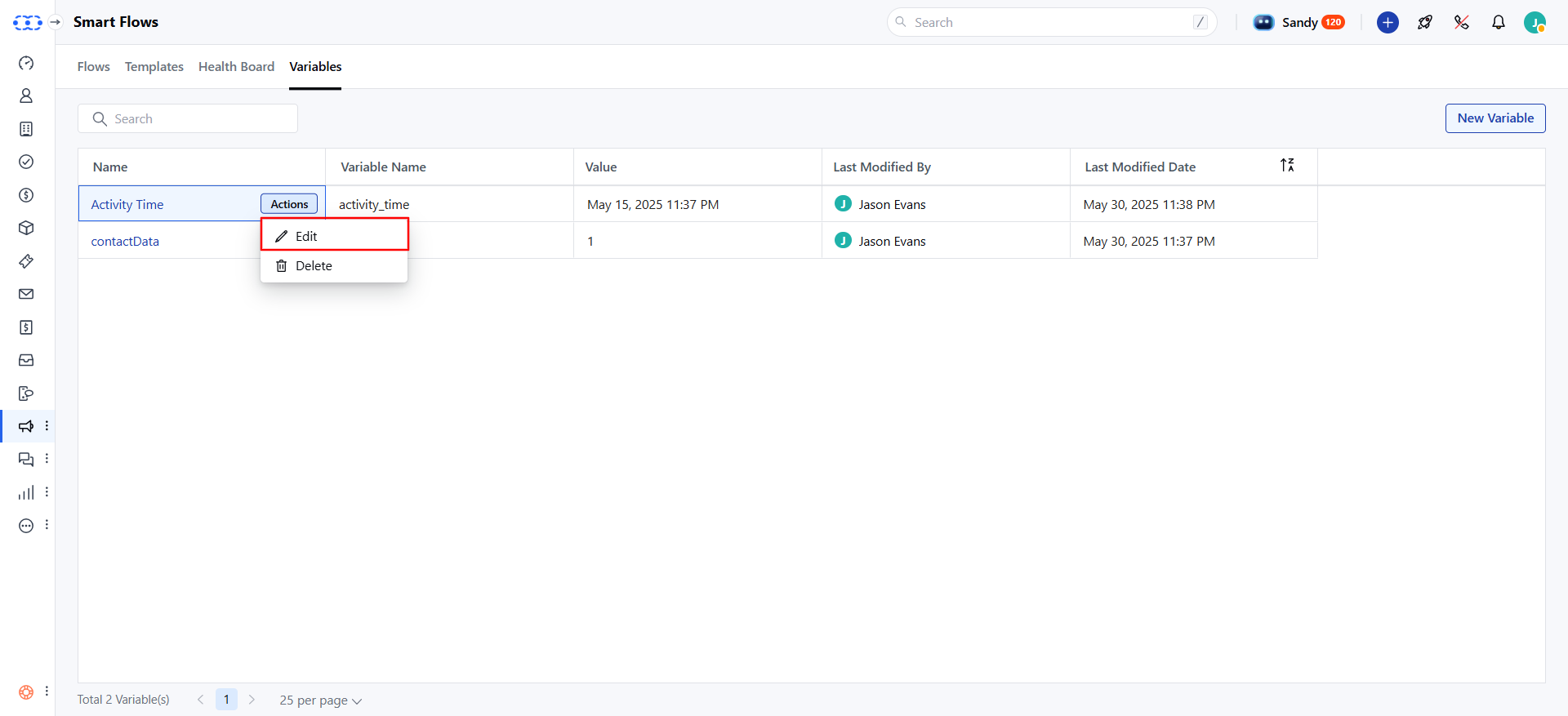
- Value: Update the value of the existing variable.
- Mark Sensitive: Enable or disable to hide sensitive values (requires password confirmation to view/edit).Other fields (e.g., Variable Name, Data Type)cannot be changed after creation.Once done, please click Update to save changes.
Delete a Global Variable
Here’s how to delete a Global Variable: Hover over the variable name and select Delete from the action menu.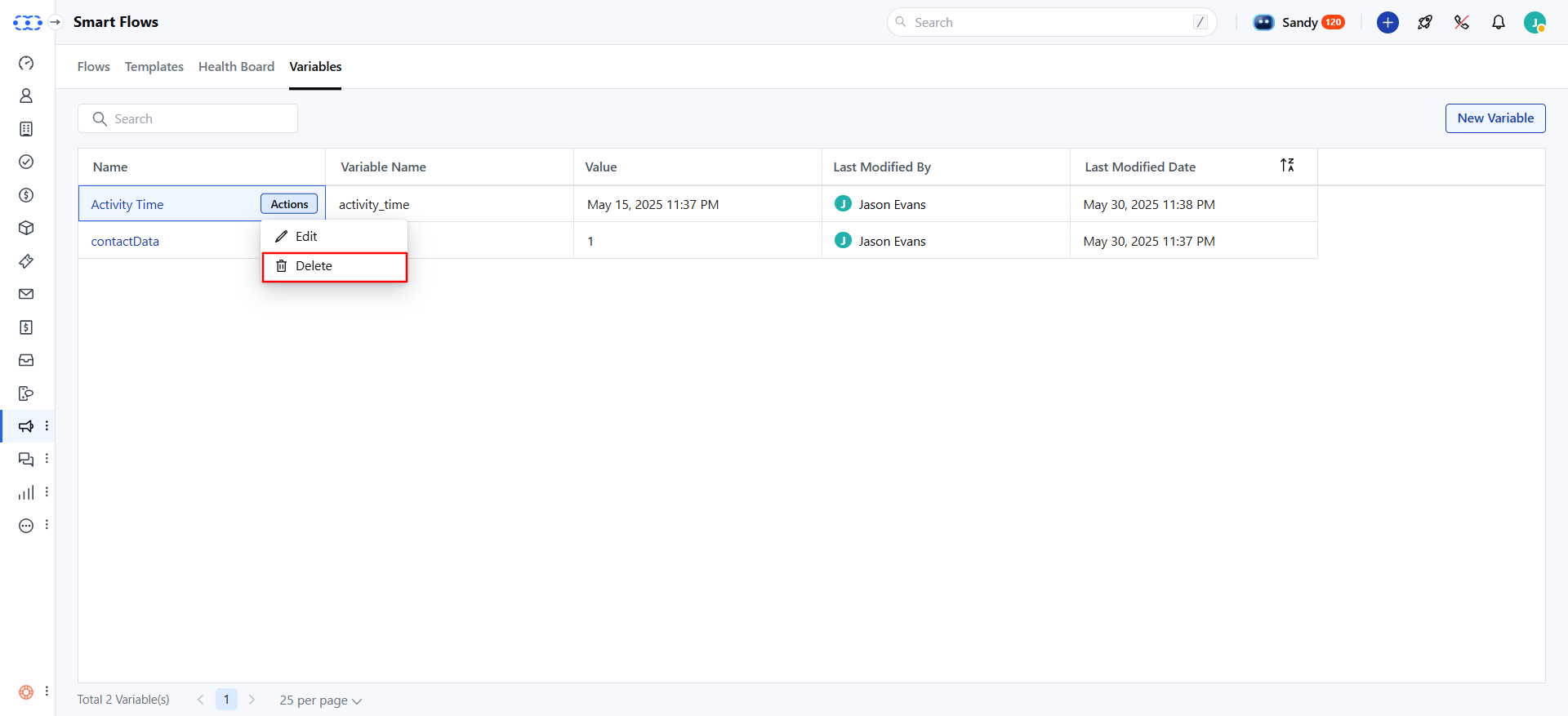
Use Global Variables in Flows
Here’s how to use Global Variables in your Smart Flows:Accessing Variables: Find the Global Variables section marked with variables to see a list of all Global Variables. The display name is shown with the internal name below it.Click a variable to insert it into your flow.- Assigning Values: Assign the value of a Global Variable to a local variable in the flow (e.g., use a Global Variable “Key” as the default value for a local variable).
- Updating Variables: Changes to a Global Variable’s value automatically update in all flows where it’s used.