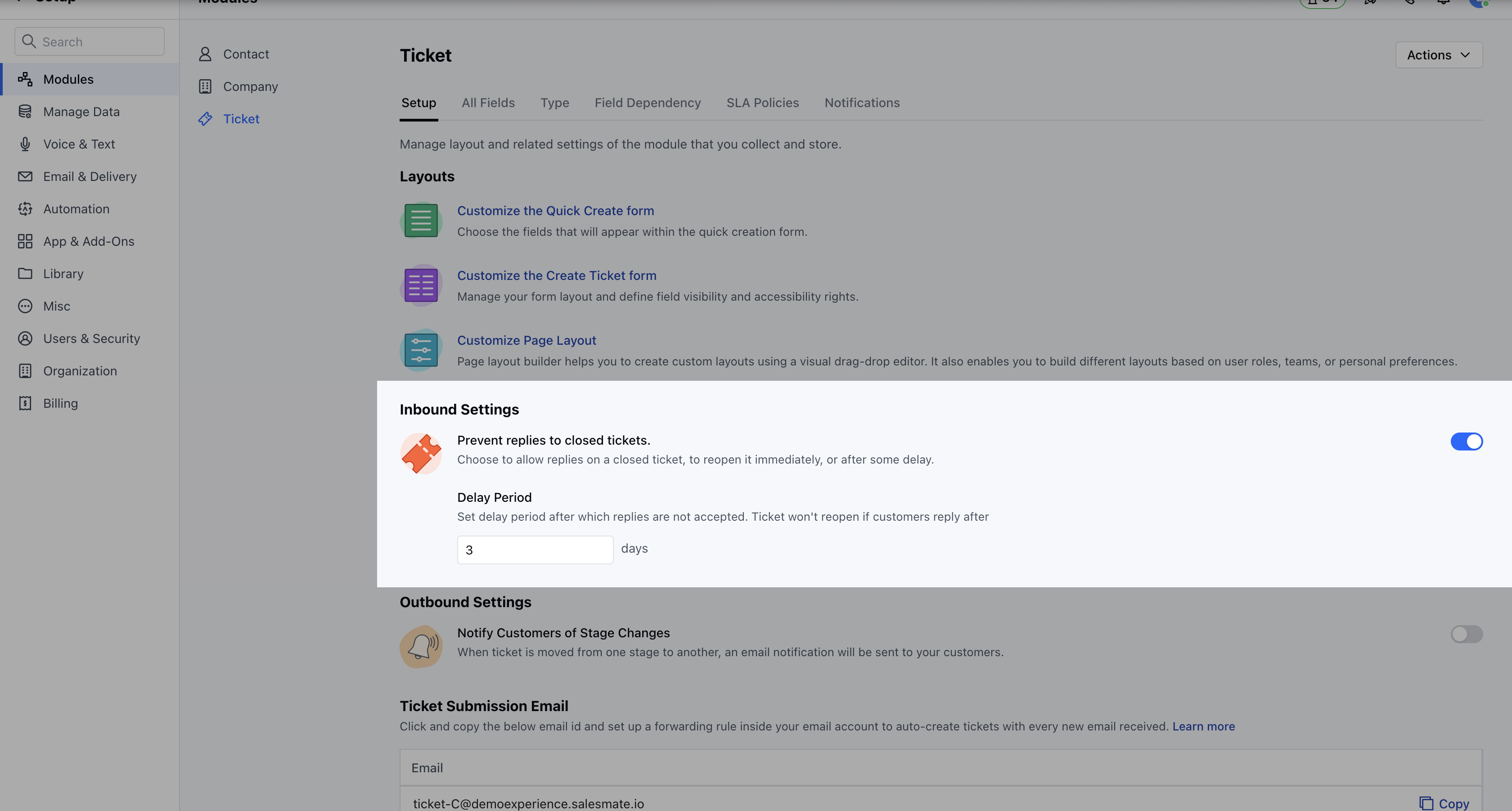
- Navigate to the Profile Icon on the top right corner
- Click on the Set Up
- Head over to the Tickets Module
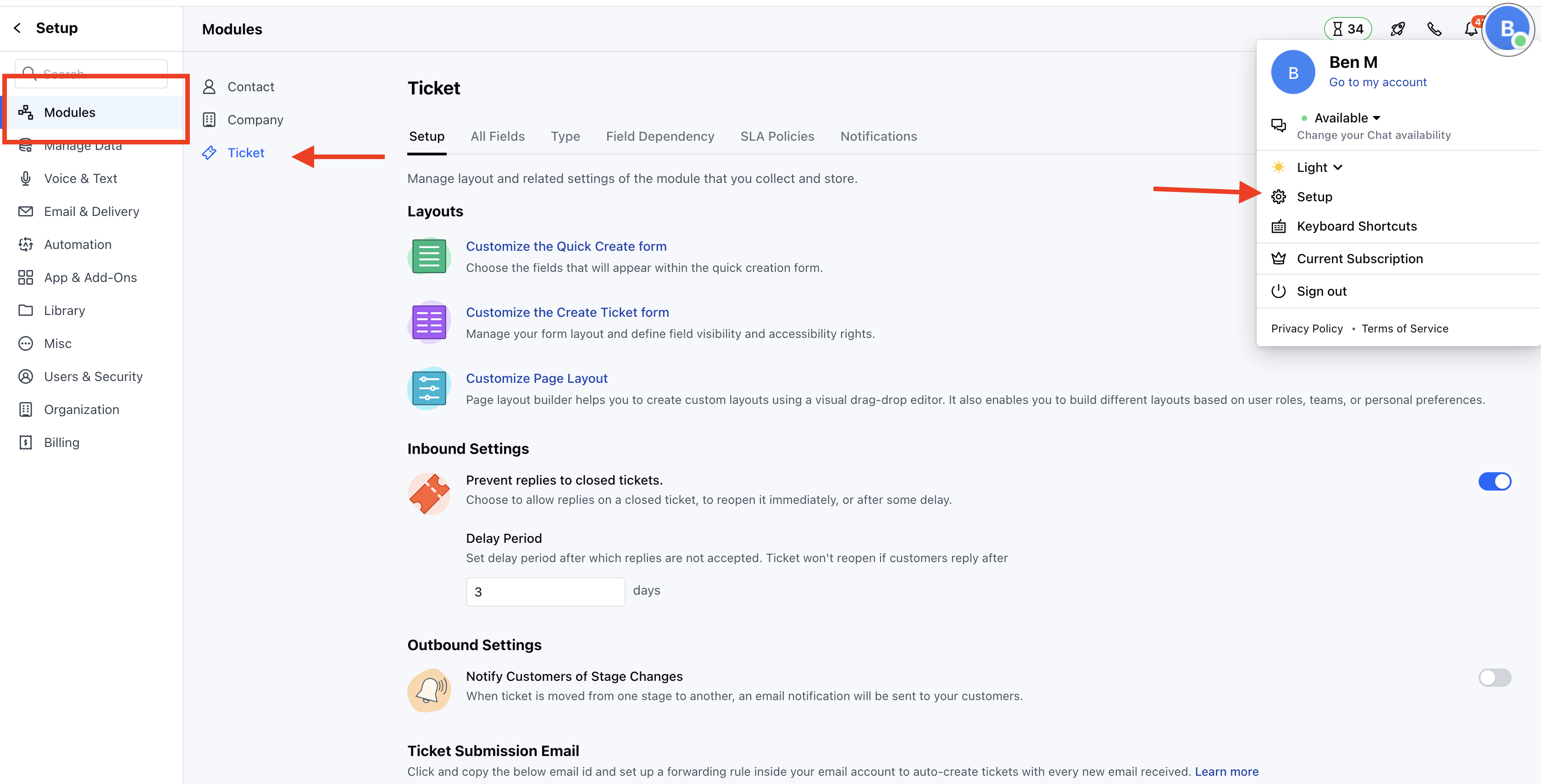
- Under the Setup section, head to the Inbound Settings *
- Here, configure the following options
- Prevent Replies to Closed Tickets: Enable this option to allow replies to a closed ticket, allowing it to be reopened immediately or in specified delay period. *
- Delay Period: Set a delay period after which replies are not accepted. Ticket won’t reopen if customers reply after