- How to Add/Update Contact,
- Adding a missed call
- While on the call
- After the call
Adding a missed call :
Navigate to the Phone Icon on the top rightClick on to Missed tab.Hover over the number and click on the **three-dotted button to Add it as a contact.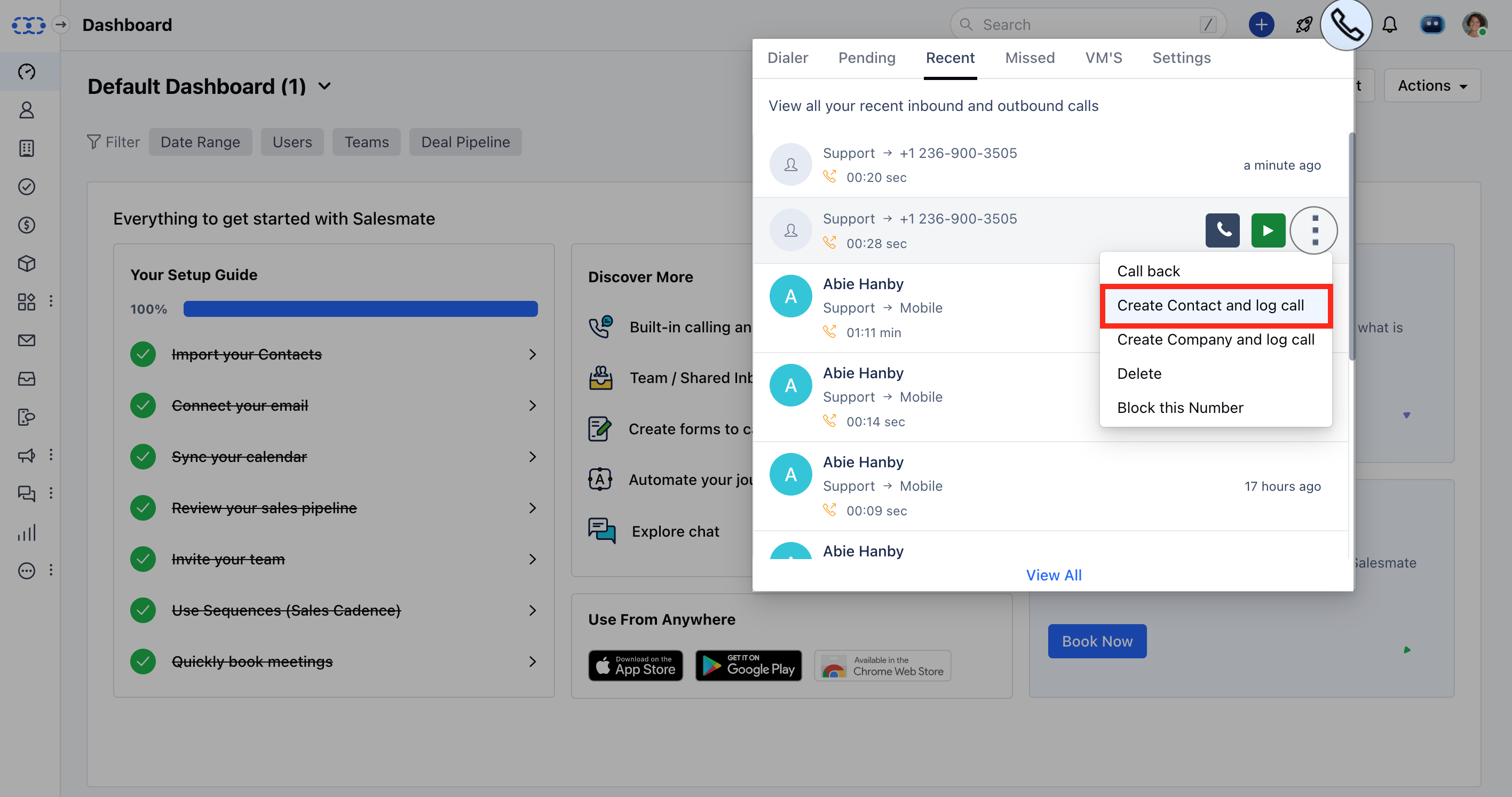
While on the call :
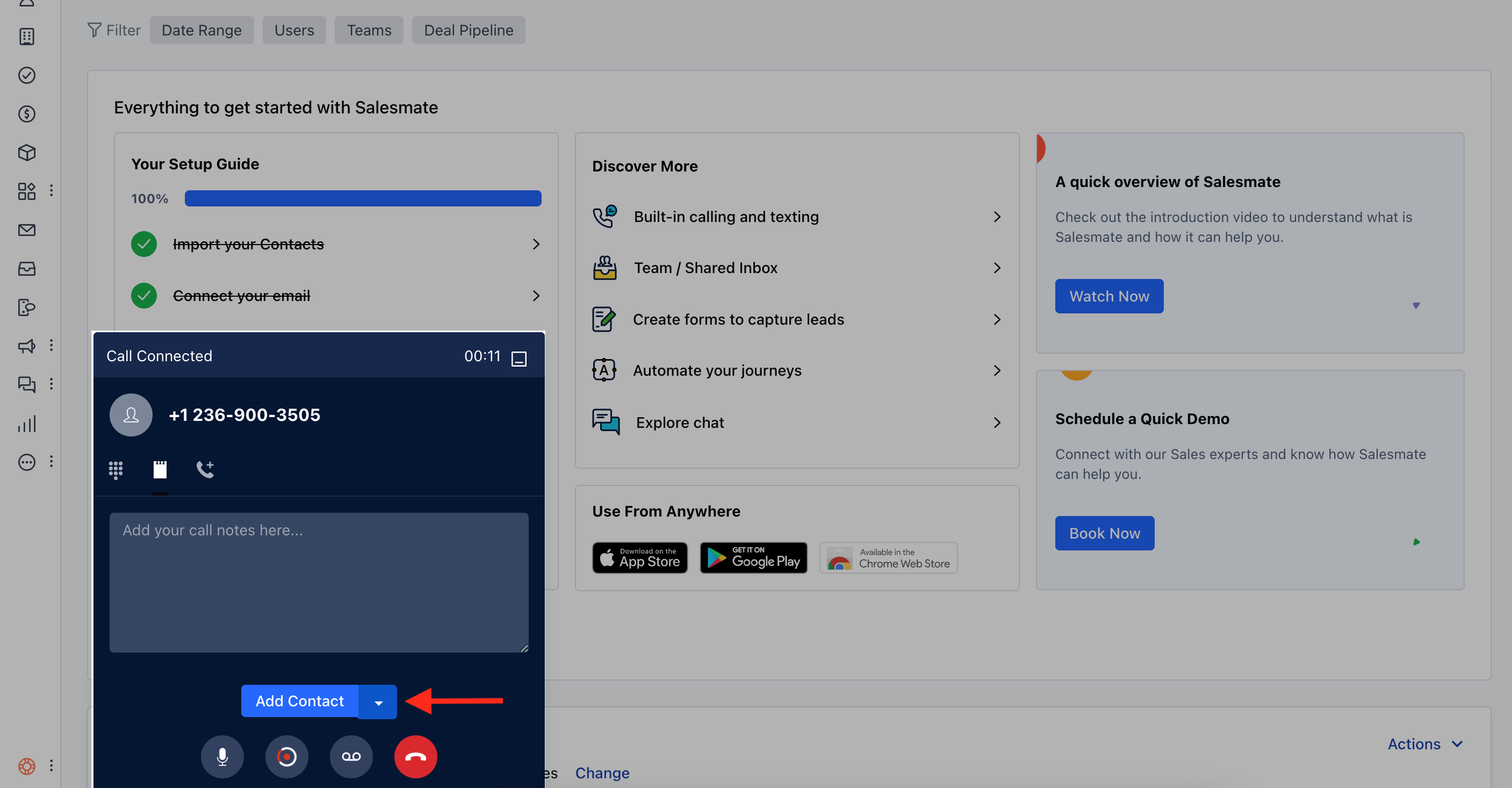
On the pop-up, hit the Add Contact button.- Update the contact details.Hit Save to add the contact.
After the call :
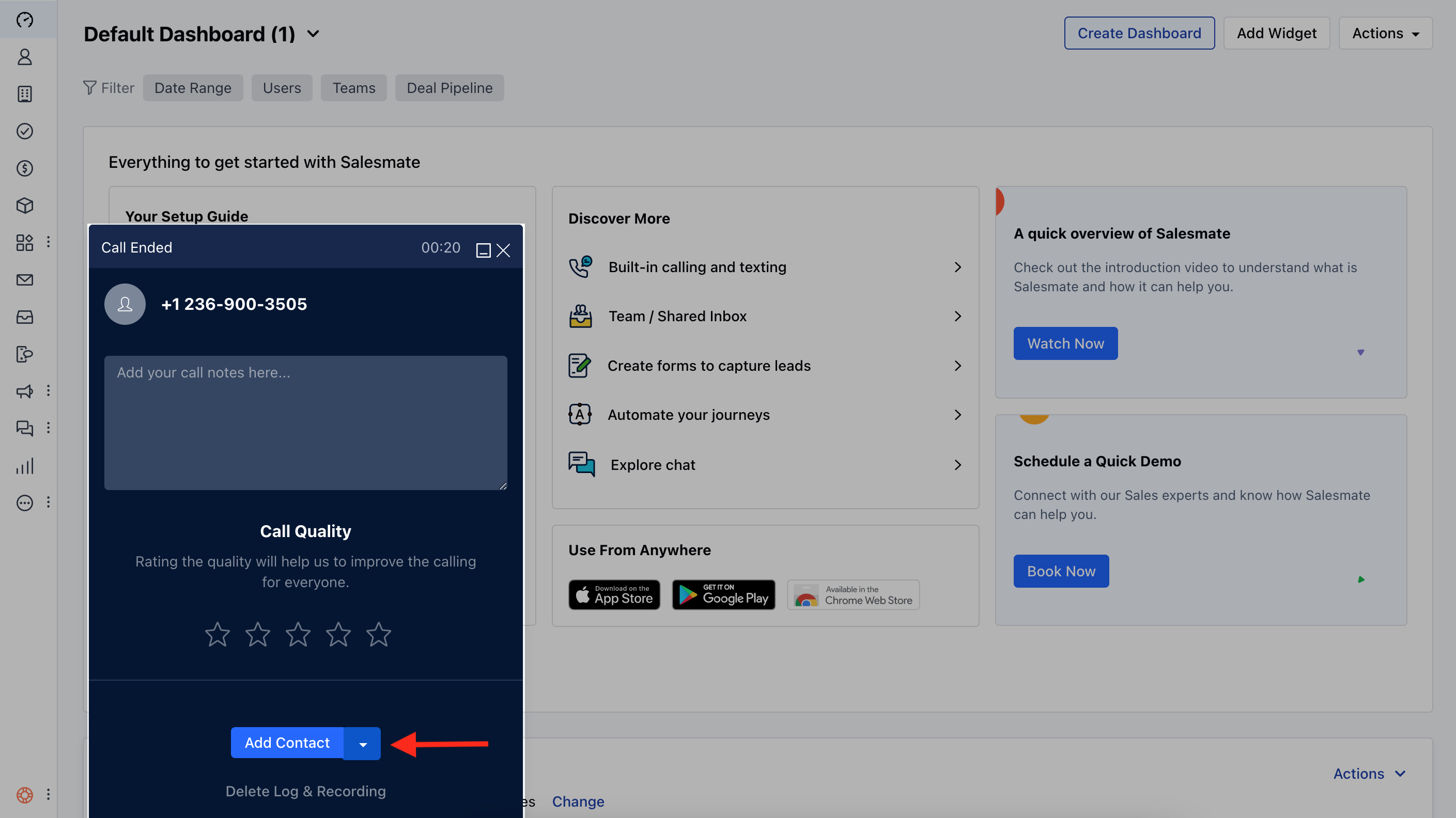
On the pop-up, hit the Add Contact buttonUpdate the contact detailsHit Save to add the contact