Skara - AI Agent home page
Search...
⌘K
Support
Dashboard
Dashboard
Search...
Navigation
Setting up Salesmate Voice & Text
How / Where can I see my recorded calls?
Guides
Website
Community
Blog
Getting started
Introduction
Overview
Introduction to AI Pilots
AI Agent (Skara) - Plans & Pricing
Working With AI Pilots
How to Build an AI Pilot
How to Build an Agent
Execution Flows
Functions
Paths
Prompts
Intents
Entities
Variables
Adding MCP Client Integration in AI Pilots
AI Pilot Settings
How to Delete an Agent
AI Agent FAQs
Execution Flows (AI Pilot)
Basics of Flow Execution
Set Priority to your Execution Flows
Execution Settings
Ai Pilots
Voice AI Pilot
Triggers (AI Pilot)
Actions (AI Pilot)
Knowledge Based System
Overview
Configuring Knowledge Base
Create Knowledge Base Articles
Knowledge Base Insights
Import and Export
Chats
Introduction to Salesmate Chats
Configuring the Salesmate Chats
Installing Salesmate Chats
Salesmate Chat SDKs
Secure your workspace
Manage Chat Preferences
Working with Salesmate Chats
Insights
Additional Information
Unified Inbox
Overview of Unified Inbox
Channel Installation
Manage Channels
WhatsApp Message Templates
Ticket Management & SLA's
Overview
Manage Tickets
Ticket Notifications
SLA(Service Level Agreement)
Tickets & SLA FAQ's
Built In Calling and Text
Voice Overview
Setting up Salesmate Voice & Text
How do you assign phone numbers to the teammates?
How can I change my phone number settings?
How do you set your phone's availability status & device settings?
How to reassign numbers or forward calls when an employee goes on vacation
Manage Number of Rings
How to make calls using your own number (Call Masking)?
How to transfer calls in Salesmate
How do you enable call recording?
How / Where can I see my recorded calls?
How can I Stop Receiving or Block Incoming Phone Calls?
How do you Add/Update Contact On or After a Call?
How do you create an activity after or during a call?
How do you disable/ remove the calling app?
Calling Rates / Charges
Troubleshooting
Texts / SMS
A2P 10DLC
Legal
Change/Update Notifications
Built-in Calling or Texting integrations
FAQs
Emails
Personal Inbox
Sales Inbox
Team Inbox
Email Delivery
Managing Email Templates
FAQ's
Meeting Scheduler
Overview
Create and Manage
Availability
Embed and Sharing
Email Campaign
Overview
Organizing Email Campaigns
Capture Consent
Configuring Email Campaign
Campaign Insights
Email Campaign FAQs
Snippet Management
Overview
Managing Snippets
Smart Flows
Smart Flow Overview
Managing Smart Flows
Flow Templates
Smart Flows Triggers
Smart Flows Conditions
Smart Flows Actions
Smart Flow Insights
FAQs
Conversation Reports
Total closed conversations by user
Time to reply conversation by user
Time to reply conversation by the team over time
Time to close the conversation by user
Remarks from Contacts
Ratings over time
Conversation Performance
Conversation Leaderboard
Conversation Count by Source URL
Conversation Count by Referral URL
Overview of Chats by OS (operating system)
Overview of Chats by Devices
Overview of Chats by Browsers
Chat Journey - Insights
Duplicate Management
Overview
Working with Duplicate Management
Import 3.0
Learn more about import using a file
Import data from Pipedrive CRM
Import data from HubSpot CRM
Salesmate Import FAQ's
Setup
Customizations
Validation Rules
Data Administration
Voice & Text
User Management
Security
Teams
Account/Organization Management
Calculated Fields
Contact and Companies
Contacts
Company
Contacts & Company FAQ's
AI tools
Cursor
Claude code
Windsurf
On this page
Dashboard
Activity
Setting up Salesmate Voice & Text
How / Where can I see my recorded calls?
Copy page
Copy page
Once you have enabled call recording for all inbound and outbound calls for a number. The call recordings will be logged.You can either view all the call recordings on the
Dashboard
or an
Activity
for the contact.
Dashboard
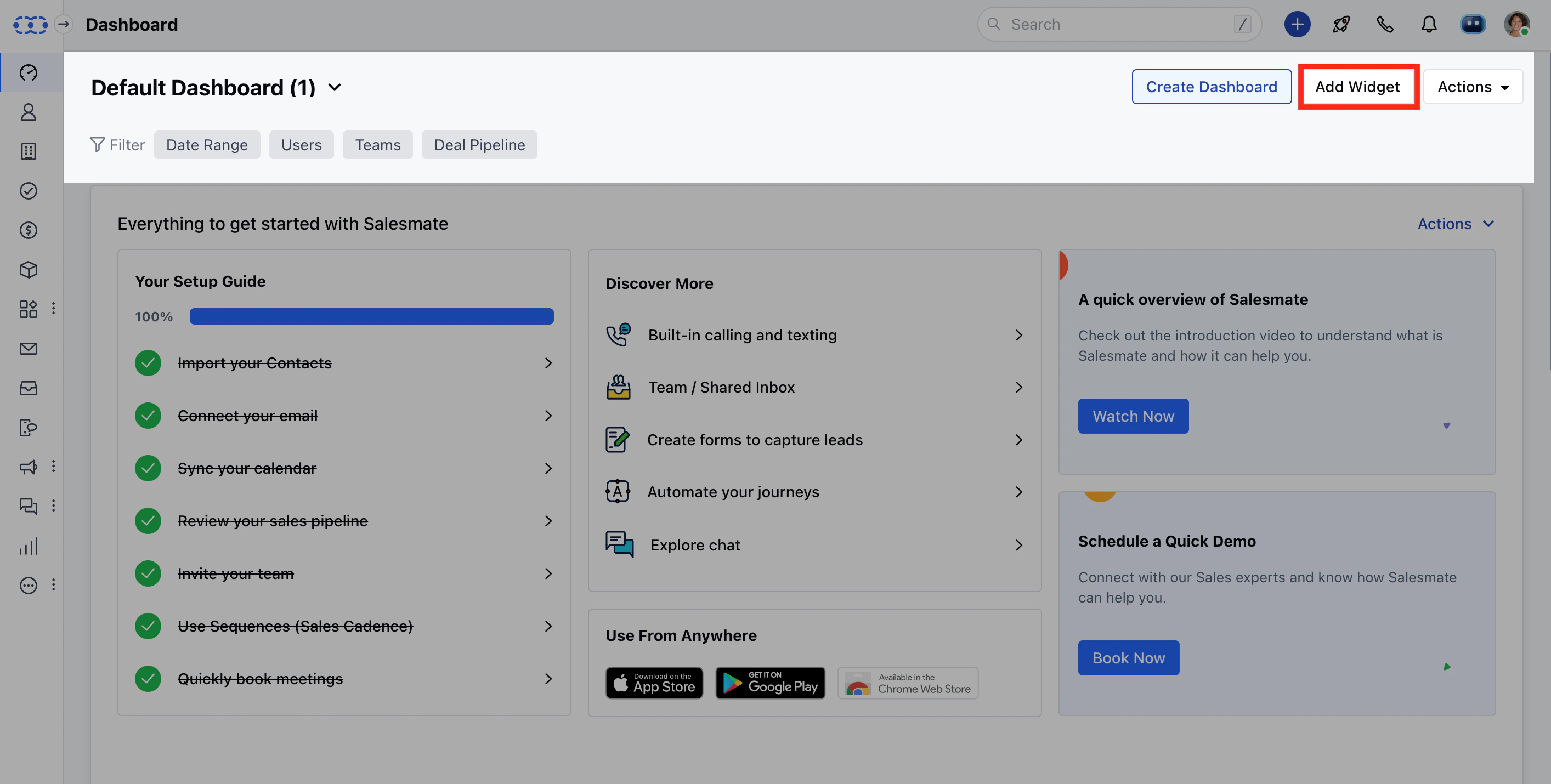
Navigate to **Dashboard.
** Click on
Add widget
in the top right corner.
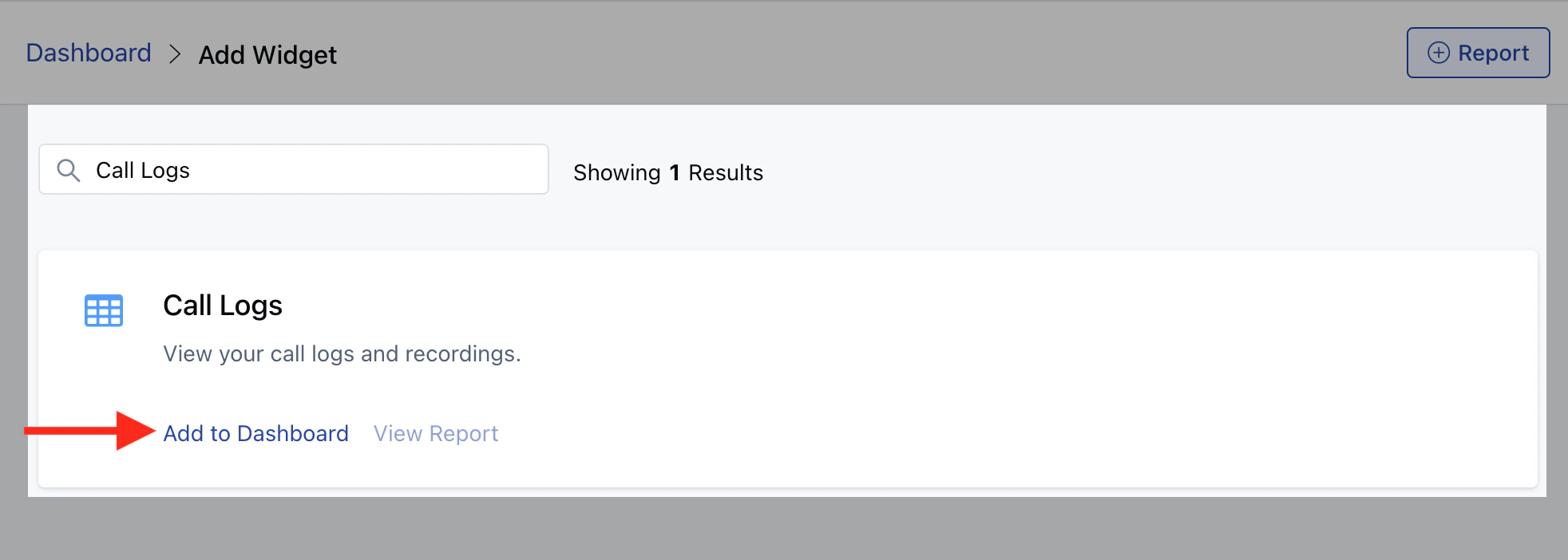
Add the
Call Logs
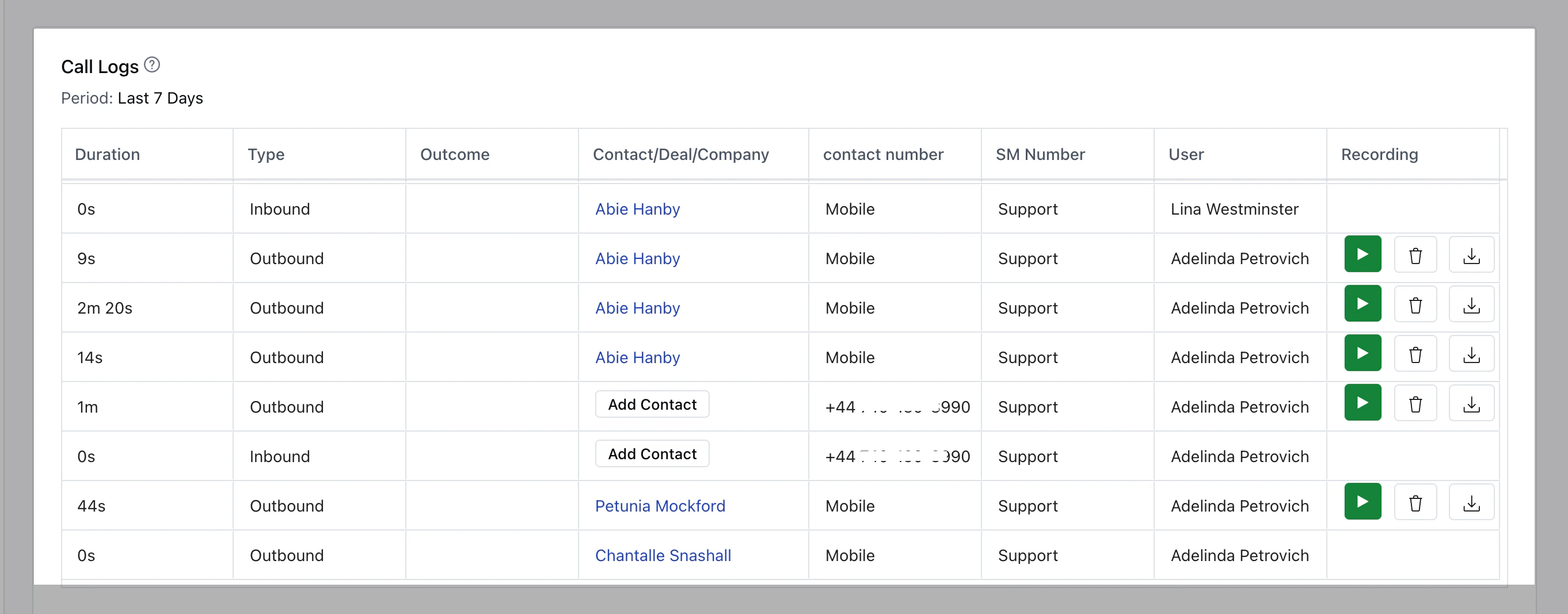
Report.
The Call Logs report can be filtered Sales rep-wise and for the duration you desire.
Activity
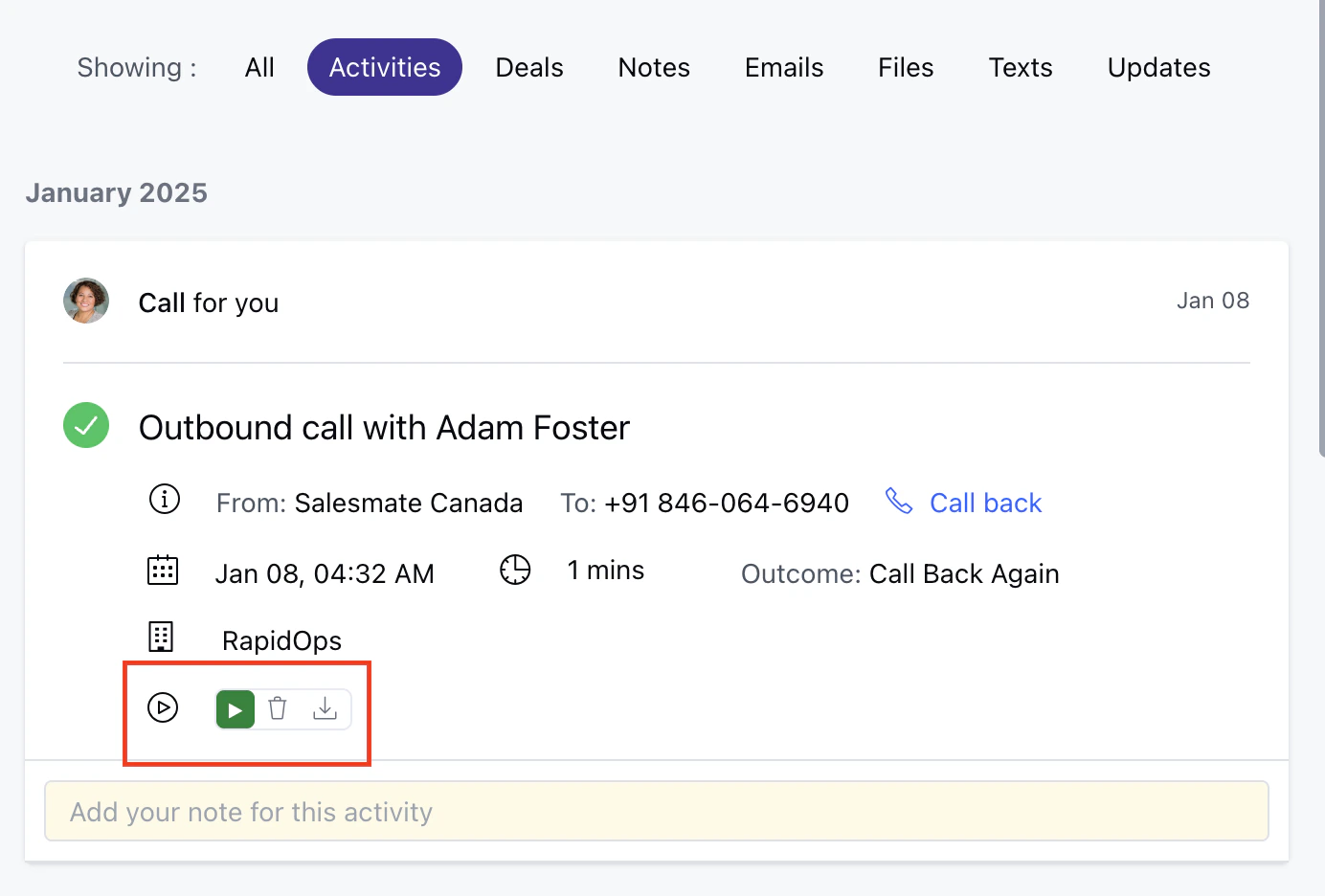
Navigate to the
contact
. Click on
Activities
on the contact timeline.Here you can view all the recordings associated with the contact.
How do you enable call recording?
How can I Stop Receiving or Block Incoming Phone Calls?
⌘I