Topics covered:
- How Contacts Can Opt-Out
- How the Opt-Out Process Works
- Re-Opting In: How Contacts Can Start Receiving Text Messages Again
- Why This Matters
How Contacts Can Opt-Out
Your contacts now have the ability to unsubscribe from text messages with just a simple reply. They can opt-out by sending any of the following (case-insensitive) keywords in response to your text message:** STOP **STOP ALL **UNSUBSCRIBE **CANCEL **END **QUIT ** These easy-to-use keywords give users the flexibility to stop unwanted messages and regain control over their communication preferences.How the Opt-Out Process Works
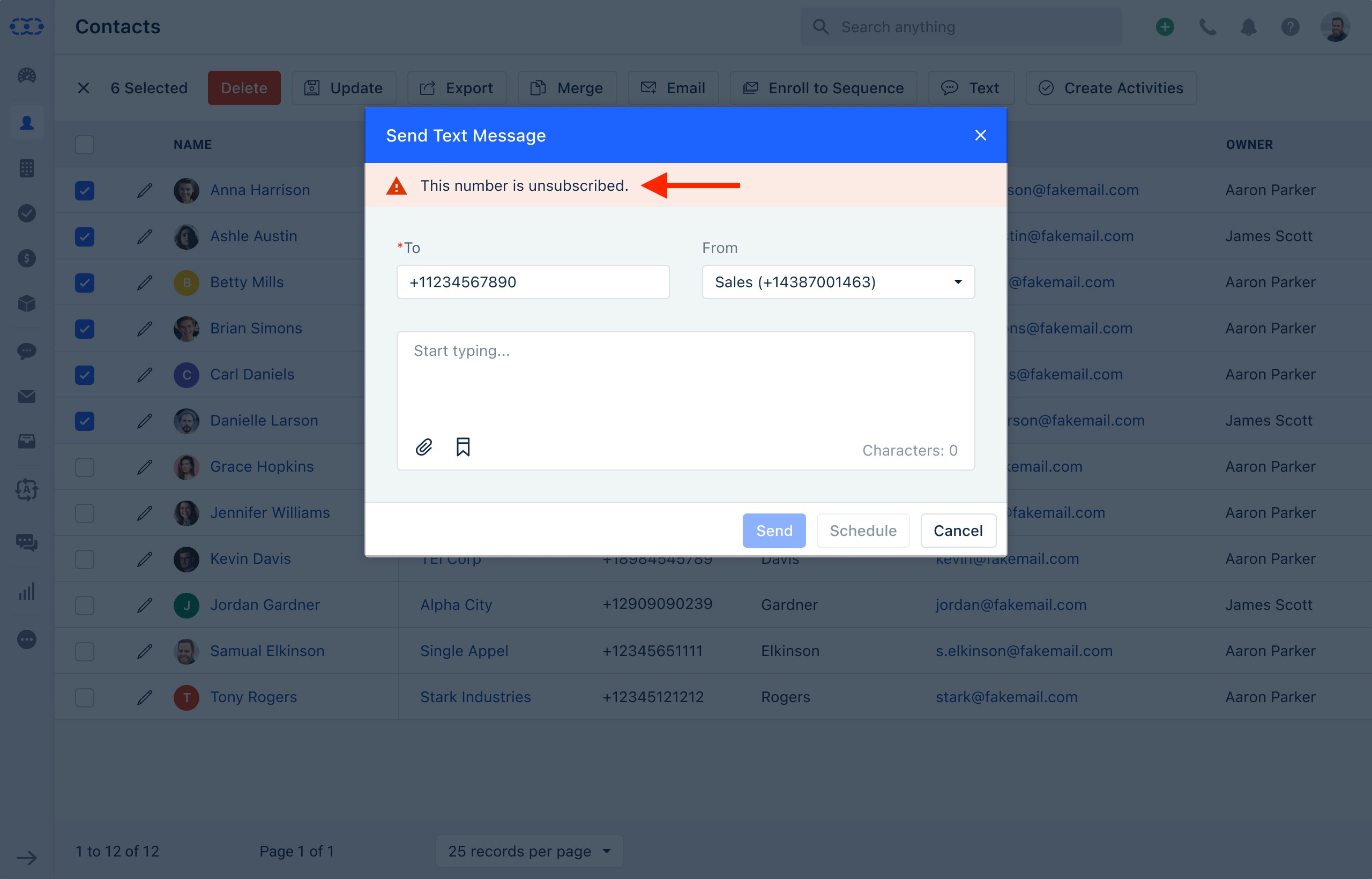
Once a contact opts out, the system will automatically update their preferences across your account:Contact Information Update: The phone number that sent the opt-out request will be marked as unsubscribed in your contacts list. A timeline entry will also be created for reference.- Skipped Bulk Text Messages: Any future bulk text messages will be skipped for this contact, and the failure message will read:“Unsubscribed from Text”.
- Sequences: If the contact is part of any automated sequence with text steps, they will automatically be skipped from receiving text messages in that sequence.
- Text Message Status: If a contact in automation has opted out of receiving text messages, the system will note the attempt as unsuccessful and label it as:“Text Unsubscribed”.