

Note: You need Edit Articles and Organize Categories permissions to move articles or reorder categories.
How to Move Articles
- Navigate to the Profile Icon from the top right corner.
-
Click on the Setup **

- ** Headover to the ** Library** category
- Select the Knowledge Base option
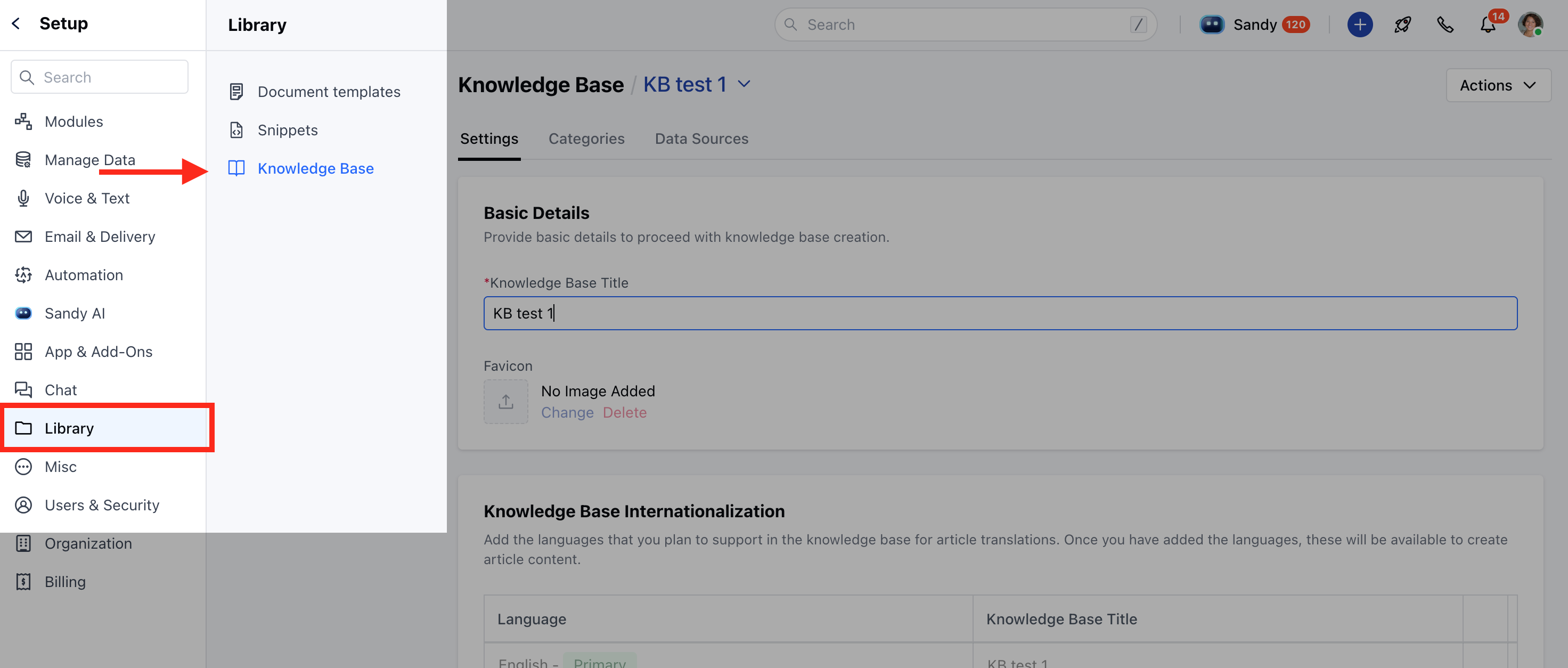
- Click on the Categories tab
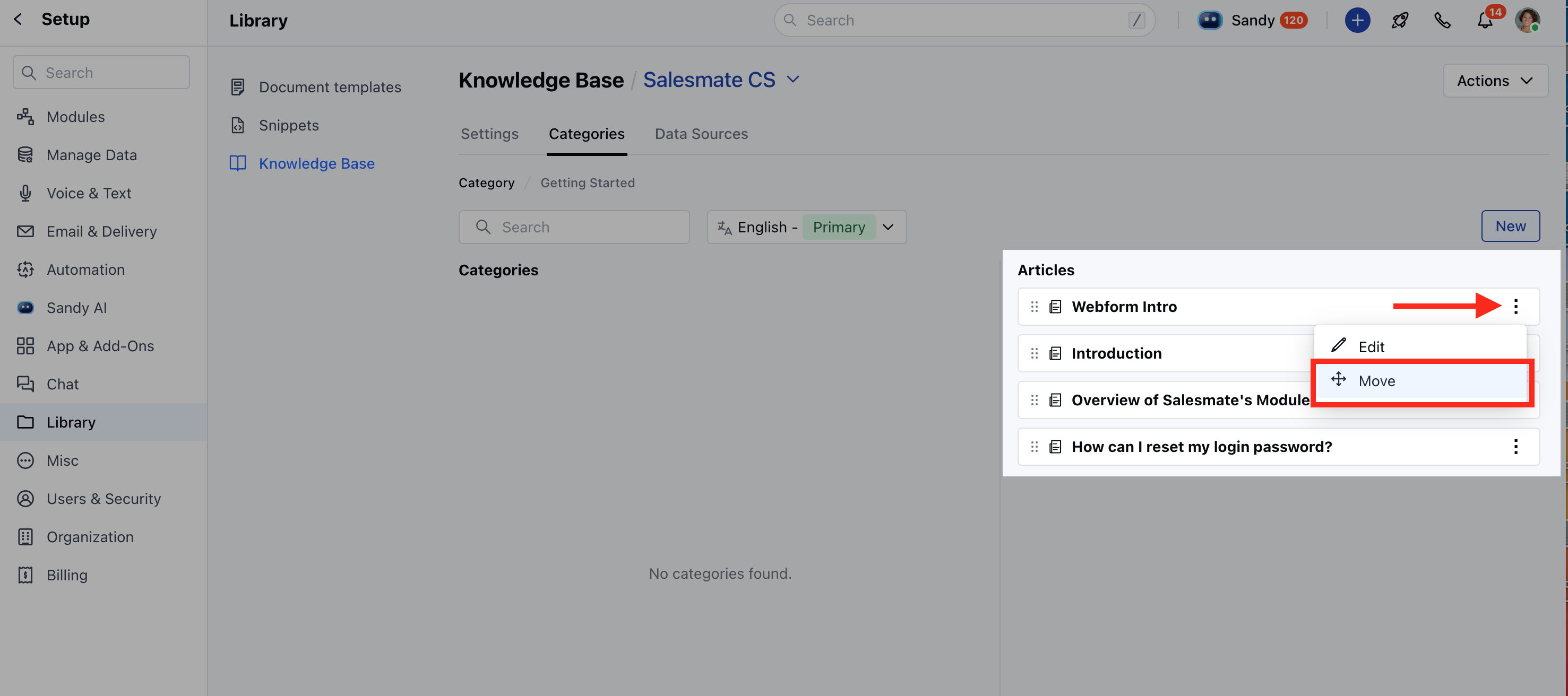
- Open any category and locate the article you want to move. Click the three dots next to it and select Move .
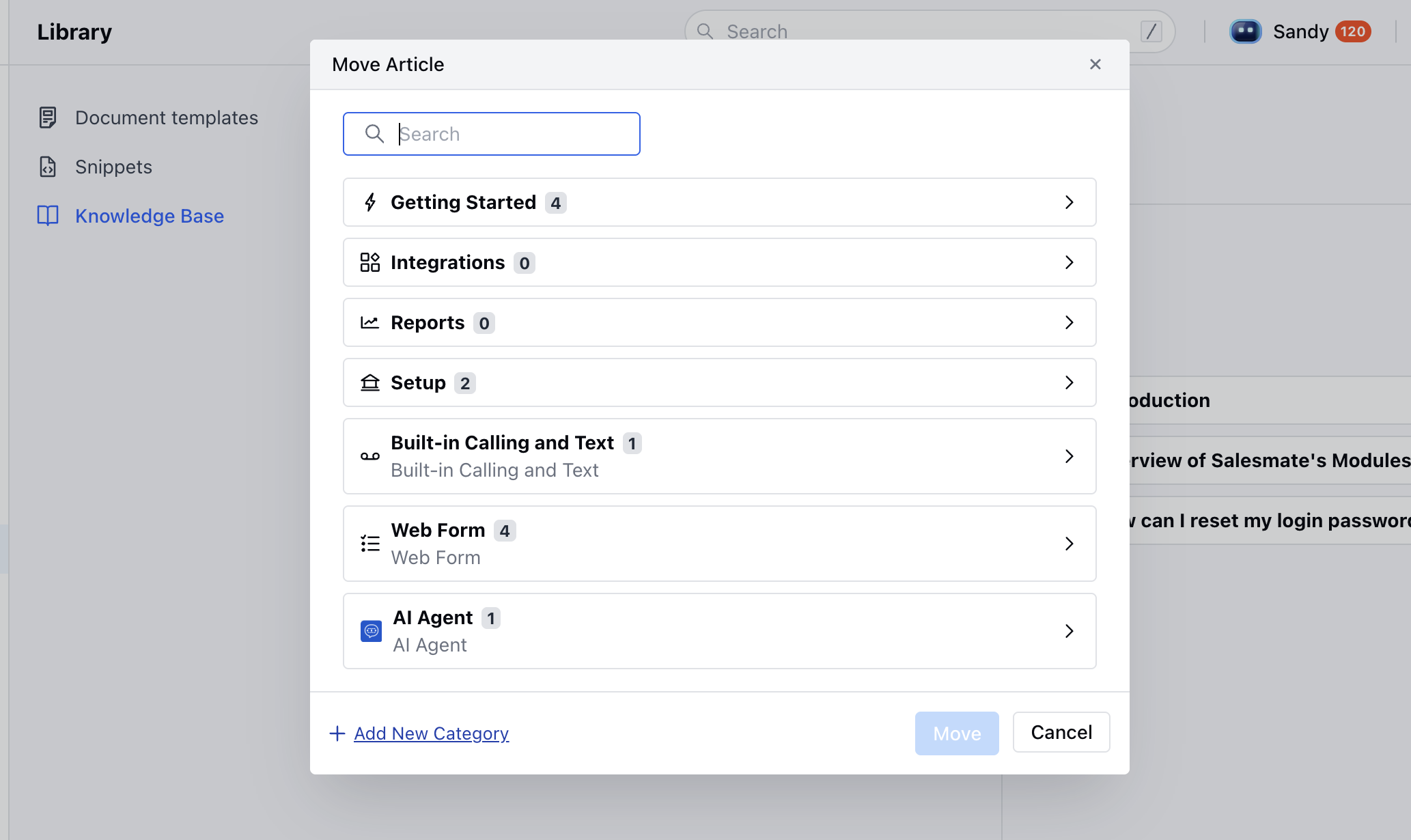
- A Move Article popup will appear, showing the article’s current category path.
- Click on the path to search for or browse the category where you’d like to move the article.
- On success, the article moves to the new category with an Updated successfully message.
- Salesmate offers several flexible options to move articles between categories: