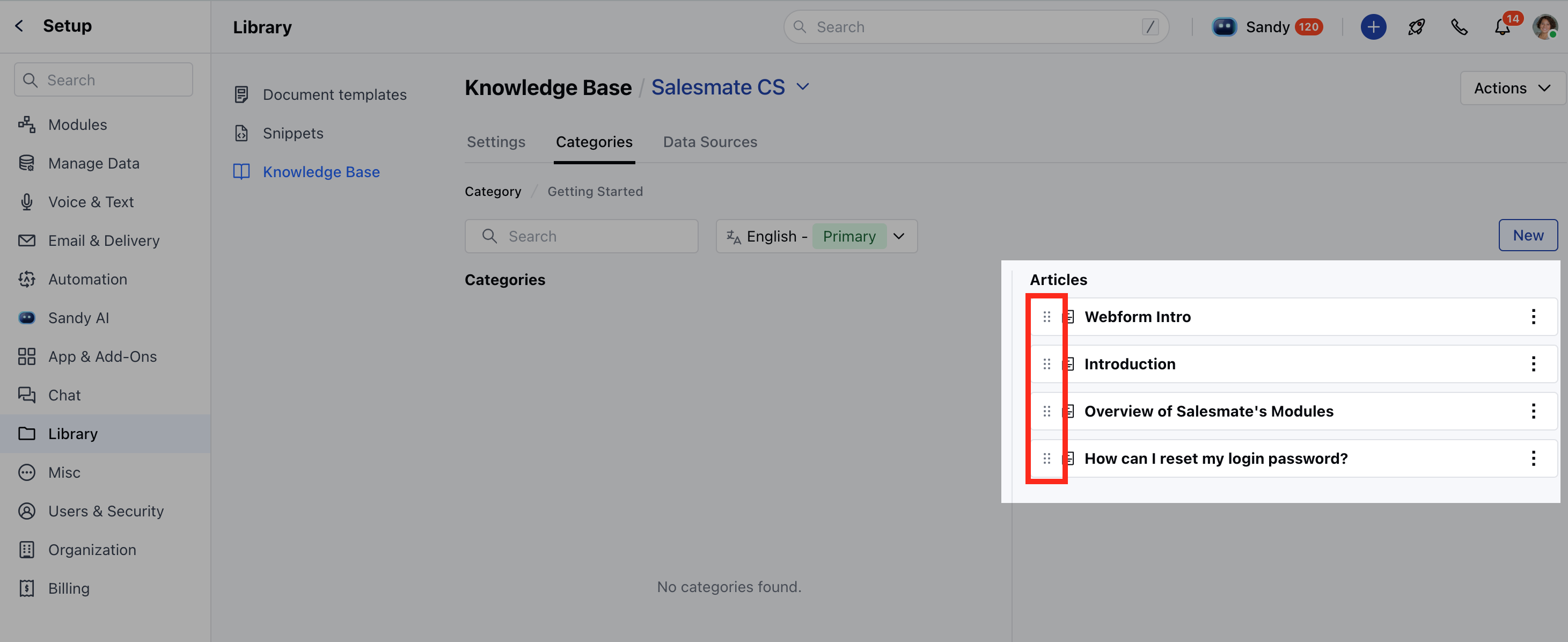
Note: You need permission to organize categories for reordering the categories or articles.
Topics covered:
How to Reorder the Categories
To Reorder the Categories,- Navigate to the Profile Icon from the top right corner.
-
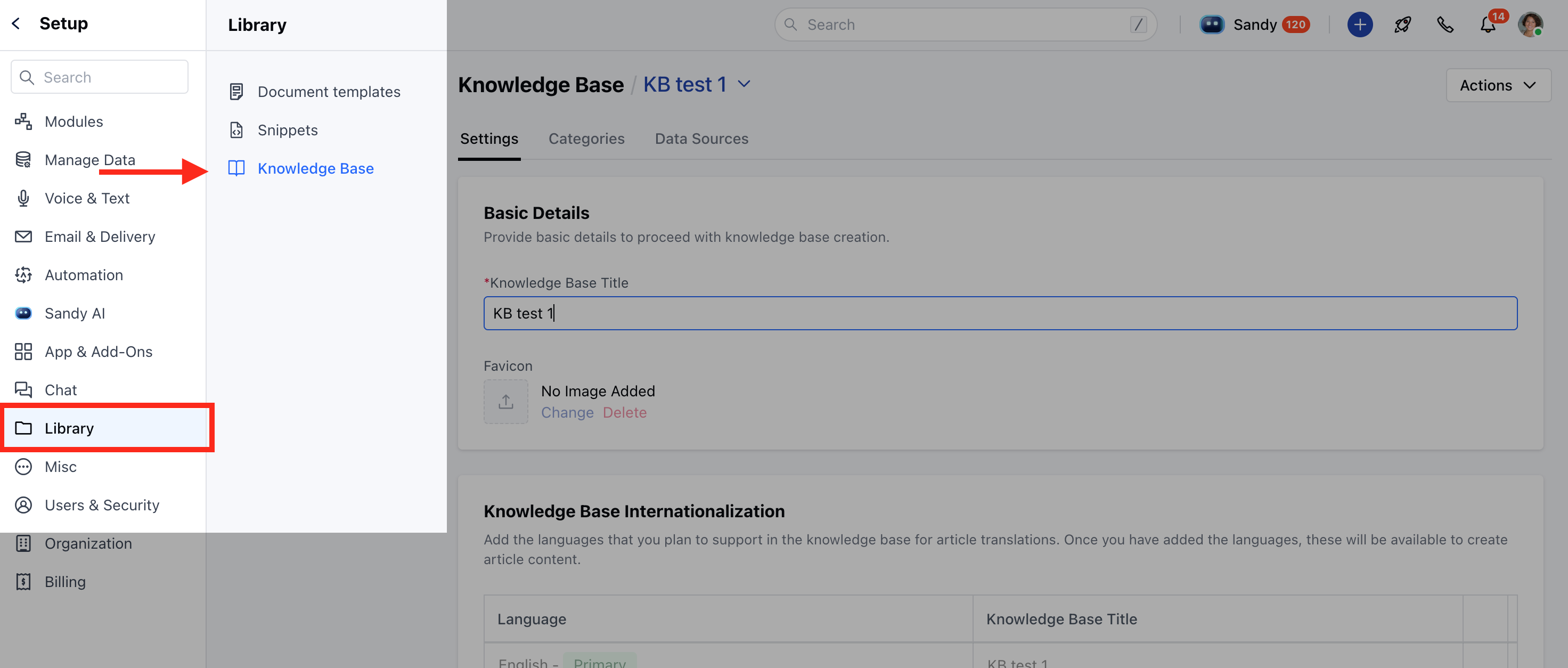
Click on the Setup **

- ** Head over to the ** Library** category
- Select the Knowledge Base option
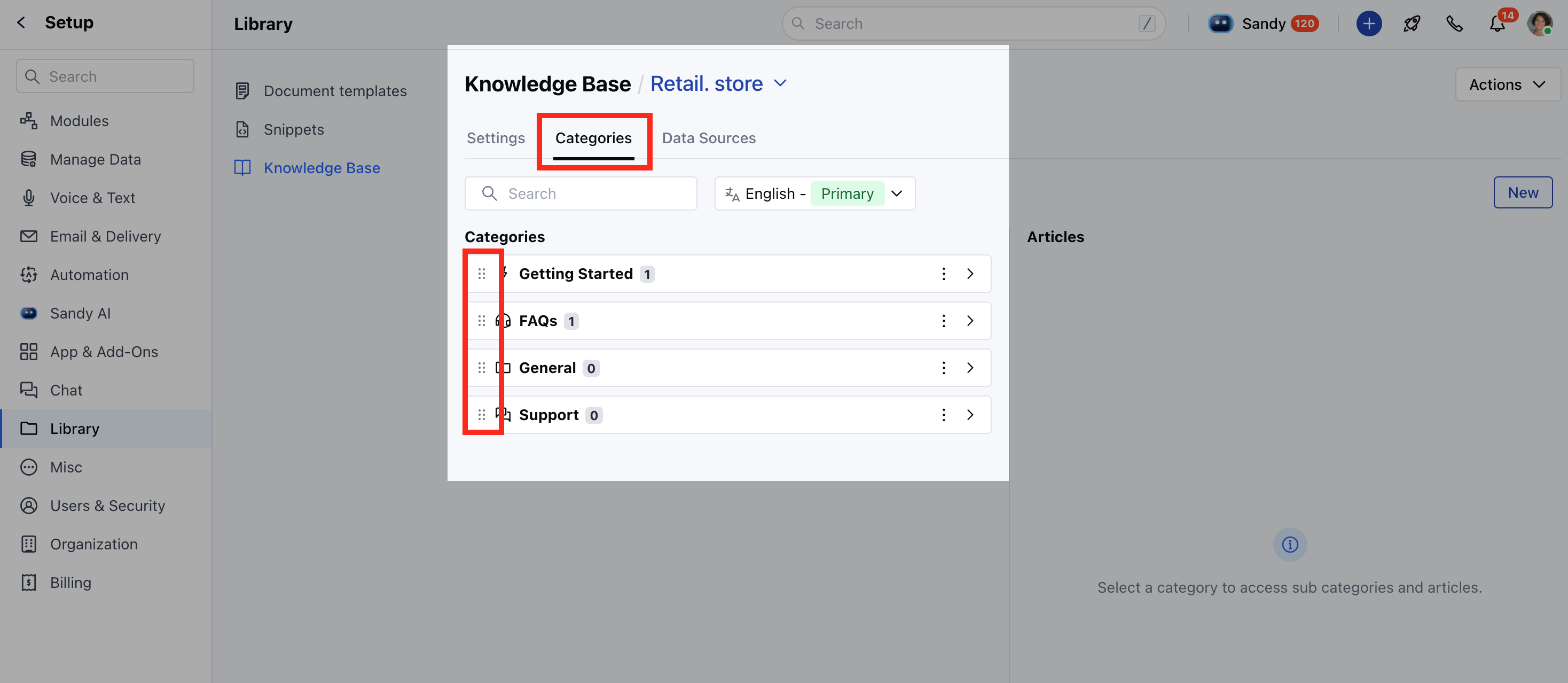
- Click on the Categories tab
- Simply drag and drop to reorder the Categories , which will be saved automatically.
How to Reorder the Articles
To Reorder the Articles,- Navigate to the Profile Icon from the top right corner.
-
Click on the Setup **
- ** Head over to the ** Library** category
- Select the Knowledge Base option
- You will see the subcategories and Articles in the
- Category you selected.
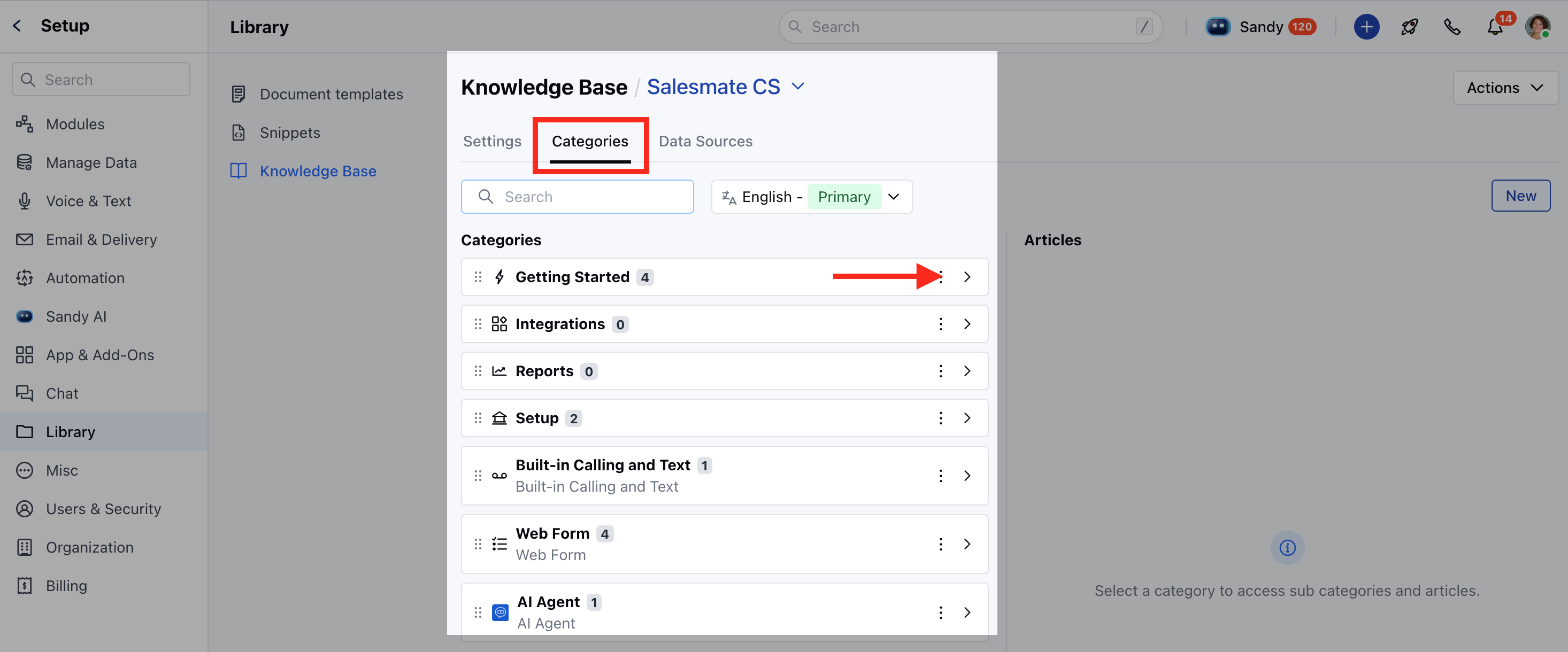
- Navigate to the Category whose
- Articles you want to reorder.
- Simply drag and drop to reorder the Articles , which will be saved automatically.