

Open Chat settings
- Navigate to Conversations Icon on the left menu bar
- Click on Chats
- Head to Inbox Settings on bottom left.
- Select a Channel from the list of available channels.
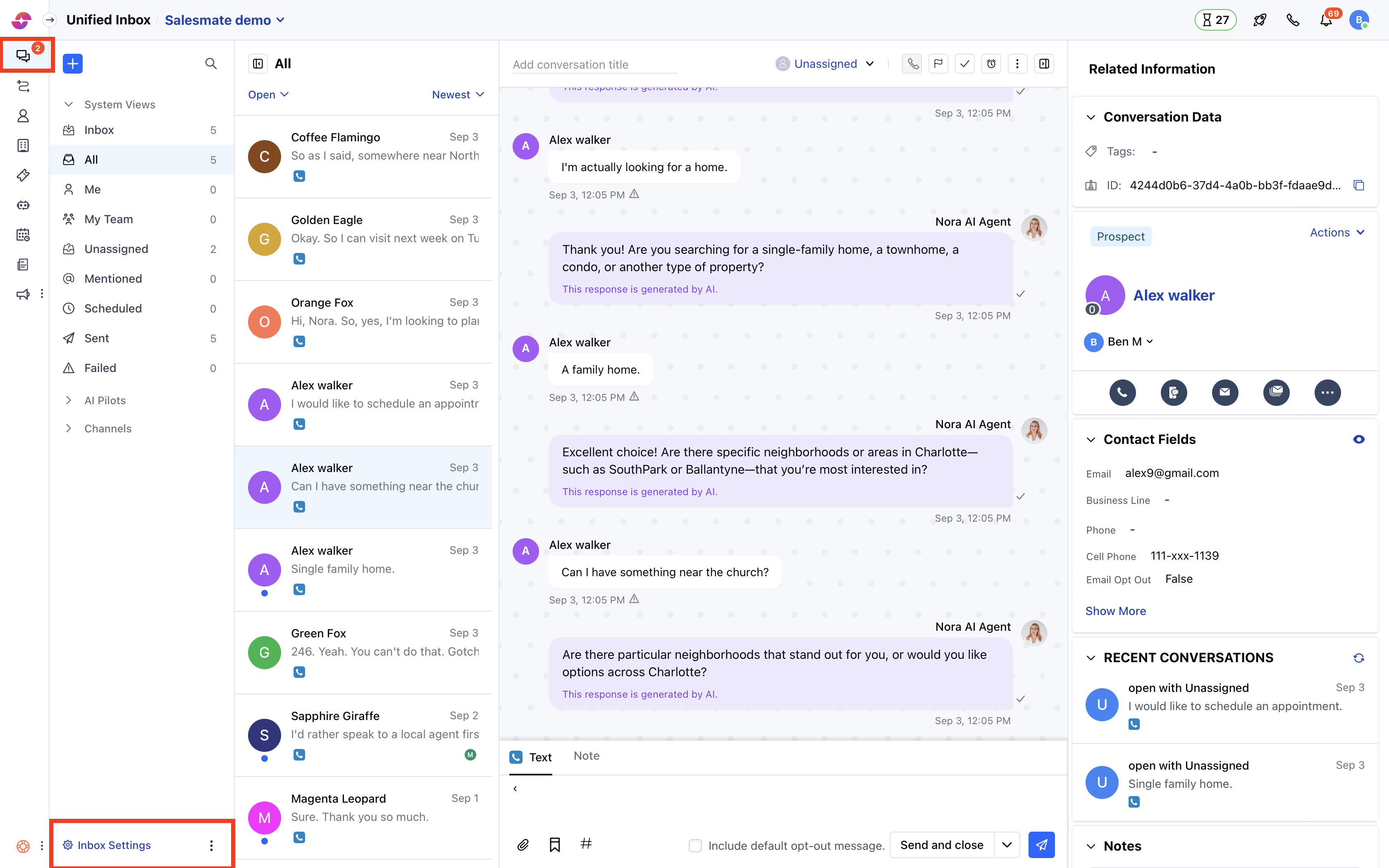
- Here, go to the Launcher Appearance section.
- By default, the Salesmate launcher icon would be selected
- You can select the icons from the given list
- Or you can upload a Custom icon
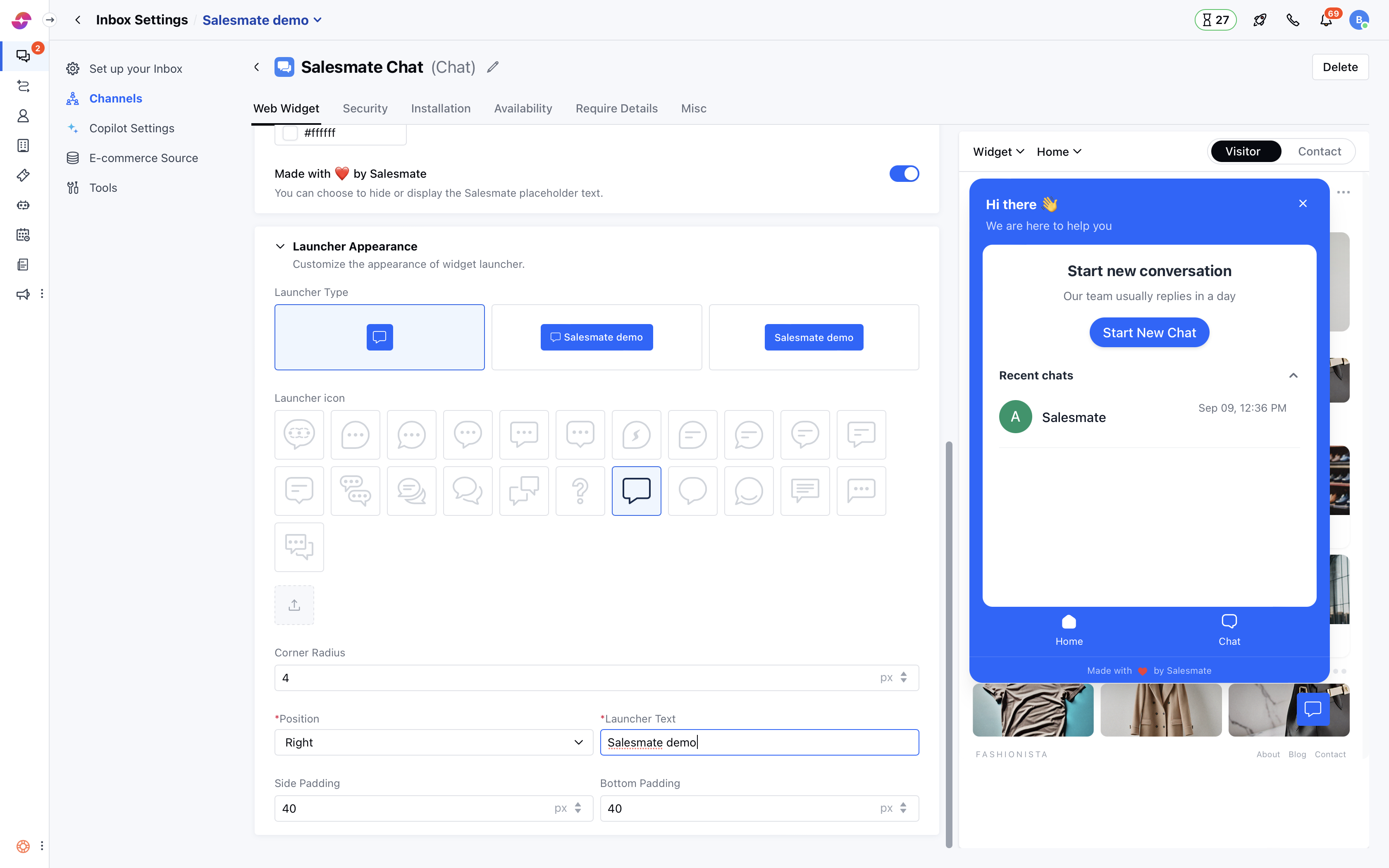
- You can also set the Launcher Position as per your requirement on your website
- Once you are done, hit the Update button to save your changes.
Note: Only users with “Manage chat settings”permission can access this setting.