

Open Chat settings
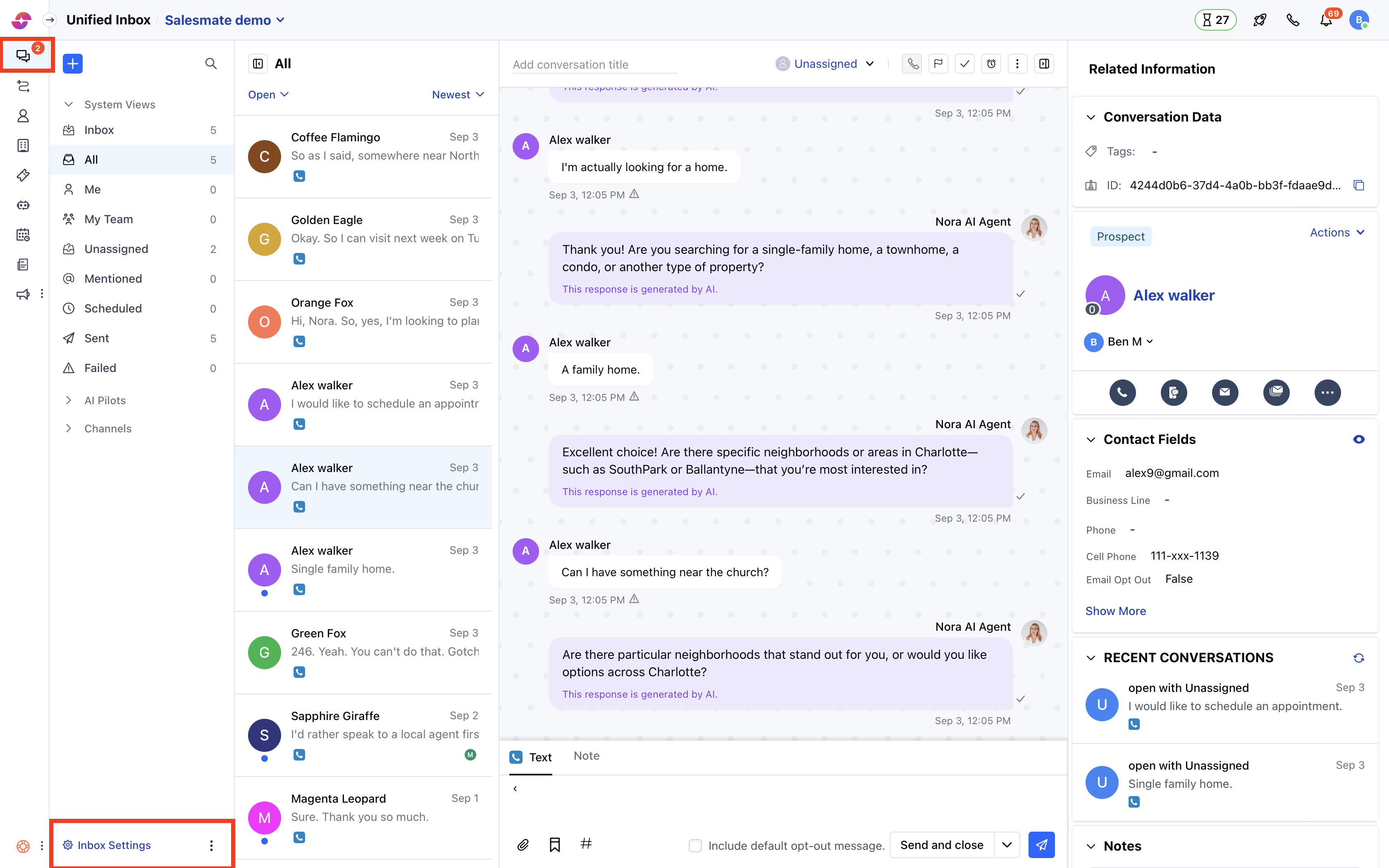
- Navigate to Conversations Icon on the left menu bar
- Click on Chats
- Head to Inbox Settings on bottom left.
- Click Channels and select one from the available channels in your Unified Inbox.
Customize the welcome message
- Here the Welcome Message tab is opened by default.
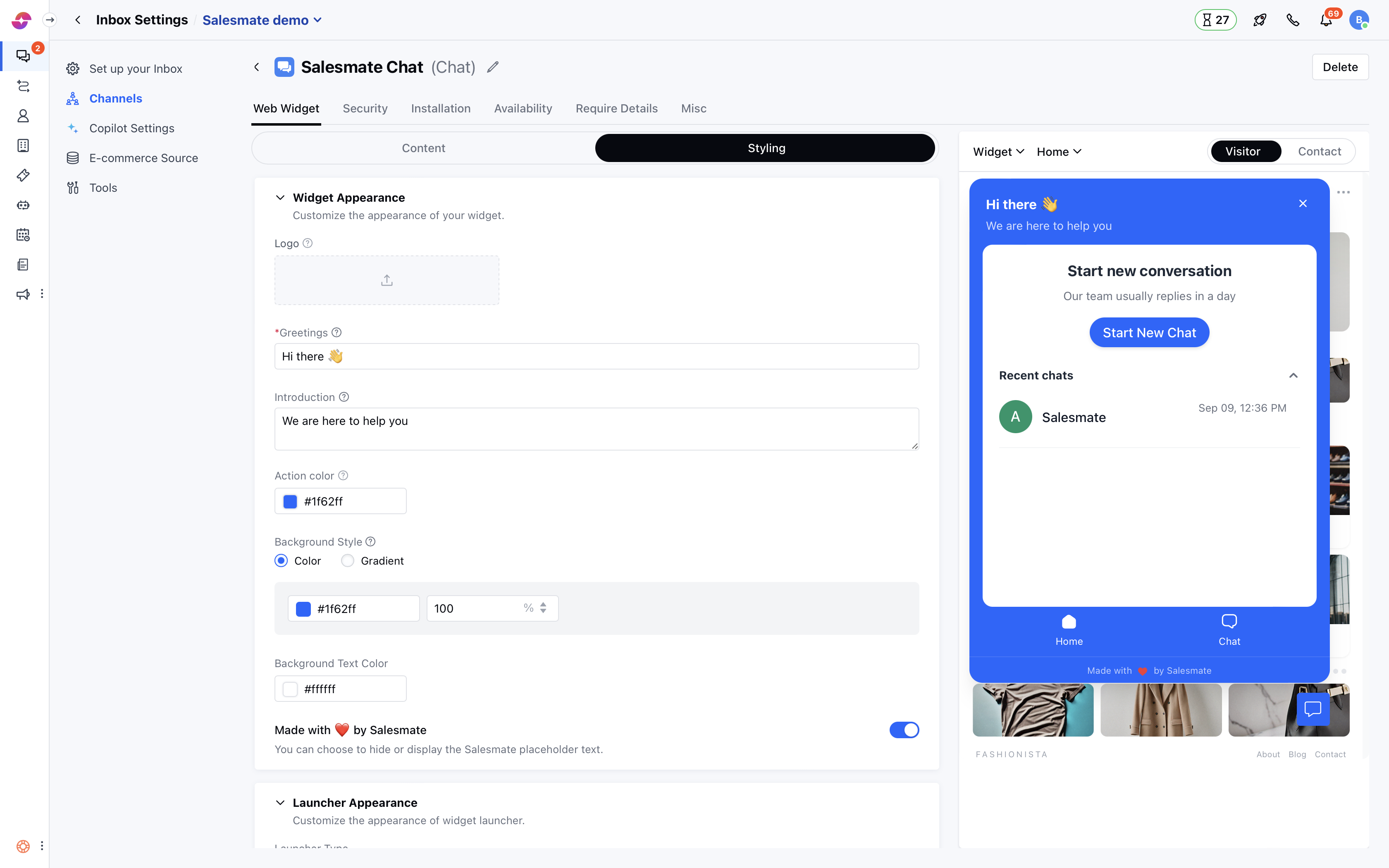
- You can put any Greeting message to welcome your customers on the platform in the field shown below for example ‘Hello there!’
- Also, a Team Introduction message to say how you can help your customers.
- Which will be reflected in the live preview of the widget on the left side.
- You can also change the name of your workspace by updating value in Workspace name
- Once you are done, hit the Update button to save your changes.
Note: Only users with “Manage chat settings” permission can access this setting.