

Note: You need an admin profile or the required permission to act on articles.
Please follow the steps below to perform bulk operations on articles.
- Navigate to Articles from the left sidebar.
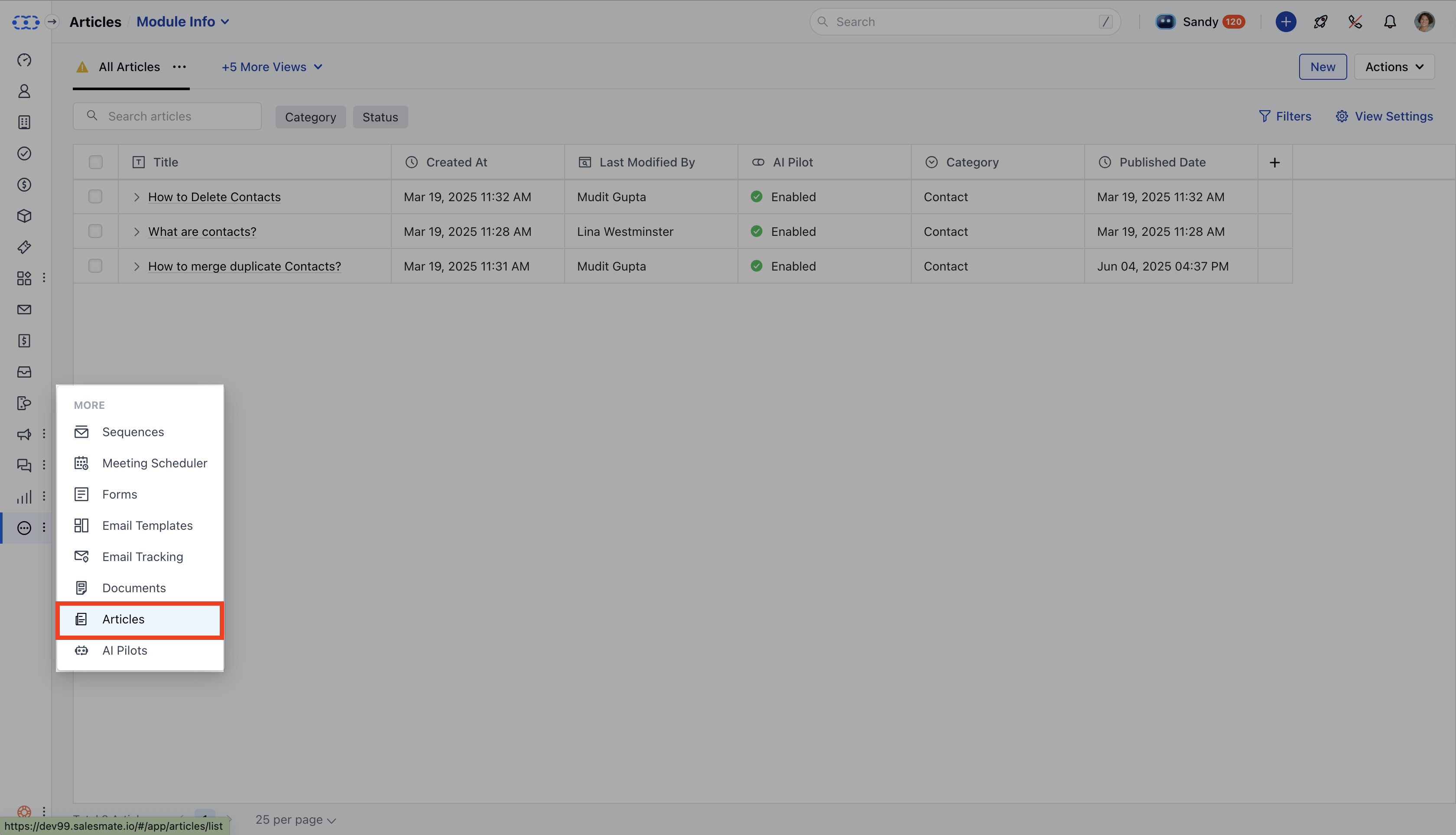
- You will be directed to the Articles List View.
- Select the correct Knowledge Base from the drop-down in the top left corner.
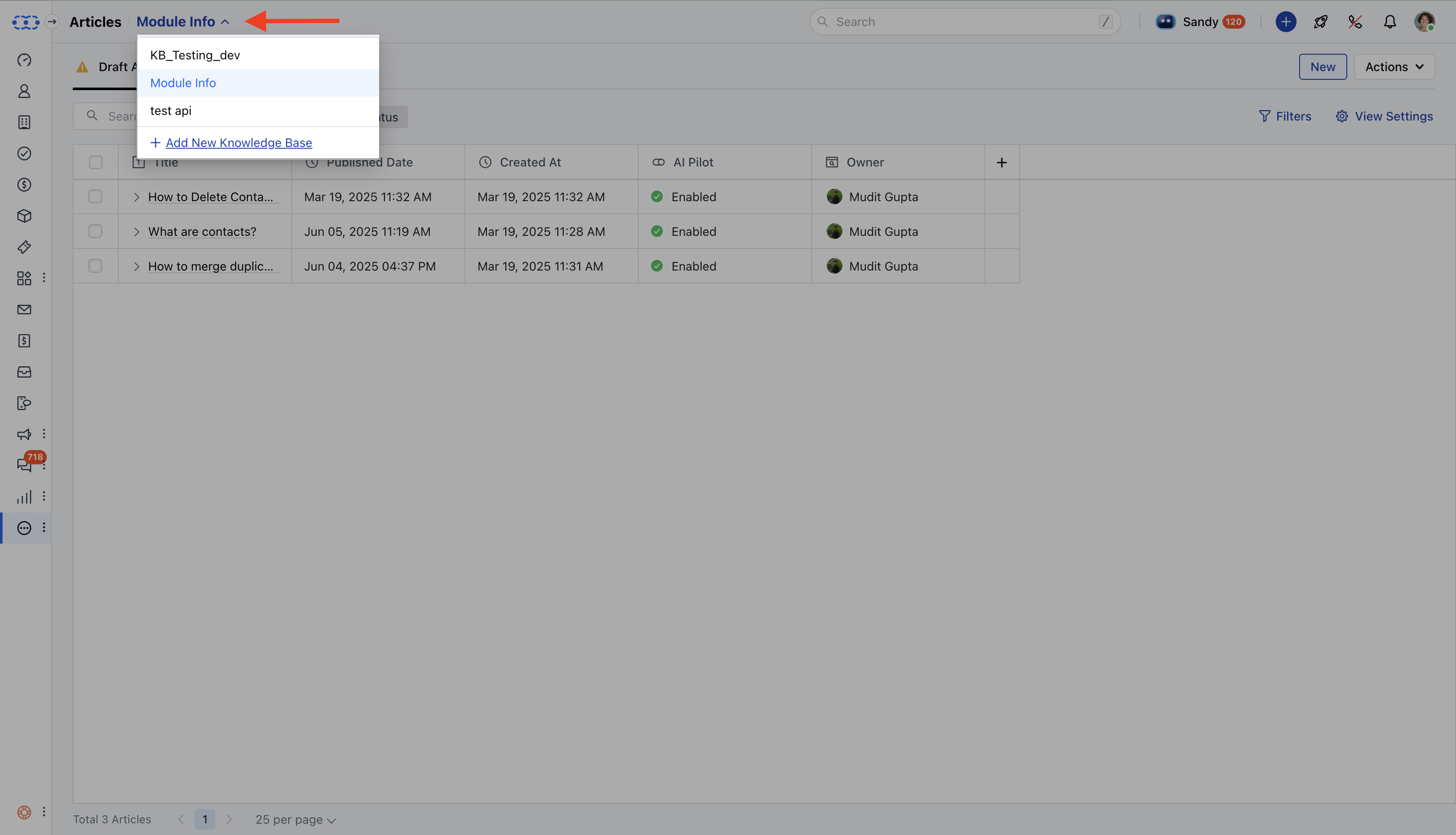
- You can select individual articles or select all Articles to perform Bulk Operations.
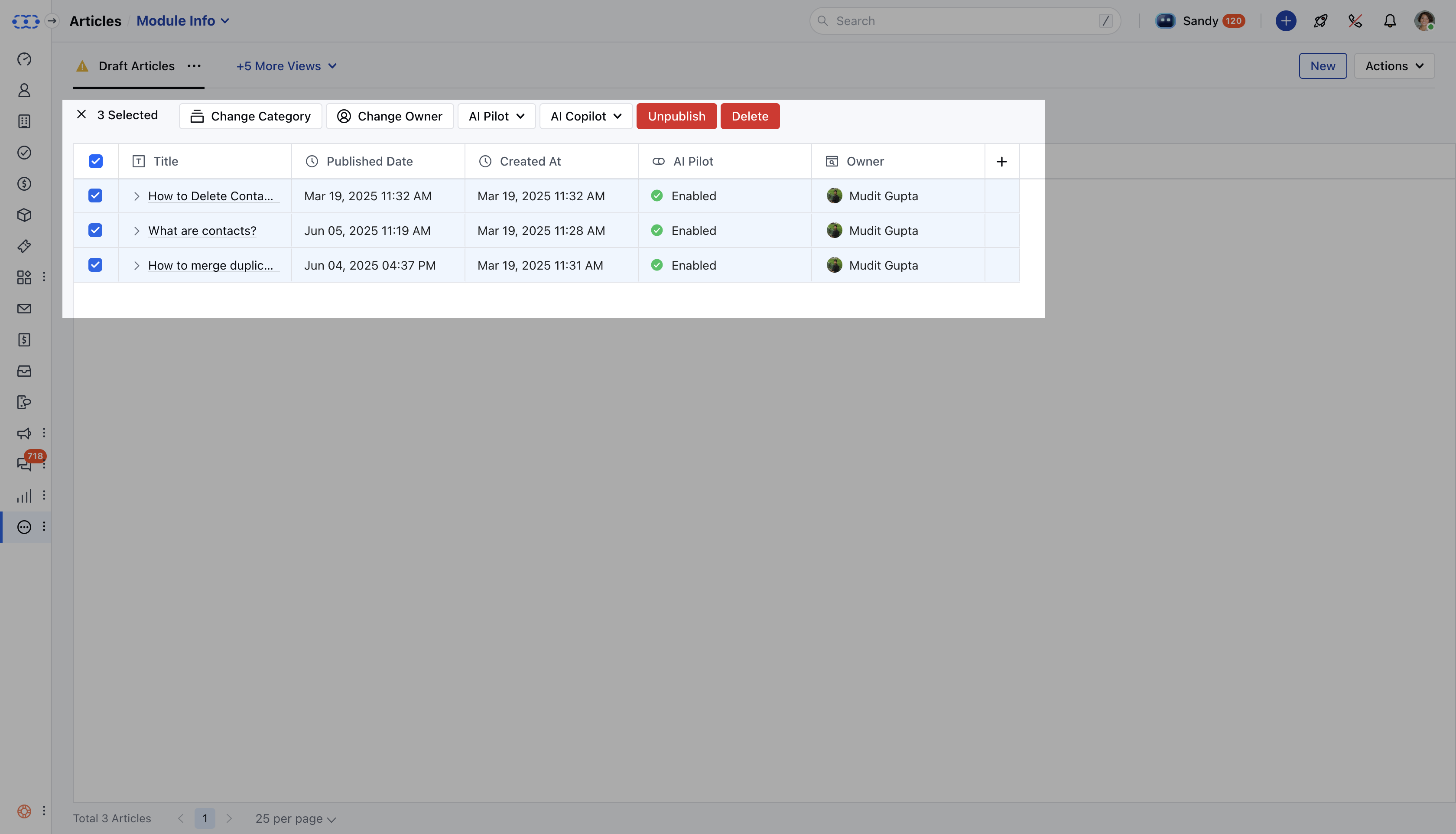
- A bar will appear at the top with the following options: **Change Category **: Move the selected articles to a different category.
- **Change Owner **: Transfer the ownership of the selected articles.
- **AI Pilot **: Enable or disable AI Pilot for the selected articles.
- **AI Co-pilot **: Enable or disable AI Co-pilot for the selected articles.
- **Publish :/Unpublish: Publish/Unpublish the selected articles. **Delete **: Delete the selected articles.
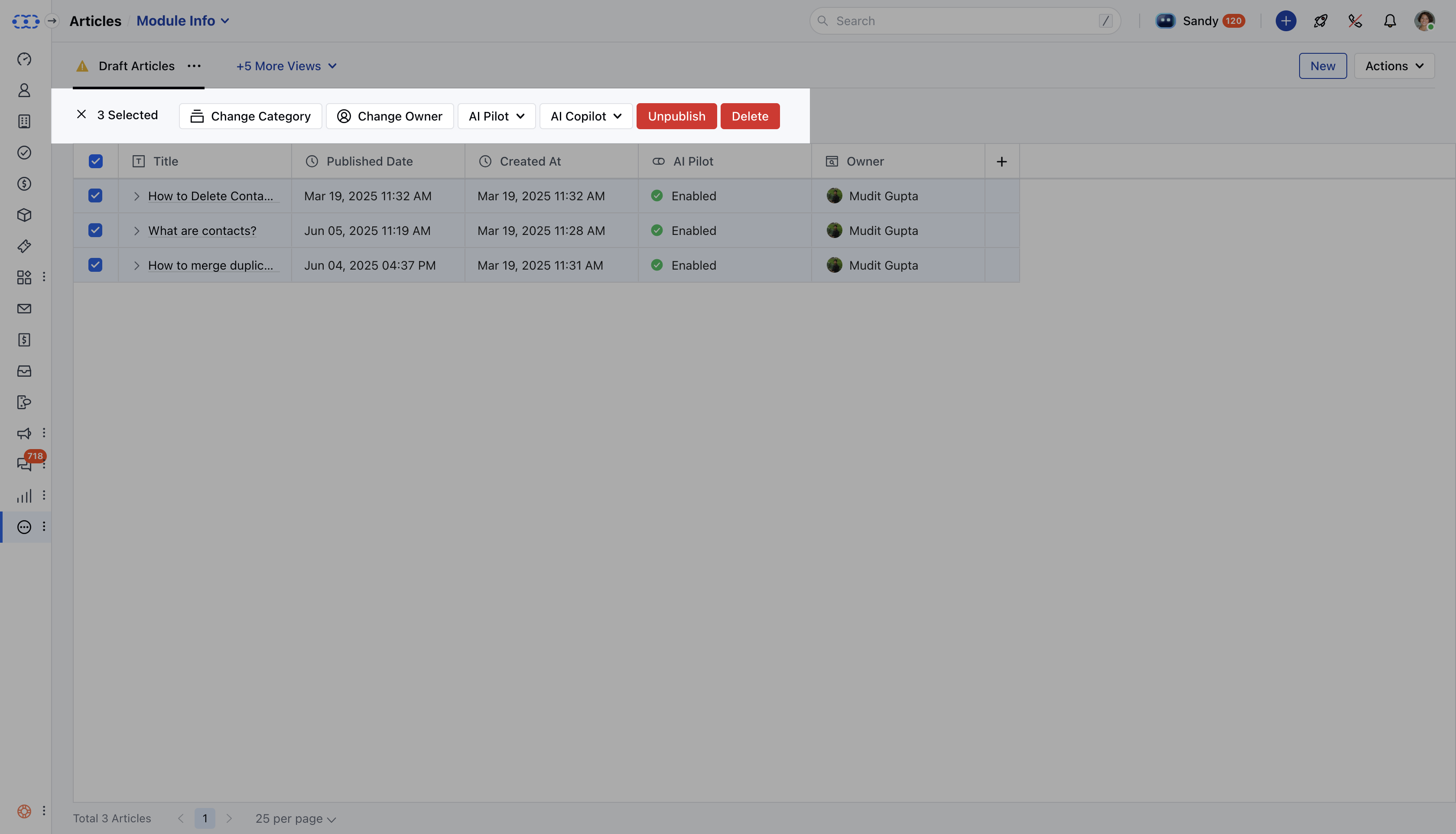
- Choose the action you need to perform for the selected articles.