

Note: You need “Publish Articles” permission to unarchive an article.
How to Unpublish an Article
- Navigate to Articles from the left side under
- More.
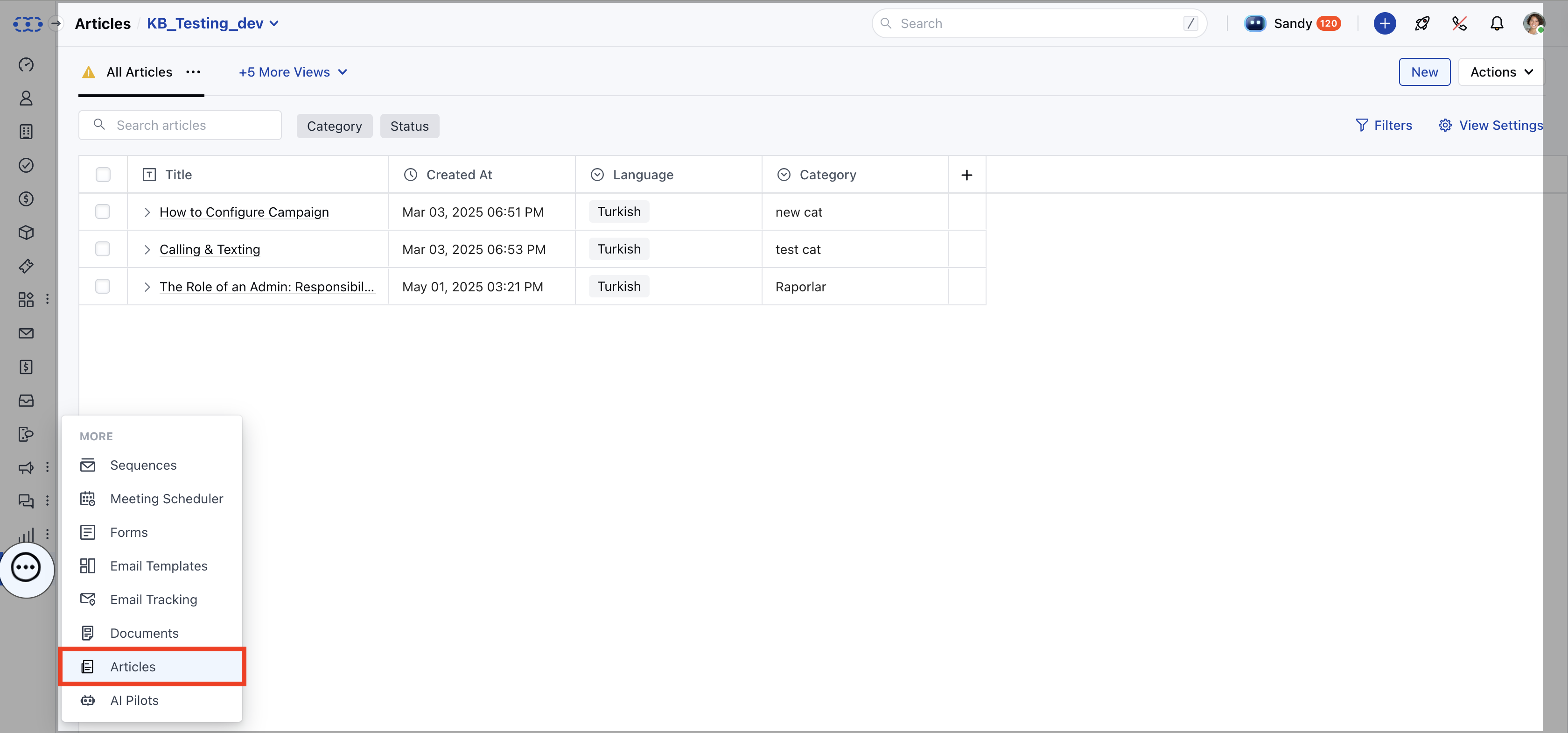
- If multiple knowledge bases exist, select the appropriate one.
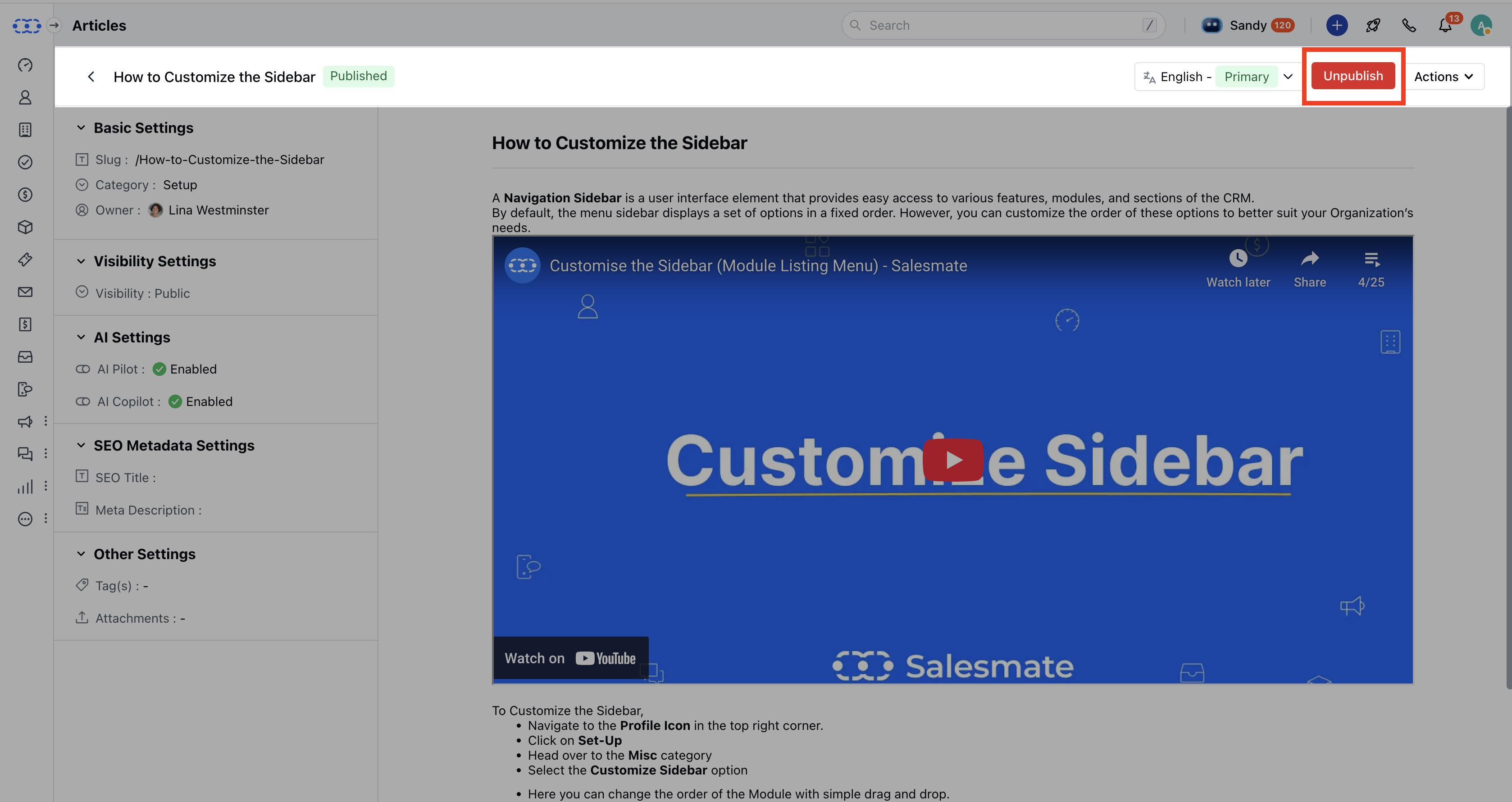
- Click on the article you want to unpublish . You will be redirected to the article detail page.
- Click on the Unpublish button at the top.
-
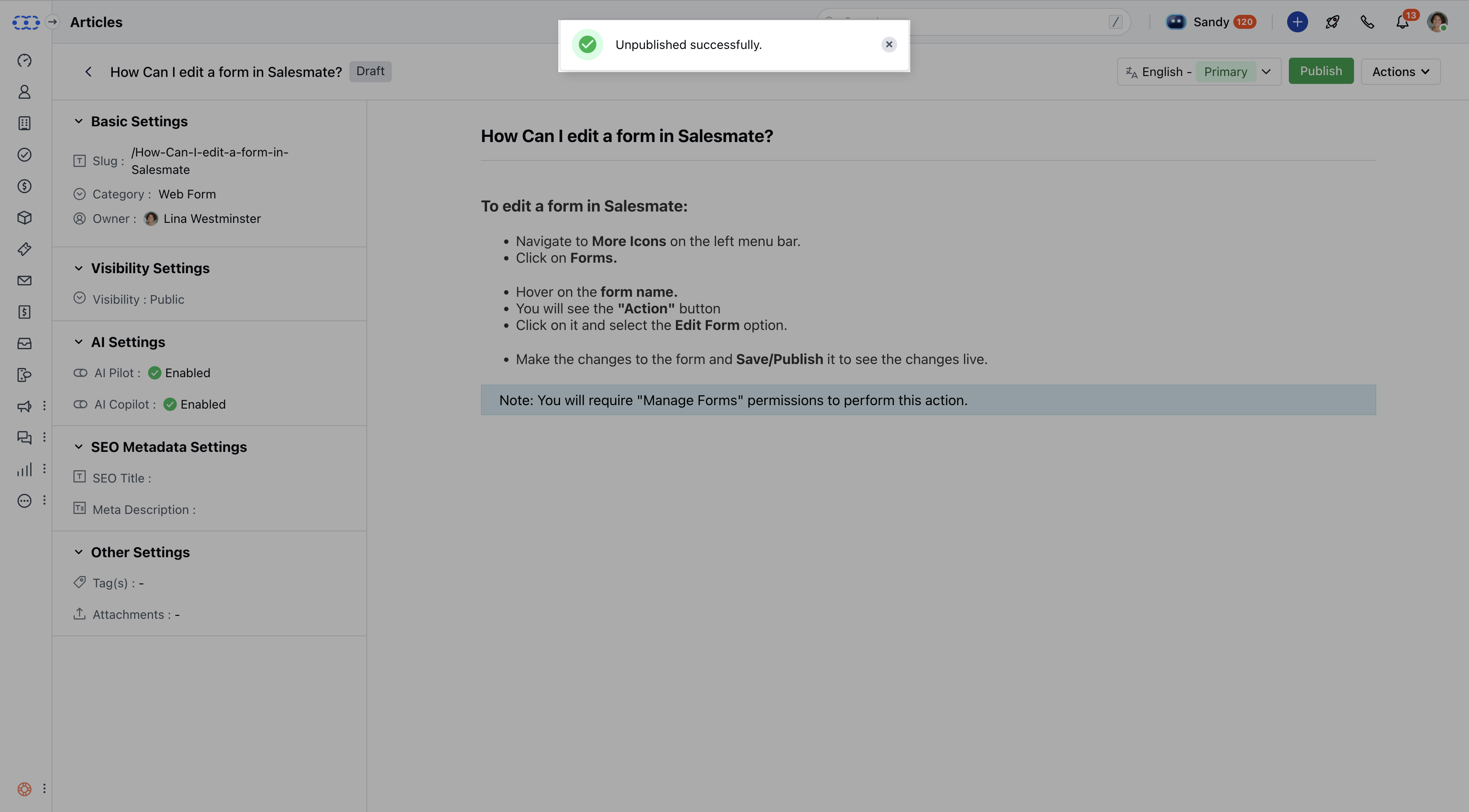
- A success message will confirm: “Unpublished successfully.”
Note: If you have articles in multiple language, then it will give you a pop-up confirming Unpublishing this article will also unpublish all its language variants. Do you still wish to continue?