

- You can use Skara Unified inbox to support the traditional ticketing system too. You can forward your support queries to Chats default email address and it will auto-create the conversations inside. The users can reply to those conversations and the customer will receive those replies via email in the form of a chat conversation.
Where to find the Chat inbox email address?
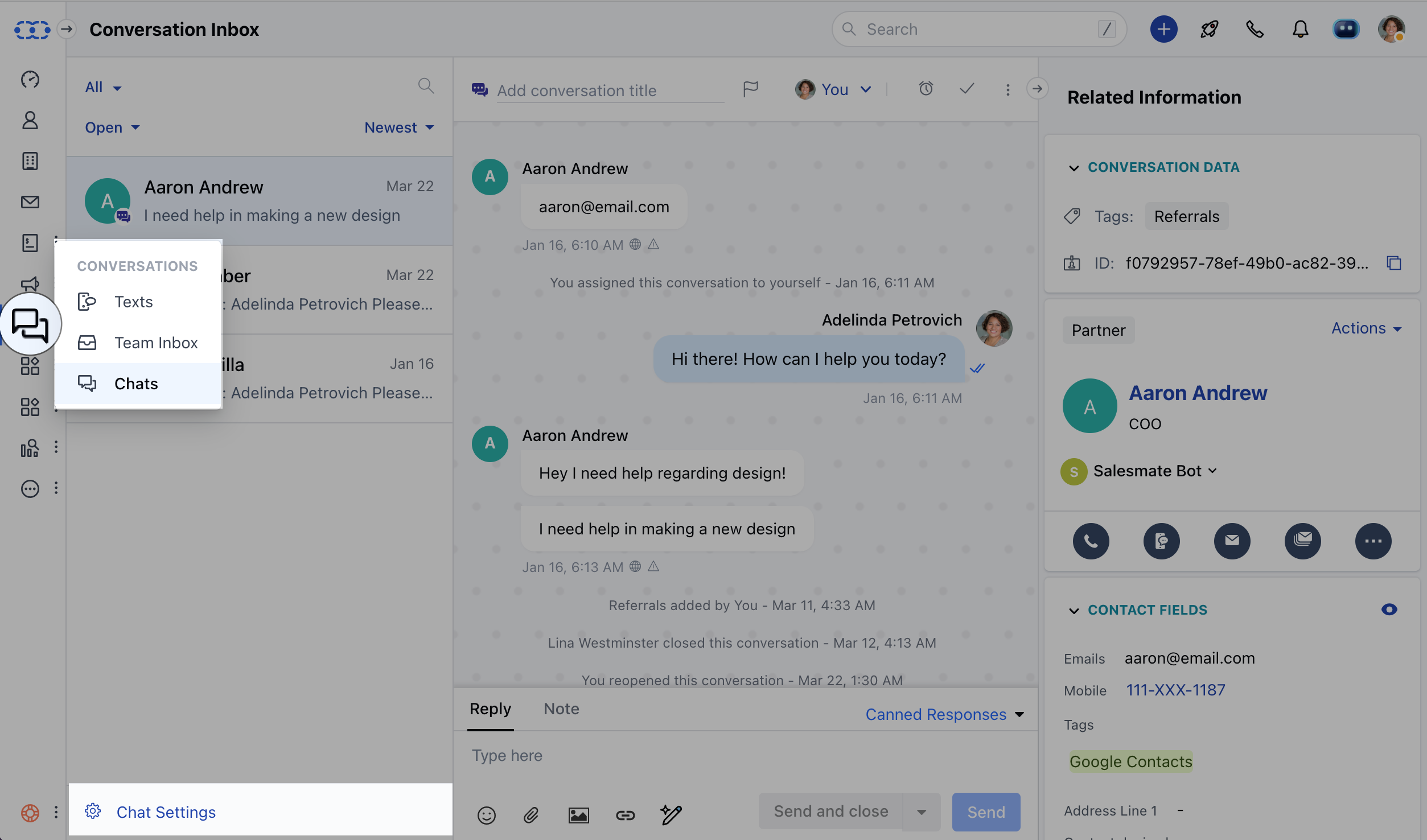
- Navigate to Conversations Icon on the left menu bar
- Click on Chats
- Head to Chat Settings on bottom left**.**
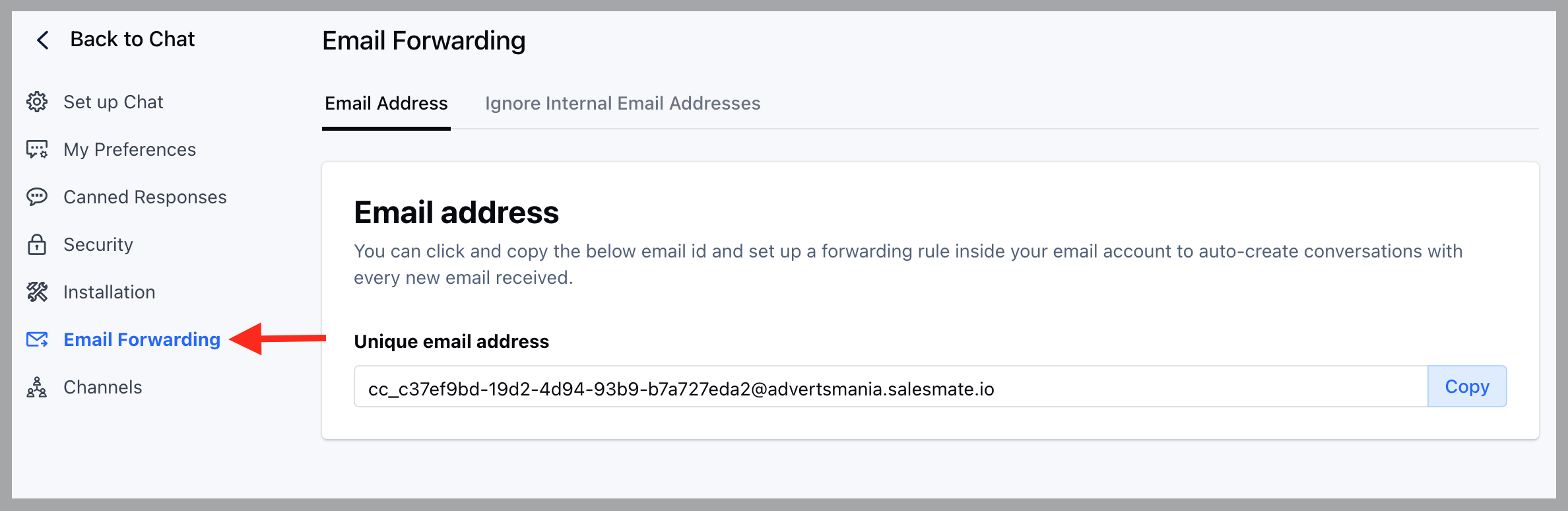
- Click on the Email Forwarding option in the left sidebar,
- You can click to copy that email address and set up a forwarding rule inside your email account to auto-create conversations for every email you receive on your email account.
Notes:
- The subject of the email becomes the conversation’s title when a conversation is created.
- The body of the email becomes the conversation message.
- If you have disabled the attachments then any attachments associated with the email will be dropped.
- Avoid company’s email addresses getting added to a conversation by adding them to ignore list.