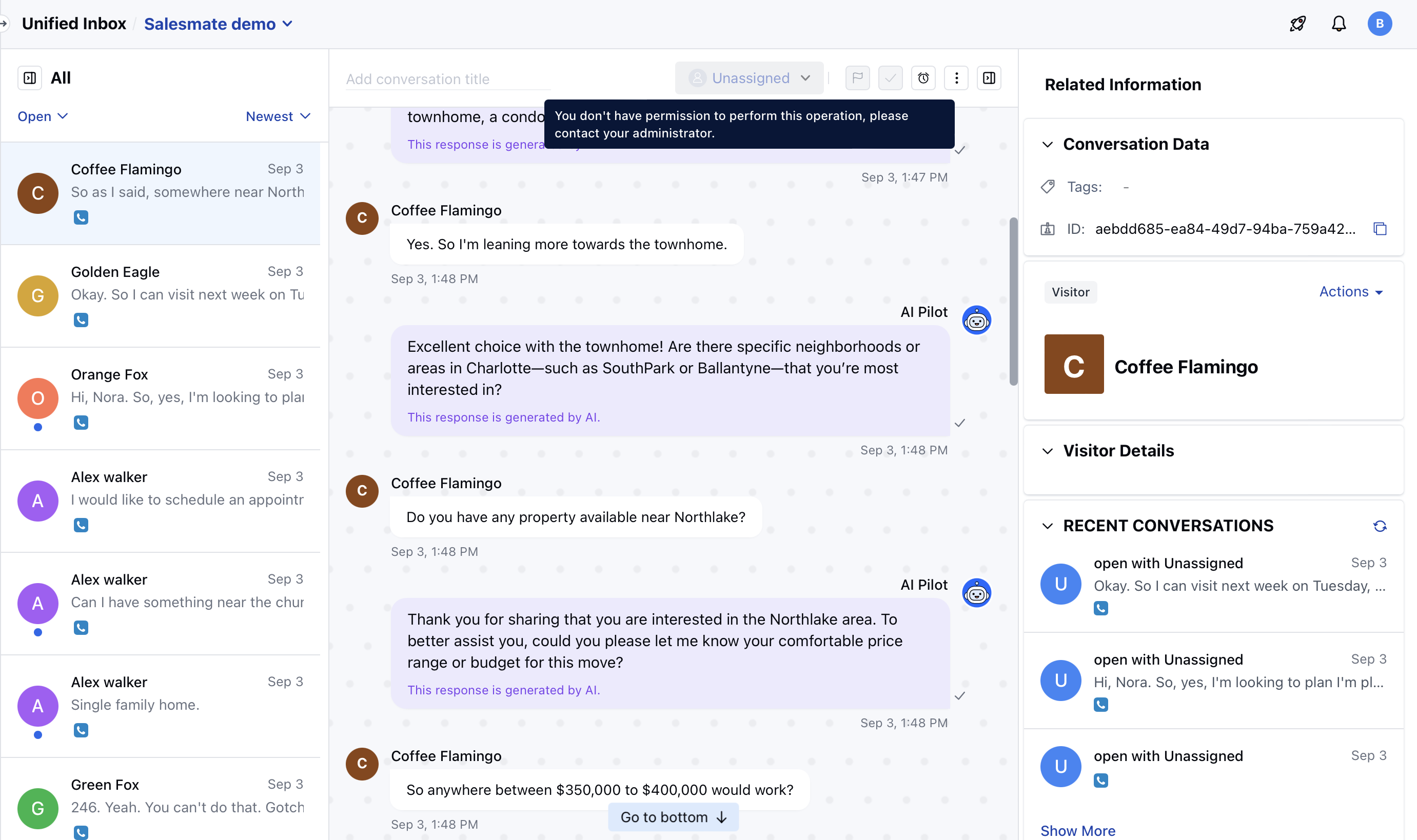
Topics covered:
How to manage Chat Conversation & Events Permission
To manage the rights of Chat Conversation to different profiles, follow the below steps:- Navigate to Profile Icon on the top right corner
- Click on Setup
- Head over to Users & Security
- Click on Profile Permissions
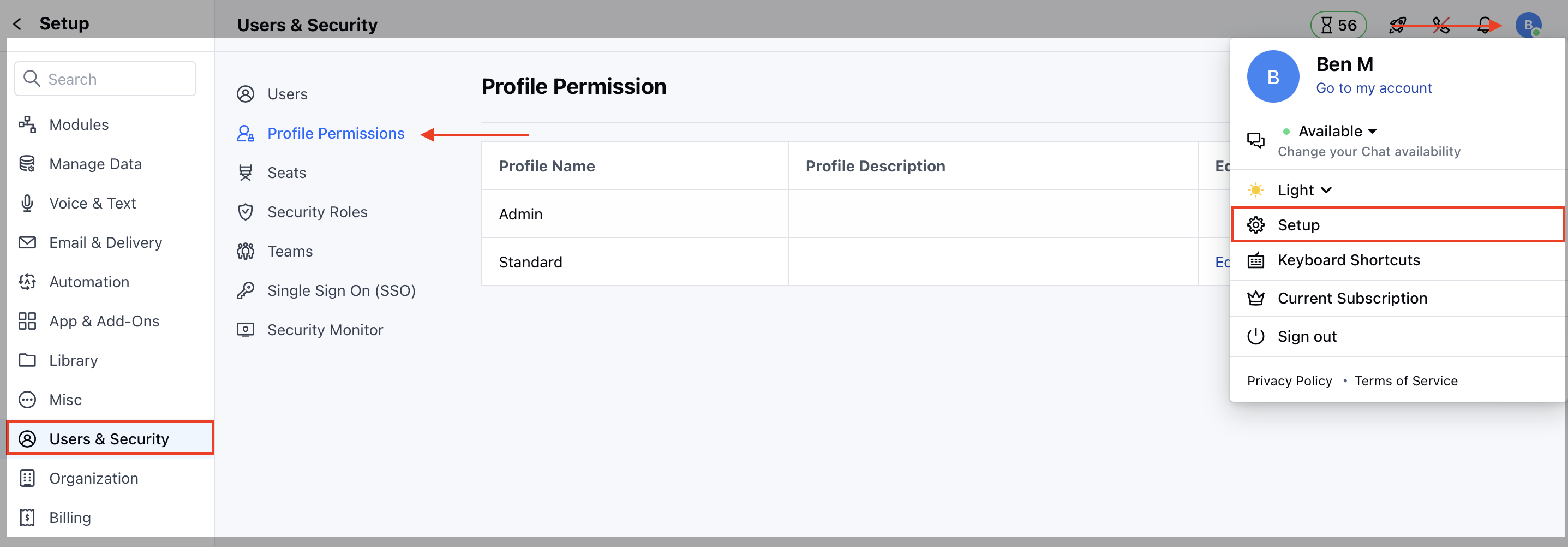
- Edit the Profile, it could be Standard or any other custom profile
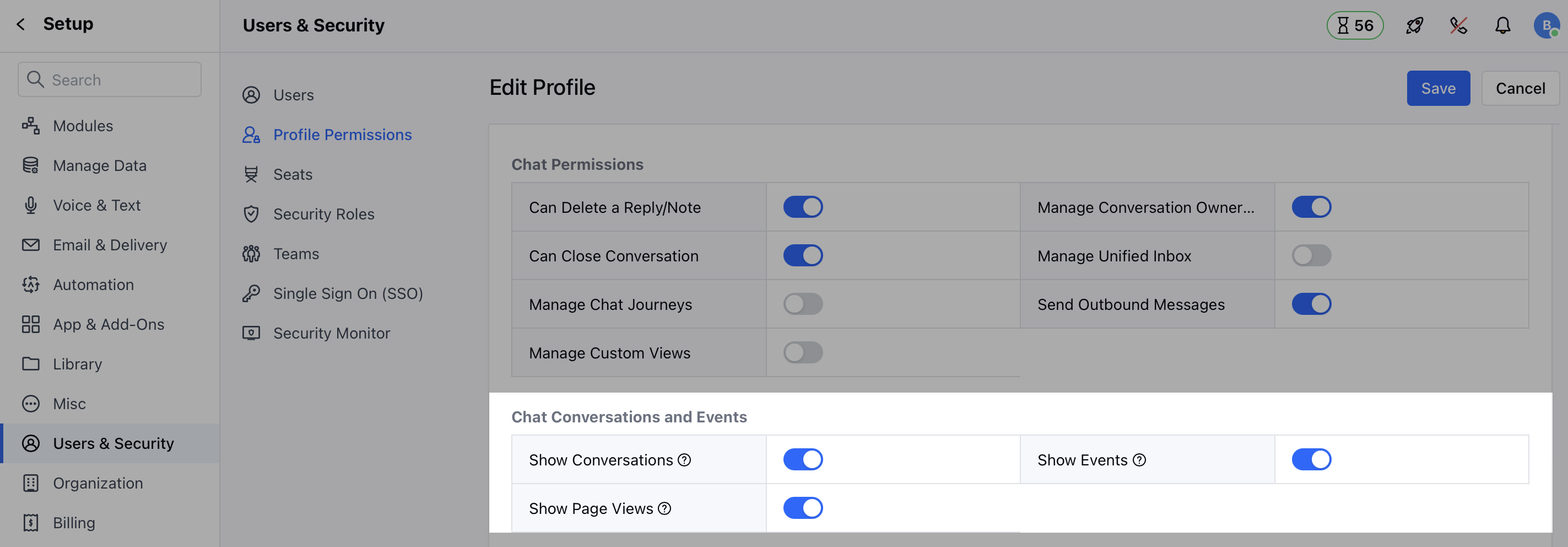
- Now, on the Chat Conversations & Events section, assign the rights to the users.
- Show Conversations: Let users view the conversations in read-only mode when they don’t have the chat license.
- Show Events: Let users view the page events when they don’t have the chat license.
- Show Page Views: Let users view the page visits when they don’t have the chat license.
How conversations will be visible to users:
Once the permissions are allowed to view Chat Conversations, the user will see all the chats on all pages i:e; Conversation Inbox, Contact/Company Detail & Preview mode, and Recent Conversation Widget.- Available Options to manage by users:
- Copy Chat URL
- Export as Text
- Email Chat