- Navigate to Unified Inbox on left menu bar.
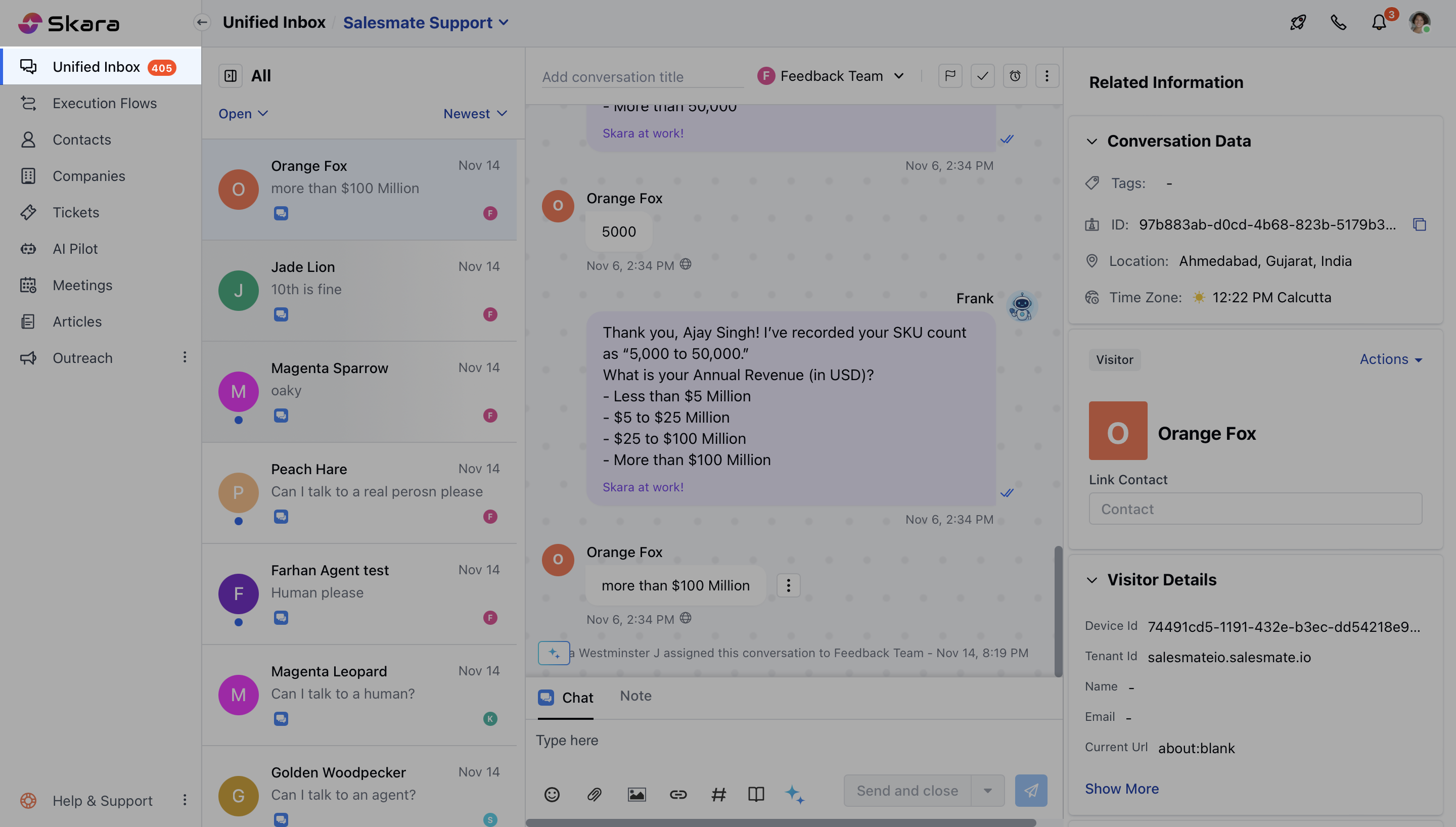
- Open a conversation,
- On Quick bar, search for these widgets
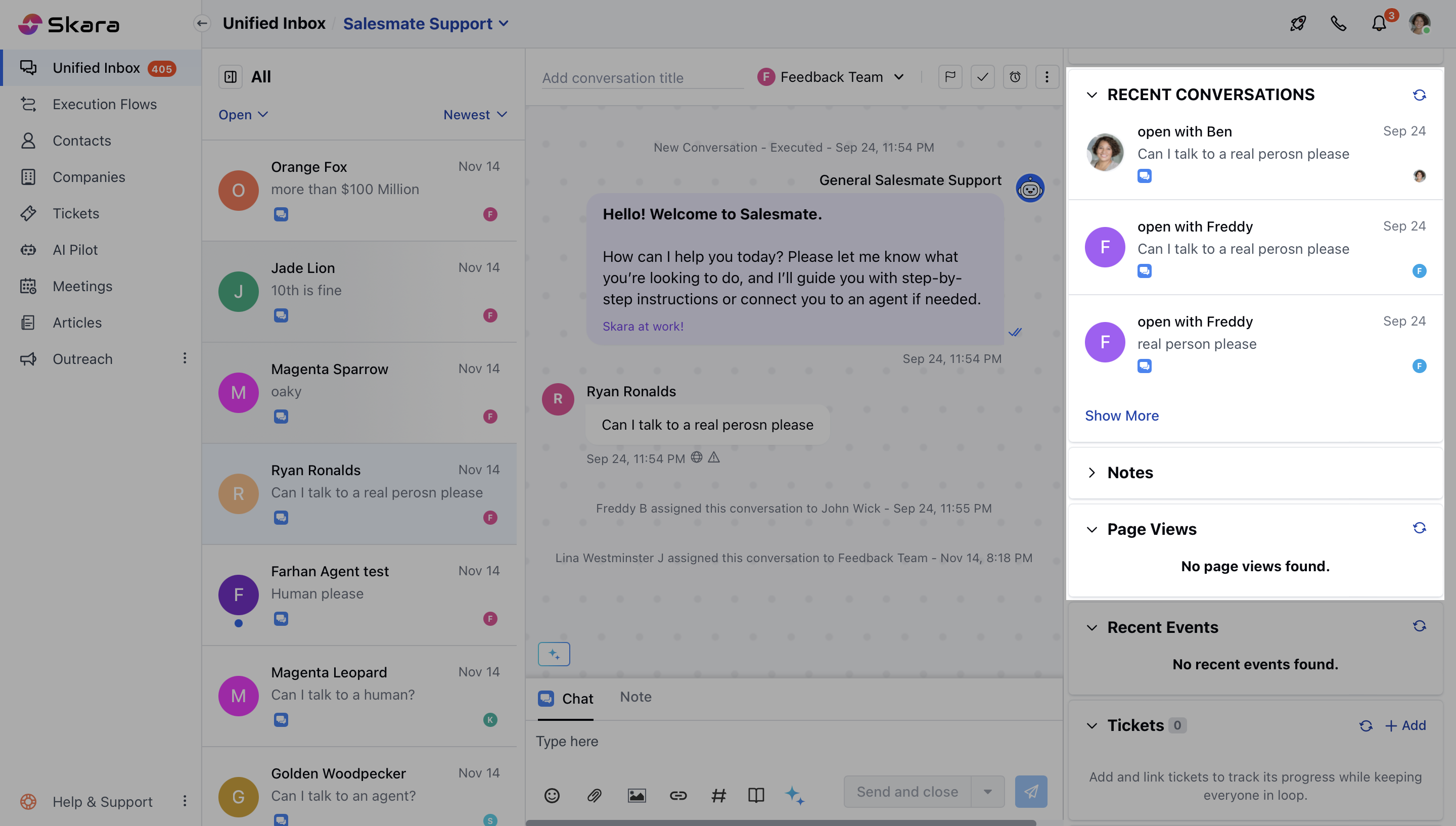
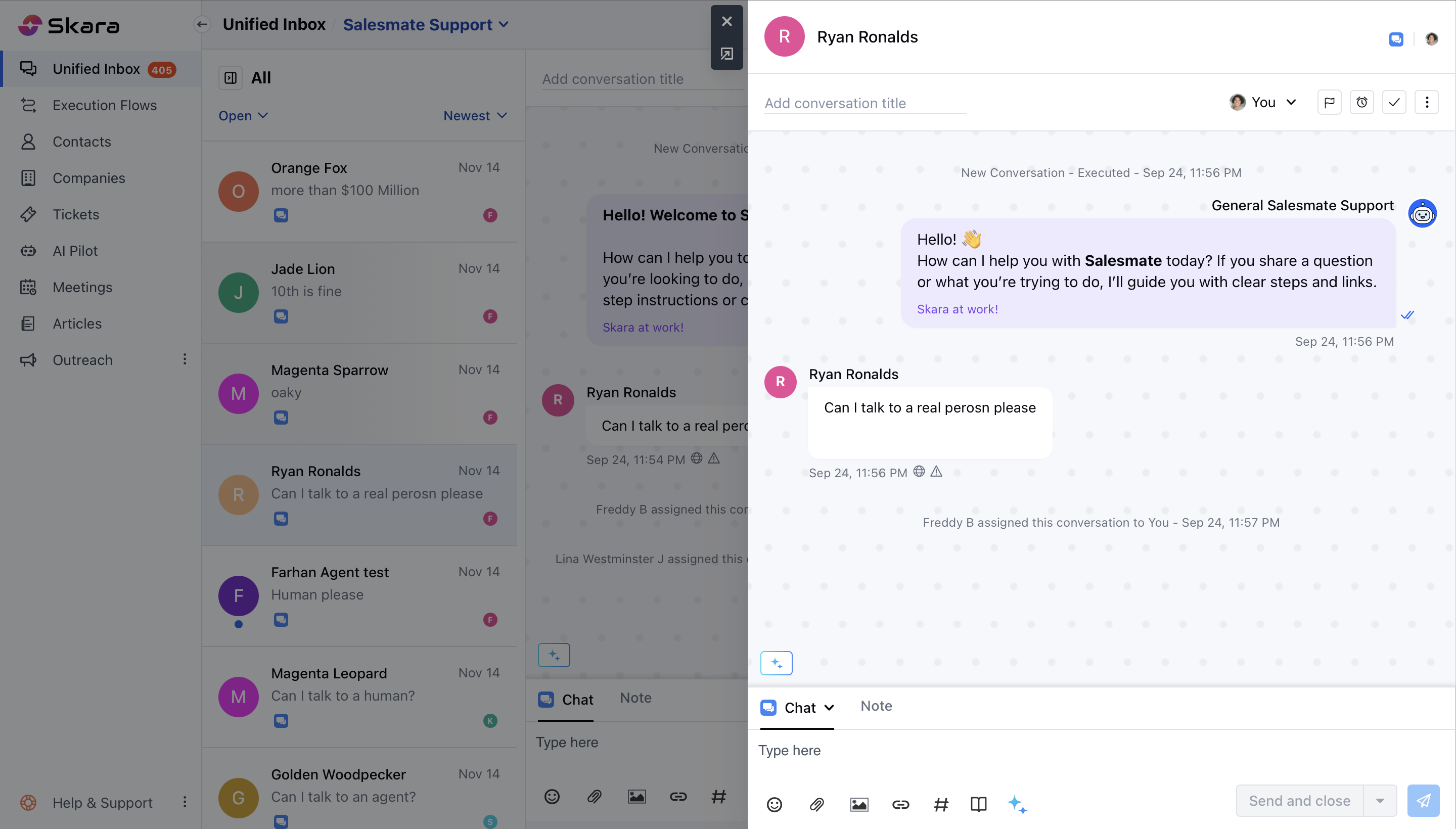
- Click on any conversation and it will open that conversation.
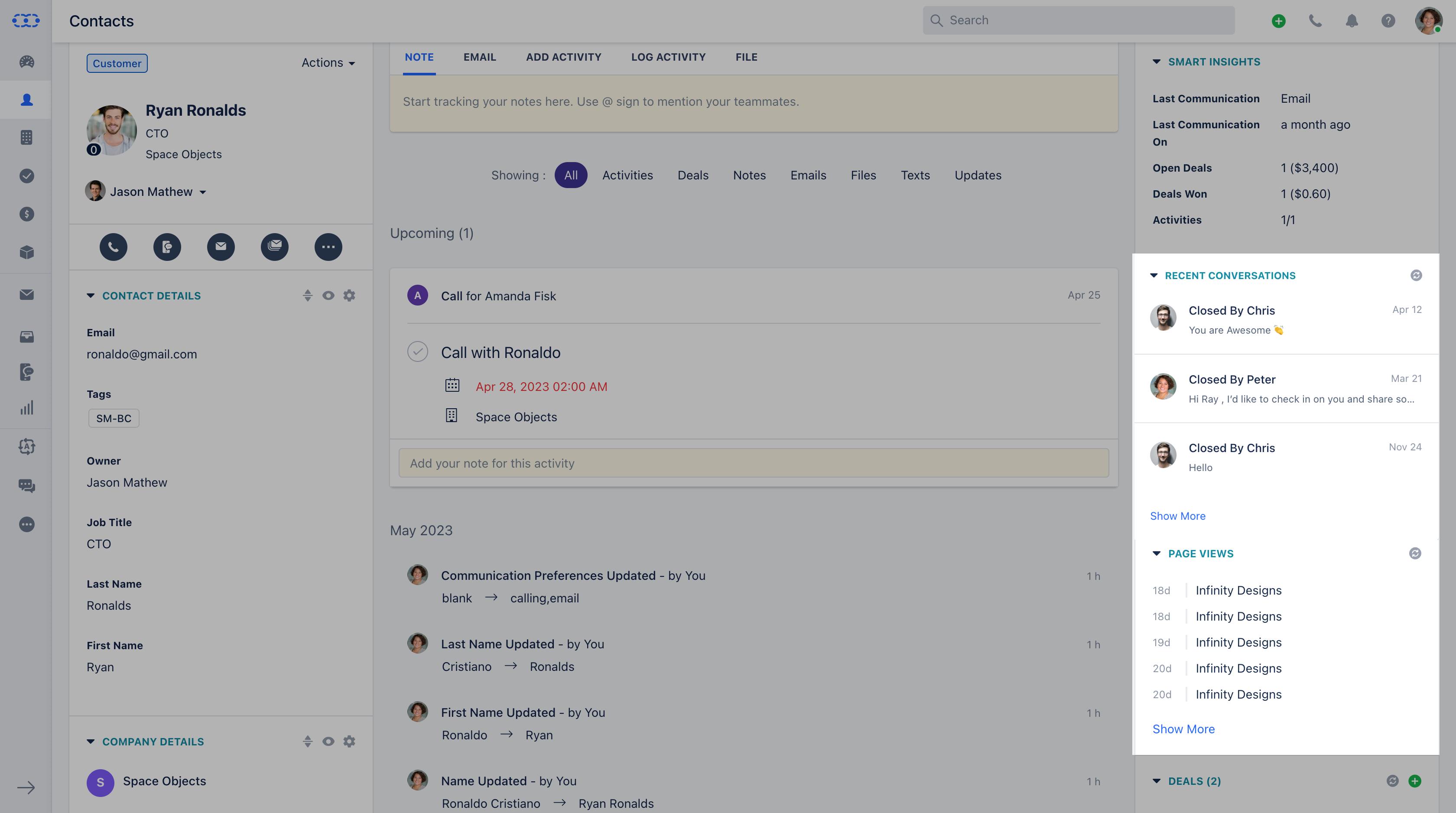
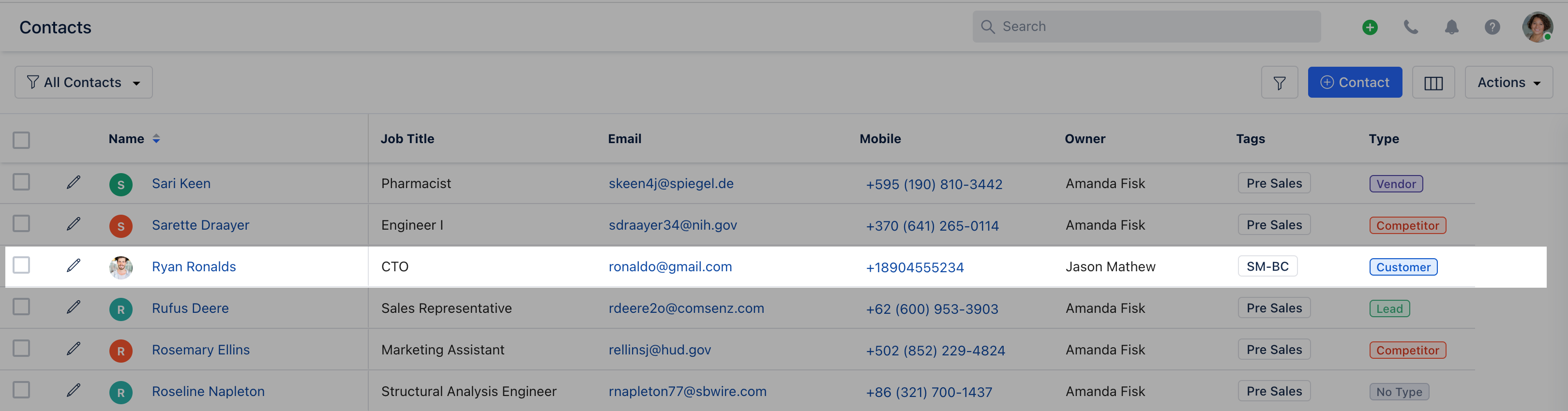
- Go to the Contact module
- Open a contact by clicking on the name
- Here, on Quick Bar search for these widgets
- Click on any conversation available under “Recent Conversations” and it will open that conversation for a quick view
- You can quickly track the page visits from the “Page View” option used by your customers to reach you over