How to Link a Contact
- Click on the Unified inbox option from the left menu bar
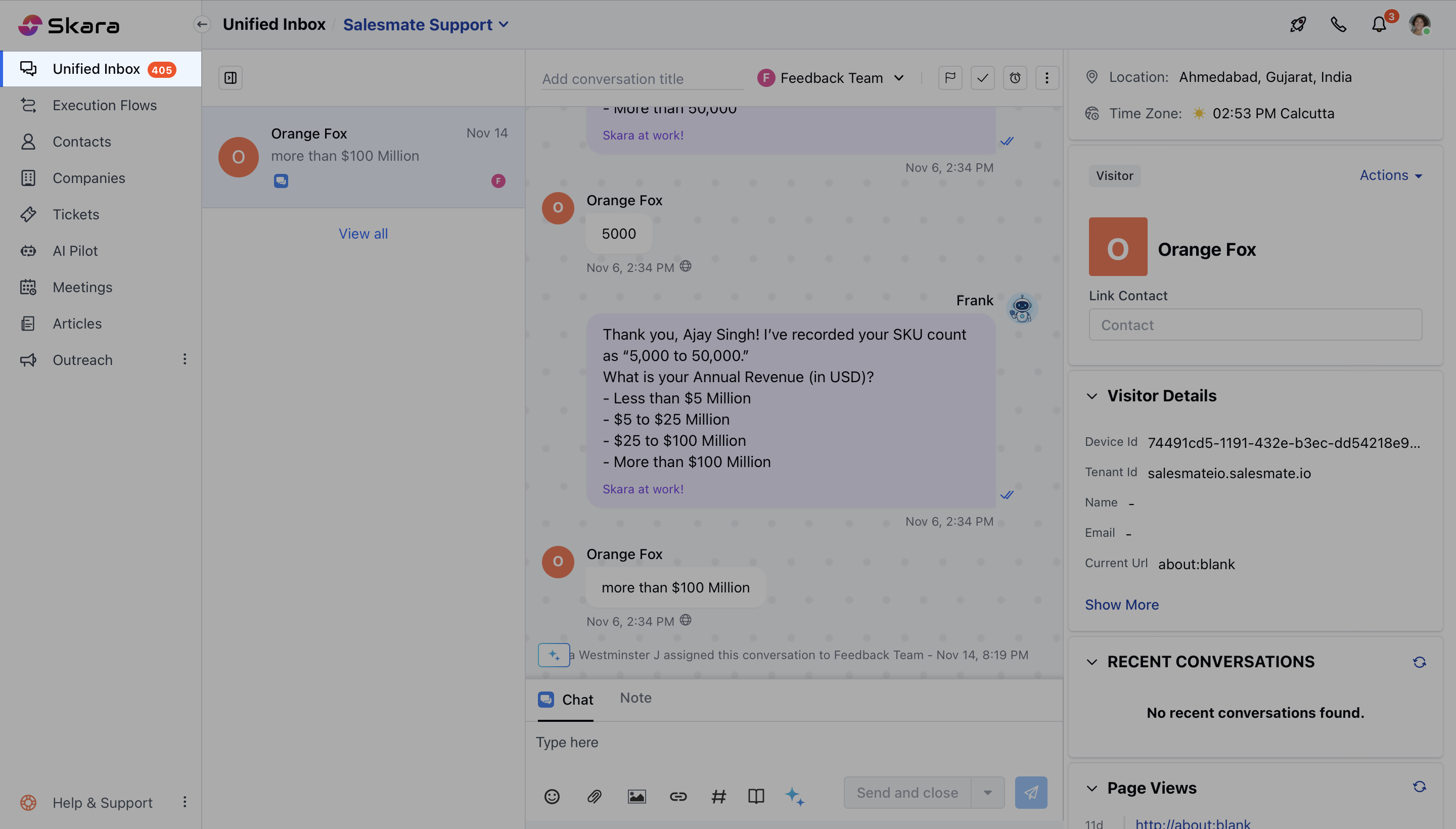
- Select the Chat that you wish to link the Contact for and click on Link Contact
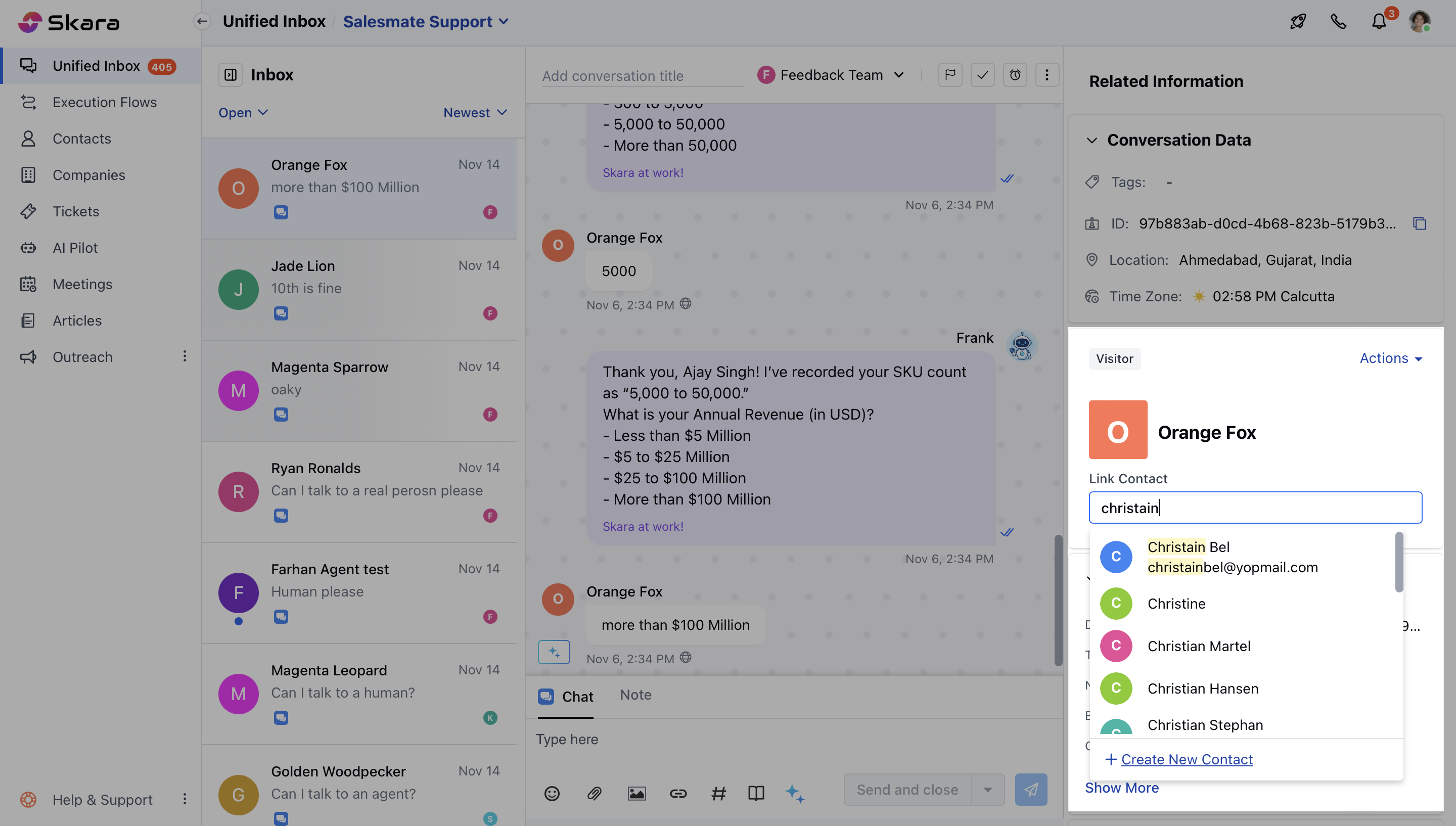
- You can either select a Contact to Link with the Conversation or simply create a New Contact
How to Unlink a Contact
- Navigate to the Conversation Icon on the left menu bar
- Click on the**Unified inbox ** option
- Select the Chat that you wish to unlink the Contact
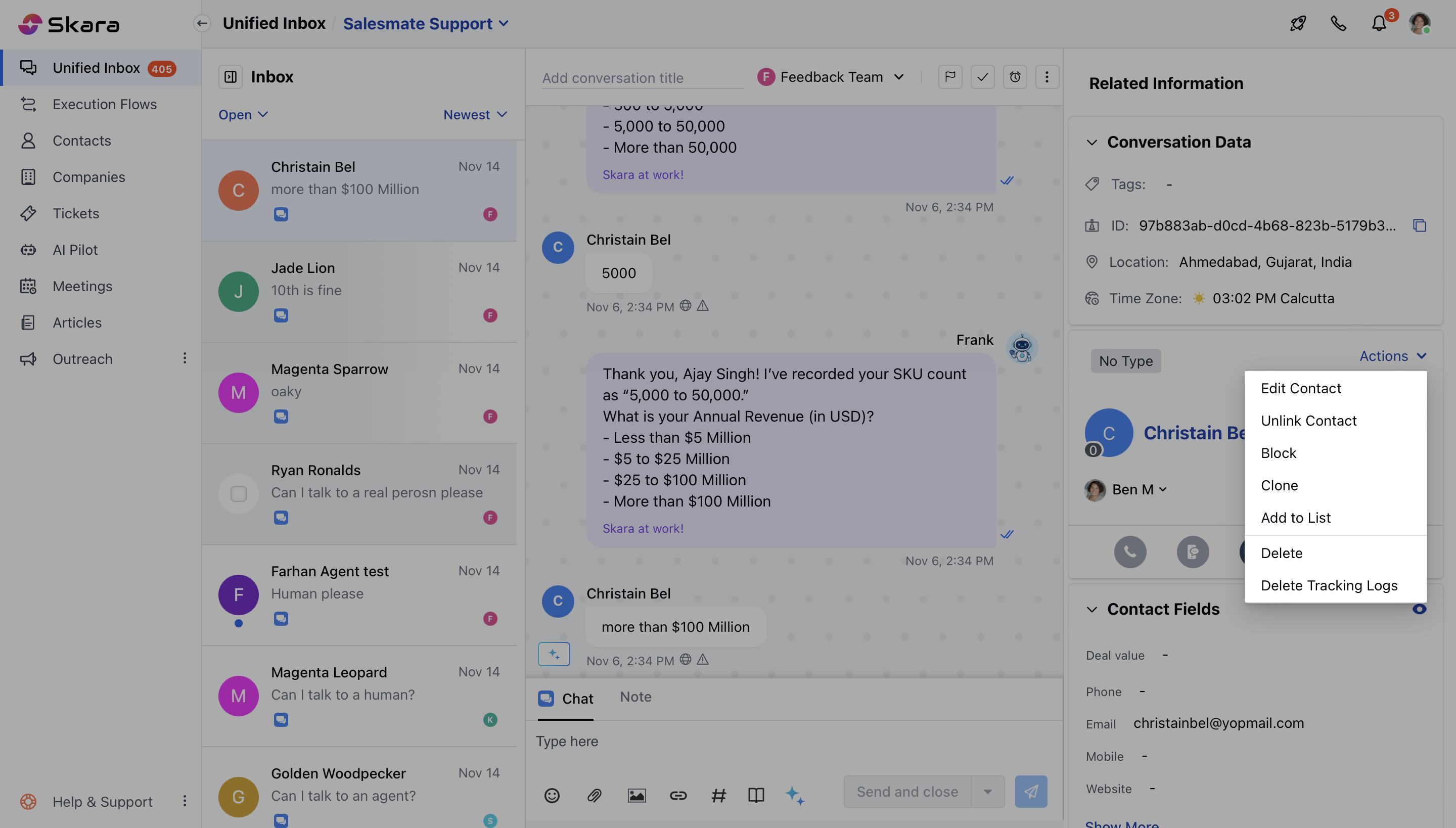
- Go to the Contacts Widget on the right and click on the Actions button
- Select Unlink Contact from the dropdown
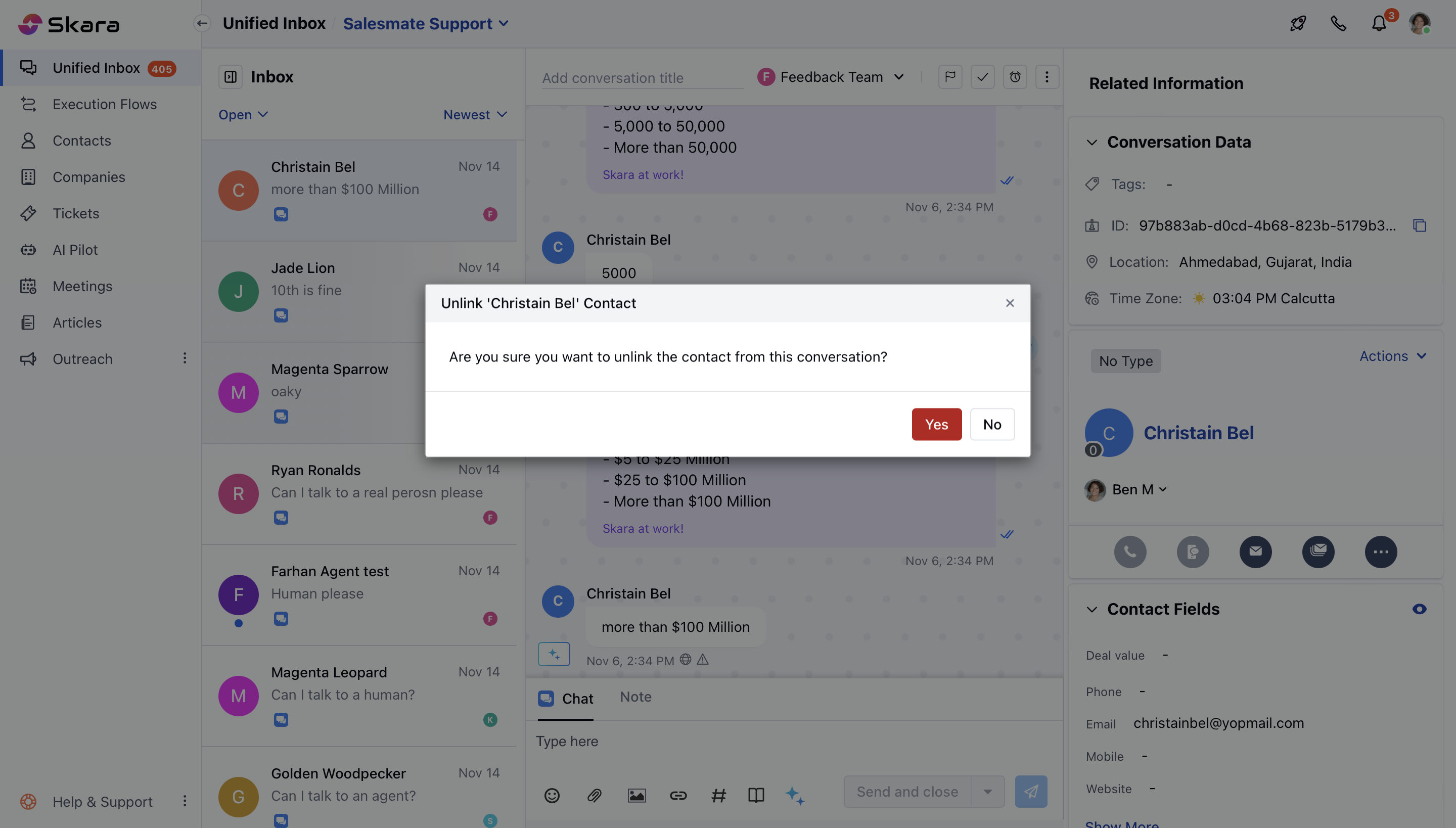
- Confirm the Action to continue to disassociate the Contact from the conversation