

How to ignore the company’s internal email addresses?
Just follow the below steps to add an email address to the ignore list:- Navigate to Conversations Icon on the left menu bar
- Click on Chats
- Head to Inbox Settings on bottom left.
 * Click on the Email Forwarding option in the left sidebar,
- Switch to the tab Ignore Internal Email Addresses
- Enter the email address in the given field that you want to avoid getting added to a conversation, if included in To or CC
- Click on the Add button to add the email to the list.
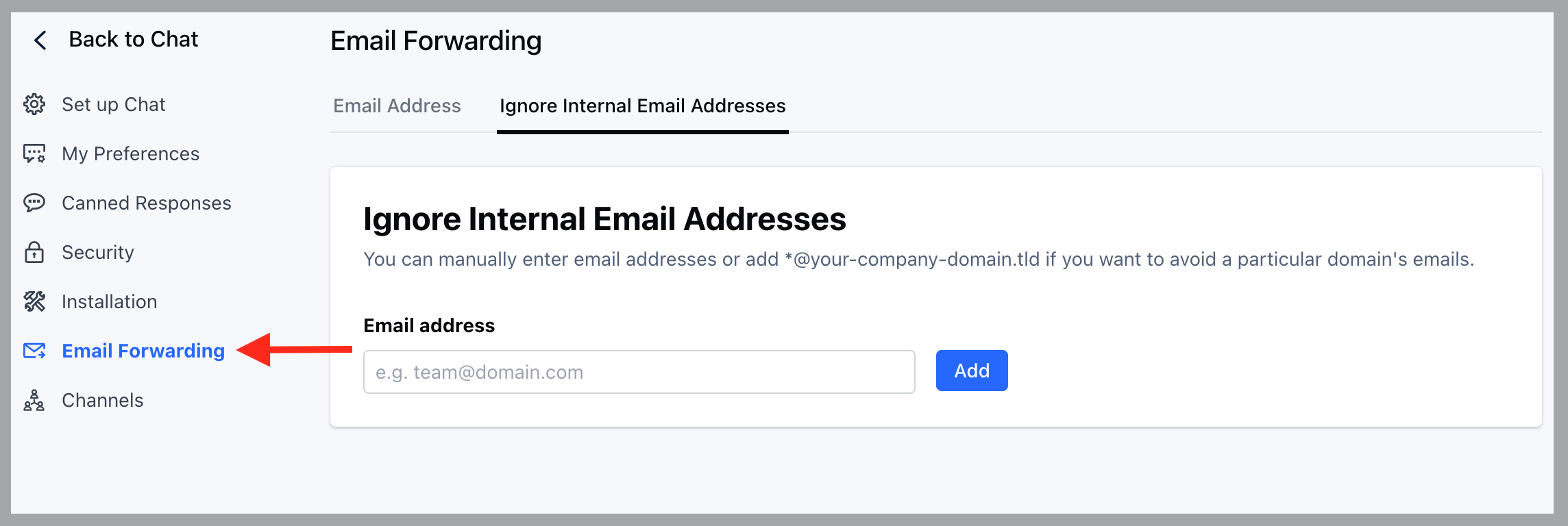
- You can also add the whole group of the company’s emails by using ‘*’ for example, @your-domain.com
- You can also remove an email from the list by clicking on the Delete link button displayed in the table, and then confirm the action.
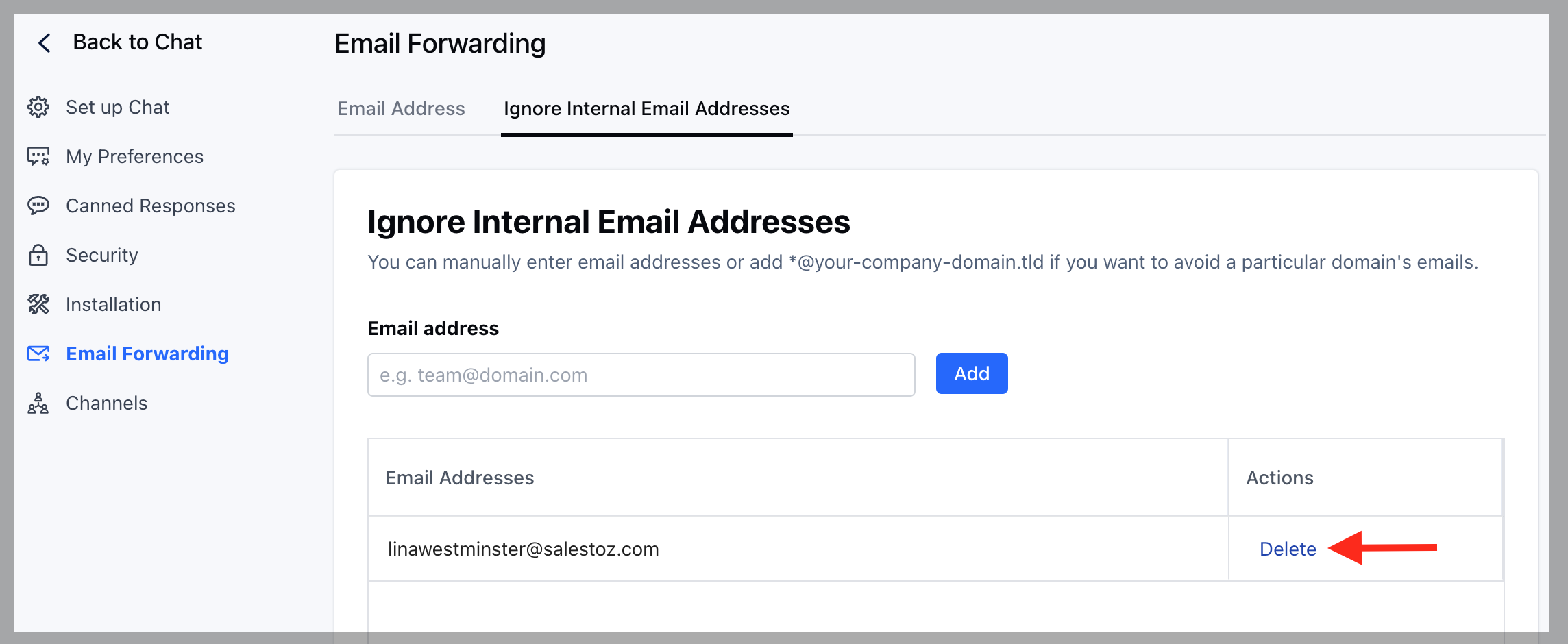
- Any emails added or removed will take effect immediately after the action is completed.