

Topics covered:
How to configure the Add Conversation Tag Action
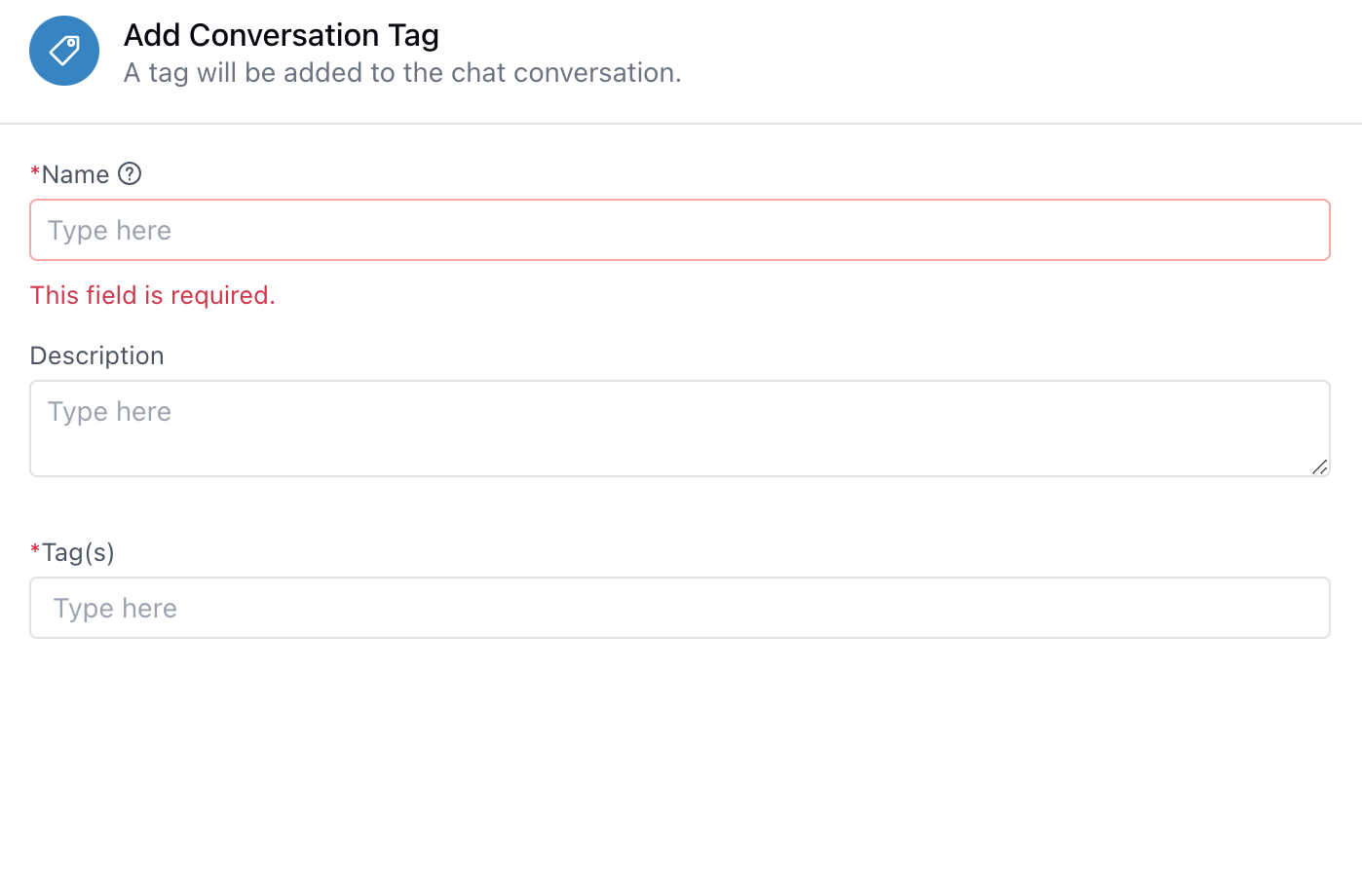
- While setting up an execution flow, select the “Add Conversation Tag” action.
- Enter Required details:
- Name: Provide a name for the step. Existing name validations apply.
- Description: Add a brief description (optional). Standard validation rules apply.
- Tag(s): Add one or more tags. Existing tag validation rules will be applied.
- Click Save to confirm your setup.
Practical Example
In a customer support chatbot, when a user mentions billing-related issues (e.g., “I was overcharged” or “Need invoice”), the flow can automatically add tags like “Billing” and “Urgent” to the conversation using the Add Conversation Tag action. These tags help the support team:- Instantly categorize the chat as a billing issue.
- Prioritize it for faster resolution.
- Enable reporting and filtering of billing-related queries.
- Track the frequency of certain issues over time for process improvements.