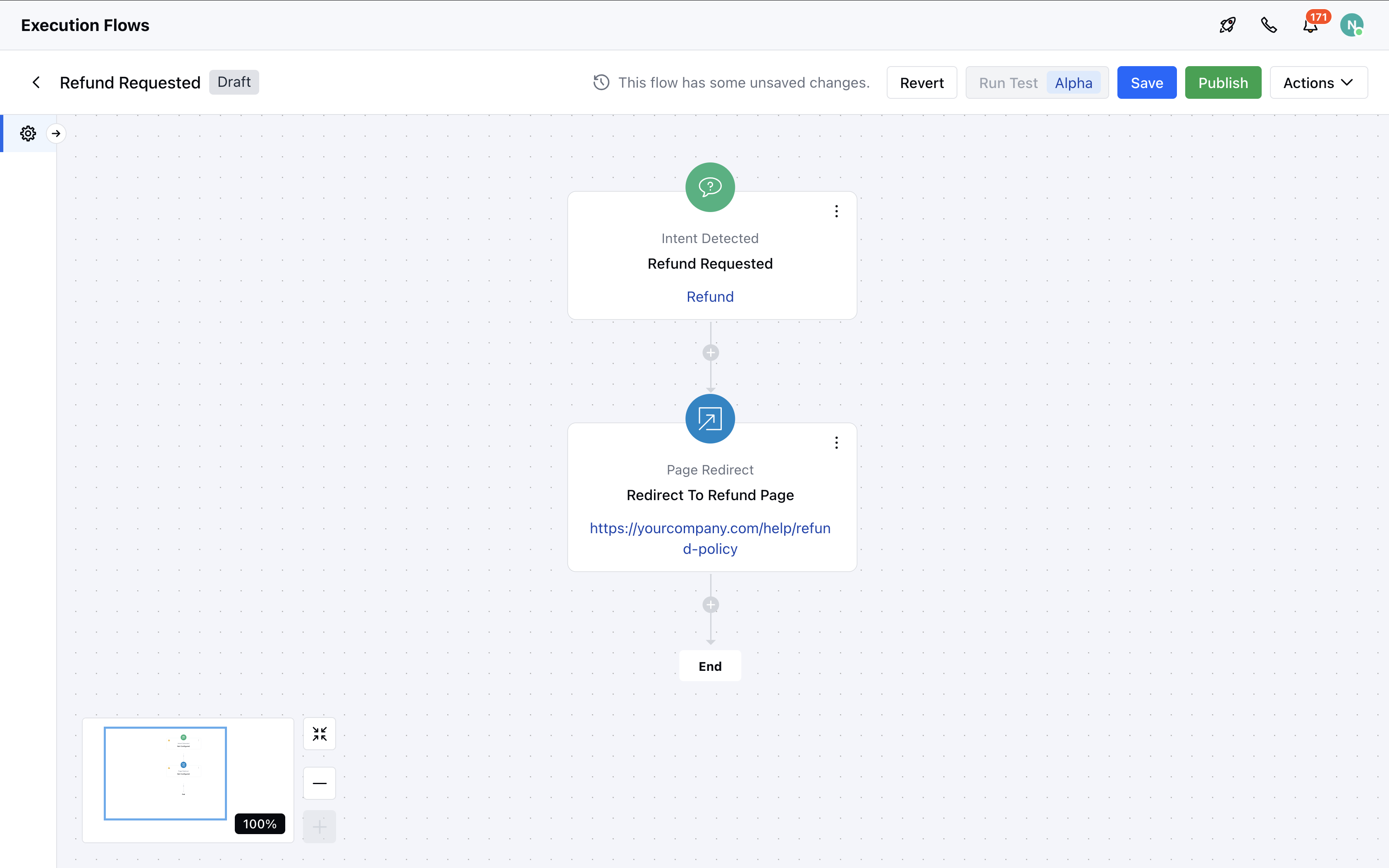
Topics covered:
Steps to Configure the Page Redirect Action:
- Navigate to the AI Pilots section and select your desired Execution Flow.
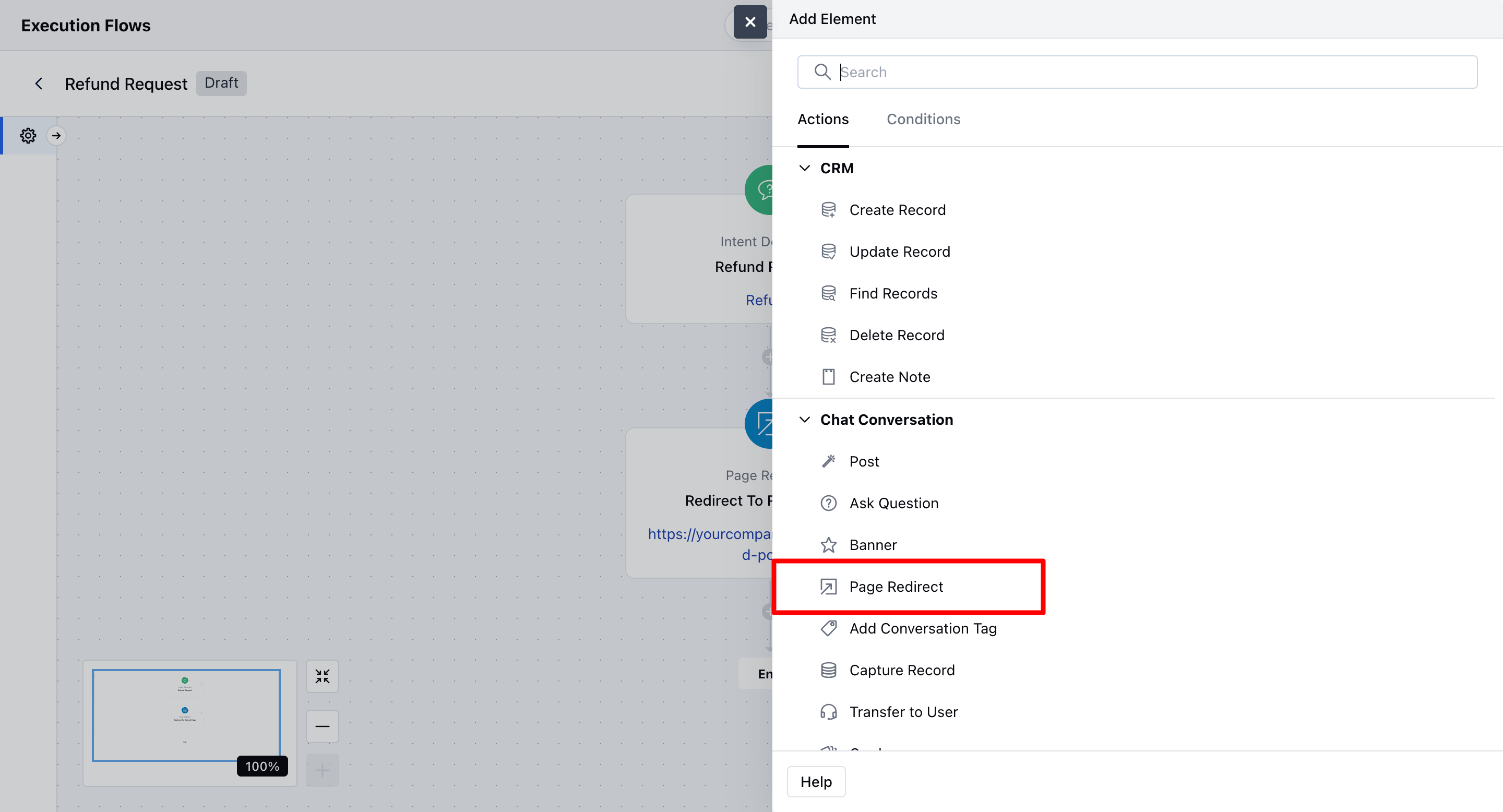
- In the flow canvas, click + to add a new step
- Select Page Redirect – Action (Agent) from the list
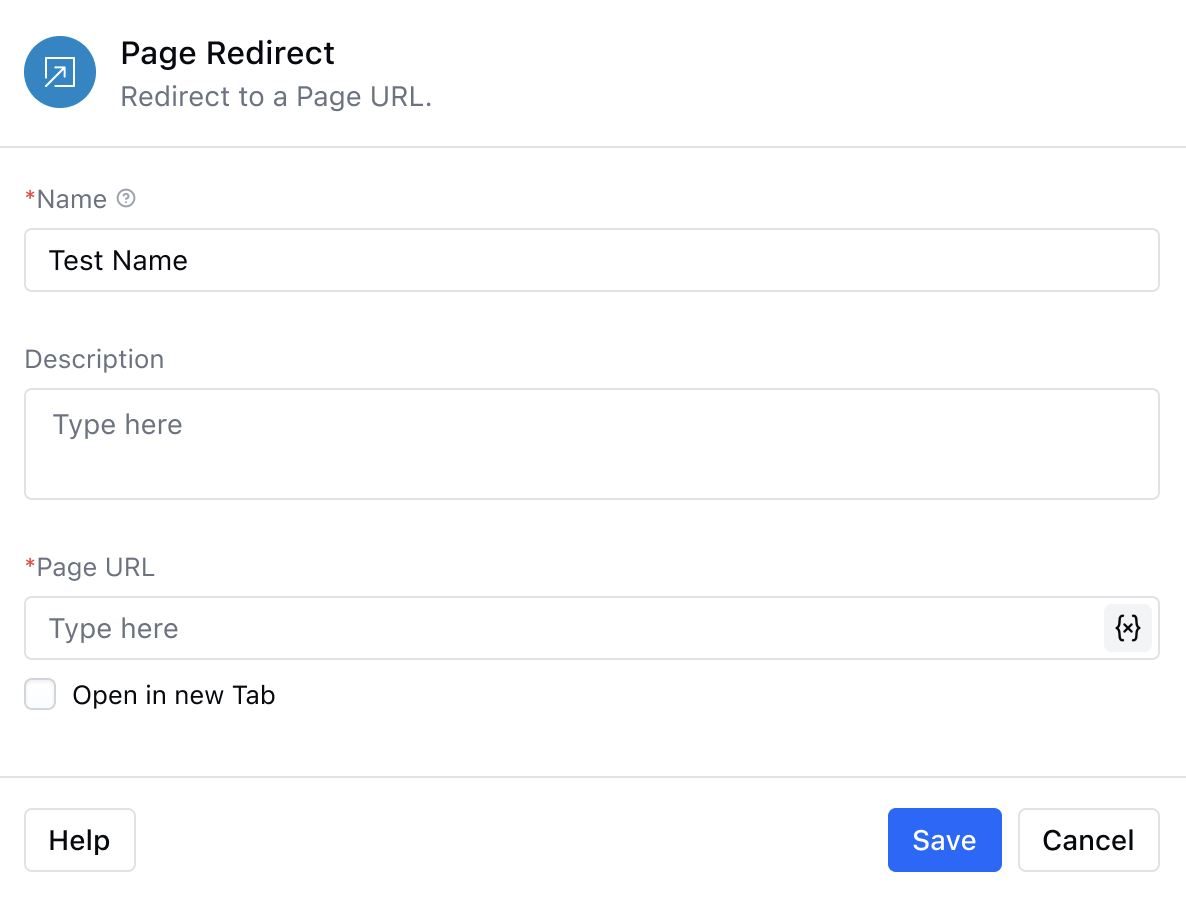
- Enter a Name: Provide a name for the action to identify it easily within your flow.
- Add a Description (Optional): Include a short internal note or description if needed.
- Enter the Page URL: Input the destination URL where you want to redirect the customer. You can also use variables or entities to make the link dynamic.
- Save the Configuration: Click Save to apply the changes.
Practical Use Case
Let’s imagine a scenario where the intent “Refund Request” is detected during a chat. You’ve already defined this intent in system. Now, when a user types something like “How can I get a refund?”, the system identifies the intent and automatically triggers a Page Redirect action. The user is seamlessly redirected to your refund policy pagehttps://yourcompany.com/help/refund-policy. This redirect event is then logged in the conversation timeline for future reference or follow-up.