

Topics covered:
How to Configure Ask Question
While setting up an Execution Flow, select the Ask Question action.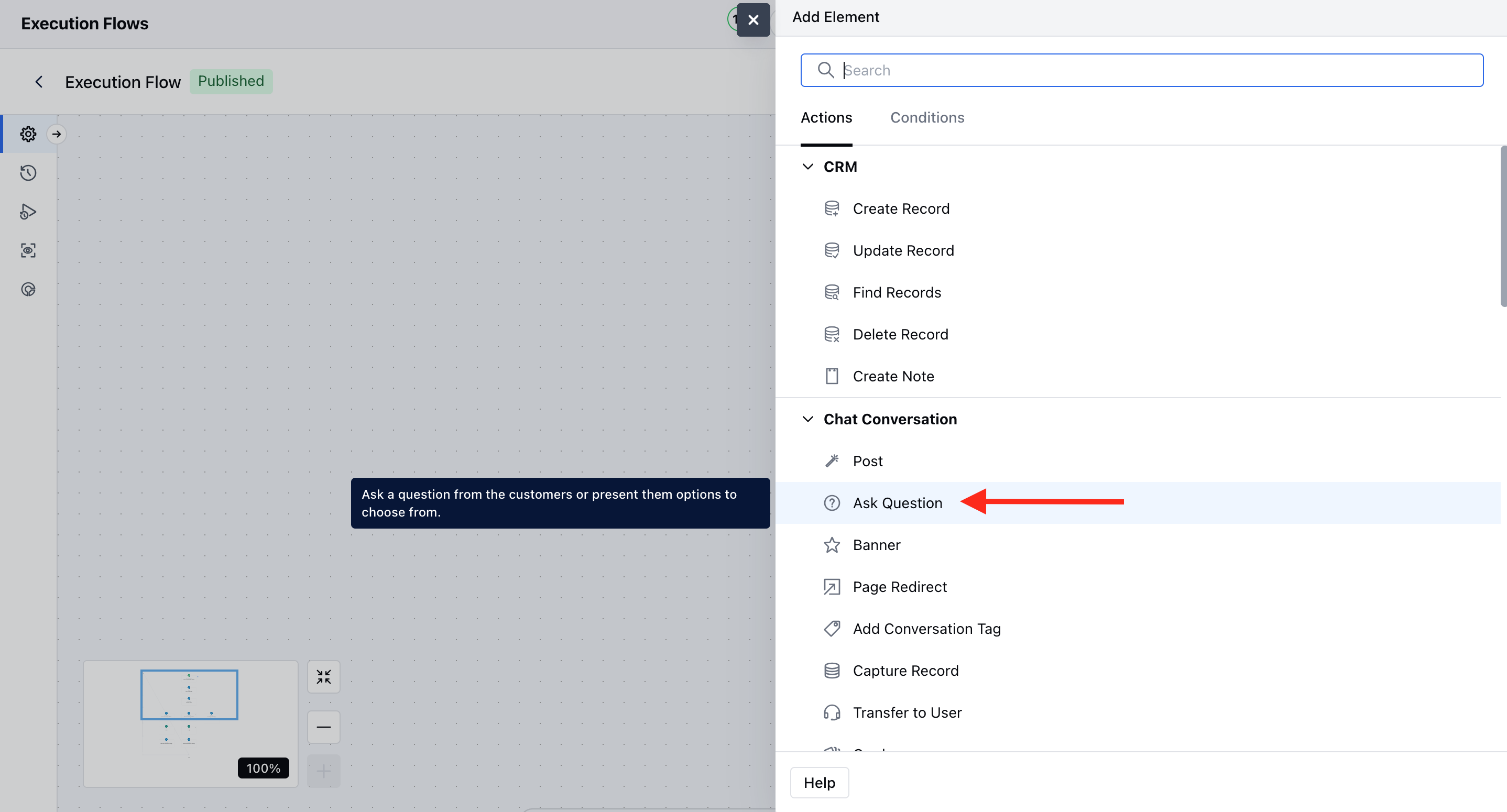
- Name: It is the identifier of the step.
- Description: It is optional to display internal notes for context.
- Question: Type the question that you want to ask the users.
- Options: You can provide choices so that the user can pick one from them.
- Allow Open Responses: Let the users type their response through a text box reply.
- No Reply: It handles situations where the user doesn’t respond within a certain timeframe.
- Timeout Duration: You can mention the time you want to wait before the no-response message. The time has to be in seconds.
- Reprompts: You can add different variations of the no-response message. You can use AI to generate different variations after adding the first one.
- Follow-Up path: You can configure the follow-up actions after the no-response message has been sent.
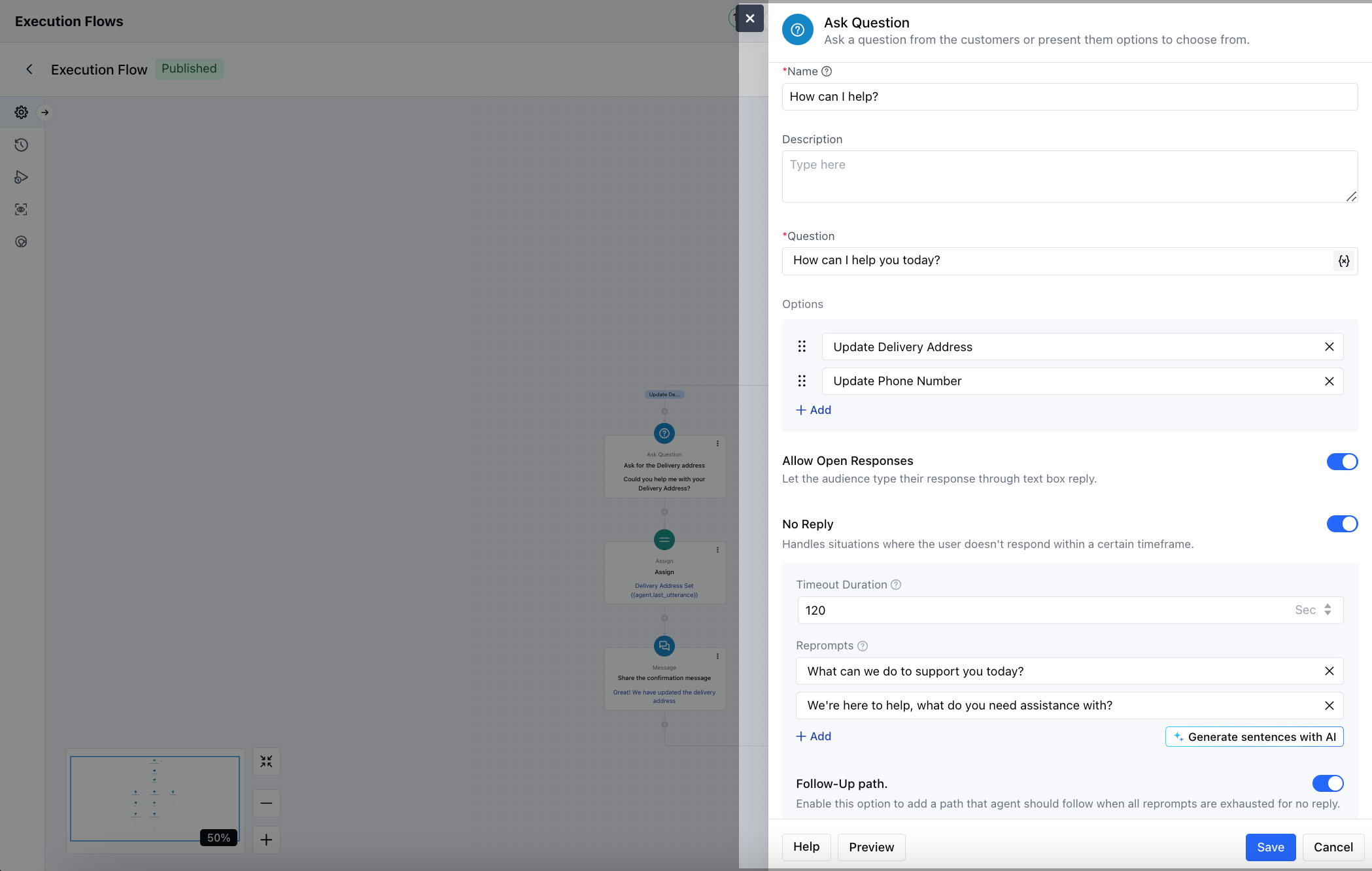
- You can preview the Question and the options using the Preview button.
- Click on Save to save the action.
Practical Use Case
Imagine you want the system to update the delivery address automatically. You can do that using the Ask Question action.The triggers and Actions used in this example- Trigger:
Update Delivery Address: You can configure another Ask Question “What is the new Delivery Address”, which will have Allow Open Response enabled.Update Phone Number: You can configure another Ask Question “What is the new Phone Number”, which will have Allow Open Response enabled. You can update the contacts based on the input shared by the users.