

Topics covered:
How to Configure Search Knowledge Base Action:
While setting up an Execution Flow, select the Search Knowledge Base action.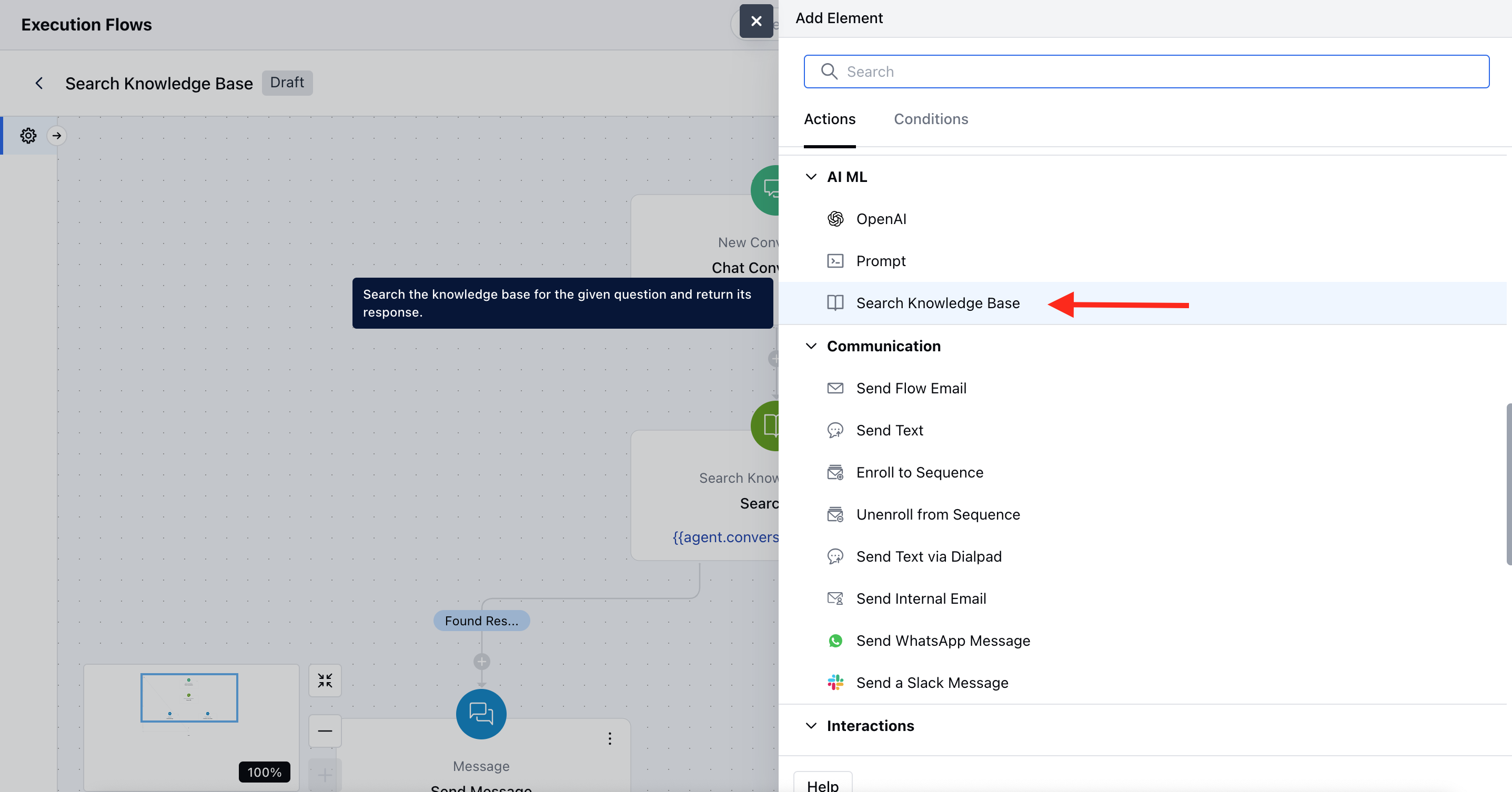
- Name: Assign a clear and descriptive name to the action. This is required and follows standard name validations.
- Description: Optionally, provide a short explanation about what this action does.
- Question: Enter the exact question to search in the knowledge base, or select a variable that contains the user’s input.
- Knowledge Base: Select the knowledge base(s) from which the agent will search for an answer. If only one knowledge base exists, it will be pre-selected and lockedIf multiple are available, you can select more than oneBy default, knowledge bases enabled for AI Pilot will be selected, and only these can be used for search.
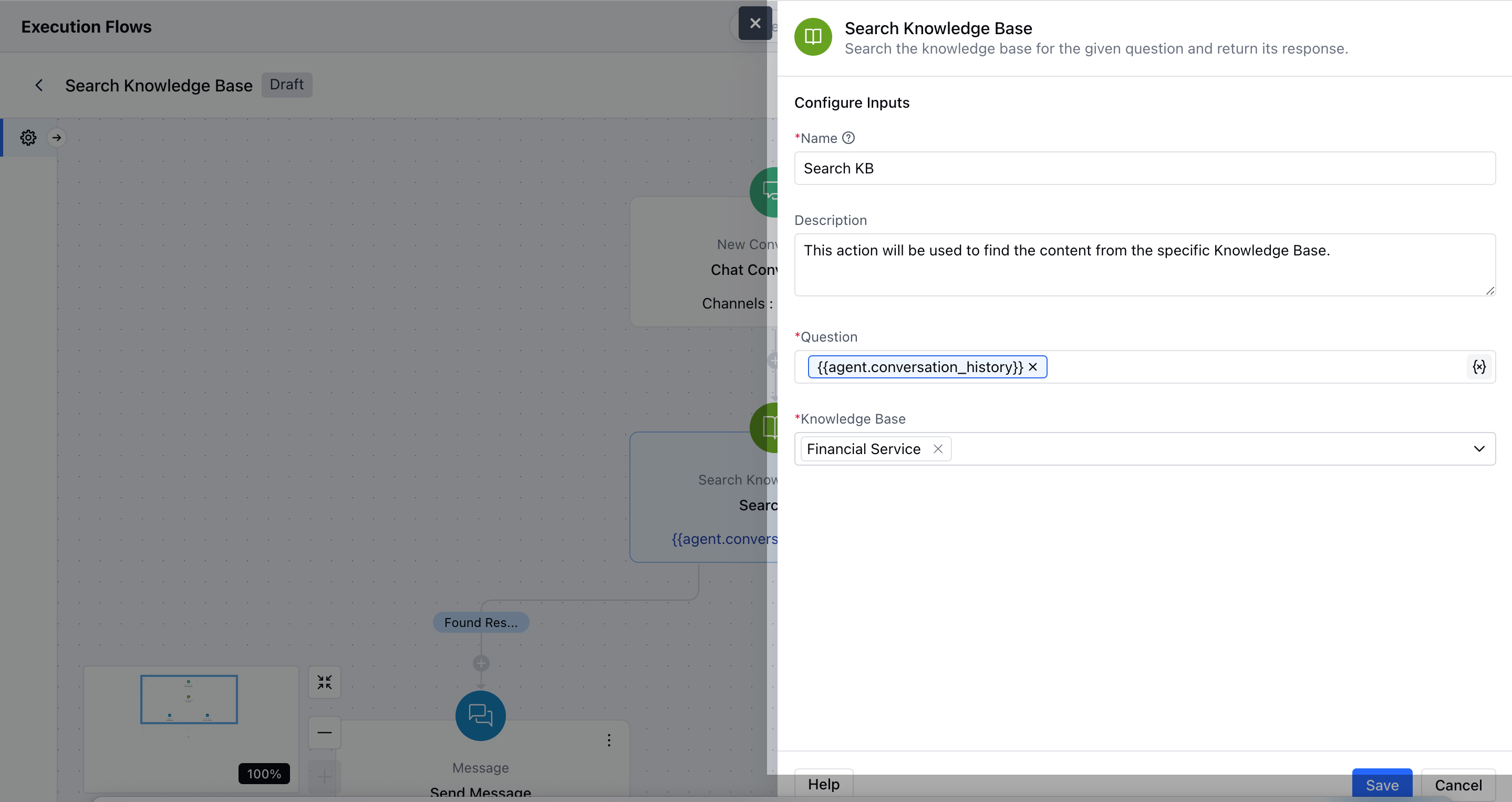
- After configuration, hit Save to apply the changes.
- Found Results– Used when a relevant answer is found
- No Results Found– Used when no matching content is found
Practical Use-Case:
Imagine you have a chat support system embedded on your website. When a user asks a question about your product, instead of manually searching for a relevant document, you can automate the response using the Search KB action.If you already have a Knowledge Base prepared, the Execution Flow can automatically trigger a search based on the user’s query and return the most relevant article. Your Skara can then directly respond with the correct information, saving time and ensuring consistent, accurate replies.