Topics covered:
How to configure the Go to Intent action
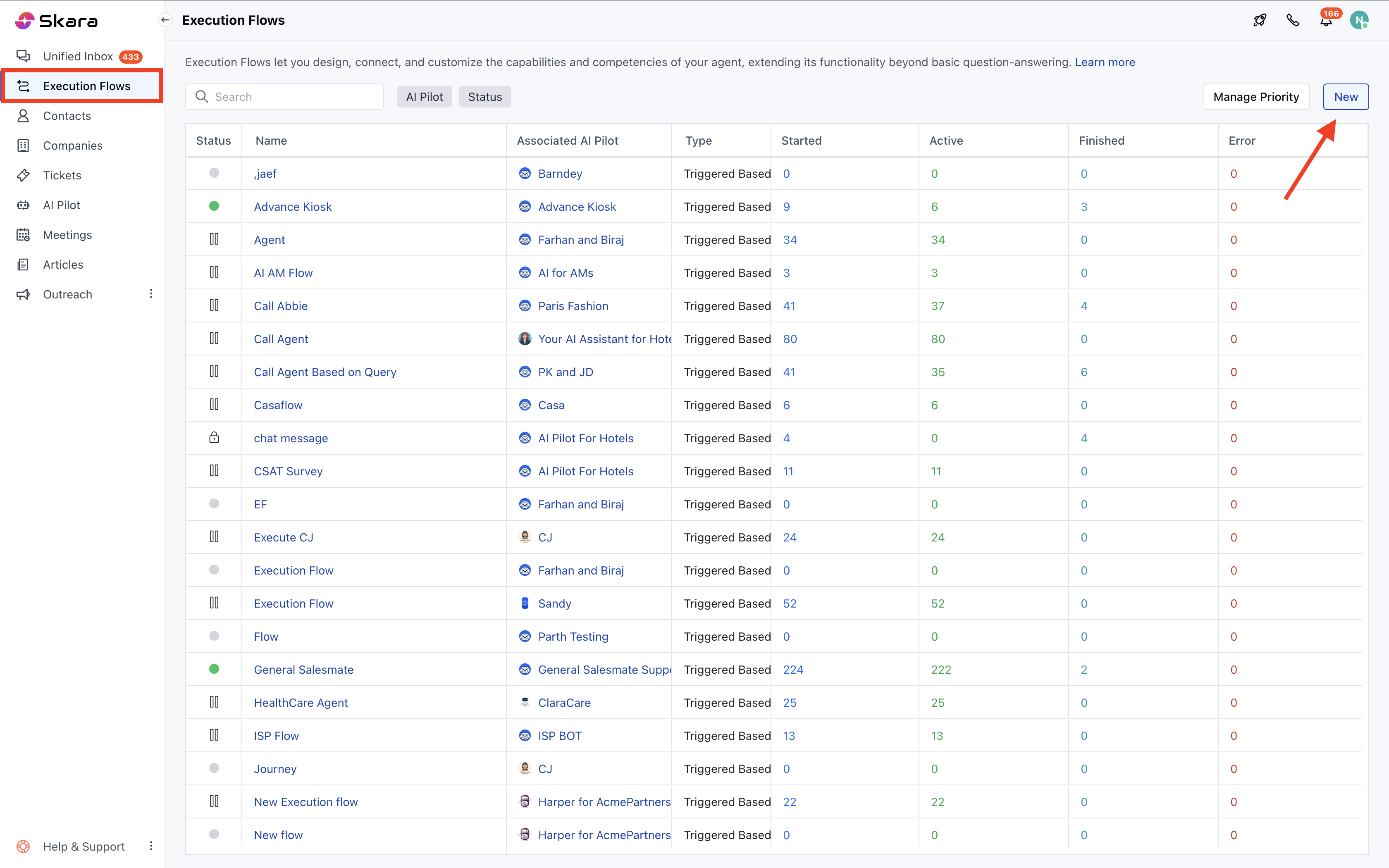
- Navigate to the left sidebar, click Execution Flows.
- Click New to create a new flow or open an existing one
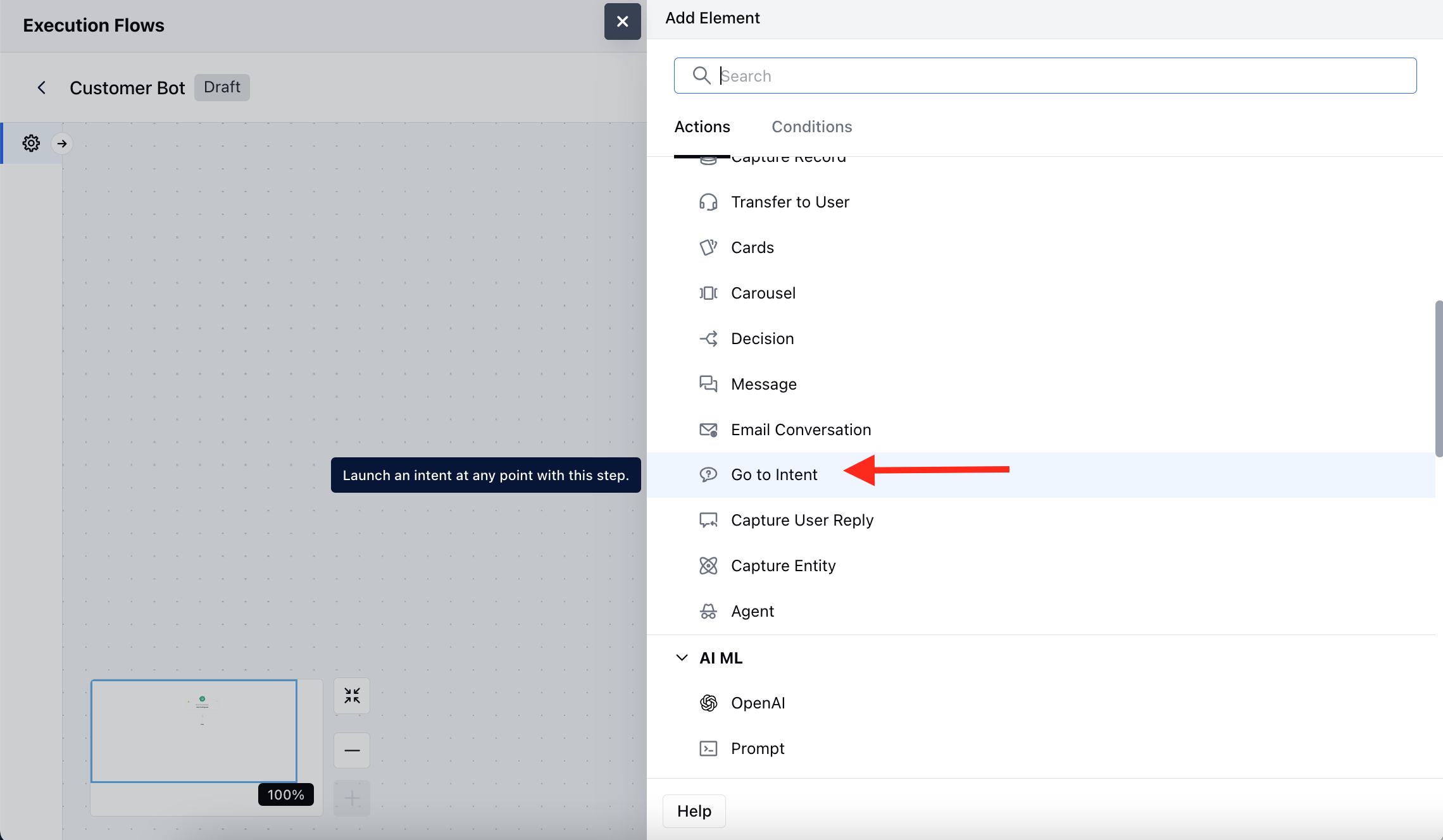
- Inside the flow builder, choose Add Action >> select Go to Intent
- Once you have selected the Trigger, click , select the Go to Intent as an action.
- Name: Assign a meaningful name to this action for easy identification within your flow.
- Description: Optionally, describe the purpose of this action.
- Intent Flow: Select a predefined intent flow that should be executed further.
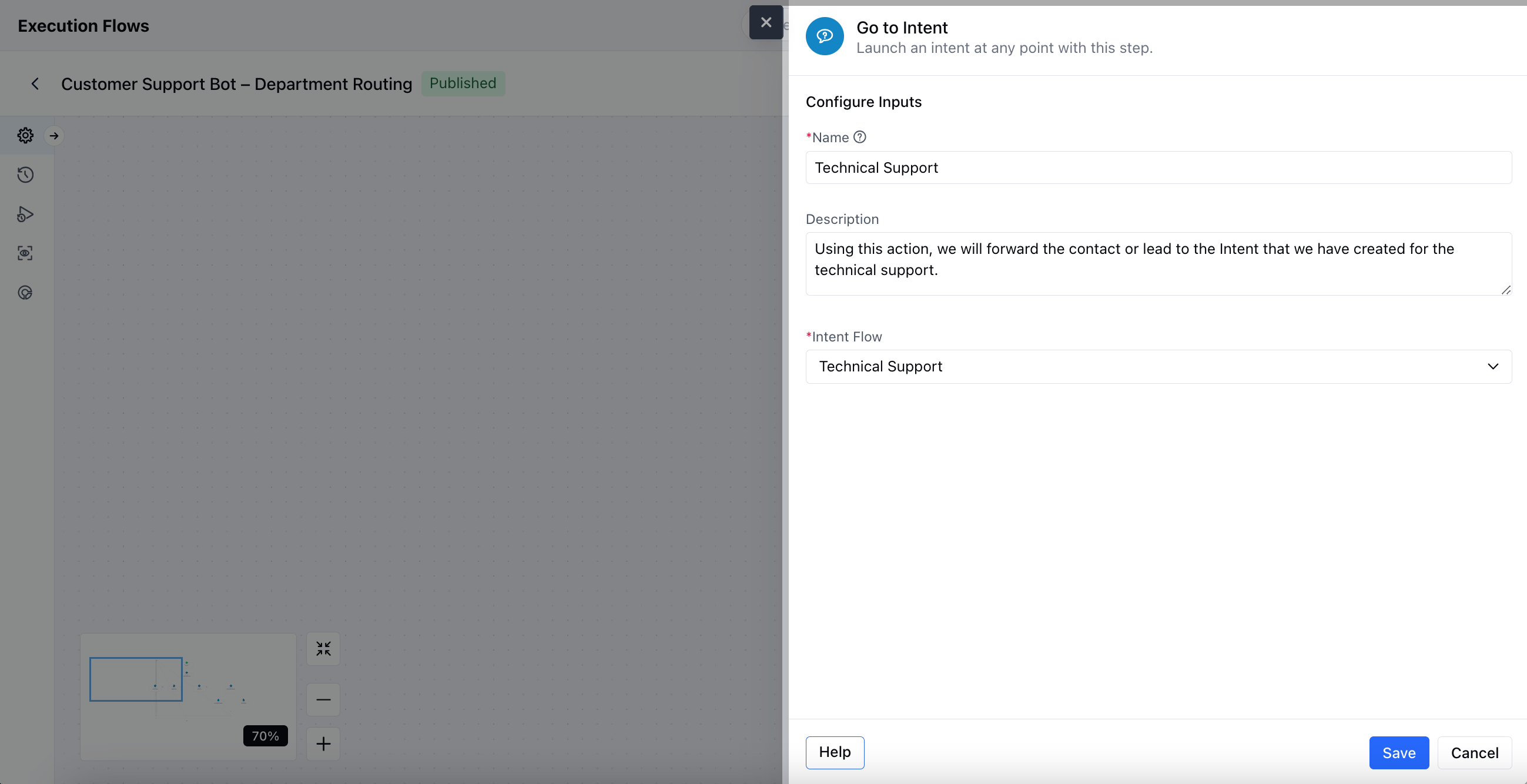
- Click Save once your configuration is complete.
Practical Example
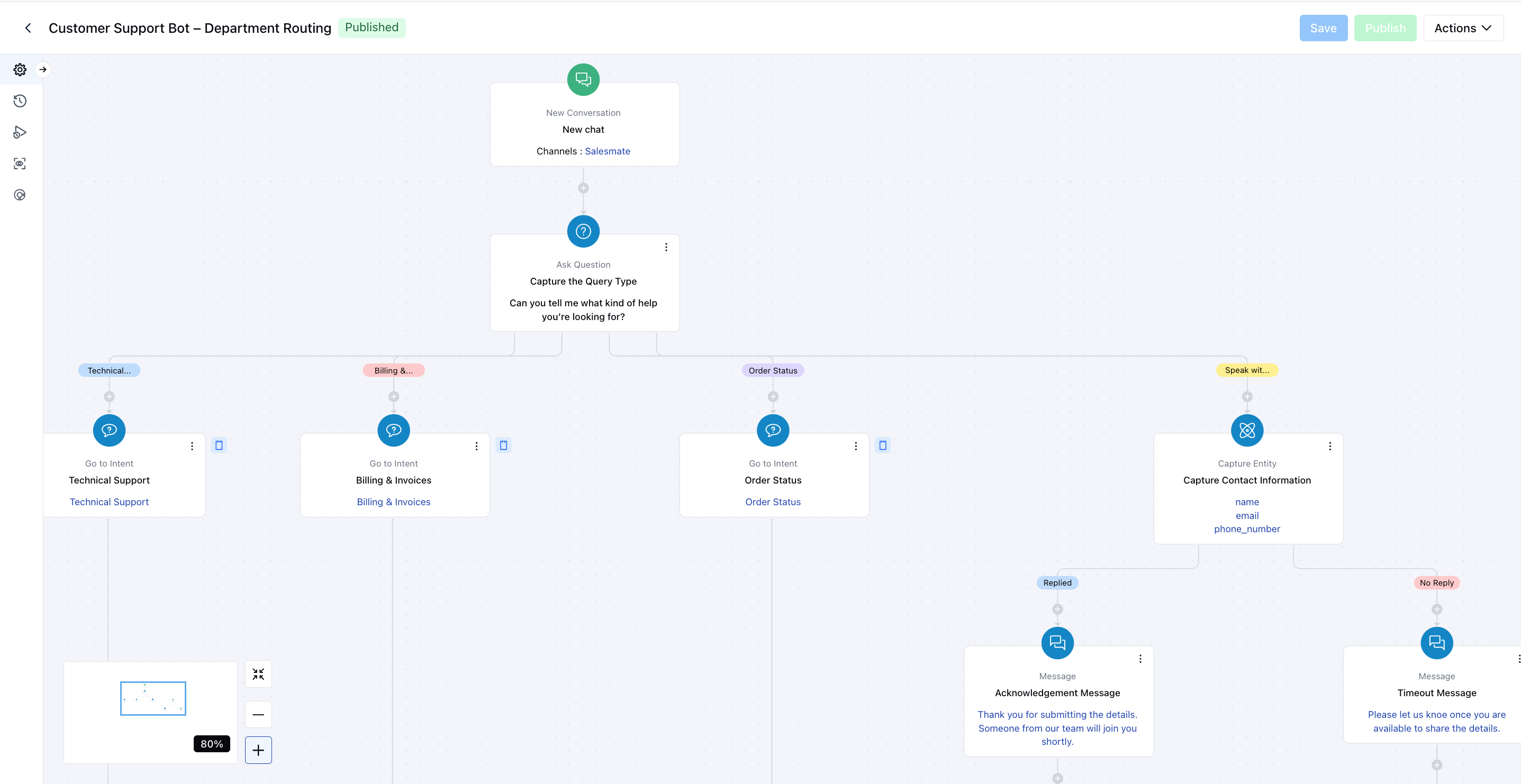
Once a chat is initiated on our website, I want to identify the type of support the visitor needs. Based on their response, the lead or contact will be routed to a relevant subflow, such as Technical Support, Billing & Invoice Support, or Order Status, for a more personalized and efficient experience.