Topics covered:
How to Configure
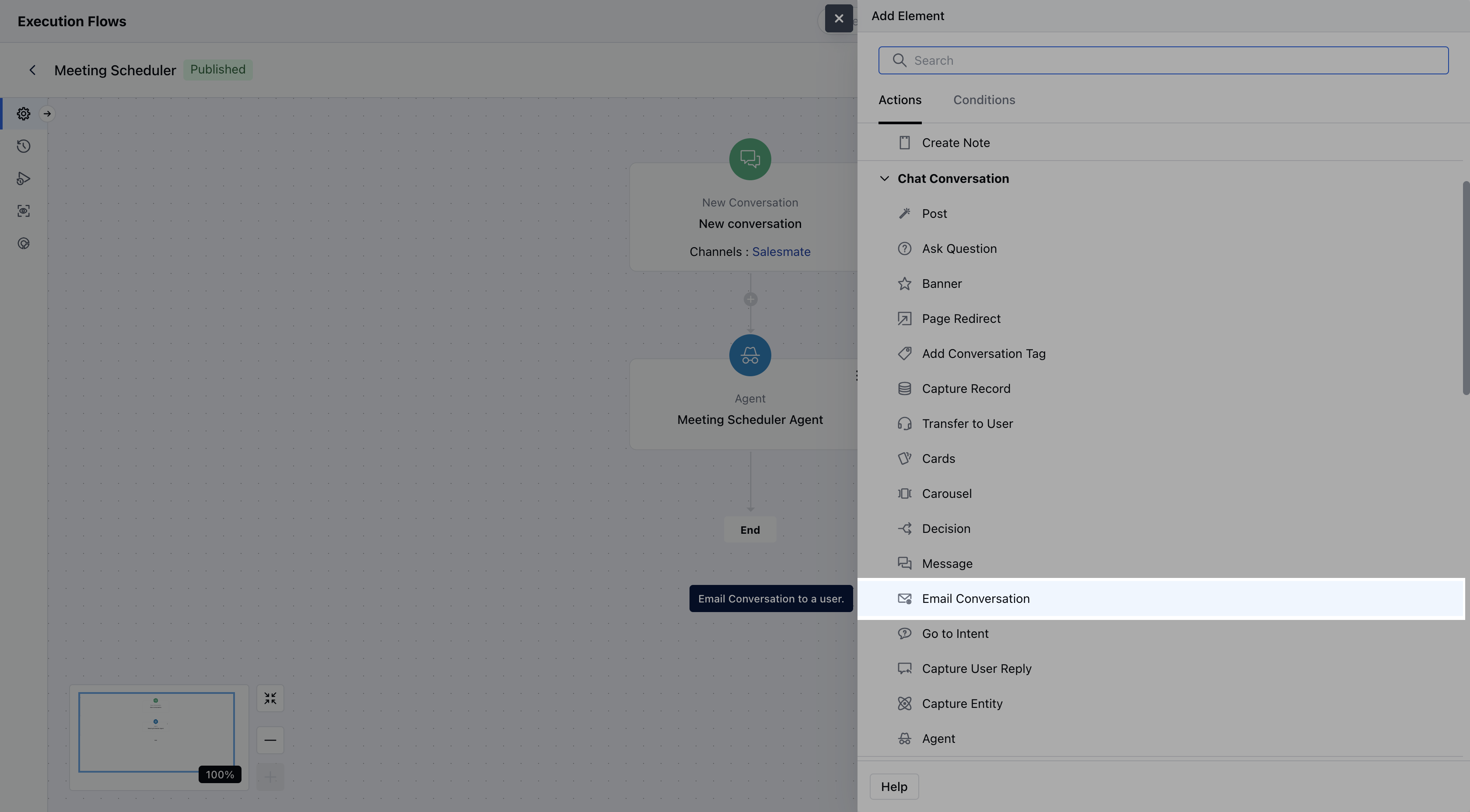
- Select the Email Conversation Action from the Action list onto your flow.
- When configuring the Email Conversation action, you will be required to provide the following details:
- Name: Assign a clear and descriptive name for the action to easily identify its purpose.
- Description: Offer a brief explanation of the action’s function.
- Recipients: Select individual users or teams to whom the email conversation should be sent.
- Subject: Define the subject line of the email.
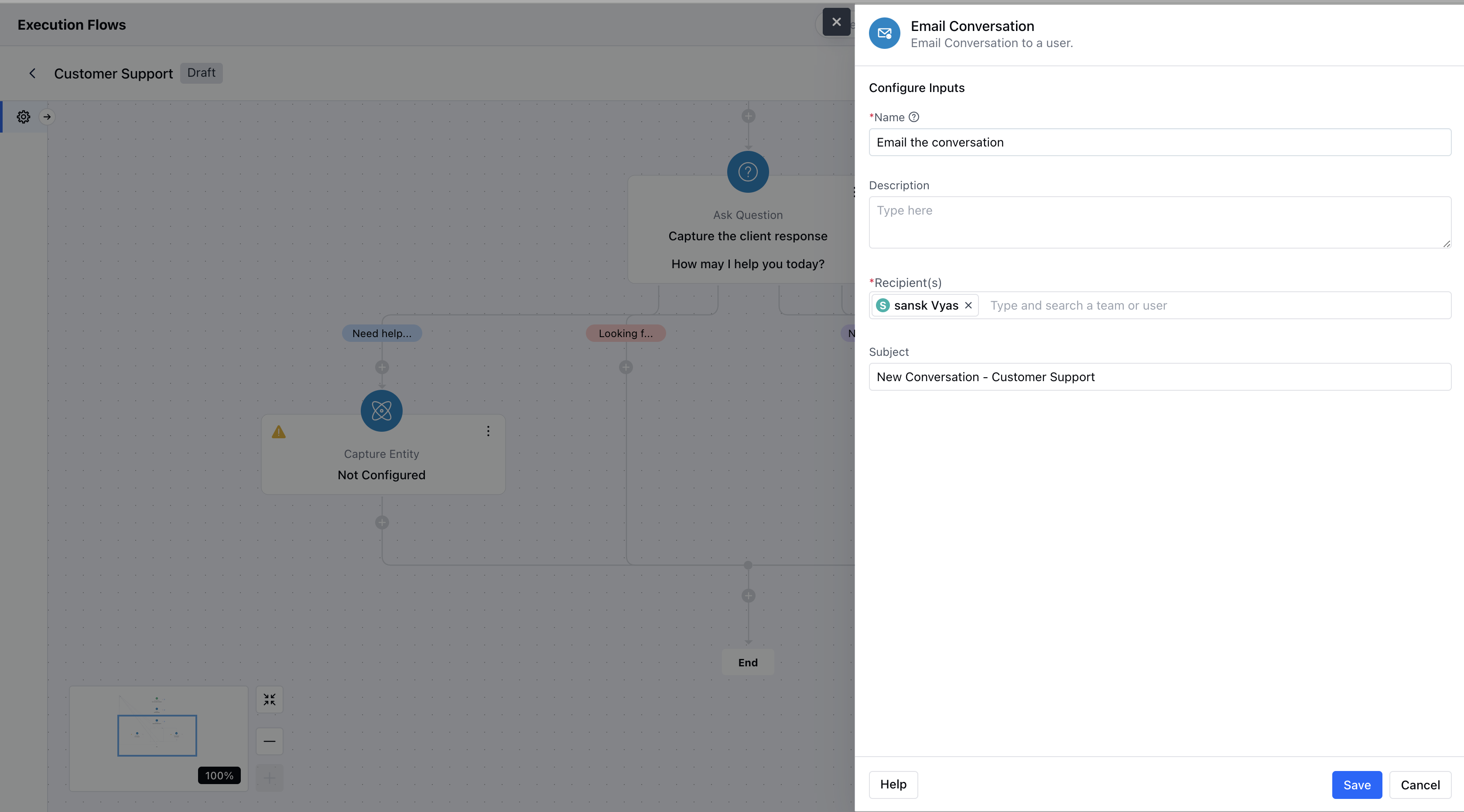
- Click the Save button after entering all required information to save this configuration.
Practical Example:
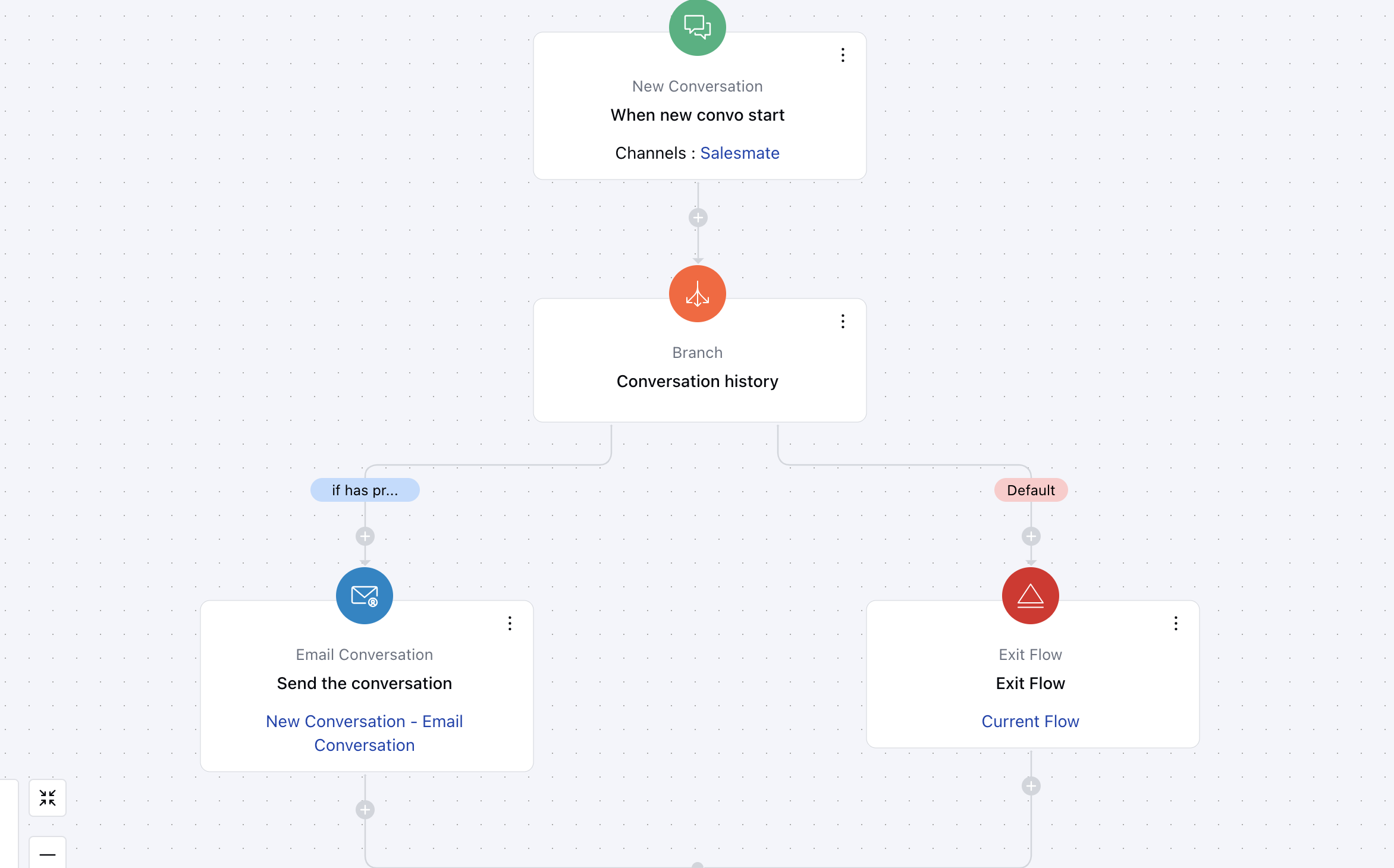
Let’s say you run a SaaS business, and your support team often gets follow-up queries from existing customers. To ensure continuity and quick resolution, you want any returning customer’s new chat to be immediately forwarded to the relevant team or team member via email.