

How to Edit Custom Fields
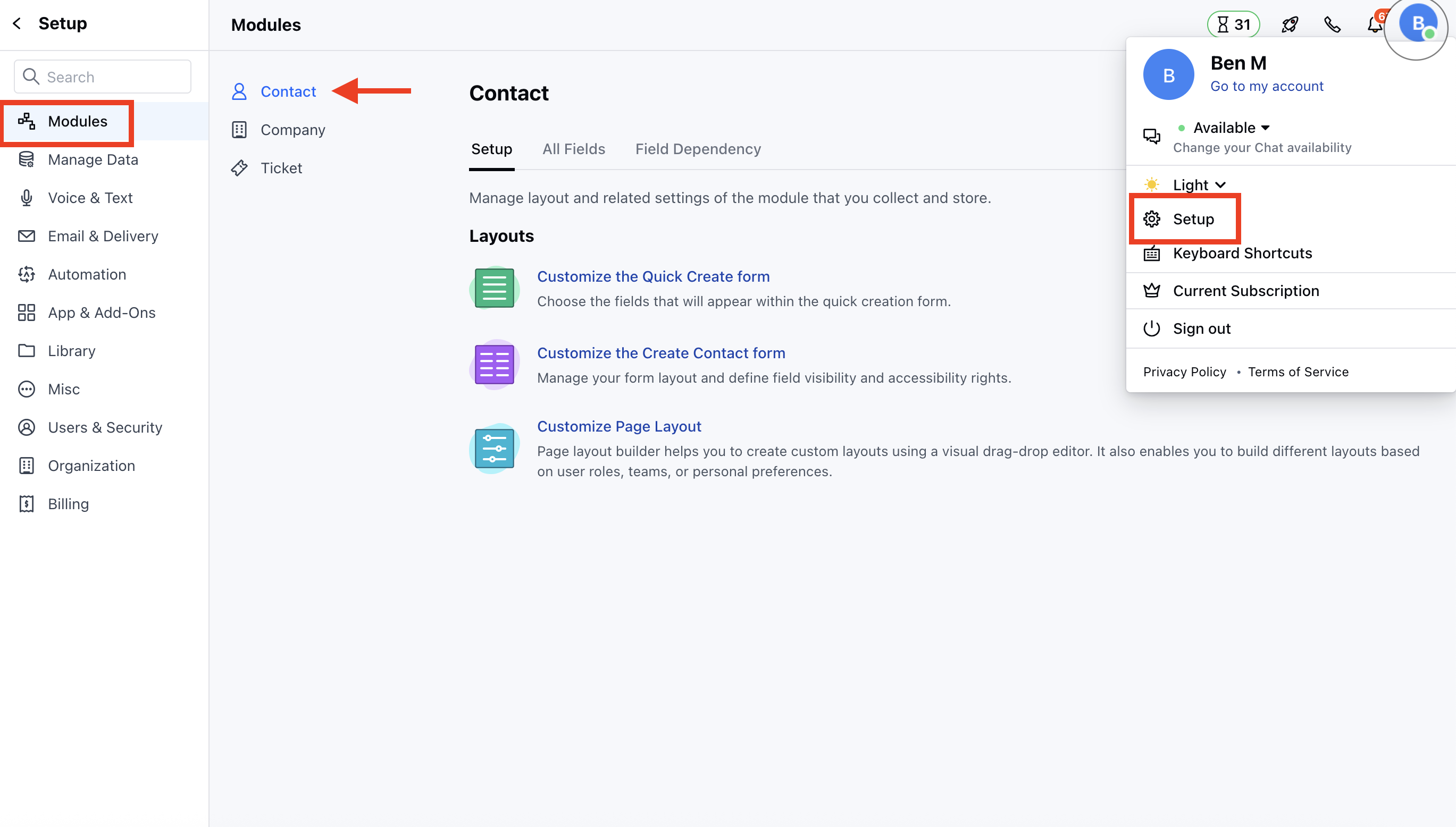
To Edit Custom Fields- Navigate to the Profile Icon on the top right corner
- Click on the Set Up
- Head Over to the Modules Category
- Select the Module(Contact, Company and Ticket Modules)
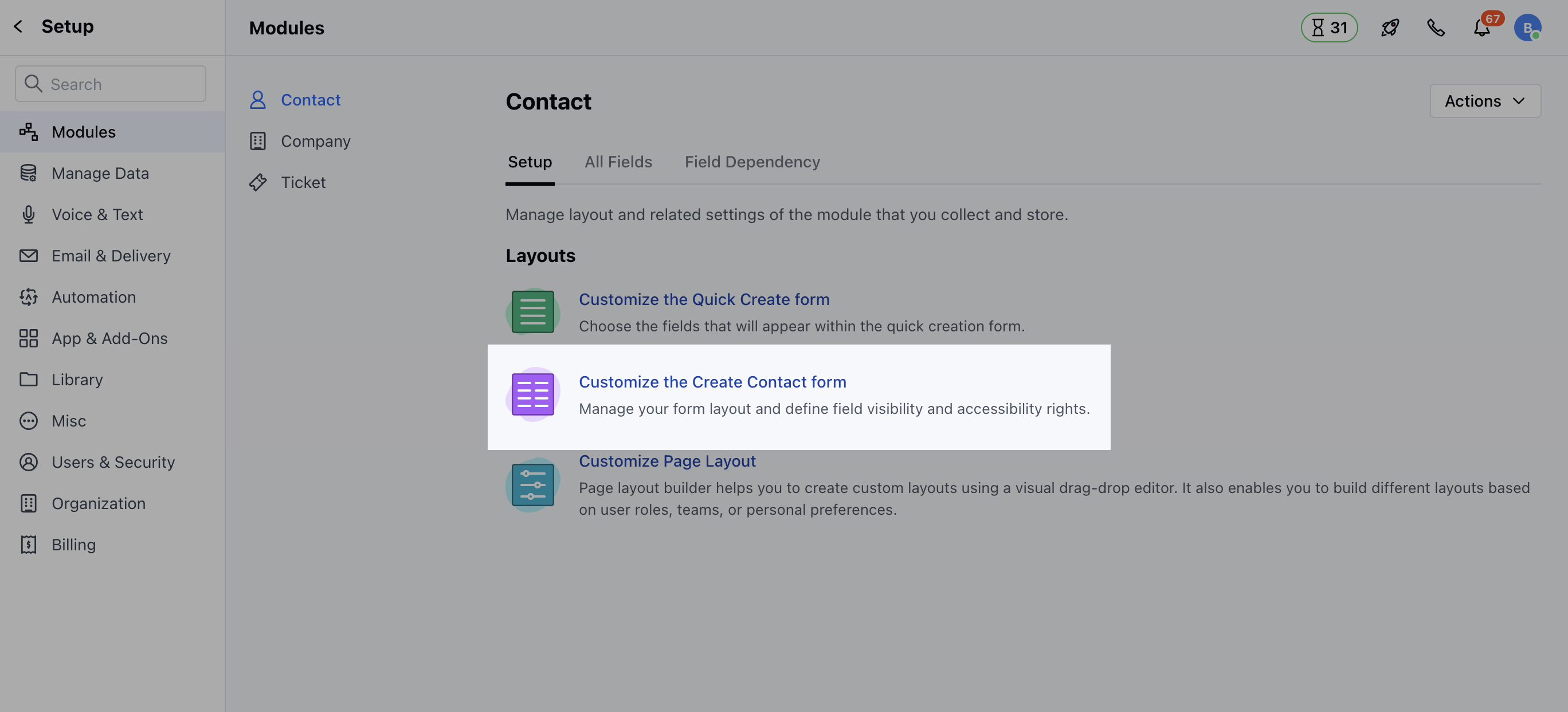
- Click on Customize the Create Module Form under Layout
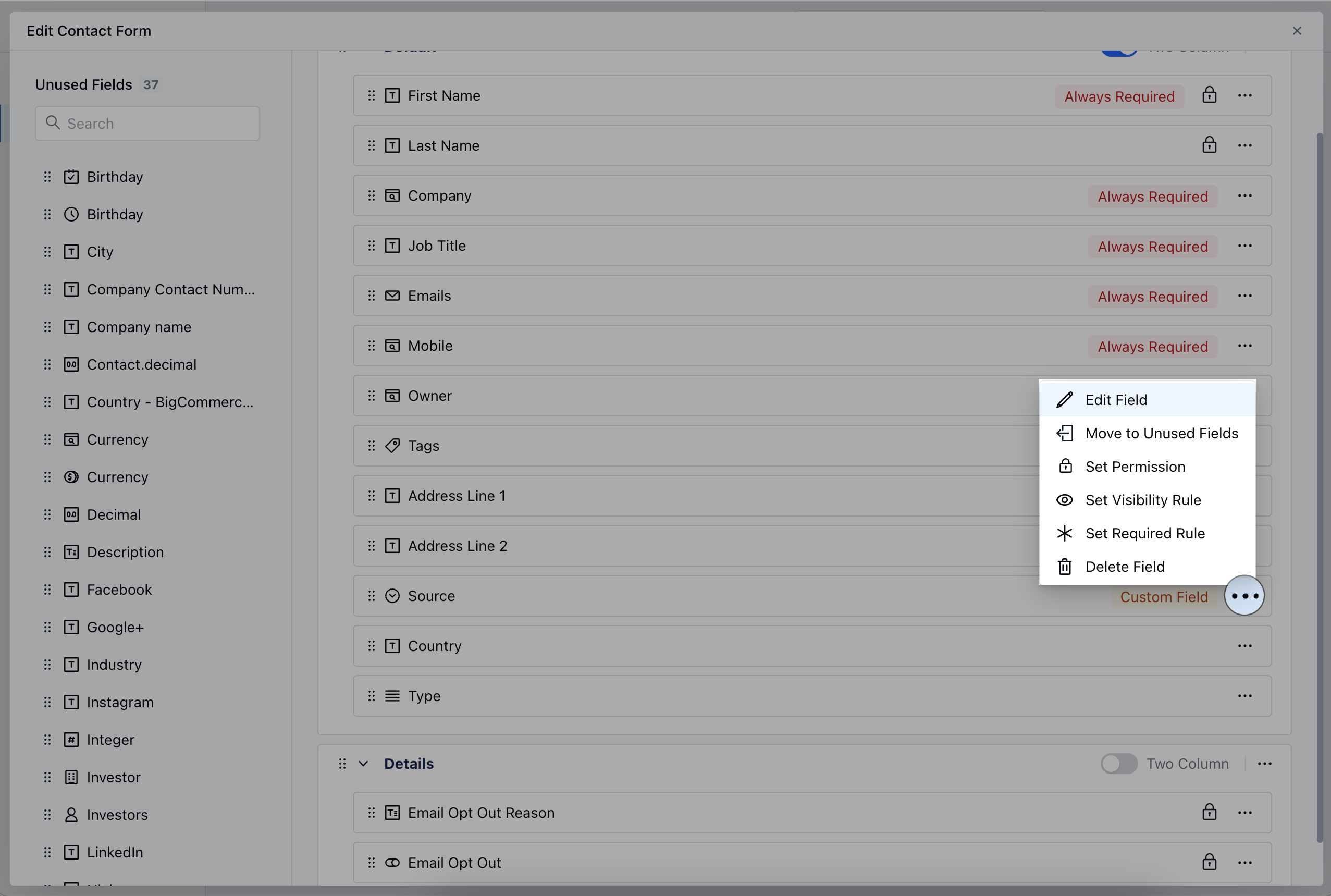
- Select the Field that you wish to Edit, then click on the three dots located at the corner
- Click on the Edit Field option
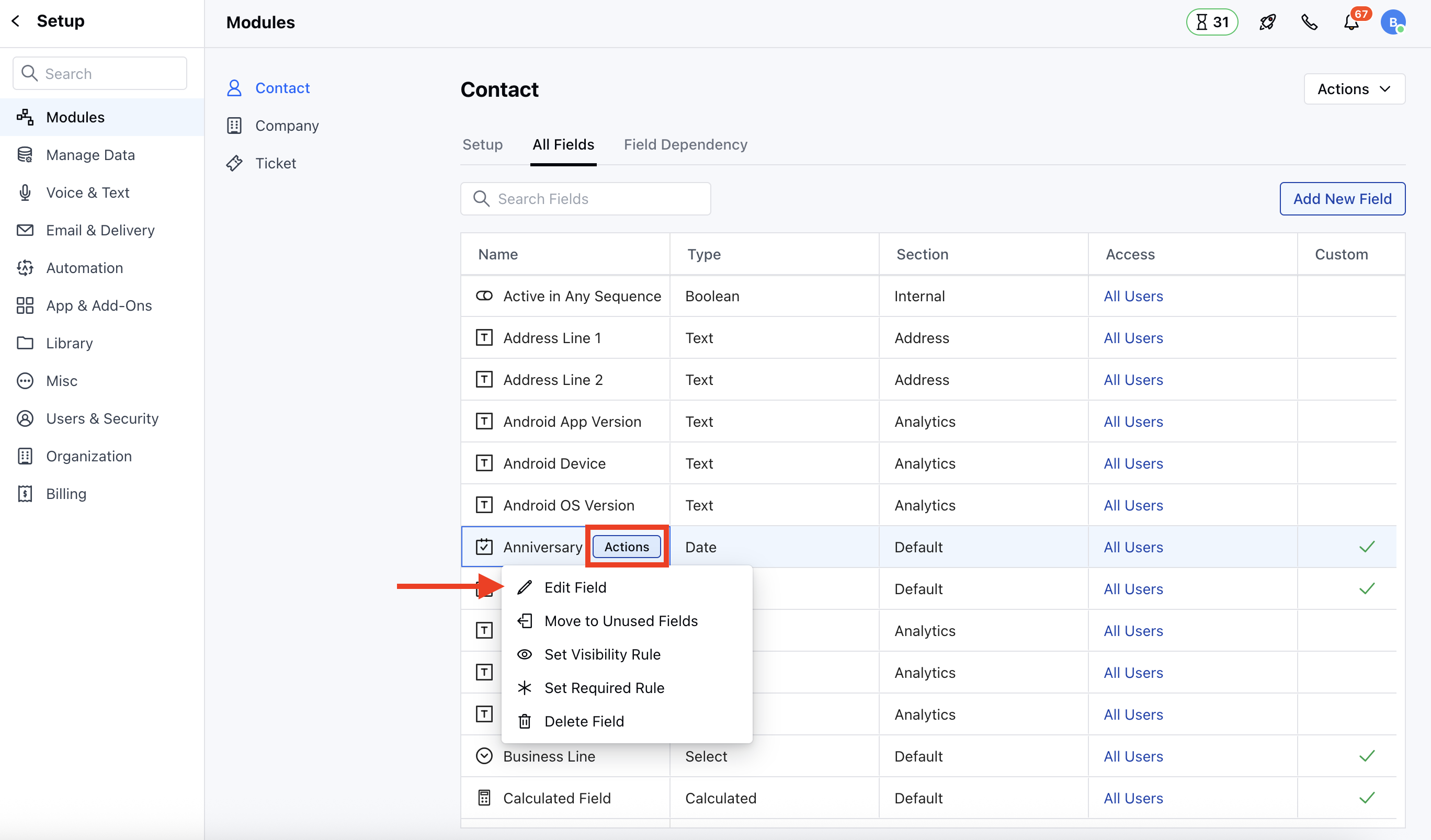
- Go to All Detail Form Field Section
- Select the Field to Edit, then hover over the field you wish to modify and click on the Actions button.
How to Delete Custom Fields
Similarly to Delete the Fields, follow the above-mentioned steps and select the Delete option,- To Delete from Custom Create Forms, select the field you wish to Delete and click on the Delete Field option

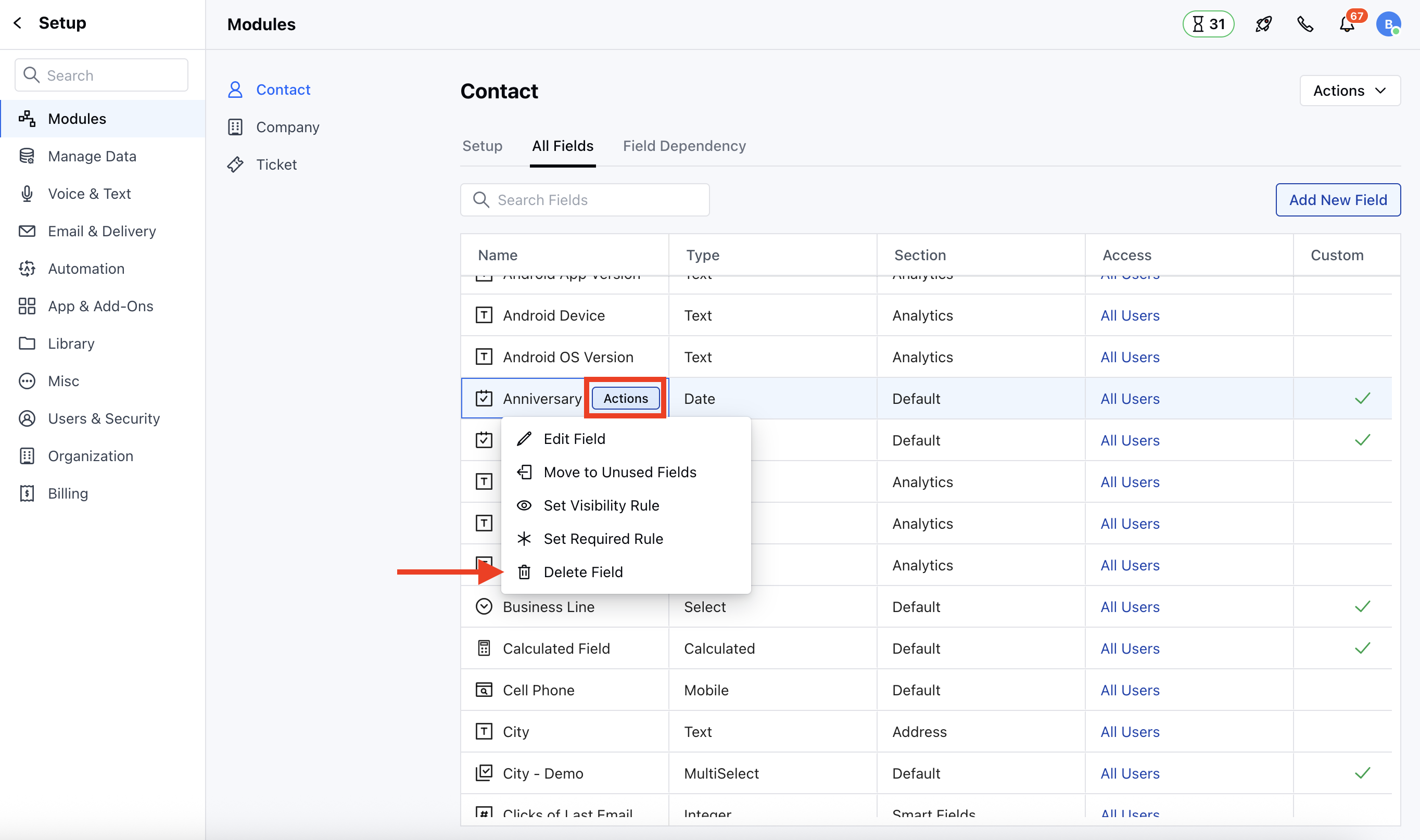
- To Delete From All Detail Form Fields, hover over the field you wish to modify and click on the Actions button.
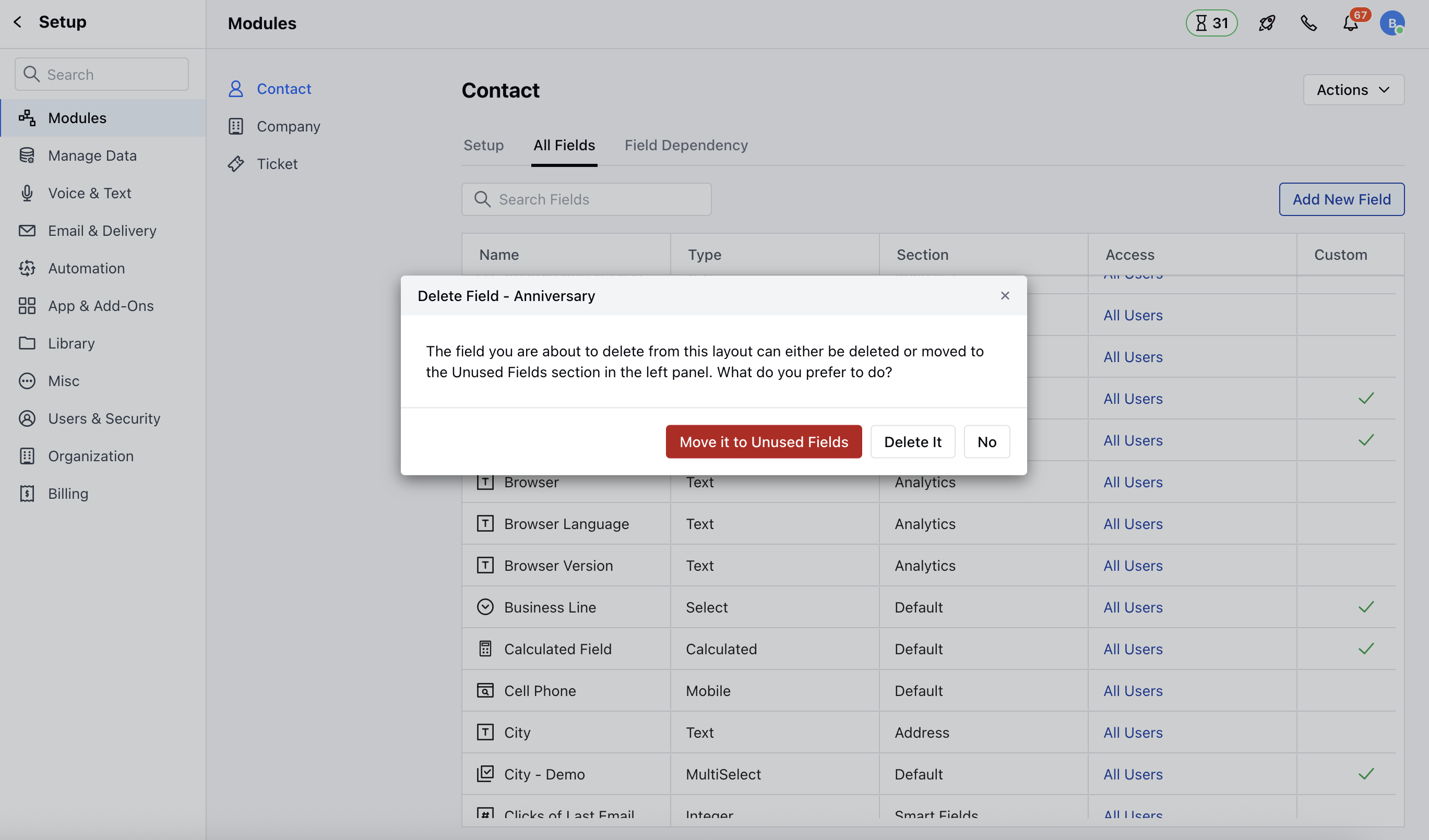
- A pop-up will appear with an option to Move the Fields to Unused Section or Delete the Field
- Click on the Delete Field option
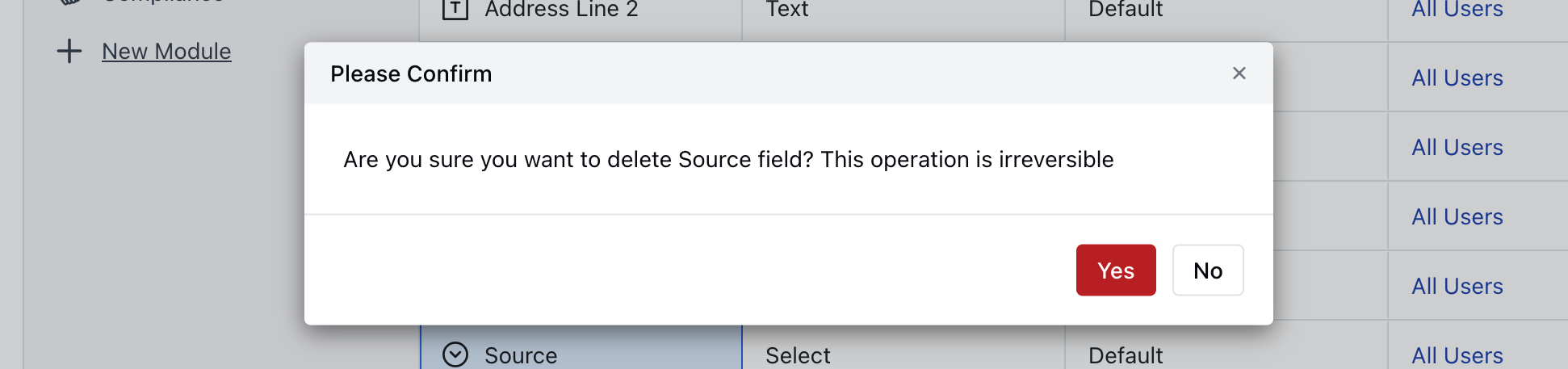
- Confirm the action to continue deleting the field
Note: Please note that the System Fields cannot be deleted