

- More Examples:
- Contact to People
- Company to Organization
Steps to Customize the Modules:
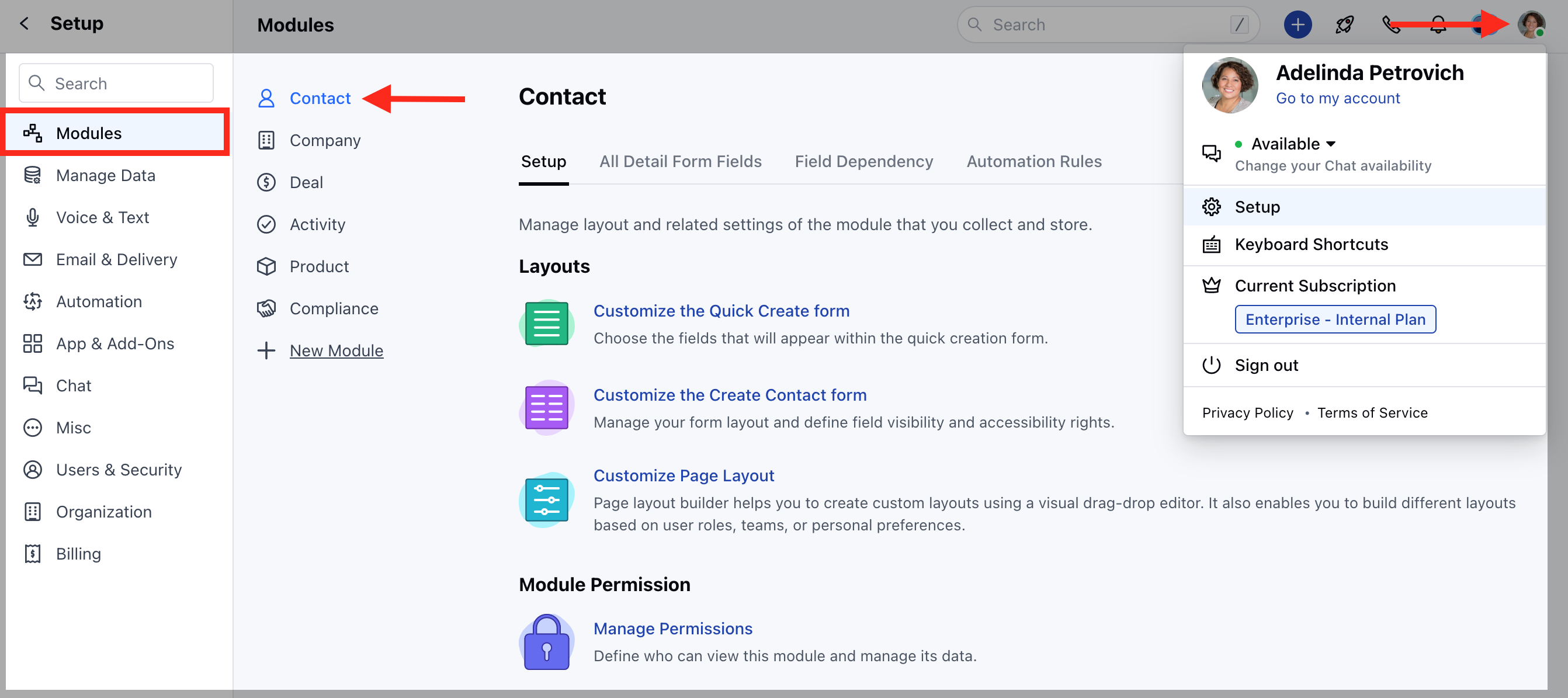
- Navigate to the Profile icon in the top right corner.
- Click on Setup.
- Head over to the Modules category.
- Select any Module.
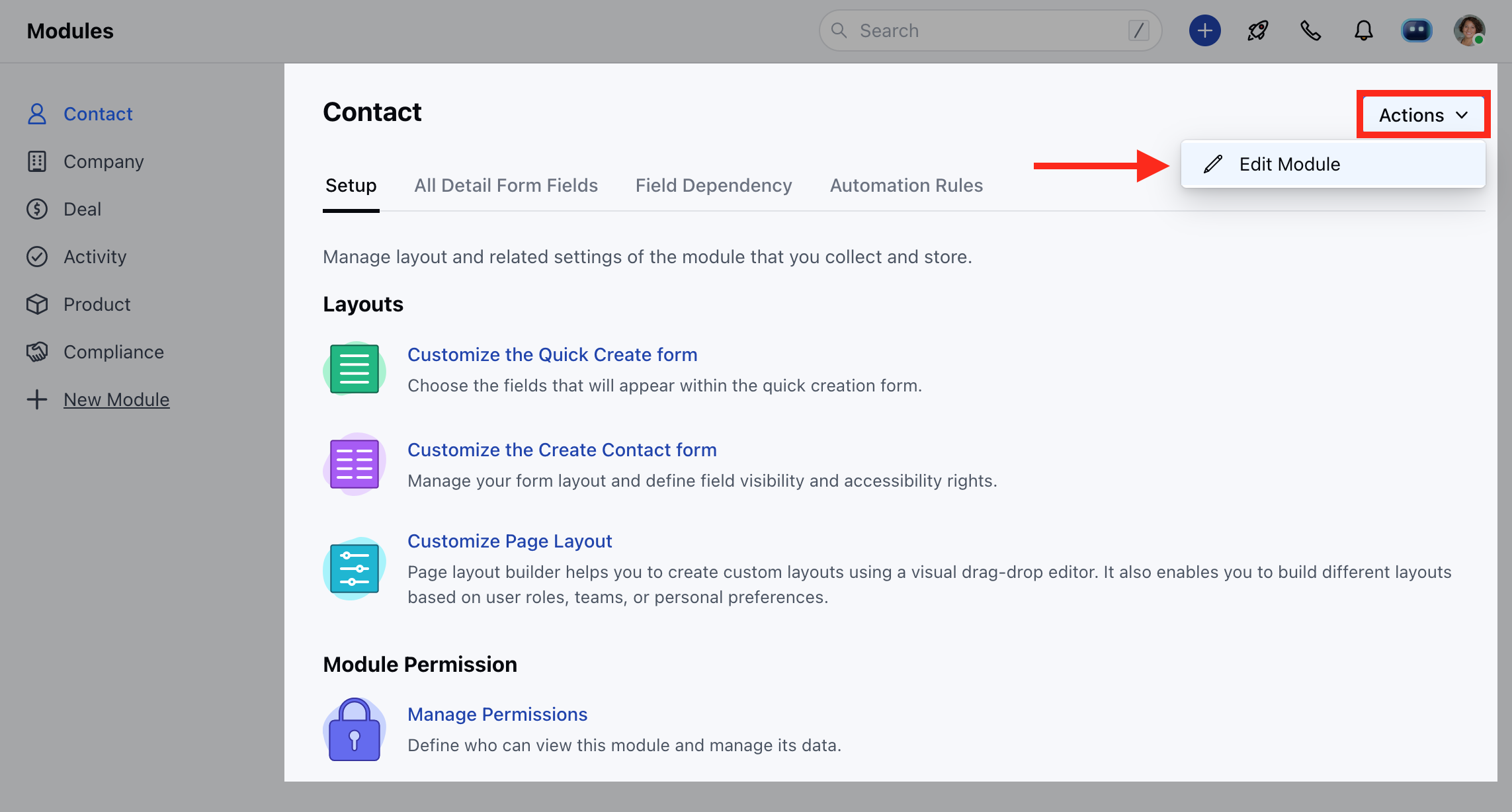
- Head to the Actions option and click on Edit Module
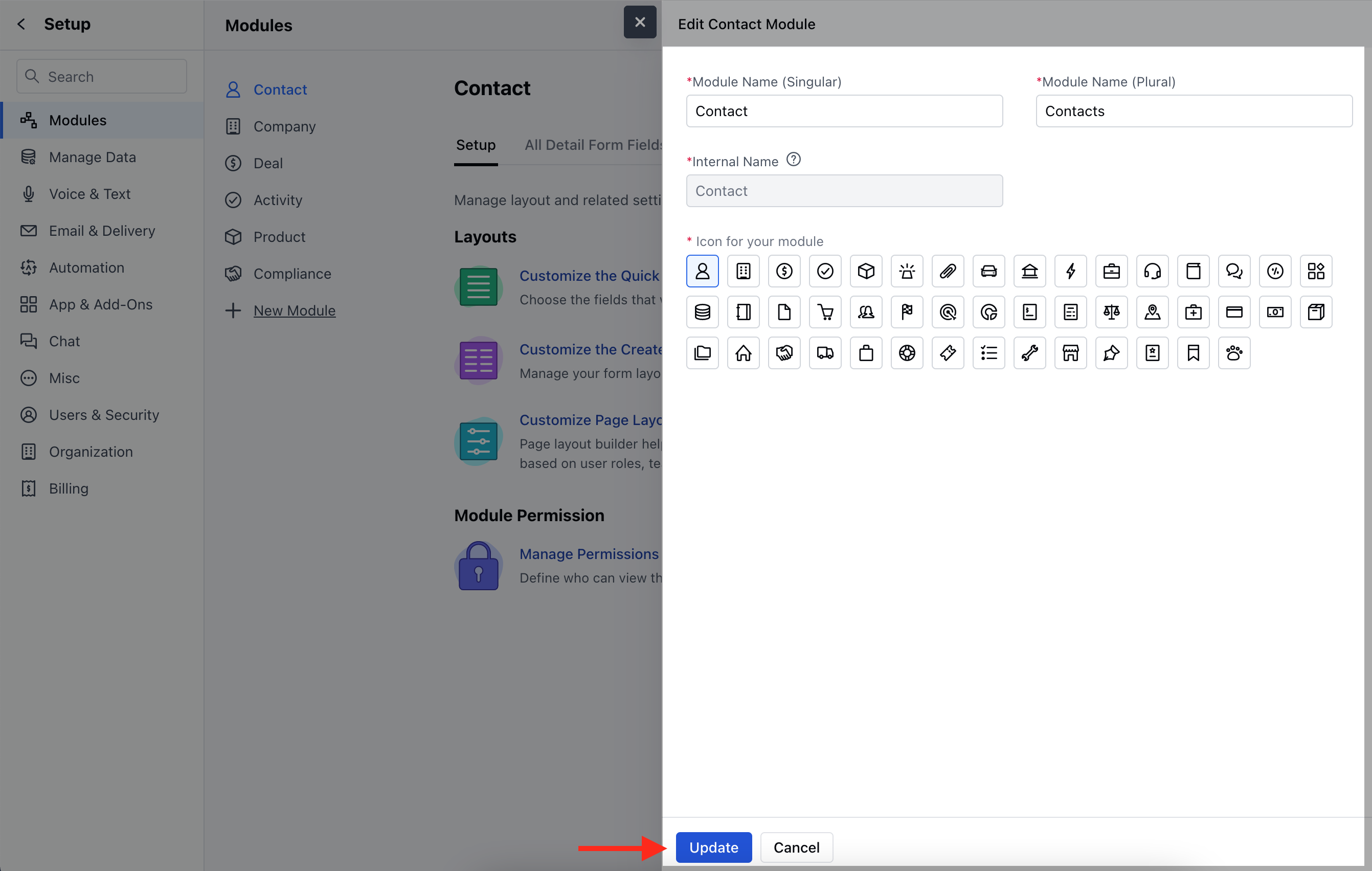
- You can change the Module Icon
- Enter the new Singular and Plural name of the module.
- Internal Name cannot be changed
- You can also change the Profile-Level Permissions from here.
- Click on Update to save the changes.
- You can rearrange the position of modules as per your requirement, it can help you with changing the position of the most used modules to the above so that you can quickly access them . Learn More