

How to Move Custom Fields to Unused Section
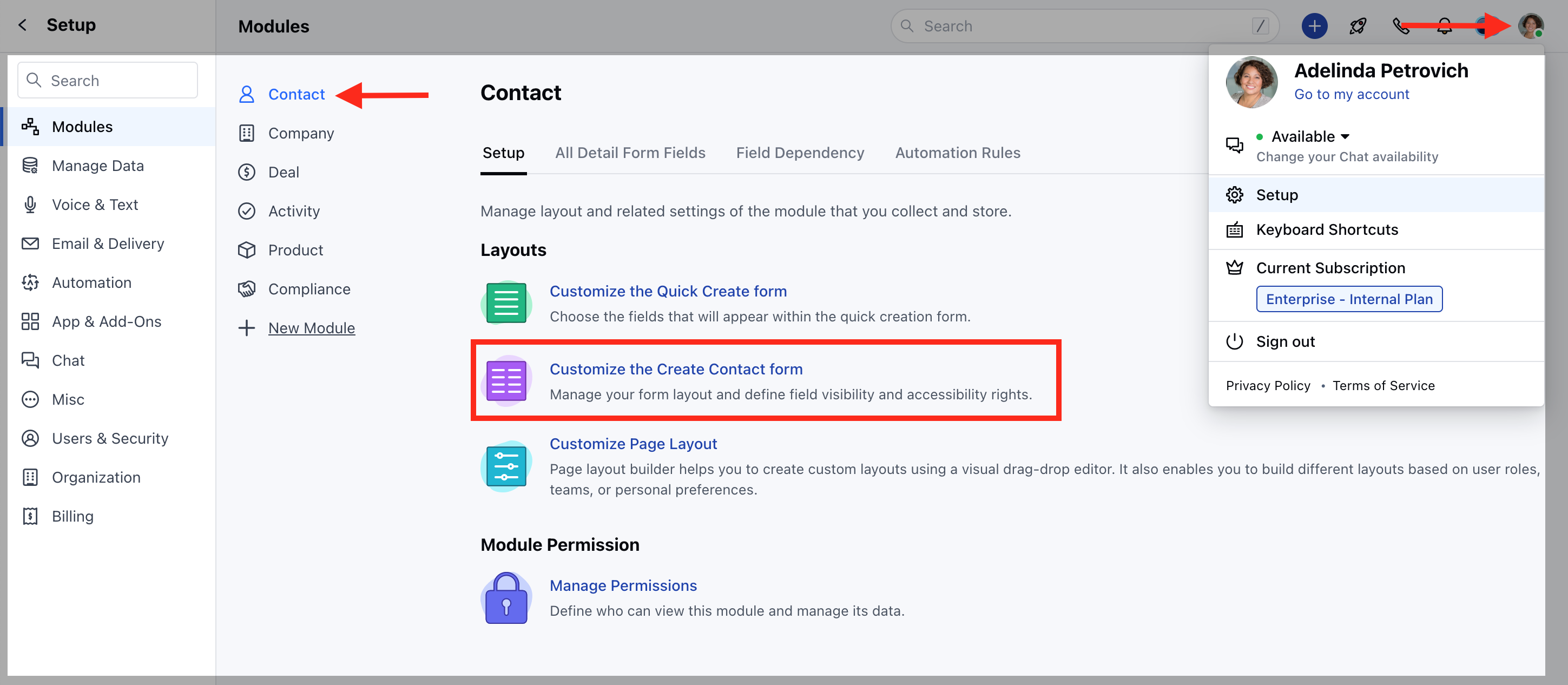
To move the Unused Fields in Create Form,- Navigate to the Profile Icon on the top right corner
- Click on Set-Up
- Head over to the Modules section
- Select the preferred Module (Contact, Company and Ticket Module)
- Click on Customize the Create Form
- Select the field, drag and drop to move the fields to the Unused Fields Section
- And vice versa to move the Unused Fields to the Active fields
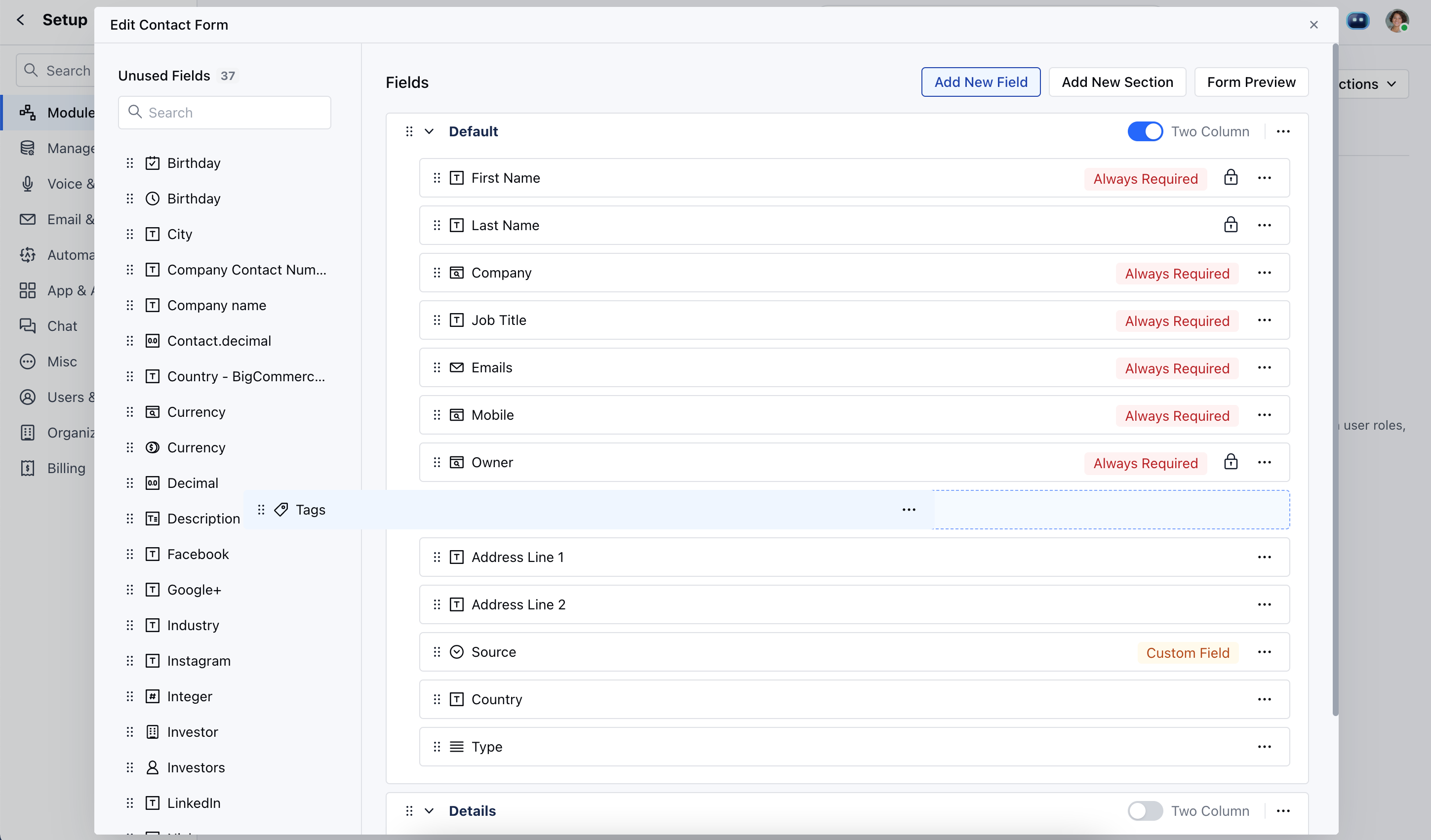
Note: Please note that Required Fields and Locked Fields cannot be moved Unused section