

Steps to Configure the Custom Text Widget
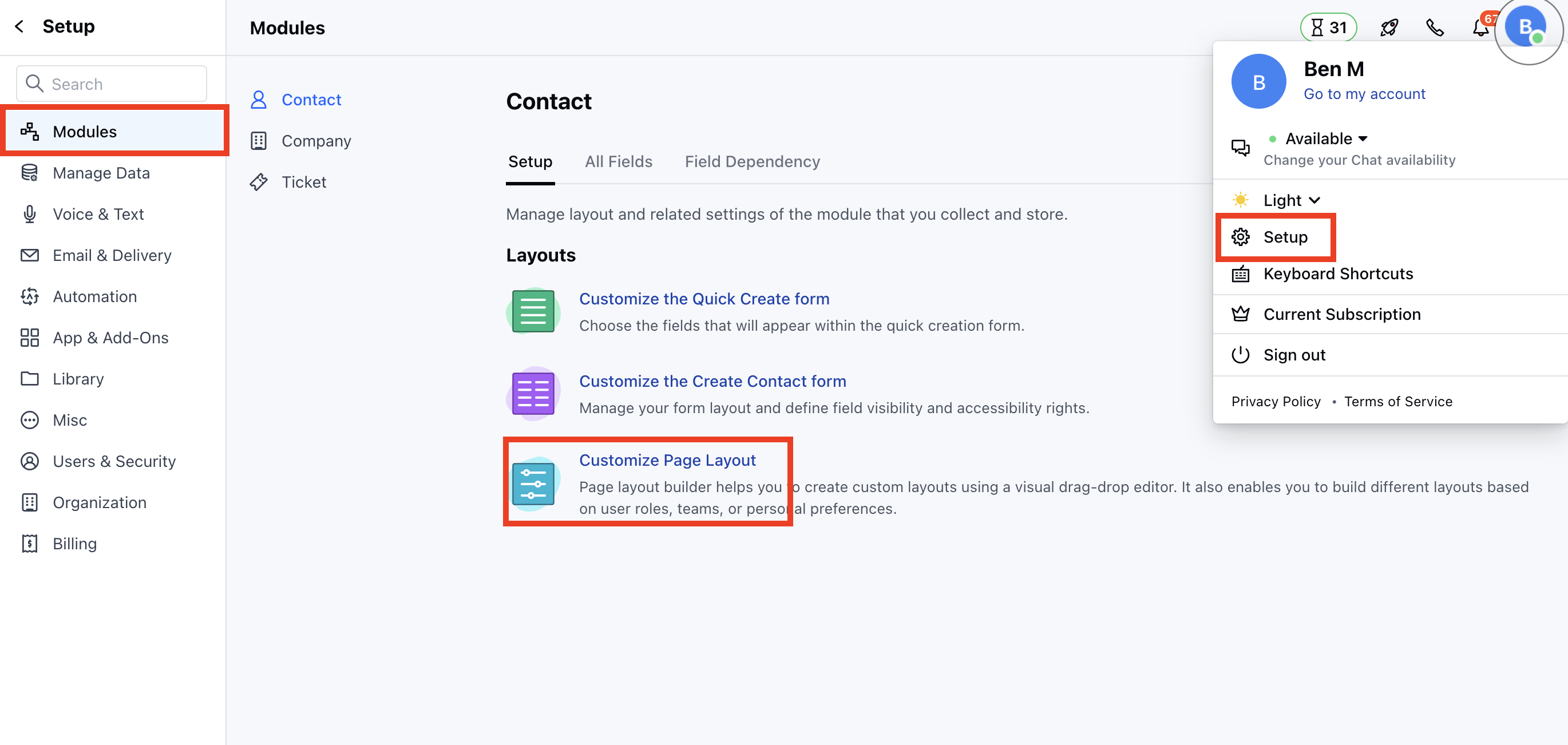
- Navigate to the Profile Icon in the top right corner.
- Click on Set Up
- Head over to the Modules category
- Select any Module.
- Click on the Customize the Page Layout option
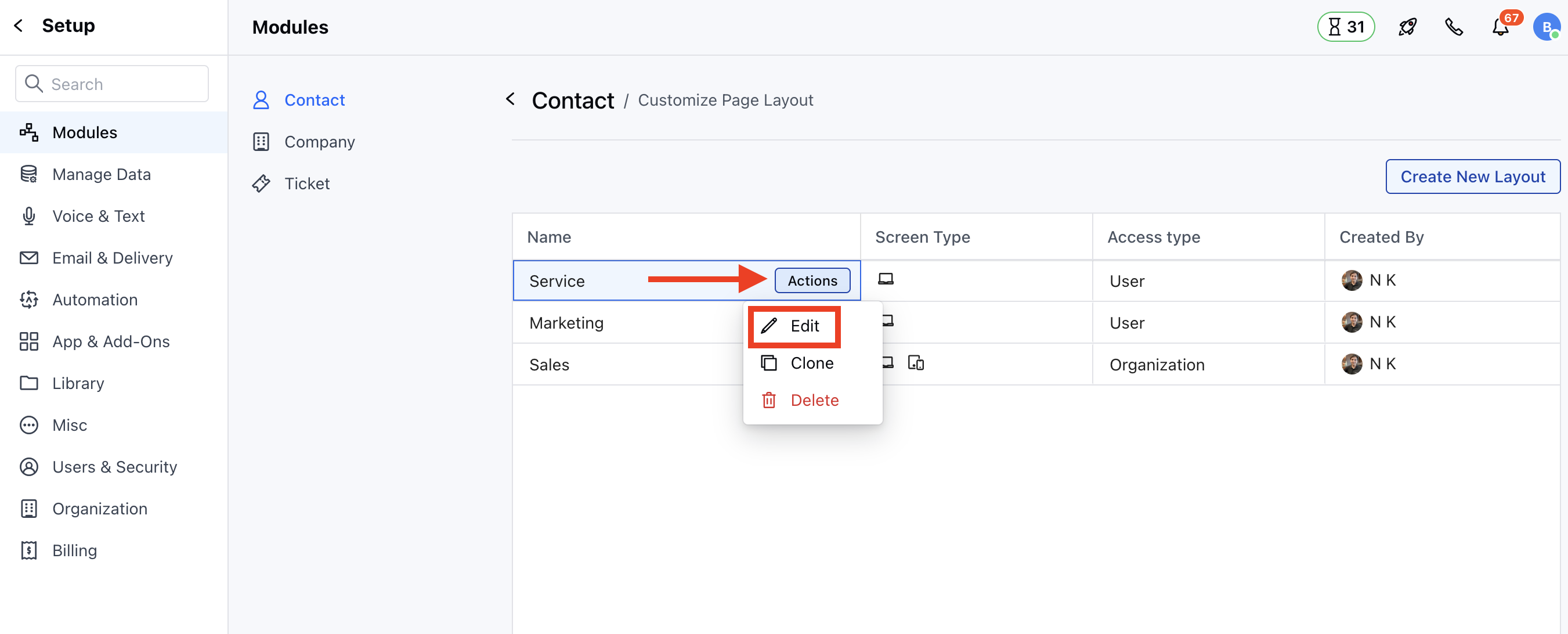
- Hover on the Layout option, the Actions button will appear
- Click on the Actions button and select the Edit option.
- You will be redirected to the Layout Builder Page.
- Drag and drop the Text Widget from the left side to the Layout Builder.
- You can give the widget a specific Title and then add the Values based on the information you want to check.
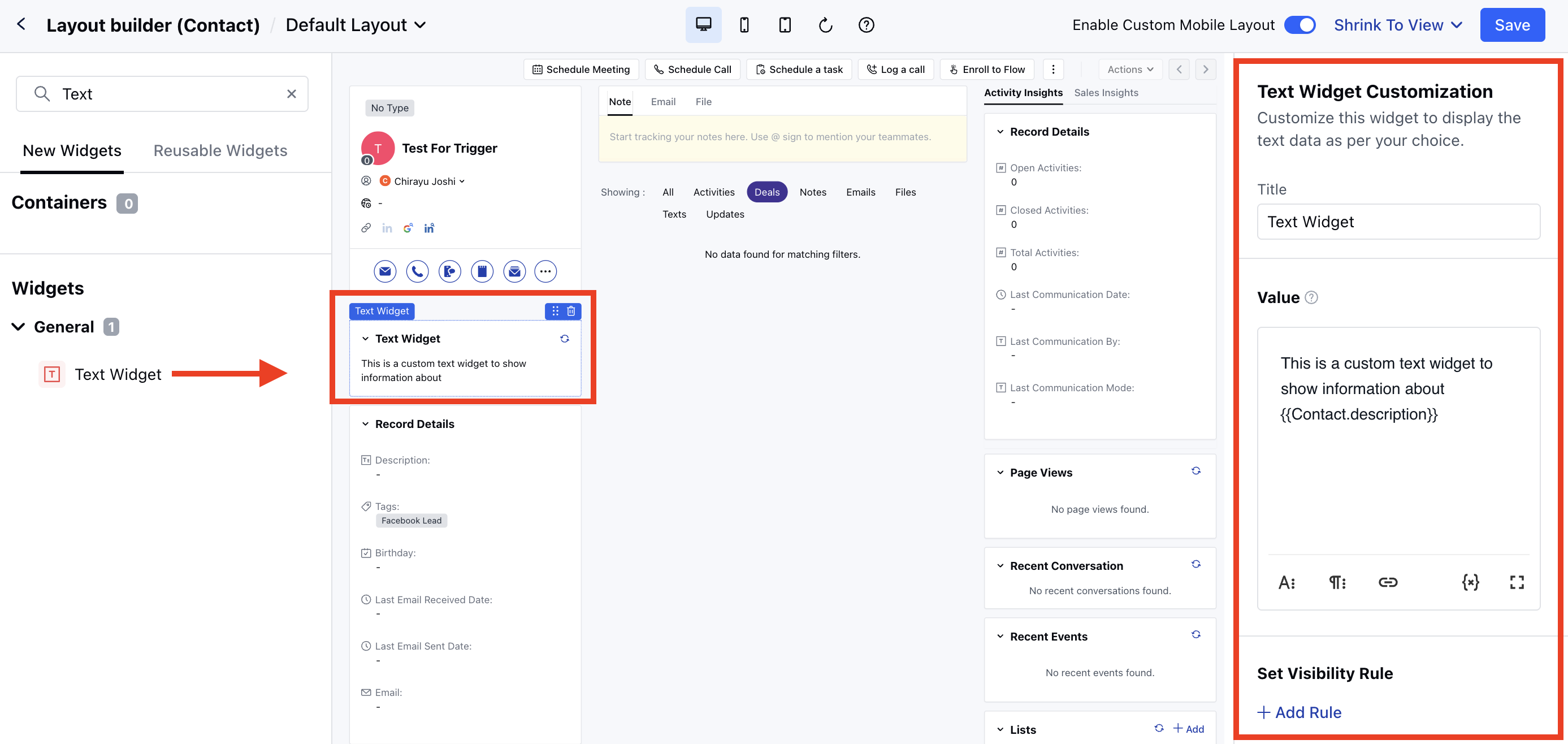
- You can add the attributes to check for the dynamic values and also add the static values.
- You can add text formatting, paragraph formatting, and link insertion options to make it more accessible and customizable.
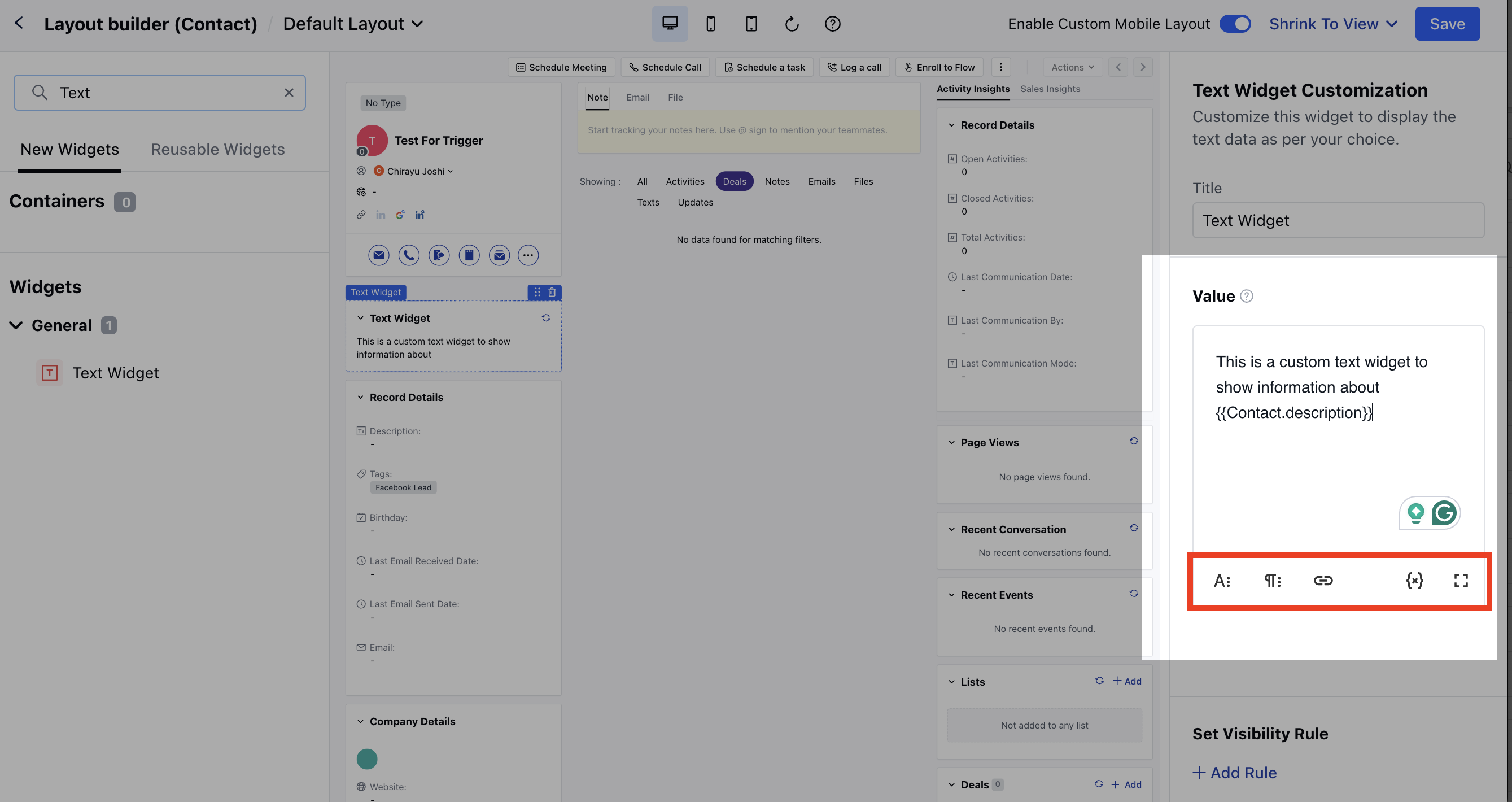
Note: Variables come from the primary module and organization, and they update in real time when refreshed. Custom Lookups are not available.