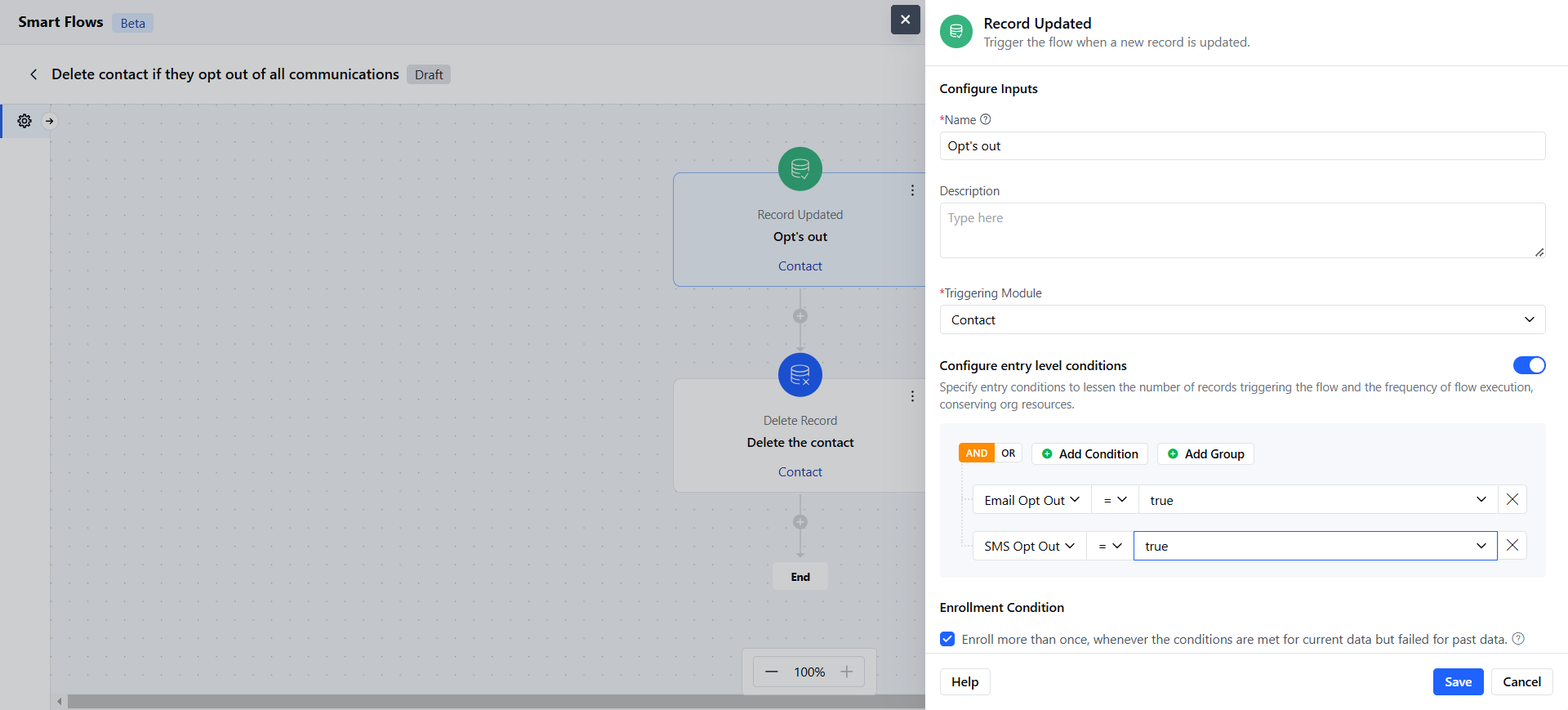
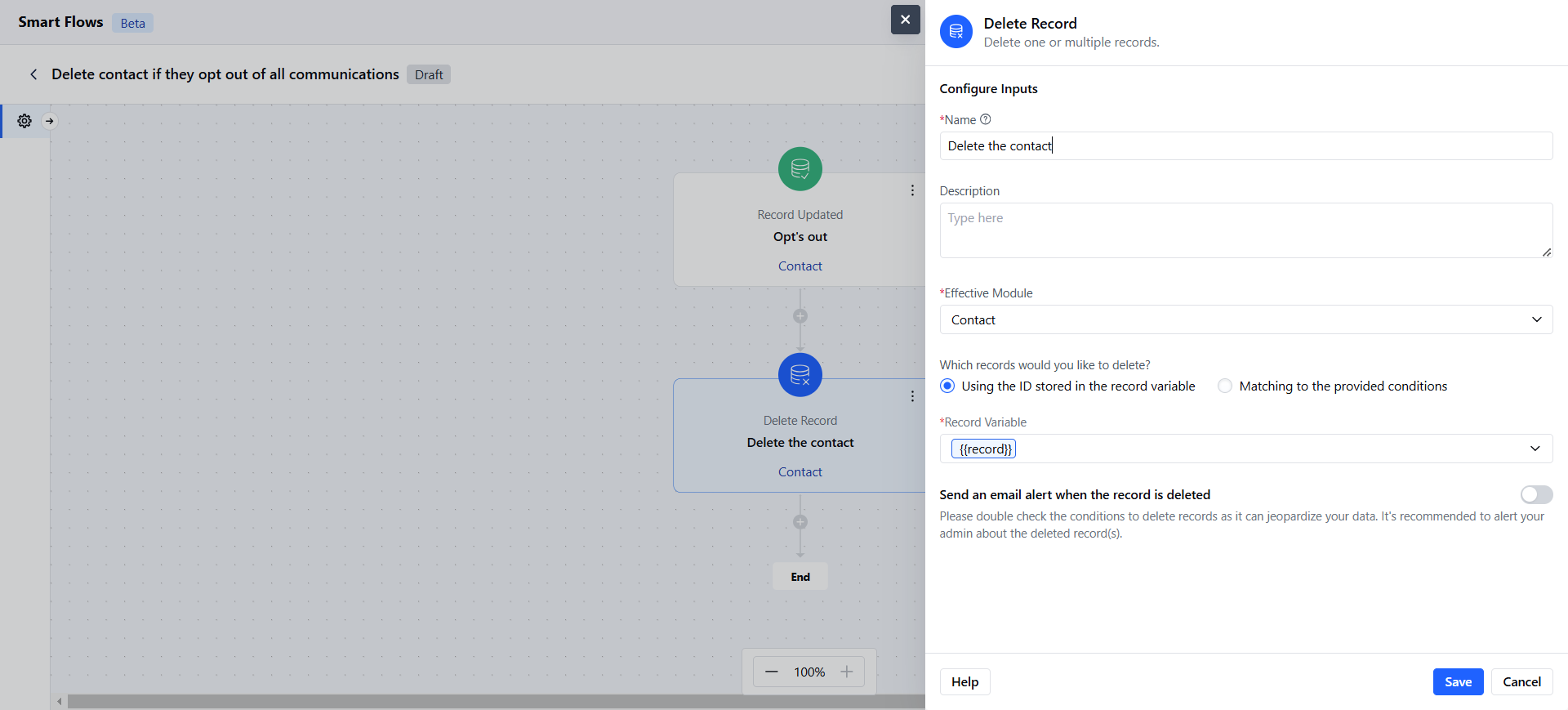
- The Deleted Records Action allows you to remove specific records from a module within your flow.
Topics covered:
How to Configure Delete Record ActionHow to Configure Delete Record Action
While setting up a Smart Flow, select Delete Record action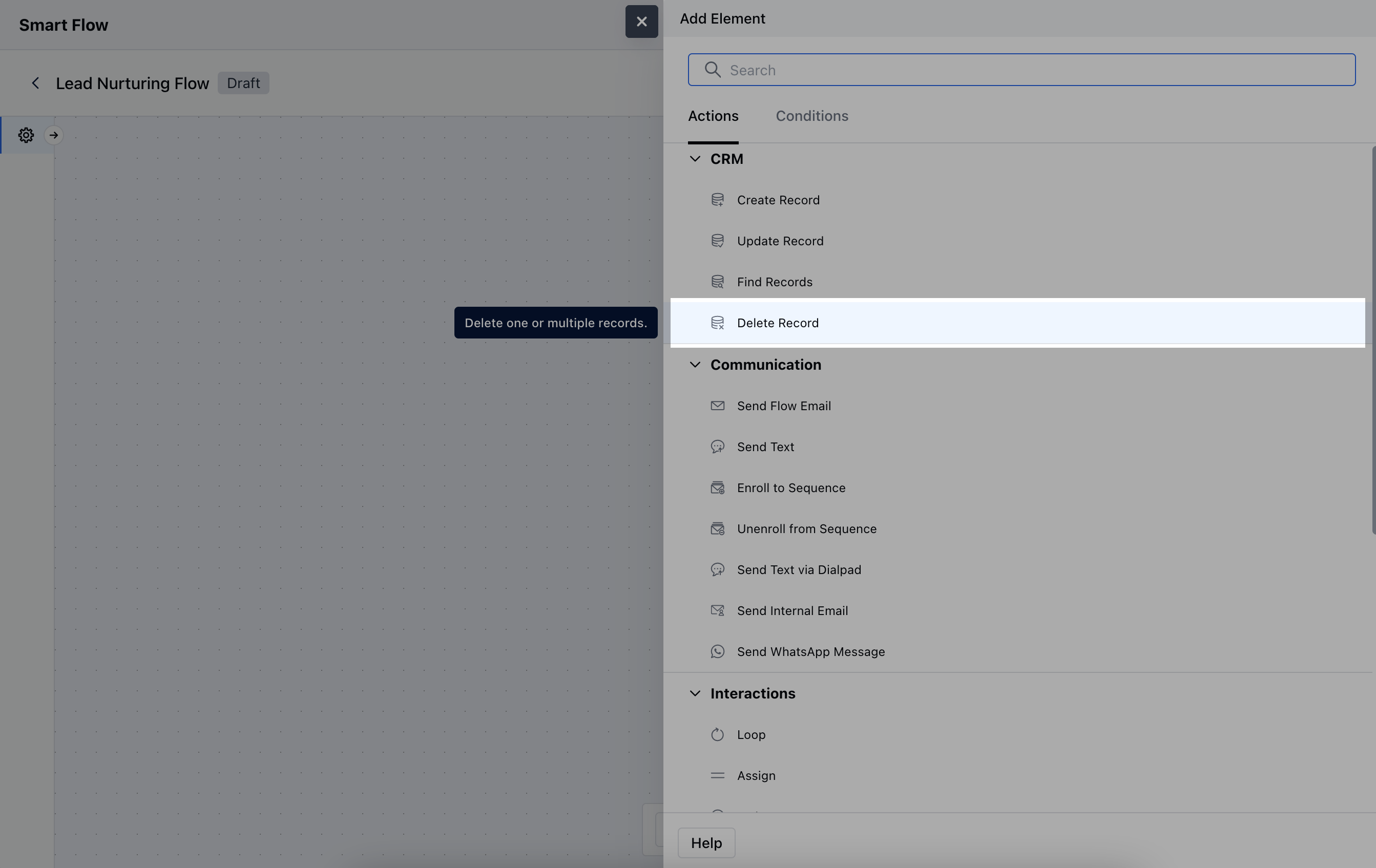
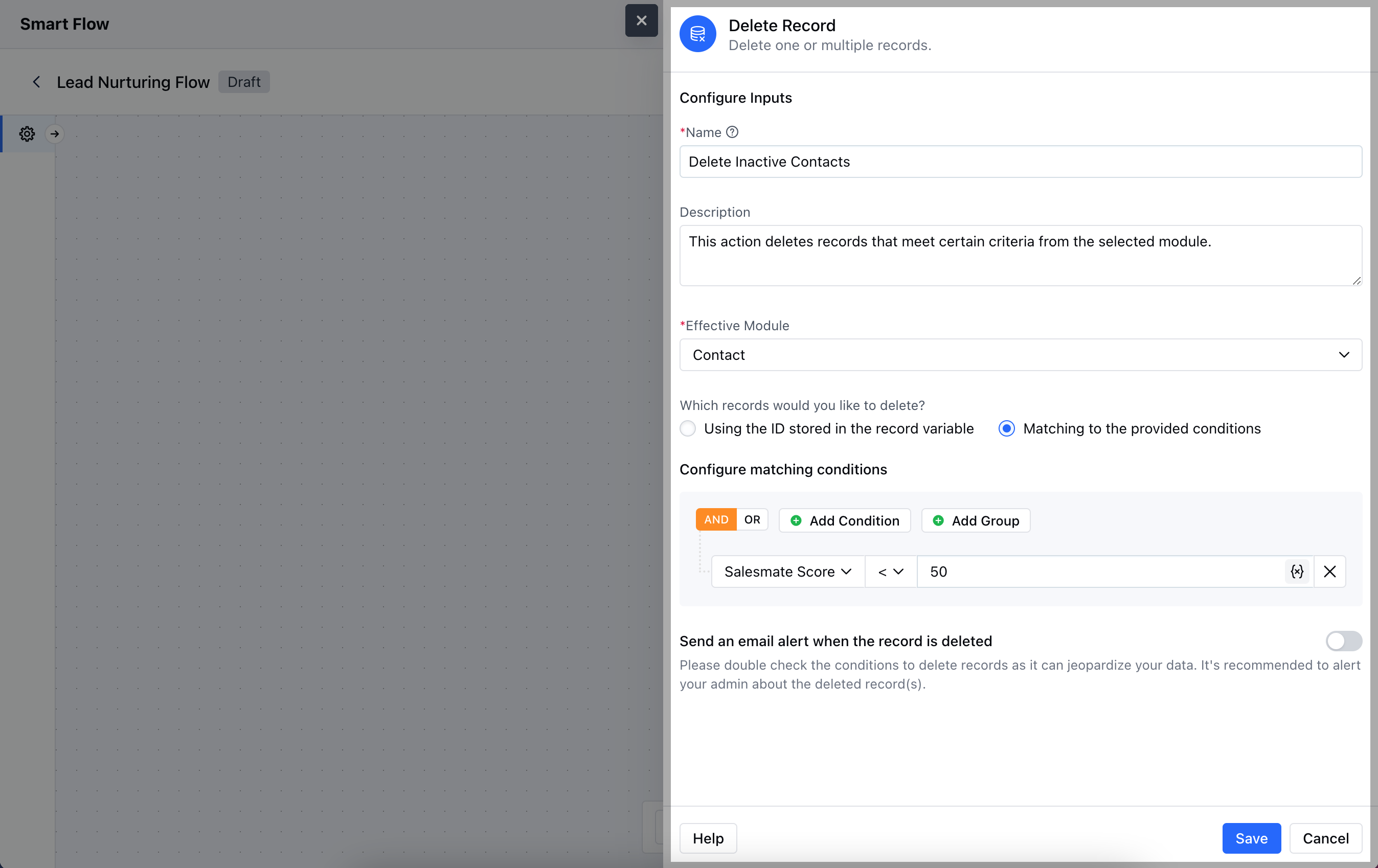
- Description: Write a brief explanation of the action’s purpose, clarifying the criteria for deletion.
- Effective Module: Specify the module from which you want to delete records.
- Which Records Would You Like to Delete?: Choose one of the following options:Using the ID Stored in the Record Variable: Select this option if you have a specific record ID stored in a variable that you want to delete.
- Matching to the Provided Conditions: Select this option if you want to delete records that meet specific criteria you define.
- Send an Email Alert When the Record is Deleted: Enable this option if you wish to receive a notification email whenever a record is successfully deleted.Once the configuration is completed, hit Save.
Practical Example
Automatically delete contacts from your CRM if they unsubscribe from all communications or exercise their right to be forgotten.