The Exit Selected Flow Action enables you to remove a specific record from any flow other than the current one. This action is particularly useful when working with sub-flows and you need to stop a record’s execution in another flow based on certain criteria.Topics Covered:

How to Configure Exit From Selected Flow Action

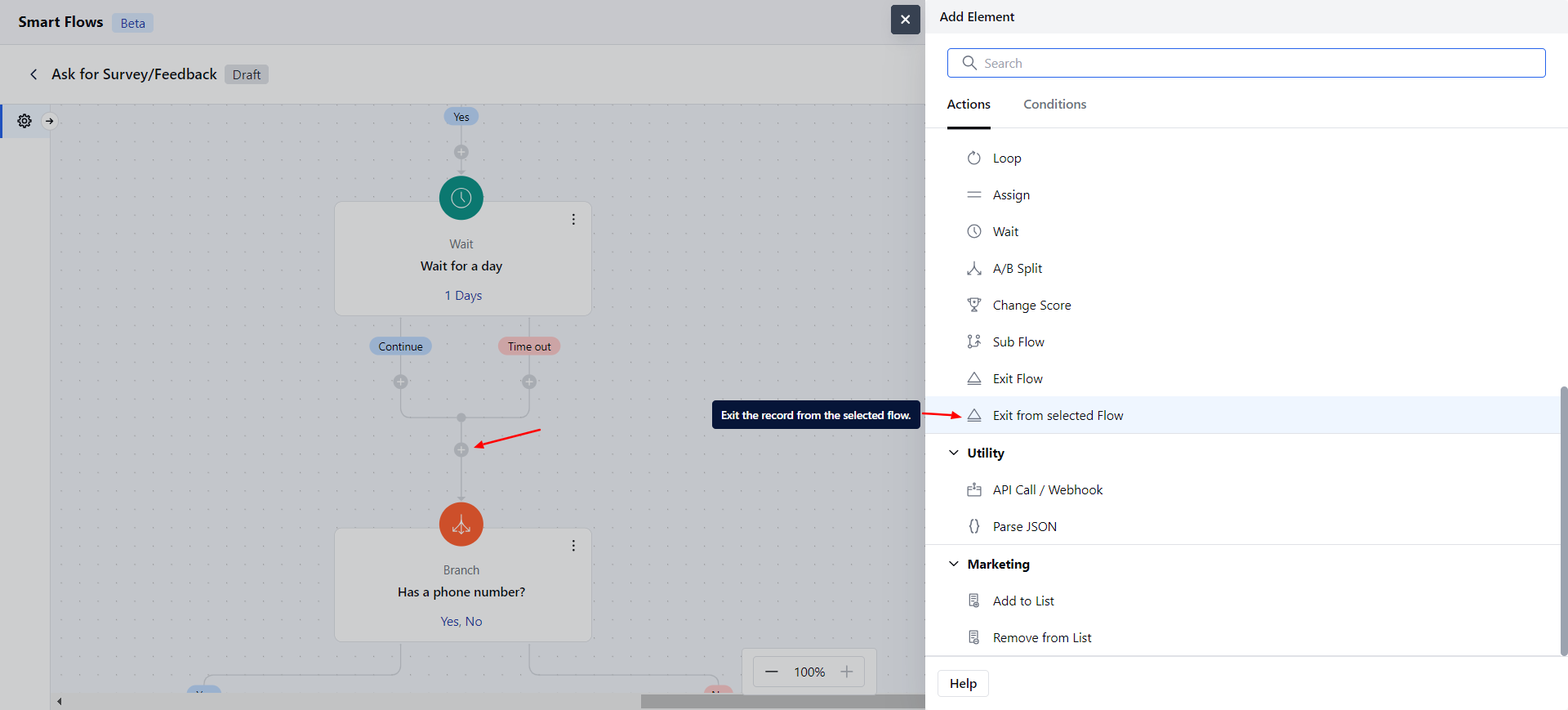
When setting up a Smart Flow, select the Exit the Selected Flow action. mceclip1.png When setting up the Exit Selected Flow Action, you will need to configure the following details:Name: Provide a clear and descriptive name to identify the action’s purpose.
  • Description: Give a brief explanation of the action’s function, describing what it will achieve.
  • Record to Exit: Select the record variable you want to remove from another flow. Here you can select a variable at any level but it must be a single record only.
  • Flow: Choose a flow from which to the records should be exited.
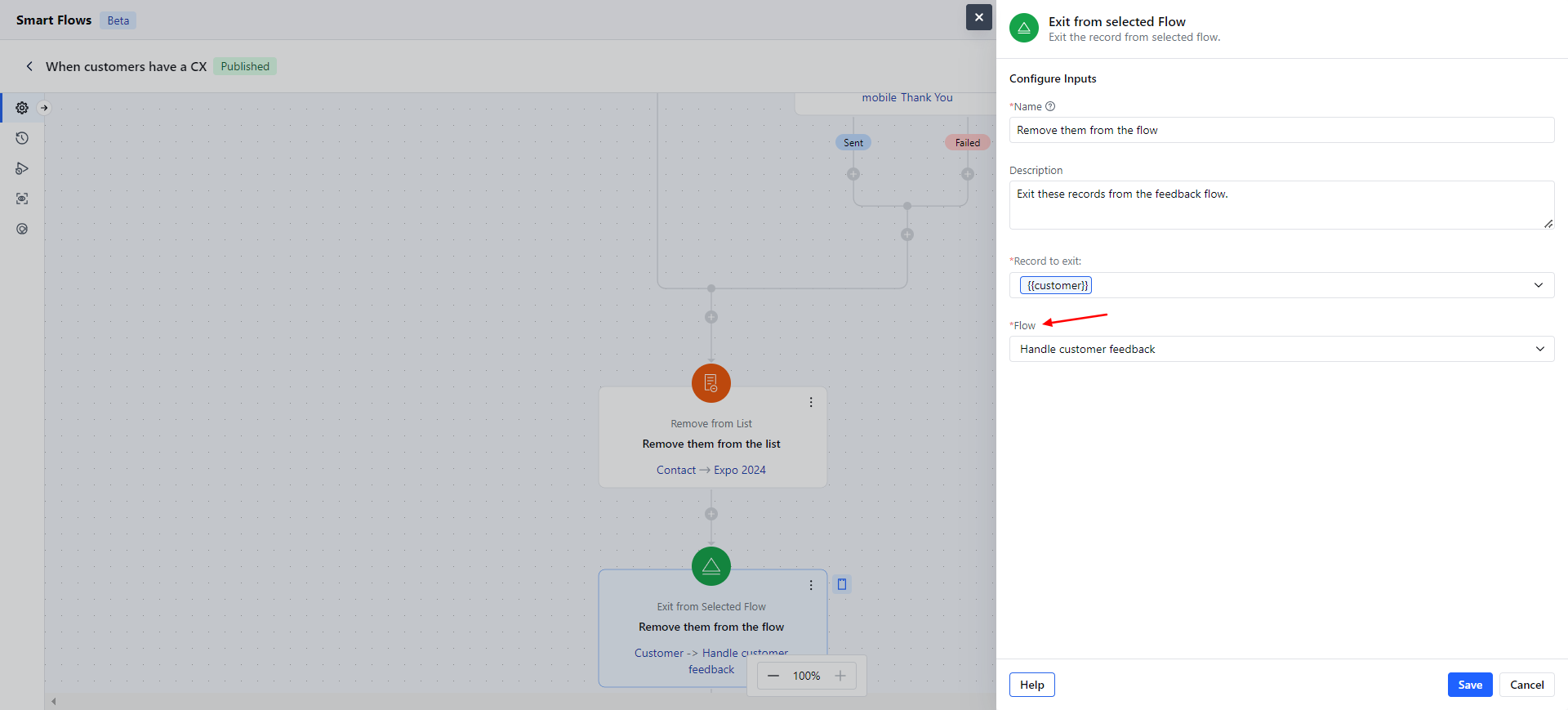
mceclip0.png Click Save and continue.

Practical Example