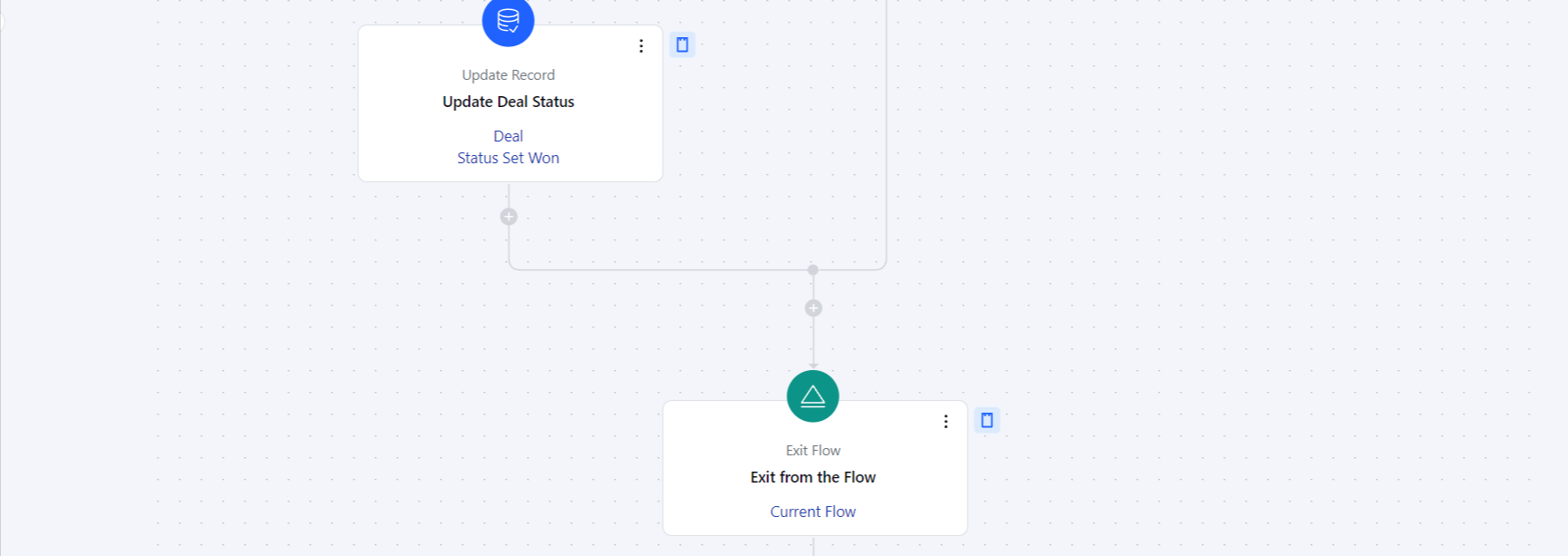
How to Configure Exit Flow Action
When setting up a Smart Flow, select the Exit Flow action.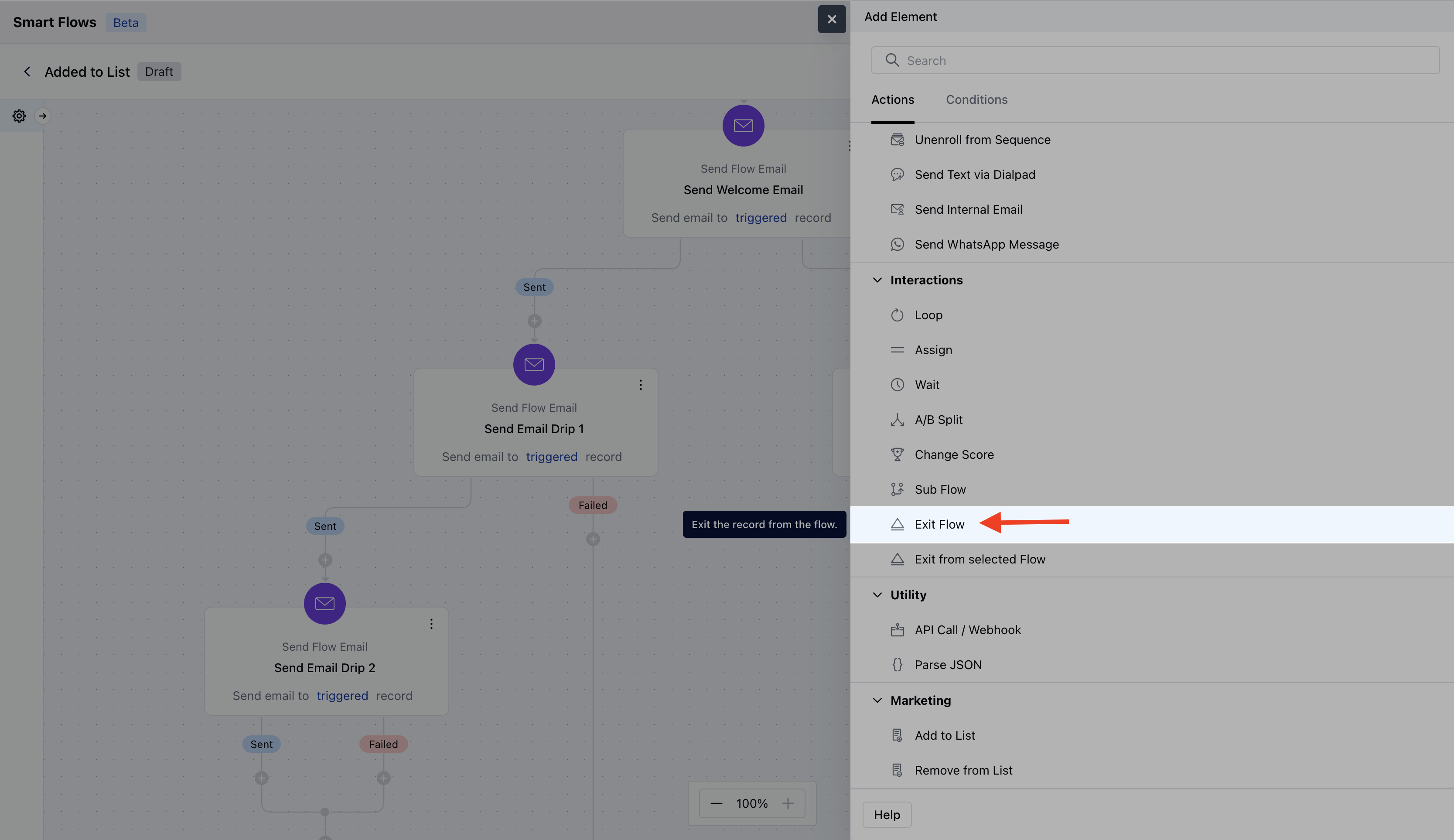
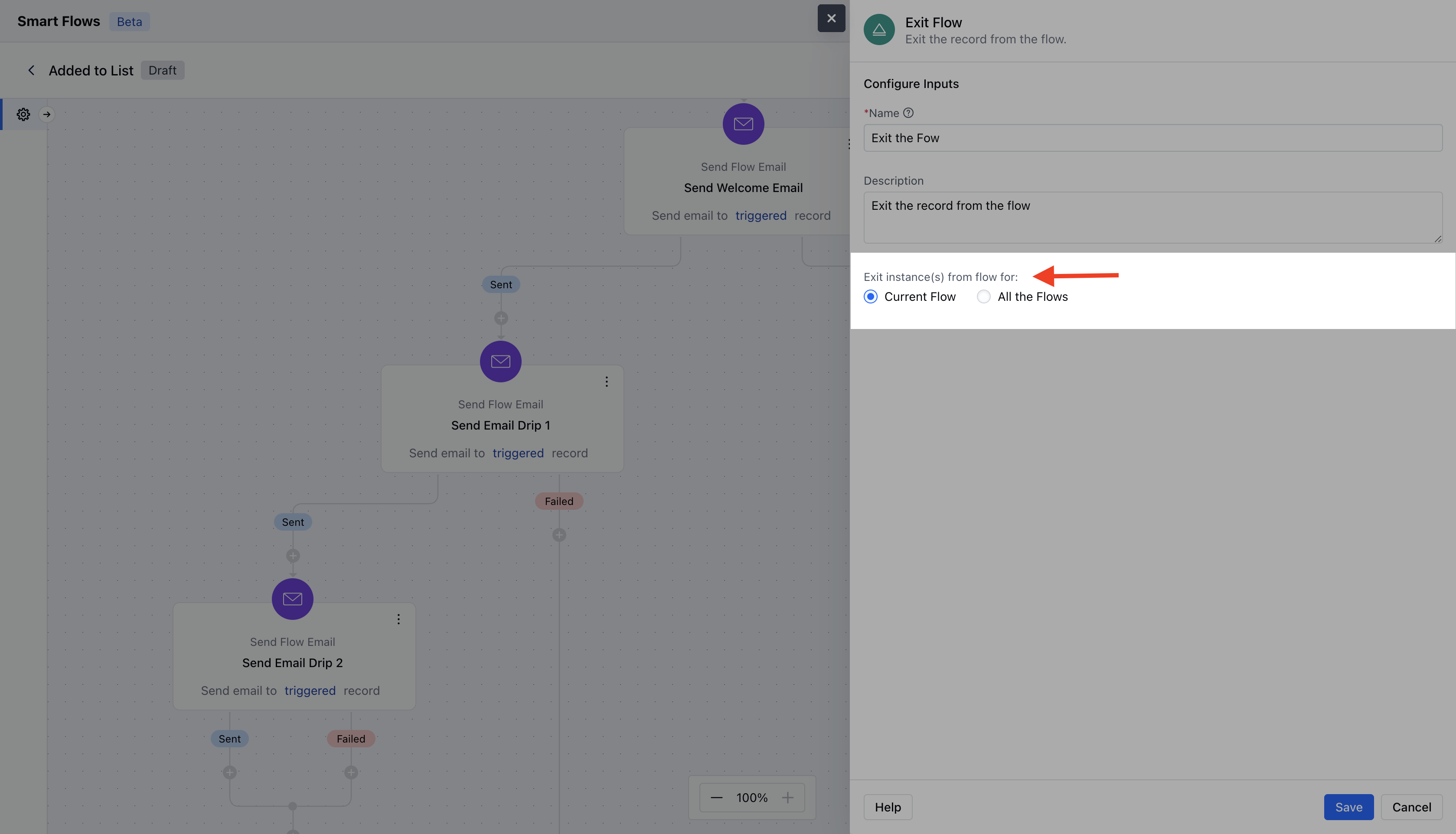
- Description: Give a brief explanation of the action’s function, describing what it will achieve.
- Exit Instance(s) Selection: You can choose Exit from Current Flow to remove the record’s current instance from the flow (default option) or choose Exit from all Flows to exit the record from all flows, which will stop the automation for that record across all workflows.
Practical Example The exit flow action allows you to remove a contact from the current flow or even from all flows altogether. For instance, if a client unsubscribes from an email, you can use this action to remove them from the flows since they are no longer interested. There are various use cases where this action can be applied, depending on the situation.As per the below screenshot we were tracking the deals and once the deal is won or lost we will remove that record from the flow as there is no further follow-ups needs to be done over here.